
Your Browsing History


Charles L.
Joined on 07/29/01
0
0
product reviews
- 2
An Excellent CPU, Excellent Value
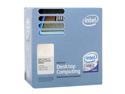
Intel Core 2 Duo E6600 - Core 2 Duo Conroe Dual-Core 2.4 GHz LGA 775 65W Processor - BX80557E6600
Pros: This CPU is sitting at the optimal Enthusiast Performance/Price point in the Fall of 2006. Uses the LGA775 socket, which will also accept Quad Core CPUs in the future -- so if your Motherboard will get a BIOS update for Quad Core (My Asus P5B Deluxe already has one), then there will be a really GREAT upgrade path for Intel hardware such as has never happened before in the history of Personal Computing. Wide range of stable operating parameters. (Intel has re-acquired my Enthusiast respect!)
Cons: The Stock cooler was a little difficult to install correctly in my motherboard (Asus P5B Deluxe), and the thermal paste that comes pre-applied on the heat sink is not very good. I had to reseat the cooler after applying better thermal grease (Like Arctic Silver) in order to get my temps down. (They were initially in the low 70 C range under light load, but came down to the low 40 C range after these minor efforts.)
Overall Review: It is difficult to find ANY information on safe operating temperatures for the Core2Duo series, but many users seem to think that 35-61 C might be reasonable under idle and light loading, with 70's OK for brief periods. The "throttling back" temperature is apparently set by Intel in hardware at 85 C. The freeware WinXP program "Core Temp" (Beta v0.93 by A. Liberman) opens the hood and tells you the temps of the 2 cores directly inside the CPU package. These sensors are reportedly what Intel uses to determine if the chip is overheating and needs to be "Throttled back." Some folks report seeking only stability with this chip and not being too worried at all about the resulting temps since Intel is already monitoring and (reportedly!) has a plan to protect the cores. On the other hand, I have NOT seen anyone writing to say that they have actually seen these CPUs throttle back and protect themselves from overheating!
11/9/2006See more detail
A Great Board but beware of 2v memory sticks
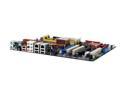
ASUS P5B Deluxe LGA 775 Intel P965 Express ATX Intel Motherboard
Pros: My E6600 is (easily) running at 125% with Intel's stock cooler. There are many, many BIOS options to choose from. There are lots of cables (including extra 90 degree SATA cables!), connections are well marked and everything is in the right place (for a change!) Some Motherboard chip cooling is via a well-laid-out passive heat pipe, which is pretty neat, but the layout presumes the board will be vertical, so it should probably not be run laying flat indefinitely.
Cons: There is little or no information to work with if you get the no boot/no beep "Black Screen of Nothingness" when you turn it on. For instance my new DDR2-800 OCZ Platinum memory did not allow a boot because this particular stick is not (yet) recognized by BIOS (711) and it requires 2.1 v. This board supplies memory with 1.8v by default, so you have to boot with 1.8v memory (apparently the DRAM standard) and then reset this manually in BIOS before installing the new memory. Look in the manual (online) for GUARANTEED compatible memory sticks before buying high end memory to use in this board! There are a lot of postings online about RMAs of this board due to failure to boot, but I would encourage everyone to work through to a real diagnosis. I assure you that this board really rocks! There are lots of SATA ports available on this board, but only 2 connects for PATA. (You can now find SATA DVD-Readers, but not yet DVD-Writers.)
Overall Review: I have built many "enthusiast" computers over the years with newegg parts, but never using Intel chips before this one. Installation was moderately smooth (except as outlined in Cons, above), and once I got to the BIOS, I was VERY Pleasantly surprised with the stability and features. Core2Duo stability outlined in Wusy's guide suggests a 1:1 CPU:memory counter ratio (for stability), which is only about DDR2-533 for the E6600 base of 266 MHz. If you only want to push an E6600 from its 2.4GHz base freq up to 3GHz, you probably do not need really expensive (DDR2-800+) memory nor an aftermarket cooler. Also had trouble with a new internal Flash Drive reader from newegg. This was really strange, but I got another no boot/no beep if this flash reader was just plugged into a motherboard USB Port! Changed readers and everything worked fine. ASUS Tech support (online) responded next-day to an inquiry. They were not particularly on-target, but they did offer several solutions.
11/9/2006See more detail