

Your Browsing History


Drew C.
Joined on 10/23/09
0
0
product reviews
- 19
Eggcelent!
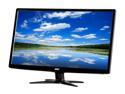
Acer G6 Series G246HL Abd 24" Full HD 1920 x 1080 5ms 60Hz VGA DVI Slim Profile Widescreen White Backlit LED LCD Monitor
Pros: DVI, VGA, very thin, very light weight, ZERO dead /stuck pixels
Cons: Buttons are not labeled. When you push a button, it shows a diagram on the screen labeling each button (does make it easier to use in the dark though...). Requires a flat head screwdriver (not a big deal, but could be for some people especially if they don't have one)
Overall Review: Ordered two of these, these screens are very bright out of the box, the default is set to 100%, I had to drop it to 40% before I could stand to look at it. Also, please note these monitors use an external AC adapter (like a laptop) instead of a conventional power cord.
6/19/2013See more detail
Do NOT buy for Low Profile OptiPlex PCs
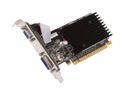
MSI GeForce 8400 GS 256MB GDDR2 PCI Express 2.0 x16 Low Profile Ready Graphics Card N8400GS-D256H
Pros: N/A
Cons: VGA adapter parallel style cable is TOO short for many Low Profile PCs.
Overall Review: The parallel style cable that connects the VGA adapter to the board is short. The low profile bracket MUST be on the same side as the header pins (and heat sink). So check the orientation of expansion slots in your PC. If the VGA low profile bracket isn't going to go on the same side of the board as the heat sink, this card isn't going to work for you. I've looked around and the only longer cable I can find is for XFX cards.
2/8/2011See more detail
Best mouse I've every owned
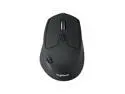
Logitech M720 Triathlon Wireless Multi-Device Mouse, Bluetooth & USB Receiver, Ergonomic Design, 3-Device Switching, PC/Mac
Pros: I love the programmable gestures! I listen to a lot of music while I'm working. So, I configured my gestures as: Move Right = Next track, Move Left = Previous track, Move Forward = Volume up, Move Back = Volume down, Gesture Button Click = Pause/Play
Cons: Only complaint is that the Logitech software doesn't load immediately when the computer.
6/23/2017See more detail
Excellent Monitor
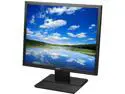
Acer V196L bd 19" Black LED Monitor, 1280 x 1024, 5:4, 100,000,000:1, 250 cd/m2, 5ms, VGA, DVI, VESA Mountable
Pros: Have purchased several of these for work and had them for a year or more. No issues whatsoever out of any of them.
Cons: None
7/7/2015See more detail
Good product for a good price
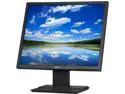
Acer V196Lbmd Black 19" 5ms LED Backlight Monitors TN Panel 250 cd/m2 ACM 100,000,000:1 (1000:1) Built-in Speakers
Pros: Works, no dead pixels, reasonable price, what more can you ask for? I've bought 5 of this exact model and well over 50 of the V196 series altogether (probably approaching the 100 mark) to replace old CRT monitors where I work. I've yet to encounter any of the Acer V196 series that arrived DOA, or came with a single dead pixel. These are great monitors.
Cons: No rotation or height adjustment
4/28/2014See more detail
Excellent for business use
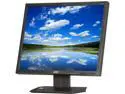
Acer V193LAJObd Black 19" 5ms LED Backlight LED Backlit LCD Monitor 250 cd/m2 ACM 100,000,000:1 (1,000:1)
Pros: Worked flawless out of the box, ZERO dead/stuck pixels
Cons: None
Overall Review: If it's too bright OOB, then turn the brightness down... Have this and a V193LAJOb setup in a dual monitor configuration. Was able to configure color/brightness/contrast to look similar enough on both screens that the average person wouldn't be able to tell the difference. Have purchased around 40 Acer monitors over the past 5 years for work and have yet to have a single dead or stuck pixel on any of them. Keep up the good work, Acer.
6/24/2013See more detail