

Your Browsing History


JOHN I.
Joined on 02/03/04
0
0
product reviews
- 17
Works fine in Canon 60D
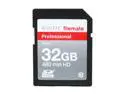
WINTEC FileMate Professional 32GB Class 10 Secure Digital SDHC Card - Retail
Pros: Very fast. I have had no problems recording HD video on a Canon 60D. On my PC I am seeing write speeds between 13 and 16 Bytes per Sec and Read speeds at a consistent 18 Bps. I'm not sure why people with the consumer Canons are reporting that they can't record HD video with these cards. Fot the 60D they are overkill for video. In a camera, the test is butst picture rate not HD video. HD video is a pretty lightweight task.
Cons: None. I loaded a full season of Dexter to one of these in a USB reader/writer in 8.3 minutes (that was 6.4 GB of data). That is pretty quick.
Overall Review: This is a fine 32GB card and I am just now executing a purchase of my second!
3/28/2012See more detail
If it burns in it's great
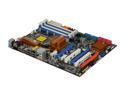
ASRock X58 Extreme LGA 1366 Intel X58 ATX Intel Motherboard
Pros: The design of this motherboard is very well done. The CPU, RAM and North/South bridge placement allows for a lot of flexibility in the installation of CPU coolers. By far, using the BIOS controls, this is the easiest motherboard anybody is likely to experience for overclocking. With Corsair H50 CPU water cooling, I was able to OC this board to 4.2GHz with a i7 920 (Batch-B, DO stepping), running the DDD3-1600 RAM at about 1.53GHz in 15 min bursts usi9ng all 8-threads at 100% burn (BurnInTest) with max CPU temp of 78degC.
Cons: After playing around with the overclocking for a couple hrs, and after deciding that this MB was a delight to work with, I set up BurnInTest to do a 48hr test, running the CPU with no overclock at 85% workload for all 8 threads. This approximates what a CPU actually might experience in an intensive work environment. The motherboard died 22hrs into the test.
Overall Review: If you look at the recent reviews you will notice that this motherboard has about a 20-25% failure rate. However, I did notice that if you look at the most recently purchased boards, the rate is drastically lower, suggesting that ASRock may have upped their production values. I didn't need to take any more time swapping motherboards so I RMEed the board back to Newegg and ended up substituting an ASUS P6TD Deluxe which was substantially more costly. While I am very satisfied with the ASUS board, I really did grow to like the ASRock board in the short time I had it while it was working. Given the fact that about 60% of the people that purchased it love it, I'd say that if I was to do it all again, I probably would buy this board again, but be prepared to test it intensively for 25 days or so before I committed to it. If you have your whole system accounted for (i.e., i7 in hand, all the DDR3 RAM, etc) and have a month to spare I'd give this MB a shot.
12/28/2009See more detail
For the price they are, without question, the best
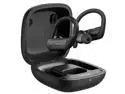
Mpow Flame Lite in Ear Wireless Earbuds Sport, Bass+ IPX7 Waterproof Sport Bluetooth Earphones, Ear Hook, BT5.0, Touch Control, Mono Twin Mode, 30H Playtime, USB-C Charging Case, Built-in Mics, Black
Pros: Excellent Bass/Low-midrange response. With the ear clip, they stay put in your ear Touch controls are intuitive
Cons: Somewhat complicated to get into case Latency between touch control and action Case too big to fit in pants pocket
Overall Review: I purchased these for the crazy Newegg price of about $16. I wasn't expecting too much but was hoping that they had some of the audio properties of the now discontinued Flame Pros. Over the past couple months I have purchased no fewer than nine different Bluetooth earbud models looking for a cheaper alternative to my Air Pods Pro to keep in my university office. When I first tried them I was pleasantly surprised. The bass and low-midrange was excellent and I really didn't notice excessive masking of the higher frequency components of the audio. What little is there is easily corrected with a graphic equalizer (note: it's a lot easier to compensate for lack of higher frequencies in a speaker that is capable of delivering sufficient bass response than it is to try to produce higher bass levels when the signal is absent in the range of the boost as it is for most cheap Bluetooth earbuds). I was also impressed with how well the ear clip keeps the buds in my ears during strenuous workouts. Also, since I have so many different earbuds right now, I appreciate the simplicity of the touch controls on these. While this may seem absurd, it took me quite some time to figure out how to put them back into their case so that the contacts on the buds aligned with the charging contacts of the case. Practice seems to have remedied the situation, though. Judging by the latency of touching the buttons to the effect produced suggests that the latency of theswe buds would be way to long to be capable of working in a video game application, but for just controlling music parameters it isn't too bad. Finally, the case for these is enormous and I don't carry it with me because it is too large to fit comfortably in my jeans pockets. However, the operation time after a full charges has been long enough not to ever have caused any issue. For $16 these earbuds are an incredible buy. Additionally, they compete very well with any earbuds I have tried that cost less than $50, and much better than most of them.
3/8/2022See more detail
Great, reliable motherboard
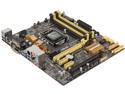
ASUS Z87M-PLUS LGA 1150 Intel Z87 HDMI USB 3.0 uATX Intel Motherboard
Pros: Once I figured out the BIOS everything went together incredibly easily. I purchased this motherboard for use in my electrophysiology laboratory. I chose it because it seemed like it should be reliable. I dropped am i7-4770K in it and 16GB of G-Skill 1600 RAM. I've overclocked the system to 4.7GHz on Corsair H100i and even with CPU going full throttle with PassMark CPU test, the Chip never went over 72degC even after an hour. I've since throttled it back to 4.4GHz (no particular reason, but I don't to risk stability issues in the middle of an experiment). The system has been up and running for over 3 months now and I have yet to encounter any issues. I've got an Asus GTX780TI-DC2OC-3GD5 graphics card and two 24" Asus monitors for video.
Cons: The user manual could use a bit of work
Overall Review: In off time, I use the box for multimedia production. I have Adobe CS6 Production Premium and do a lot of Premiere Editing. I also have a substantial subset of my Pro audio tools loaded, and I have an EMu 2020 system as well as a Universal Audio UAD-2 quad card plugged in for audio support.
4/12/2014See more detail
Incredible!
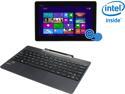
ASUS Transformer Book T100 Intel Z3740 Quad Core 2GB DDR3 RAM 64GB SSD 10.1" Touchscreen Tablet w/Dock, Windows 8.1 (T100TA-C1-GR)
Pros: I just wrote a 5,000 word+ review that got timed out. Nice job newegg! I bought this for my wife for Christmas, it arrived yesterday and I spent a good portion of the night setting it up for her. None of the problems reported elsewhere in these reviews were evident with the machine as it arrived. The BIOS and pre-installed Win 8.1 have worked flawlessly. The touch pad did not have problems and I experienced no glitches, whatsoever.
Cons: none, except those associated generically with Windows 8
Overall Review: It takes time to write a well thought out review. There is no reason the newegg connection should be reset because of time considerations when people are working on a review. I had a lot of useful information in the review that I would have liked to see, I'm not going to re-write it.
12/28/2013See more detail
Excellent Cooler
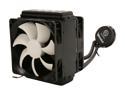
Thermaltake WATER2.0 Pro Closed-Loop All In One Liquid CPU Cooler Dual 120mm PWM Fans 120x49mm Radiator CLW0216
Pros: Easy install, excellent performance.
Cons: none
Overall Review: These things (I've installed 6 closed loop coolers) work much better if room air is pushed/pulled over the radiator into the case. There will never be a condition when the air inside the case is cooler than the ambient room air. All other fans in the case should push the air out. The Thermaltake instructions have the air going the wrong way!
12/1/2013See more detail
seller reviews
- 1
Perfect "Modern" computer for the crowded desktop!
I've been using Shuttle XPC computers for many years. I have always found them to be very durable and reliable. This latest acquisition was no exception. Also, for about $1200 total cost, I assembled an Intel Core i9-11900K based, 64GB RAM, 2TB NVMe WD Black M.2 Drive and a 4GB HDD system using it. Total build time was about 30 min, and everything worked perfectly on first boot!
On-time
Delivery
Product
Accuracy
Customer Service
Satisfactory
1/30/2023See more detail