
Your Browsing History


Tom P.
Joined on 07/09/05
0
0
product reviews
- 13
Speculation
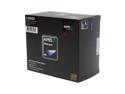
AMD Phenom 9850 Black Edition - Phenom X4 Quad-Core 2.5 GHz Socket AM2+ 125W Processor - HD985ZXAGHBOX
Pros: System Specs: OCZ Reaper HPC 4GB (2 x 2GB) 240-Pin DDR2 SDRAM DDR2 1066 (PC2 8500) AMD Phenom 9850 BLACK EDITION (Quad Core) GIGABYTE GA-MA790FX-DS5 CORSAIR CMPSU-750TX 750W Despite what many say about instability with the Gigabyte DS5 board, my computer ran enough to boot up and configure, but it would randomly restart when there was alot of stress on the CPU. This was because of the motherboard bios it came with. After a bios update, this chip runs so quickly on 64bit vista. Gets a 5.9 vista rating (highest u can get).
Cons: The heat pipes on the heatsync CAN get in the way of the holder on my mobo, but with a tiny bit of adjustment, I was able to set it.
Overall Review: Get price for a great cpu.
6/9/2008See more detail
SAPPHIRE IS TERRIBLE
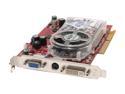
SAPPHIRE Radeon X1650PRO 512MB GDDR2 AGP 4X/8X Graphics Card 100175L
Pros: Worked only until outside of manufacturer's warranty.
Cons: Had to go through Sapphire's terrible online only tech support (no phone number), and their response was "This card is no longer under warranty period, we will not be able to help you with your request."
Overall Review: Me or any other person I know will NEVER buy another Sapphire again. Products failing JUST outside the warranty is a joke. I suppose I should've expected such out of a Chinese company.
10/5/2011See more detail
Great!
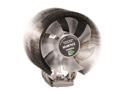
ZALMAN CNPS 9700 NT 110mm 2 Ball Ultra Quiet CPU Cooler
Pros: - I know I read some other's experience using this on an intel chipset (by Vamp9190), but with my Phenom II 3.4GHZ Quad this was very easy to install. I looked at the Intel chipset section and really feel bad for you guys! You need to do a bit more than just the metal bracket haha. For the Phenom II AM3, You only need to use one out of two of the metal clips (and the L metal end) and it does not take much pressure to apply it. If you look in the book, you can eye out which is the right one by the angle of the metal. I recommend hooking the first end of the clip on the low side of the mount, and pressing it on, on the high side. - Stock cooler on my old Phenom I idled around 52, go to 62 in a hot room under full load. I ran this in an Antec 1200 case, with the 2 extra 120mm fans mounted inside the case (one blowing at the zalman), and now my new Phenom II runs at around 35C using low cpu programs. Under full load in a room about 75-80F, the CPU rans at about 42C. HUGE IMPROVEMENT!
Cons: - When I first powered up, the fan was not spinning... I honestly do not know if I have a weak fan, or if it was my new motherboard. It spins fine it seems. For now. - A bit big, but...it wasn't a problem for me with my new Antec 1200 case. - WARNING, one problem I could pontentially see is this cooler MAY get in the way of RAM with large heat absorbers. Luckily I had RAM with just a standard low profile absorber. To be exact, I used this configuration flawlessly: RAM: G.SKILL F3-12800CL9D-4GBNQ CPU: Phenom II 3.4GHZ Mobo: GIGABYTE GA-790FXTA-UD5 AM3
Overall Review: If it has been a while since you applied aftermarket paste like artic silver, I will save you the trouble of telling you to use a piece of paper folded over to apply it. I used a Q-Tip at first, and realized that may have been a huge mistake as the little fibers could potentially get mixed in. Doh! Would recommend this to others as it keeps my CPU VERY cool.
2/18/2010See more detail
Above Average
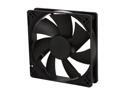
Rosewill RFA-120-K - 120mm Computer Case Cooling Fan with LP4 Adapter - Sleeve Bearing, Silent
Pros: - Neatly organized in the boxes. - Comes with an additional connector to convert to a 4pin molex. - Not too thick - They seem pretty silent in my room.
Cons: - On the converter to 4pin molex, the female 3pin end one of the pins came loose and almost made me think I had a faulty fan. I easily fixed it by inserting the pin back in.
Overall Review: I bought 4 of these, even though I only needed 2 because of the great reviews. I used the two in my Antec 1200 case, one which is blowing directly on my "ZALMAN CNPS 9700 NT 110mm 2 Ball Ultra Quiet CPU Cooler" for my 3.4GHZ Quad core AMD. Those two combined keep my CPU between 32-40deg C. Mind you, my room at times can get to 80-90F, and thats with 100% CPU. So I am fairly happy seeing as my older 2.5GHZ AMD Phenom Quad in my old thermaltake case used to idle around 52C, then would get to about 62C under full load in my hot room. Huge improvement! Don't waste $20 at bestybuy buying just one of these when you can get 4 for that price on newegg! Haha. Will recommend these to my other computer buddies/family.
2/18/2010See more detail
Mine came broke -_-...
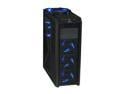
Antec Twelve Hundred Black Steel ATX Full Tower Computer Case
Pros: - Great cable management - Quiet - Looks great with the lights - Great air flow - Great deal of space inside! - Filters! Dust filters was one of the requirements for me! - The frame seems very solid - Small adjustment panel to adjust the following: TOP LARGE FAN lights(on/off), TOP LARGE FAN speed (l/m/h), REAR TOP 120MM speed (l/m/h), REAR BOTTOM 120mm speed (l/m/h).
Cons: - Firstly, one of the screws that hold on the top HUGE fan broke off with the plastic before it arrived to me. - Second, the rear(bottom) fan slider is pushed in a bit. And the adjusters feel very cheap. It should have came with a slider to let you turn off the rear/front fan lights as well. - I do not like that I have to remove the sections in order to take out the filters. - The finish on the plastic for the front/top is a bit rough, too bad it isn't smoother. - For the price, I would think they would just give you the extra 2 120mm fans. It does not come with one for the side panel or the rear mount for one of the drive bays. - The side covers do not "latch" around the top and bottom edges, as they are completely smooth. This is unlike the traditional style so it seems very weird and looks horrible until you put the screws in to hold the cover on. - So many screws! Screws for everything!
Overall Review: I bought this case to replace my old Thermaltake Xaser III which I had absolutely no problems with durability. The Thermaltake... I used that case to heck and back, been in over 10 different houses, moved with me many places I went. I have had that case from 2003-2010. This case disappointed me when one of the fan mounts was broken right out of the box. I am however pleased on how open the case is inside, and the amount/size of fans it accepts to keep things cooler inside. I would have given it a 3, but I believe I am just happy to have something newer than anything. It definitely let me down big when it came broke already, but seeing as how I need the case for my parts and the money I would probably lose to shipping costs, I see no beneficial reason to request another one... I also do not see Antec really caring about these seemingly "small" problem to them, but seeing as how I spent so much expecting a product arriving in once piece I am a little more upset about it.
2/18/2010See more detail
Solid, Quiet, and Worth it
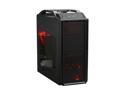
Cooler Master Storm Scout SGC-2000-KKN1-GP Black Steel / Plastic ATX Mid Tower Computer Case
Pros: - Quiet. - Solid. - Convenient, solid carrying handle. - Toggle button for red lights. - Cables route nicely. - No screws needed for the cd drives or hdd's. - The cables for the USB/Audio/Light Toggle button come pre-routed very nicely, but I almost thought the motherboard I had would not fit due to how close the cables were on the TOP RIGHT corner of where the motherboard was laid. That however was not an issue. Just fooled me haha. - I was tempted to make love with this case. (Too bad it wouldn't create more of them) haha
Cons: - Not the cases fault, but keep in mind, if you have a generic, cheap powersupply, and you still use a motherboard with a 4pin atx, make sure the cable is pretty long. The power supply, being mounted on the bottom was quite far from the connector, and I had to take apart the power supply I had, and route the 4pin ATX custom coming out of the PSU so that I had just 1CM over what I needed for it to reach the connector on the mother board. (Sigh of relief) Haha. - Screws were on so tight for the sides I could not use my bare fingers to take them off initially, but a screw driver fixes that quickly. - Two huge spots on the side plastic panel (I think 120mm fans), yet it does not come with them for convenience? - Have to pop off the entire front bezel (easy) to remove the drive bay covers. Reason I listed this as a con is that the front bezel was almost too easy to pop off, brand new. This was a mere speculation, but does not worry me much. - Is not a very good cook. I tried it.
Overall Review: I would have to say this is a very "newbie" friendly case as it is VERY easy to install everything and even came with a paper laid out where the motherboard usually is just for reference on where to usually place all of the spacers for the motherboard. (Although was not particular necessary) Dealing with the hard drive mounting I put them in with the connectors facing toward the clear side panel. Note that the case was designed to actually put the hdd's in backwards, leaving the connectors on the reverse side. I generally like this because you do not need the low-profile "L" shaped SATA connectors for the hdd's, and do not have to worry about the cables being mashed when you go to put the access side panel on.
2/18/2010See more detail