
Your Browsing History


Russell C.
Joined on 10/02/05
0
0
product reviews
- 12
Seems to be working well for a DAW (Digital Audio Workstation)
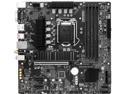
MSI B560M PRO-VDH WIFI LGA 1200 Intel B560 Micro ATX Intel Motherboard
Pros: Running w10 from an SSD and it boots in 14 seconds. 6 SATA ports was a real plus. 4 simms is a plus. When I load up a Cubase project it loads in seconds. Rendering audio to mp3 or wav is scary fast.I've managed to bork the BIOS a couple of times but the recovery is bonehead simple.
Cons: I have little use for the onboard wifi. 99.99% of the time it will be air gapped.
Overall Review: I would recommend this board to anyone who doesn't need flashing lights. It's pretty plain Jane, but plenty fast enough for my little (20 to 40 track 24/48K) track projects. 1/2022 update: My projects have grown and I'm using Cubase Artist now. Some of my projects have used upwards of 75 tracks, with some of the tracks having 4-5 'lanes'. A lane is like another track except it used the first tracks plugins, effects and settings. I'm using 3-4 times as many plugins as I used to and had to double the RAM. When I'm working the machine is on for 7-12 hours a day. I have never had a hardware crash of any type.
1/18/2022See more detail
Not at all happy
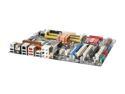
ASUS P5K-E/WIFI-AP LGA 775 Intel P35 ATX Intel Motherboard
Pros: Appears to be high quality fabrication. When it runns it runs good.
Cons: I've had this board since November. It has gotten progressivly harder to deal with on a daily basis. Upon power up it takes on average 6 attempts to get it to even begin POST. Fans spin, LED's light - nothing else. THEN, when it finally does start it almost always displays 'AI Overclocking Failed'. I am not overclocking anything. I have tried 4 different BIOS version, all with the same result. I've removed all the peripherals (all but 1 drive) and it makes no difference. ASUS support is totally silent regarding all the problems many have with this board. Nothing usefull in the ASUS forum.
Overall Review: AI Suite is totally useless. The UI freezes as soon as you start it, but it will leave a hungry task active. The WiFi app works well, but fails to shut down 80% of the time. This pig is going in the trash soon.
3/23/2008See more detail
Way COOL!
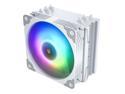
Vetroo V5 White CPU Air Cooler with 5 Heat Pipes 120mm PWM Processor Cooler for Intel LGA 1700/1200/115X AMD AM5/AM4 w/Addressable RGB Lights Sync
Pros: According to my monitor my i7-10700 was reaching 98C during stress testing. That's way too hot!After installing this baby it never went over 70C
Cons: It did not specifically say it would fit a Socket 1200 motherboard. But the backing plate is adjustable and so are the screws. It was tricky to install but not too bad. I've seen worse.The instructions for installing the fan are 'almost non existent'. Look at the very first picture, step 1.I had to move the fan up 3-4 fins to clear my ram. Good feature that allowed me to do that.
Overall Review: Works good.
3/31/2021See more detail
Awesome, mostly
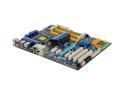
GIGABYTE GA-EP45C-UD3R LGA 775 Intel P45 ATX Intel Motherboard
Pros: Beautiful board, well made, easy setup, overclocks to insanity. Want to try running a >10 Ghz? This board will let you try. Supplied software actually works! 6SATA & 2eSATA is a great feature. With a good coller the CPU runs cooler than the chipset.
Cons: Could not install wireless PCI card, system hung every time the card became active. I haven't tried other cards but I had this problem with another PCI card in an ASUS board.
Overall Review: I've trashed the bios settings several times. Recovery is automatic and 'load optimized settings' always gets you back to a good atrting point. But just in case the cmos reset jumper is placed in the easiest to reach spot on the board. My previous board (ASUS P5K-E) had the jumper UNDER the video card!
12/30/2008See more detail
Here's how to make it work
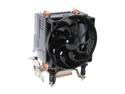
COOLER MASTER RR-CCH-L9U1-GP 92mm Hyper TX2 CPU Cooler
Pros: Good cooling on the cheap.
Cons: OK, the push pins suck for sure. Even after you pull the fan & shroud off they are a pain to get seated properly. It fell off while I was playing a game, luckily I heard the clunk & knew what it was.
Overall Review: If your MB sits flat and never gets moved you may be OK with the push pins. If you move the box often or mount the MB vertically GET A LGA775 BOLT THROUGH KIT. (This will help things run cooler too) Install it BEFORE you mount the MB in a case.
5/5/2008See more detail
POST Problems
ASUS P5K-E/WIFI-AP LGA 775 Intel P35 ATX Intel Motherboard
Pros: Appears to be very high quality parts and assembly. Lots of OC options.
Cons: Like other I am getting the weird POST errors upon power on. Most of the time, ~80%, there is no response at all. LEDs on, fans on, nothing more. Unplugging the PSU 'sometimes' gets it to boot. It was initially an alloyance, now it has become a total PITA as it takes several attempts to get this turkey running. When it does run it's great. I've OC'd a 3GHZ P925 to 4.5GHZ without any voltage changes! But I eventually found that ANY OC options other than default cause 'Overclocking failure' on power-on 100% of the time.
Overall Review: There is so much conflicting information about updating the bios on this board. Some say use the DOS version, some say use the Win....... Who you gonna believe?
3/10/2008See more detail