
Your Browsing History


James H.
Joined on 10/24/08
0
0
product reviews
- 14
Definitely worth the price.
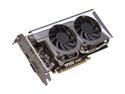
MSI Radeon HD 5770 1GB GDDR5 PCI Express 2.1 x16 CrossFireX Support Graphics Card R5770 Hawk
Pros: Vantage GPU score of nearly 20k with 2 of them overclocked to 1070 / 1400 in Crossfire. I just got rid of a GTX 295 and the setup is only slightly slower (but still overkill), and the image quality is through the roof! It's a smooth as silk setup with the 10.3 pre-release beta drivers!
Cons: MSI Afterburner is very finicky when used in conjunction with Catalyst Control Center. I also had to disable ULPS in my registry for both cards to function correctly in 2D and 3D applications. Google it if you need instructions.
Overall Review: I go through video cards usually once a month but this setup is probably staying put for quit awhile. The build quality, quiet operation, temps, and overclockability are absolutely phenomenal. Yes, you should pull the trigger!
3/7/2010See more detail
Good, but FAR from great. Ridiculously loud Pump.
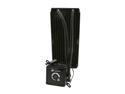
CORSAIR Hydro Series H100 (CWCH100) Extreme Performance Liquid CPU Cooler
Pros: This thing cools extremely well. Has my i7-2600 @ 4.1ghz running below 50C with 75F ambients.
Cons: The pump sounds like it's my old, failing 40gb IDE hard drive. Even with my fans on 100% I can't drown out the crunching sound.
Overall Review: After researching (after I bought it, of course), I found out that this is a problem with the pump impeller being overdriven past it's 2000RPM limit. If your PSU puts out greater than 12V on the rail, it will more than likely click / crunch like mine does (my PSU puts out 12.3v). The only solution to this problem is adding a 1N4001 or 1N4002 diode to the 4-pin molex, OR purchasing a powered fan controller and turning the pump speed down below 12v (or 2000rpm). Don't think that RMA'ing it will be a sure fix as many have RMA'ed multiple times and received noisy replacements again, and again. Corsair has known about this problem for awhile but they have not come out and openly discussed a solution other than to "RMA it". Want further proof, just YouTube "H100 pump noise".
3/25/2012See more detail
I've seen better toasters.
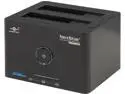
VANTEC NexStar SuperSpeed NST-D400SU3-BK Plastic 2.5" & 3.5" Black SATA USB 3.0 & eSATA Dual Bay Hard Drive Dock
Pros: Awesome color. It lights up.
Cons: Does not make toast very well. In fact, the bread is currently stuck in it.
Overall Review: I can't believe I wasted money on this thing. Maybe I'll try to put my hard drives in it at some point but I doubt that would work because duh, it's a toaster. :/
11/25/2013See more detail
Great mobo.
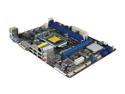
ASRock H61M-DGS LGA 1155 Intel H61 Micro ATX Intel Motherboard
Pros: Paired it with an Intel G630 2.7ghz processor and it's been rocking for my parents since. Has a nice GUI on the BIOS screen unlike many other budget H61 boards out there (I'm looking at you MSI!)
Cons: Has only USB 2.0 support, as well as only SATA II plugs.
9/26/2012See more detail
Plenty of power.
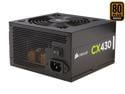
CORSAIR CX Series CX430 430W 80 PLUS BRONZE Active PFC ATX12V & EPS12V Power Supply
Pros: Used this in my parents home office build and I couldn't be more impressed. The sleeved wires are thin enough to tuck them neatly into tight spaces and a provided 6-pin GPU power plug was a welcome edition. If you're building a low power solution, you can't go wrong with Corsair quality!
Cons: None, as long as you select other low power components. In otherwords, you should know its limitations if you're even considering it.
Overall Review: System Specs: Intel G630 2.7ghz processor Asrock H61M motherboard Nvidia GT440 (OEM) 192-bit 1.5gb Samsung DVD-R Samsung 830 128gb SSD drive Bitfenix Outlaw mATX case
9/26/2012See more detail
Great Entry Level Processor
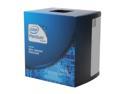
Intel Pentium G630 - Pentium Sandy Bridge Dual-Core 2.7 GHz LGA 1155 65W Intel HD Graphics Desktop Processor - BX80623G630
Pros: If you're building a cheap, low power office desktop, then this is your guy! It'll game, just not quite as well as the i3-2100
Cons: None, as long as you know what you are buying it for.
9/26/2012See more detail