
Your Browsing History


Adam L.
Joined on 12/06/07
0
0
product reviews
- 5
Excellent (aside from wireless issues)
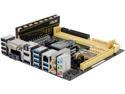
ASUS Z87I-DELUXE LGA 1150 Intel Z87 HDMI USB 3.0 Mini ITX Intel Motherboard
Pros: I bought this motherboard to build an HTPC that could stream from my NAS to by TV. I needed a small, powerful mobo and have always loved ASUS. First of all, it's a beautiful mITX motherboard that is just about as fully functional as a larger board. If you are looking for the best board in this size, this is it. The built in software makes everything easy, from overclocking to fan management.
Cons: My first board had some trouble connecting over wifi. After about a week, the wireless stopped altogether, so I RMA'd it. The second motherboard arrived and after setting it up, I noticed speed fluctuations over wifi. It took a little time but I figured it out. Apparently, the external antenna handles both bluetooth and the wireless simultaneously. I had connected the Logitech 5500 mouse/keyboard combo directly to the bluetooth and it seemed that each time I was using the mouse or keyboard, the wifi speed would drop. No problem, I just connected the keyboard dongle to a usb extension and set it to the side of the media center. Next, I noticed occasional stuttering during media streaming; a problem that I never had with previous machines (I have an Asus n66u router, so no AC, yet). After a little digging I figured out that my 5ghz band on the router, which I had set in the upper channels, was the problem. After dropping the 5ghz to channel 40, it cleared right up.
Overall Review: This mobo is great. One thing to consider is that overclocking a Haswell will necessitate a CPU fan (pretty high temps). But, an mITX means you probably are dealing with space constraints. The fan that I picked up is the Geminii M4 but it gets pretty darn tight with low profile memory (don't even think of anything else). The mobo seems fairly tolerant of placing the RAM in the outside slot, which you will likely want to do if you only get one stick. If you get two, it'll work, but it's a challenge. My Build- CPU Intel i5-4670K Motherboard ASUS Z87I-DELUXE RAM Crucial Ballistix Tactical 8GB- Low Profile Memory Model BLT8G3D1608ET3LX0 SSD SAMSUNG 840 EVO MZ-7TE120BW 120GB SSD HDD Reused old 1tb drive Case Silverstone HTPC Case ML04B - Black PSU Silverstone ST45SF Disc Drive LG Black BH16NS40 Blu-ray writer CPU Fan Cooler Master GeminII M4 Fans 2 x Vantec Stealth SF8025L 80x80x25mm OS Windows 7 Professional
10/9/2013See more detail
Exactly what you expect from ASUS
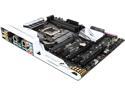
ASUS Z170-DELUXE LGA 1151 Intel Z170 HDMI USB 3.1 USB 3.0 ATX Intel Motherboard
Pros: * Looks great * Feels solid * Lots of USB ports * Lots of fan connectors * Onboard HDMI 2.0 * Stupidly simple overclocking * USB 3.1 A and C
Cons: First one was DOA
Overall Review: Last week I was in a physical store and manage to get my hands on the i7 6700k and picked up this board to go with it. I got home and put it all together and fired it up, only to find myself stuck with an error code (55) that indicated no memory was present. As the RAM that I was using wasn't on the list of "supported memory" I tried a couple of tricks to get it to work, including swapping the memory around, pressing the "Mem OK" button (it's supposed to rectify incompatible memory problems), which didn't do anything but flash and I also tried flashing the latest BIOS (also didn't work). The next morning I brought the board back to the store and swapped it out for a new one. That one fired right up and allowed me to update the new BIOS (took a pretty long time with many power cycles). In the end it all looks good. I think that this will have been my eighth build all of which have used ASUS motherboards and knew going into it that this was a possibility as I've had another one fail out of the box. In my experience ASUS is awesome because they push technology to great new places. This motherboard has some great features that I'm sure you know about if you're already reading the reviews. On the other hand, in their rush to get to market as fast as possible their QA can be a little loose. In terms of this board (and having installed two) I can say that once it's working, it's great. The layout is really clean and well designed. All of the parts that you'd really want on a board are there. The connectors are well thought out and there are fan sockets all over the place. It looks good and feels really solid. The only real con that I experienced was that the USB-3 connection is pretty tight. When plugging in the USB cable for the external case connection it felt tight going in, and when I returned the board it wouldn't come out and actually pulled off with the cable (good thing that one got returned). I still love ASUS boards and will continue to buy them but know that if I had to wait long for the entire RMA process I would not be really happy. Build: MoBo ASUS Z170-DELUXE CPU Intel I7-6700K CPU Fan Cooler Master Hyper 212 EVO GPU EVGA GTX960 SC 2GB SDD Samsung SM951 256GB RAM CRUCIAL 16GB 4X4 DDR4 2133 PSU CORSAIR 850 Gold Case Fractal Design Define R5- Black OS Windows 10 Pro
8/30/2015See more detail
Excellent NAS with few problems
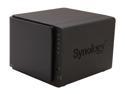
Synology DS413 Diskless System DiskStation
Pros: I've only had this NAS for about 4 days now but it has exceeded my expectations. The interface is intuitive and easy and has a remarkable number of advanced features. There is an excellent online forum and a great wiki for any parts that are not well explained in the 181 page user manual (online PDF). I haven't fully stress tested this unit, but it has no problem opening multiple 4 GB movies on different machines at the same time. It is low power and quiet, and boots very quickly from hibernation.
Cons: I mean, it's expensive. Also the transfer speeds aren't quite what I expected. I'm in the process of transferring 1.5 TB of pictures/movies from my home computer to this unit and am averaging 19 MB/s over a network cable. The ds413 has a "surveillance station" but only provides the license for one camera. If you want to add more cameras (using the native application) you'd have to purchase more licenses from them. I think they're around $50 each. I think this is unfortunate.
Overall Review: I've tried setting up this device with my iphone using Synology's apps and don't love them. It seems apparent that each of the apps was designed by different teams as each app has a similar interface, but different ways of handling the shared features. For example, when trying to use the iphone DS Video app using HTTPS, the app doesn't allow me to play videos because it says my security certificate is invalid and won't let me play it. The DS photo plus app seems to have no problem with this fact.
10/8/2012See more detail
Perfect NAS
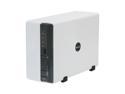
Synology DS209 Diskless System Disk Station 2-bay SATA NAS Server for Workgroups and Offices
Pros: Simple to set up. Great interface.
Cons: The interface for adding users can be a little clunky and redundant. It would be great if there were a way to add several at once.
Overall Review: This is a perfect NAS for both a person with limited networking/ NAS experience and a pro. I set this up as a back up device at a camp serving 30+ people in Africa and it's perfect. 24/7 access and not a problem yet.
6/26/2010See more detail
Best in show
TOSHIBA Satellite 17.0" Intel Core 2 Duo T5550 2GB Memory DDR2 667 Windows Vista Home Premium PSPB9U-04N026
Pros: Excellent computer. Does everything one could want from a computer of this class superbly for a great price. Fast, loud and easy to use.
Cons: Battery life isn't wonderful, but that's what you get from a power hog. The power transformer is the size and weight of small computer alone. Vista isn't the best, but this computer handles it well.
Overall Review: If you are thinking about it, get it.
5/21/2008See more detail