
Your Browsing History


Gabriel E.
Joined on 12/15/04
0
0
product reviews
- 6
Few problems
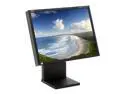
NEC Display Solutions 20.1" Active Matrix, TFT LCD LCD Monitor 16 ms LCD2080UXi-BK
Comments: I ordered this monitor after tons of research on the web. The picture is fantastic, as I'd hoped, but there are a few issues I have with it. 1. A noticible, black dead pixel in the lower left side of the screen. I dropped $xxxx on a monitor and have to put up with this? 2. The lower left hand side of the screen is noticibly brighter on dark backgrounds, almost as if you were putting pressure on that side and caused it to 'white out'. Or to put it another way, as if someone were shining a flashlight on just that corner of the screen. Again, $xxxx for this? 3. I ordered this exact model, the LCD2080UX+BK. The "BK" bit means it's supposed to be black. Newegg sent me the white version. It was not worth the trouble to send it back. Like I said before, it has a great picture. But it's also like paying for a nice new car and finding scratches on the side of it that are deemed "acceptable" by the manufacturer.
11/2/2005See more detail
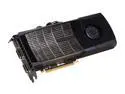
EVGA 015-P3-1485-AR GeForce GTX 480 (Fermi) SuperClocked+ 1536MB 384-bit GDDR5 PCI Express 2.0 x16 HDCP Ready SLI Support Video Card
Pros: Very fast. I upgraded from a EVGA GTX 280 FT-W. This card blows that one out of the water. Heat and noise were concerns before I pulled the trigger. So far they have not been an issue. I have good airflow in my case (Lian Li PC-P80) and the GPU temp has hit 90c max on FurMark. The fan is loud if it goes over 70%, so make sure you have good cooling before you take the plunge. There are performance gains with each new Nvidia driver release. EVGA's build quality, support and lifetime warranty are the best in the business. The high flow bracket and backplate do make a difference with temperatures.
Cons: Nvidia did not win the bang-for-your-buck competition with ATI this generation. Too little, too late, too expensive. But you still get Nvidia's solid drivers and EVGA's great support. If you're on the fence, it's understandable, but when you see your games running at high, smooth framerates, the regrets should go away. One caveat: make sure you have good cooling!
7/6/2010See more detail
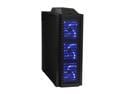
LIAN LI PC-P80 Black Aluminum ATX Full Tower Computer Case
Pros: Typical high quality Lian Li design and fabrication. I purchased the PC-80 as an upgrade from an older Lian Li case that's served me well for years. The attention to detail and ease-of-use for Lian Li cases is unmatched in my opinion. This case has a TON of room, great airflow (reduced my video card temps by 15 celsius under load), assembles easily and looks great in the dark (unless you're trying to sleep; see Cons). Some may prefer the smaller version of this case, the PC-60. I went with the bigger one as futureproof insurance. If you can afford it, I do not think you will be disappointed with this case.
Cons: The four 140mm fans all glow bright neon blue. I used to like this kind of thing, but with the PC in my bedroom, the blue glow has become an annoyance when trying to sleep. You can throw something over it to block the light, but a switch would have been great. The manual (and website, for that matter) would benefit from better English. This has been a problem with Lian Li for years. You can read and understand what they are saying, but additional detail would have been appreciated on certain descriptions. I will not list "cost" as a con as no one if forcing you to pay the asking price. You get what you pay for, and if you've ever owned or worked with a Lian Li case, you know you're buying quality.
Overall Review: The fans are not as loud as some reviewers would have you believe. They are large and with the dial turned all the way to silent, they are still able to move a large amount of air without being too noisy.
7/2/2008See more detail
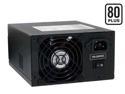
PC Power and Cooling S61EPS 610W Continuous @ 40°C EPS12V SLI Certified CrossFire Ready 80 PLUS Certified Active PFC Power Supply compatible with core i7
Pros: Great PSU. My first PC Power & Cooling PSU was purchased a few years ago for a 7800 GTX SLI setup I had that would BSOD due to insufficient power on the rails. After installing the new PSU, my system was rock solid. Been a fan of PCP&C ever since. I ordered this unit in preparation for a EVGA GTX 280 that was on the way and was worried that it would not be as silent as the Antec Phantom 500 I was already running. I was wrong. This unit is actually shorter than the Phantom and does not have the aggravating blue glow from the fan. It runs just as quiet and provides solid power to my GTX 280. I've not had one glitch or BSOD.
Cons: None.
6/30/2008See more detail
Loud
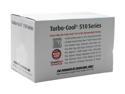
PC Power & Cooling Turbo-Cool 510-SLI 510W Continuous @ 50°C ATX12V SLI Certified CrossFire Ready Active PFC Power Supply
Pros: Solid power supply. This is replacing an Antec Neo HE 550 I had that installed on my 7800 GTX SLI dual core system that resulted in random BSODs. So far not one BSOD with this power supply, even while doing things that were guaranteed to BSOD on the Antec. So far I am really impressed.
Cons: It really is loud. There is circuitry to change the rpm of the fan based on temperature, which helps, but once it warms up the sound level is pretty noticable. So much so that I am shopping for replacement fans right now.
12/8/2005See more detail
Owners and prospective buyers should read this
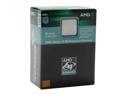
AMD Athlon 64 X2 4800+ - Athlon 64 X2 Toledo Dual-Core 2.4 GHz Socket 939 Processor - ADA4800CDBOX
Comments: I just built a new rig with this cpu and am very impressed by it's speed and power. However, I have discovered that there is a known issue with Windows XP and multi core processors that Microsoft themselves have acknowledged. I will attempt to add a link to the official MS support page, but Newegg may not post it. Google "Windows XP dual core patch" and you should see more information about it (and the patch hosted in some places; MS has opted to email the patch to users instead of posting it for download). I installed the patch and immediately saw a 10 - 15% speed increase in Windows. This was also the case with a friend of mine running AMD dual core who thanked me like crazy after installing the MS patch. So get this cpu, install the patch, and enjoy. One more note: contrary to the confusing instructions on MS's support page, you do not need to edit your registry to activate this patch. Just install it and reboot. Windows will load faster right off the bat.
11/8/2005See more detail