

Your Browsing History


Derek D.
Joined on 12/26/05
1
0
product reviews
- 29
Well, I am impressed
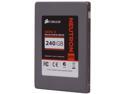
Corsair Neutron Series GTX 2.5" 240GB SATA III Internal Solid State Drive (SSD) CSSD-N240GBGTXB-BK
Pros: Extreme step up in performance when compared to a mechanical hard drive. I was doing file transfers, rates were between 300-400. Load times for games are absolutely terrific!
Cons: No issues yet.
Overall Review: My brother in law had one and raved about it non stop. For my new build I knew i had to get one, probably the best purchase out of all the parts in my system now. His SSD is fast, however, mine doubles his even. After looking at a few reviews I believe that only the Samsung PRO can outshine this drive with a larger price tag. For 190, I couldnt go wrong.
2/23/2013See more detail
Issues
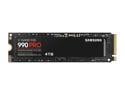
SAMSUNG SSD 990 PRO 4TB, PCIe Gen4 M.2 2280, Seq. Read Speeds Up-to 7,450MB/s for High End Computing, Gaming, and Heavy Duty Workstations (MZ-V9P4T0B/AM) Non-Heatsink
Pros: Its large, thats about it.
Cons: Slow, using it for some video editing and its been giving a lot of fits lately. If you search out this drive - youll see Im not alone. Avoid.
Overall Review: Dont recomment at all.
7/29/2025See more detail
Picture quality lacking
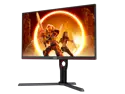
AOC Q27G3XMN 27" Mini LED Gaming Monitor, 2K QHD 2560x1440, 180Hz 1ms, 2X HDMI 2.0, 2X Display Port, Height Adjustable, Xbox/PS5/Switch Ready, 3-Year Zero-Bright-dot
Pros: Fast frames and thats about it for me.
Cons: Compared to my old monitor, color is extremely weak. Not vibrant at all, everything is darker too. Increasing brightness messes with the pixels and if you enable HDR you lose the ability to tweak anything else in the UI. UI is also hard to navigate - worst one on a newer monitor.
Overall Review: I wouldnt recommend, find something else if you are gaming a lot. This one will have you missing stuff due to how dark it is with no way to truly correct it.
4/10/2024See more detail
Info grab, mandatory survey

Intel Gift Game Code - Ghostrunner 2
Pros: Free game
Cons: Collects info, misspell name so you can tell if its them. Makes you jump through hoops to activate, lame. Short activation time frame.
Overall Review: Meh
3/11/2024See more detail
Windows 11 required
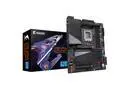
GIGABYTE Z790 AORUS ELITE X WIFI7 LGA 1700(14th,13th,12th Gen) Intel Z790 X ATX Motherboard with DDR5, 4 M.2, PCIe 5.0, USB 3.2 Type-C, Wi-Fi 7, 2.5GbE LAN, Q-Flash Plus, EZ-Latch Plus
Pros: Looks to have great features, if you have Windows 11.
Cons: No Windows 10 support for Wifi7. Nvme secondary drive had issues showing up in bios, no sata drives were being used. Had to fiddle with it a bit to get memory speed to read correctly.
Overall Review: Would probably try a different board if I did my build again - I dont want to mess with settings for an hour to obtain my backup data from another drive. Also, no wifi upon windows install crippled setup time. This was my 2nd Aorus board, first one was for a 9700k and I loved it so it was sad this one gave me so many fits. It was also paired with a Gigabyte GPU - so far it seems ok.
2/10/2024See more detail
Decent headset while it lasted.
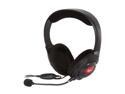
Creative Fatal1ty Gaming Headset
Pros: Comfy when used for short periods of time, sound was pretty nice for a 25 dollar headset. I also liked that the mic was detachable and the top/speaker pieces had padding.
Cons: With the material used for the padding, it does not breathe well nor does it block other sounds. For extended gaming sessions, my ears would get extremely hot. Other material used felt cheap and was flimsy. My unit broke not even after two weeks of use @ maybe 3-5 hours of use per day. Mic went dead, unable to get it back but the speakers still worked. When the mic did work, it had to be pointing right @ your mouth for anybody to hear you. Had a few guys tell me they were unable to hear me on vent.
Overall Review: RMA'd the device, looking for another pair. Did not want replacement due to the unit not lasting 2 wks, meh mic, and feeling weaker than a 10 dollar unit I could of got locally.
11/22/2013See more detail