
Your Browsing History


Darin M.
Joined on 06/20/04
0
0
product reviews
- 9
Perfect
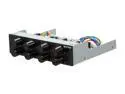
Kaze Q8 8-Channel Fan Controller, Black Color
Pros: Does exactly what you would imagine. 8 controllers, a single molex connection to run your entire fan setup. Simple design, clean and well made.
Cons: Only owned it for a day so I obviously can't comment on longevity. As long as it lasts this is a fantastic investment for balancing case airflow and managing noise.
Overall Review: The extensions are 24 inches and can take 3 and 4 pin fan connections. I have a full tower lian-li and had plenty of length to make it to any part of the case while managing cables.
7/30/2011See more detail
Good investment
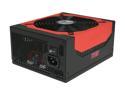
Antec High Current Gamer Series HCG-750 750W ATX12V v2.3 / EPS12V v2.91 SLI Certified CrossFire Certified 80 PLUS BRONZE Certified Active PFC Power Supply - Intel Haswell Fully Compatible
Pros: Plenty of power spread across 4 strong rails. Nice design. Long cables, great for my very large full tower case. I bought this because I'm tired of wasting slightly less money on a low wattage power supply that I have to replace the next time I build a rig. Bronze certified so maybe I'll save a little on my power bill too...
Cons: Very long cables means lots to hide. Not a true con in my book, but worth noting I suppose. I have a bottom mounting case that is vented, so the case is designed to have the fan facing down drawing cool air from underneath, which of course means the PSU is upside down. Not a con to me, but the pretty red topside is hidden.
Overall Review: Once my fan controller comes in I'm going to have a LOT of excess cables. More is better than less, but MAN am I going to have a hard time hiding these cables. My case is huge but there really aren't any nooks good for hiding.
7/27/2011See more detail
Quite a Boost
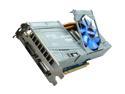
Galaxy GeForce GTX 465 (Fermi) 1GB DDR5 PCI Express 2.0 x16 SLI Support Graphics Card 60XGH3HS3CUD
Pros: Value. I'm most certainly what you would call a budget gamer, and this card is exactly what I've been waiting for. It's overclockable, I'm at 800/1600/2000 at 1000 mV (loads max at 73c). Not bad. Plays DX11 games very well. Puts me in a position to upgrade my mobo/cpu/ram at a later date.
Cons: The heatsink on the card is incredible. You can tell because putting the fan at 100% vastly improves the temperatures. However the fan is really loud. I'm looking for a middle ground atm, but have yet to find anything I like so for the time being I'm using a profile as the temps rise. Definitely not worth taking off an egg as it's design does it's job. I might just make my own fan mount and put a few 120mm fans on it. Power hungry. My 5 yr old rosewill 550w manages to power it but I'm biting my nails waiting for my new PSU to arrive so I don't have to worry about power requirements for a long, long time. It's not a black PCB but I knew that going in.
Overall Review: Dear Newegg, please consider removing the Tech Knowledge rating. A reviewer's comments are always far more indicative of their knowledge than a five star rating system. After reading a review, I feel the TK rating to be more a judgement of character than anything else. It doesn't serve the intended purpose, it just gives people something to shake their heads at.
7/27/2011See more detail
Solid Card
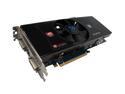
SAPPHIRE Radeon HD 4870 512MB GDDR5 PCI Express 2.0 x16 CrossFireX Support Graphics Card 100259L
Pros: 4870 is a great reference board, the sapphire is the best price/performance if you are an enthusiast/gamer.
Cons: A bit power hungry I guess. Doesn't include flux capacitor. Isn't fool proof.
Overall Review: Before I say any of this, know it's not recommended by the manufacturer. 1. If you are having heat issues, consider your setup. If you have decent ambient temps (solid air flow), try removing the plastic cover. The whole idea of those things is to isolate heat production from the gpu. If you can spare the couple of degrees in the case, do it. You'll see improvement with not only the gpu, but the memory and other components as well. 2. This is a little more dangerous, but the heatsink is mounted to the gpu with spring loaded screws. If you are having idle temps that are significantly greater than your ambient temps, there is obviously a seating issue. you can a) reseat the HS or b)try a 1/4 turn on the mounting screws, a lot of times they just aren't quite mounted properly, hence the abnormal temps. 3. If you are having compatibility issues with games, etc, you most likely don't have the right drivers or don't know how to install drivers. Google a guide.
2/22/2009See more detail
Good Card
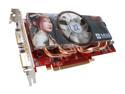
MSI GeForce 8800 GT 512MB GDDR3 PCI Express 2.0 x16 SLI Support Graphics Card NX8800GT 512M OC
Pros: Cheap. The hs/f is as good as an aftermarket combo, mine is o/c to 700/1750/2000, idles at 42c, full 2hr load at 59c. Only reason I can't take it higher is because of the vcore. You can edit the bios to feed more voltage to the card and probably squeeze another 50 mhz out of the core, but i'm going to hold on to the warranty for a little while longer before I try that.
Cons: The heatsink is so big it's almost impossible to find any kind of ramsinks that clear it. The plastic cover on the heatsink actually increases temps (at least in my setup). Removed it and temps dropped 2-3c.
Overall Review: For those of you wanting to play crysis here's a tip: The difference between high and very high settings is silly. I can HARDLY tell a difference. Where the game becomes truly beautiful is with AA enabled. To do that you need two 9800gx cards in sli, so if you are thinking about getting a gtx or ultra, I personally think it's a waste of money. Neither card can handle AA at any decent resolution. Of course no matter what card you get, make sure your other hardware is up to date. No, a athlon 3500+ and this card will not run crysis smoothly. Buy this card and you will not be disappointed.
3/19/2008See more detail
wow
Intel Core 2 Duo E8400 - Core 2 Duo Wolfdale Dual-Core 3.0 GHz LGA 775 65W None Integrated Graphics Processor - BX80570E8400
Pros: Ridiculously overclockable, 6mb l2 cache, superfast even at stock speeds.
Cons: Not a quad.
Overall Review: [email protected] 1.30v, 52C max load. Not even trying to push it, thing has taken every increase I've thrown at it and laughed. Can push it to 4.5 on air, 50% clock increase with a simple aftermarket heatsink installation? LOL. quad cores are barely utilized right now, so if you want the best dualcore that will get you through until the quads are used by all apps and games, look no further. This thing is a beast and a half.
2/29/2008See more detail