

Your Browsing History


MATTHEW B.
Joined on 06/27/06
0
0
product reviews
- 11
First unit worked three weeks and died
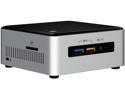
Intel NUC (Next Unit of Computing) BOXNUC6I5SYH Aluminum and Plastic Mini / Booksize Barebone System
Pros: Powerful unit, really awesome specs for such a small device.<br>Compatible with OpenELEC appliance OS for HTPC usage (with KODI)<br>Built in M.2 port, IR, DisplayPort, and USB 3.0
Cons: BIOS has a bad history so far. (Still has problems with current 033)<br>My first unit blew up pretty hardcore a few weeks after I got it.<br>Memory compatibility issues.<br>Updating the BIOS can be a nightmare.<br>Standard 2.5" slot is very difficult to remove a drive out of.
Overall Review: After tinkering with this unit for a few weeks and getting OpenELEC running smoothly on it, the unit decided to blow up. I was notified it has bit the bullet because for some reason it started dumping massive voltage into the managed network switch it was hooked to, and that switch threw health alarms all over my network. After powering it odwn manually, the unit would no longer come back online, only showing a solid blue light on the front but no video output, no BIOS post screen, no HDD activity. Intel confirmed the unit was toast and requested I initiate an RMA through NewEgg.<br><br>The RMA was initially for a replacement, but I was told it takes 10 days AFTER the bad unit is received to even start shipping the replacement, which is insane. However, NewEgg support allowed me to swap it to a refund and float the $400 to buy another unit now and overnight it, and offered to refund me the shipping costs. I'm still going to be out nearly $400 for weeks until they refund the defective unit.<br><br>These units are fantastic when they work properly. If I didn't realize how great they were I'd probably not bother to risk replacing it with a second unit. UPDATE 4/2016! Replacement unit has been working fine with latest BIOS. Adding back an egg!
4/6/2016See more detail
DOA unit
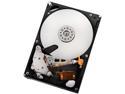
HGST Ultrastar A7K2000 DL-HUA722020ALA331 2TB 7200 RPM 32MB Cache SATA 3.0Gb/s 3.5" Internal Hard Drive Bare Drive
Pros: Review sites are very positive about these and the Deskstar drives. I generally only purchase Western Digital drives, but the overwhelming review support had me take a leap of faith.
Cons: Unfortunately, this is the first time I've ordered a refurb hdd unit and had it fail almost instantly. Within 12 hours of usage, Windows 7 indicated a SMART health check failure, and after investigating the drive I've determined it's a legitimate failure. Wiping what I can of this drive and sending it back RMA for a replacement if available. Glad I kept my old 500GB WD drive on hand this was replacing.
Overall Review: This drive is generally heralded as one of the most reliable units on the market for it's class.
5/15/2015See more detail
Best fans available.
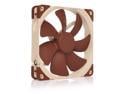
Noctua NF-A14 PWM, Premium Quiet Fan, 4-Pin (140mm, Brown)
Pros: Longer lasting, and more durable than cheaper fans.
Cons: The metal mounting screws can be too large for some case holes, as they're a bit wider than standard screws.
Overall Review: THIS IS NOT A 38MM (1.5") DEEP FAN. NewEgg has their listing WRONG. This has a 25mm (1") fan depth. I spent time and money to modify my radiator mount assuming I needed an extra 13mm of mounting depth, and when they arrived I had to check the Noctua website because I assumed they sent the wrong fan. NOPE, they're 25mm. Apparently Noctua doesn't even MAKE a 38mm depth fan. I won't knock off any eggs because it's not Noctua's fault. This one is ALL on NewEgg.
4/27/2016See more detail
Amazing workstation/media server board
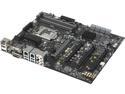
ASUS P10S WS LGA 1151 Intel C236 HDMI USB 3.1 USB 3.0 ATX Intel Motherboard
Pros: Skylake-based Xeon CPU compatible.<br>Dual M.2 slots<br>USB 3.1
Cons: Not 1U compatible, and orientation of components not conducive to rack mount chassis.<br>CPU is too close to nearby heatsinks making some CPU coolers a challenge to install.<br><br>(These are the reasons I docked it an egg.)
Overall Review: Bought this to replace an aging board in my ASUS 1U, sad to find out the back panel IO connectors will not clear the chassis frame. Will now need to find a replacement chassis last minute, although I recognize my application is unique. Update: I'm using four Kingston ValueRAM 8GB 288-Pin DDR4 SDRAM ECC Unbuffered DDR4 2133 (PC4 17000) Server Memory Model KVR21E15D8/8 without any problems. That memory is available here at NewEgg.
4/6/2016See more detail
No problems
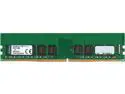
Kingston ValueRAM 8GB ECC Unbuffered DDR4 2133 (PC4 17000) Server Memory Model KVR21E15D8/8
Pros: Worked flawlessly in my ASUS P10S WS 1151 socket workstation board with a Skylake-based Xeon CPU.
Cons: None
4/6/2016See more detail
A rare case that fit all my needs
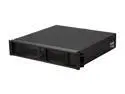
iStarUSA D-200S Black Aluminum / Steel 2U Rackmount Compact Stylish Chassis 1 External 5.25" Drive Bays
Pros: - 2U, but uses 1U PSU, not PS2 - Ample room to maneuver cables and drives - ATX form factor in a compact case - Foam air filters on front bezel - Unlike some competitors, this case has standard screw holes for rails
Cons: These are the reasons for one egg penalty: - On many ATX boards, the front left 3.5" cage outer mounting point interferes with motherboard mounting to the case. You will need to remove and grind or cut the metal down to allow proper mounting of ATX boards. - On many ATX boards, the front left 3.5" drive cage will overlap and interfere with the motherboard. (See Other) This is a highly nitpicky list and didn't affect my overall rating. This is more of an FYI for others: - No PCIe riser card or rack rails included. (I prefer to supply my own rails) - Extra long PSU units will need to remove the lower standoffs (see Other) - The front of the unit will protrude from the rack and potentially cause clearance issues with cabinet doors. (See Other)
Overall Review: Because I wish others did this on their reviews, I'm going to provide some measurements here for others: Maximum PSU depth is 275mm before hitting the drive cage. This includes any cables or connectors that may come off the back of the unit! It is about 208mm to the standoffs; if you're using a standard 1U PSU that exceeds that length you will need to remove those standoffs by force (grinding/hammering out). I wish universal case manufacturers would use screw-type standoff posts instead of these permanent press ones. Also note that if you use a full-size 5.25" DVD/Bluray drive this may reduce your overall clearance as well by protruding past the cage. I used a slim-DVD 5.25" adapter to mount a slim-DVD burner that is significantly shorter. You can find that bay adapter along with slim DVD converter cables here on NewEgg. All of the drive cages are fastened by screws and removable. However note the front right 5.25/3.5" combo cage is all one piece; you cannot separate the 3.5 from the 5.25" unless you grind the welds. The front left 3.5" internal drive cage will overlap with ATX boards by about 20mm, even when adjusted fully away from the board. In many cases this will block SATA or other important connectors. You CAN buy custom spacers and longer screws and raise that cage by about 15mm, this may assist with clearance. Otherwise expect to remove this cage. If you do keep this cage in, the mounting bracket on the outer side can prevent an ATX motherboard from properly lining up with the MB standoffs. You will need to remove and cut or grind down the material to get the motherboard to mount properly. Overall, trying to find a case to house a full-size ATX workstation motherboard and a PSU that can power it, while being under 20" in depth was very challenging. Even though I will need to modify this case, I am very happy I chose it because in the end, it WILL work for my needs.
4/6/2016See more detail