




 here!
here!
I’m your shopping assistant for PC builds, upgrades, and everything tech.
Got questions? Ask away!
Start a conversation
here!
I’m your shopping assistant for PC builds, upgrades, and everything tech.
Got questions? Ask away!
Start a conversation

Joined on 03/08/06
Great Cards!!!
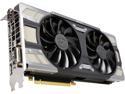
Pros: 1) It's an EVGA card 2) Great build and quality 3) RBG LEDs 4) SLI 1070-FTW and can max-out Crysis 3, BF4, and Skyrim with my old i7-920.
Cons: None
Overall Review: I would highly recommend this card. I don't like Newegg's lack of a return policy. But I wouldn't replace these cards.
okay
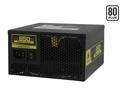
Pros: I works.
Cons: It runs hot with a heavy load, and the power supply they sent me blows the hot air in to my case.
Overall Review: I know should RMA the power supply, because of the fan, but I don't want to go two weeks without a computer either.
MSI X99A GodLike Gaming Carbon LGA 2011-v3 Intel X99
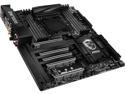
Pros: This board works great out of the box. I was able to overclock my 6850K to 4.0+ Ghz without any effort. My setup gives me 40 PCI lanes, Quad-channel memory @ 3200XMP, up to 128gb ram, good audio, Killer Nics, and two Nvidia cards in SLI. The board fits perfect in my Extended-ATX case (Cooler Master HAF-X). One of the big selling points for me was the SLI spacing between cards. Buy the cheaper MSI Gaming-Pro-Carbon, if you you don't want to run SLI. The spacing on the MSI-Gaming-Pro for SLI is horrible. The cards are stacked too close and suffocate the top card in SLI. This is NOT a problem with the MSI-Good-Like-Carbon mobo (2-card spacing)!!! Both of my GPUs run equally cool, and the system works flawlessly. My two GTX-1080 SLI cards never break above 70c on any game, with Max settings in 4K. I love it!!!
Cons: $$$$...... I still haven't figured out how to setup the Bluetooth, but it is gimmick, so who cares. You can change the colors of the Mobo on the desktop, so you don't need the bluetooth app. Documentation leaves something to be desired. I'm not a Noob, so it's not a huge deal.
Overall Review: I have a MSI GodLike Carbon Mobo, Intel 6850K, and two GTX-1080s in SLI. In theory you would be good with a 6700K, but if you have the extra cash, the 6850K is a good choice. I upgrade my PC every 8-10 years, so spending the extra money makes sense, for when Windows 11, 12, 13 are released. With this setup I have access up to 128GB of memory, two GPUs using 16X PCI-express lanes, and can Max-Out every current game on the market in 4K using the 1080s in SLI (The Witcher, Crysis 3, Doom, Battlefield 1, Skyrim, etc.) Yes this setup is over kill, but this CPU & MOBO will still be above average 5 years from now. I would recommend to others.
Works Great!
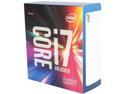
Pros: I overclocked the processor to 4.0 GHz without an issue. I never tried pushing the O.C. any further, because it's seems excessive. It is stable at 4.0 GHz, but I have read reports of people OC'ing to 4.2 GHz and higher.
Cons: Price, but it is a good value. (stable at 4.0+ Ghz, 40 PCI express lanes, six cores, and cheaper than comparable CPUs with same specs).
Overall Review: I have a MSI GodLike Carbon Mobo, Intel 6850K, and two GTX-1080s in SLI. In theory you would be good with a 6700K, but if you have the extra cash, the 6850K is a good choice. I upgrade my PC every 8-10 years, so spending the each money makes sense, for when Windows 11, 12, 13 are released. With this setup I have access up to 128GB of memory, two GPUs using 16X PCI-express lanes, and can Max-Out every current game on the market in 4K using the 1080s in SLI (The Witcher, Crysis 3, Doom, Battlefield 1, Skyrim, etc.) Yes this setup is over kill, but this CPU will still be above average 5-10 years from now. My eight year old i7-920 was keeping up with most games, but the 6850K is a good replacement with plenty of headroom. I would recommend to others.
Works great at 3200 XMP!
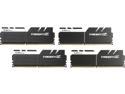
Pros: Works great at 3200 XMP! I using this with a MSI GodLike Carbon.
Cons: none
Overall Review: Go to your motherboard's, or Corsair's website, and verify your memory is compatible with each other. If you do this, you will be happy with your purchase. This memory works perfectly out of the box like advertised, with no issues.
Great so far
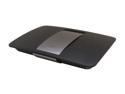
Pros: Keep in mind, this is the first day of service for the Cisco EA6500 router in US market. The router works great out of the box. My wireless and wired download speeds went up from 17Mbps up to 22Mbps. The "upload" and "ping" were the same after upgrading. I used the CD that was provided (not necessary), but did and it worked fine. It walks you through the steps to register and create a Cisco Cloud account if you want. Cisco Cloud account is not required to control settings with the default firmware (thank you Cisco). All the apps work on my android devices (Samsung S3, and ASUS tablet).
Cons: The only Temporary con is: When you use the "priority device" list, it slows down your internet speed of all devices. Once you remove the device from the list, the problem is resolved. This is a firmware issue that will be fixed soon. I would still recommend this router.
Overall Review: This is a great upgrade from my old router (Belkin N-wireless router). So far, everything is working great.


