






Functional Details
- Due to the large capacitance of our power adapter, it is normal for the screen numbers to flash for about a minute after the power is turned off or the AC plug is unplugged when the device is not connected.
- Since ambient temperature, magnetic field, and signal noise also affect the output voltage, it is normal and acceptable for a slight change in voltage during use.
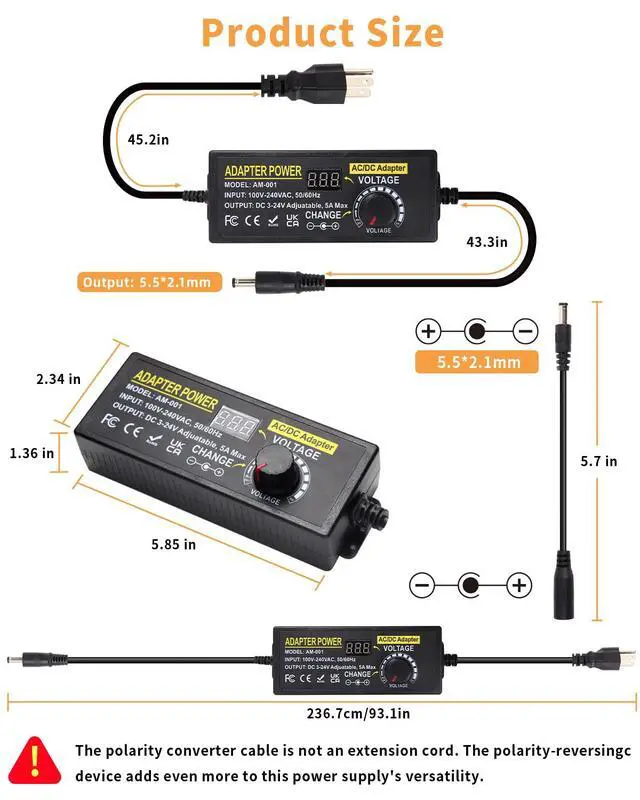
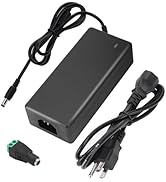
- The short black power cord is a reverse polarity converter, not an extension wire. It is used to reverse the original polarity of the power supply output port. Please confirm the polarity of your device’s power port before use. If the positive and negative poles are reversed, it may cause an issue with your device.

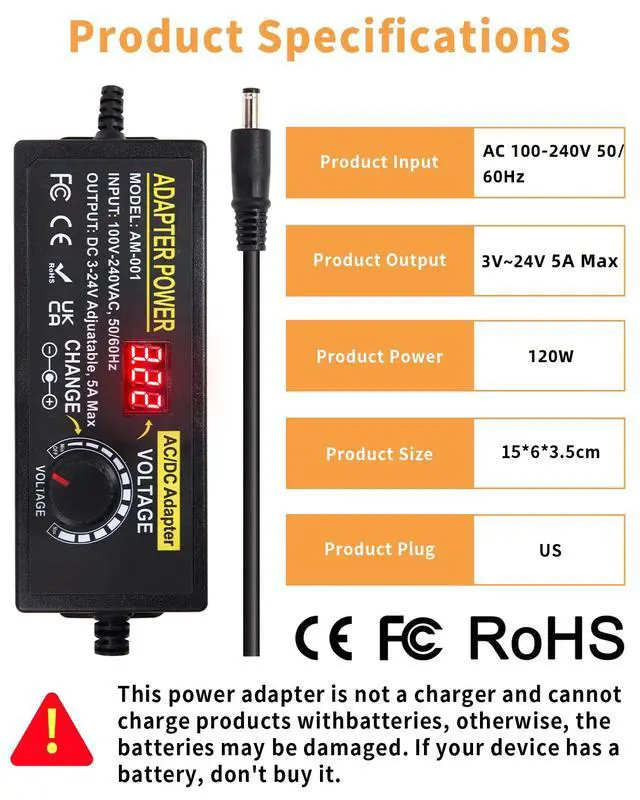
3V~24V 5A 120W Adjustable Power Supply
How to Choose the Right Plug:
1:Check the input port size from your device's specification information
2: Measure the Inside Diameter of Your Device's Plug: Use a ruler or tape measure to accurately measure the inside diameter (diameter) of your device's plug.
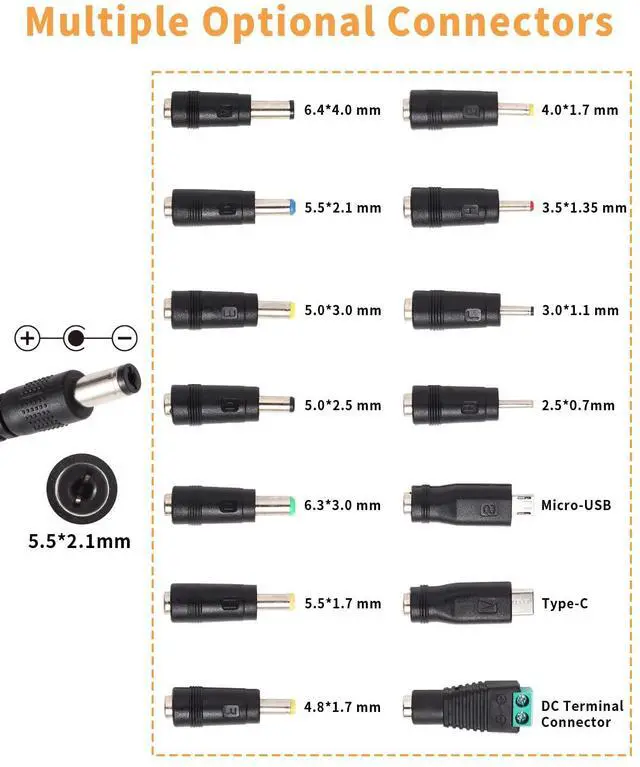
The Size of Plugs:
A:6.4x4.0mm+Pin,C:5.5x2.5mm,H(yellow):5.0x3.0mm+Pin,D:5.0x2.5mm,B:6.3x3.0mm,E:5.5x1.7mm,F:4.8x1.7mm,G:4.0x1.7mm,H(red):3.5x1.35mm,L:3.0x1.1mm,I:2.5x0.7mm, Micro-USB,Type-C and DC terminal connector.
The Polarity of plugs:inside"+", outside"-".
Package included:
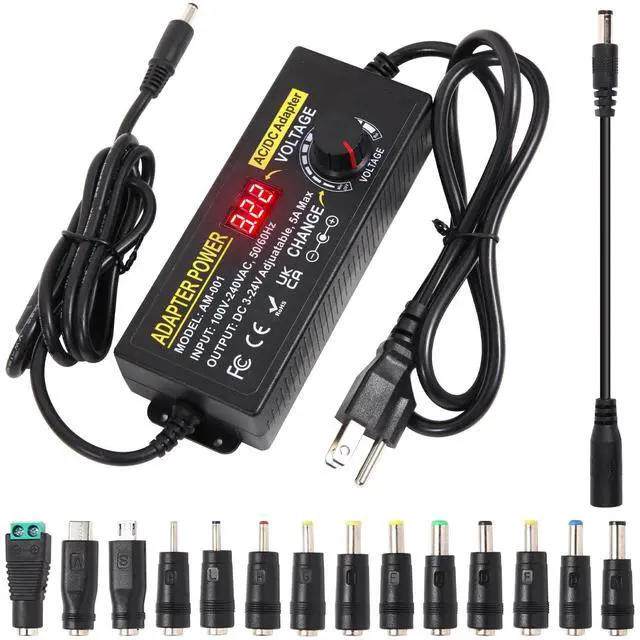
- 1 x 120W Power Supply Adapter
- 14 x DC Tips
- 1 x Reverse Polarity Converter Cable
- 1x Instruction Manual

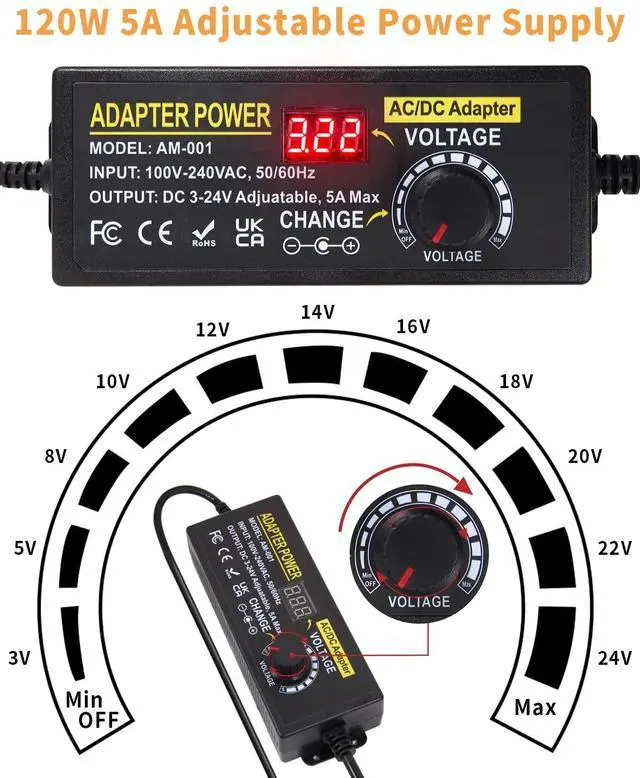
3~24V Adjustable Voltage
- The power supply can provide any voltage between 3V~24V, such as 3V 4.5V 5V 5.5V 6V 9V 12V 14V 15V 16V 18V 19V 19.5V 20V 22V 24V, and any current less than 3A, such as 300mA,500mA,1A,1.5A,2A,2.5A,3A,3.5A,4A,4.5A,5A.
- The voltage adjustment knob features a power-off position, allowing you to easily shut down the power without the need to unplug the adapter.

Pure Copper Wire Core
- The use of pure copper wire cores in our power adapters not only enhances conductivity but also ensures exceptional durability, resulting in a significantly extended lifespan for your power supply.

LED Display Voltage
- The power supply features a clear LED display that shows the real-time voltage output, allowing you to monitor your device or project.
- Please Note: The power cord between power brick and DC plug will lead to 0.4V~0.6V voltage drop, so we designed the screen displayed voltage was 3.5V~24.5V.
Compatible with Most Home Appliances

Compatible with Most Home Appliances
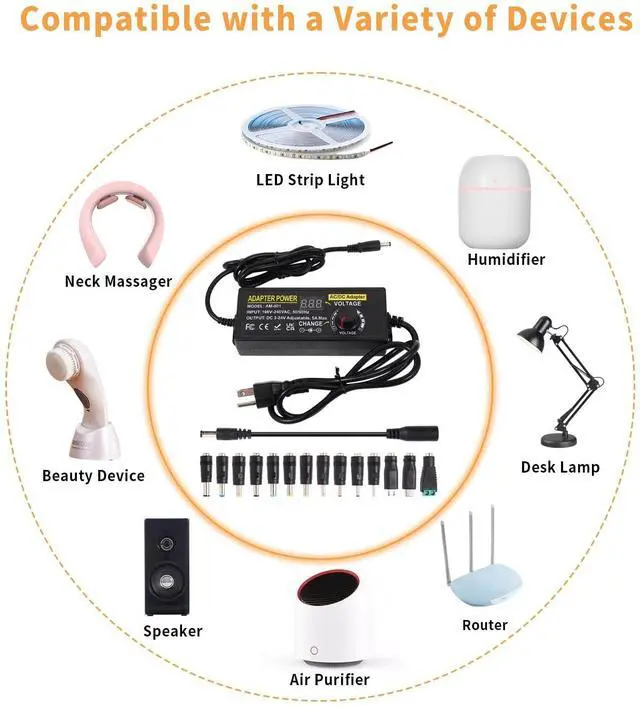
The switching power supply can be for 24V 5050 3528 LED strips lights, LCD Monitors, 3D printers, Switches, LED Driver, car subwoofer amps, audio amplifiers, RC LiPo chargers, computer projects, wireless routers, ITX DC power, webcam router, CCTV camera, massage gun, external speaker, Christmas light decoration, radio, games consoles, speaker and other 3V~24V devices. Noted: Indoor use only!

Usage Precautions and Warnings:
- Please check your devices' voltage, current, and charging interface size before using them.
- Do not expose the power supply to moisture or extreme temperatures.
- Keep the power supply away from children and pets.
- It is normal for the temperature of the universal adapter to increase during powering of the devices.
-Note: This power adapter is not a charger,It is a power supply,it allows to power devices with batteries, but it cannot store power for batteries devie.Because it is not set to the corresponding instructions. This is the difference between a power supply and a charger.
How to Use the Power Adapter Correctly:
- Insert the Plug: Insert the plug of your choice into the output port of the adapter, ensuring a secure connection.
- Connect to Power: Plug the AC adapter into the power outlet. Please note that even after inserting it into the power outlet, the device will not immediately start.
- Power On: Rotate the power switch on the adapter to activate it. Please be aware that upon activating the power, you may hear a slight "click" sound. This indicates that the device has truly powered on. Likewise, when turning off the power, you will hear the same sound, signifying that the device has completely shut down.
- Adjust the Output Voltage: If necessary, use the voltage adjustment knob on the adapter to set the output voltage to match the requirements of your device. When adjusting the voltage, observe the voltage display on the adapter's screen to ensure it aligns with your device's specifications.
- Connect the Device: Insert the DC plug of the adapter into the power port of your device, ensuring a secure connection.
- Use the Device: Your device should now operate correctly. After usage, please remember to power off the device and rotate the adapter's power switch to the "Off" position.
- Remove the Plug and Disconnect Power: When you no longer require the adapter, unplug the plug and disconnect the AC adapter from the power source. If the adapter is not in use for an extended period, it's advisable to disconnect it from the power source.
-Be sure to power on the power supply first and set it to the appropriate voltage before connecting it to your device.
 3~12V 12A Adjustable Power Supply |  3~24V 3A Adjustable Power Supply |  3~24V 5A Adjustable Power Supply |  3~24V 6A Adjustable Power Supply |  9~36V 3A Adjustable Power Supply | |
|---|---|---|---|---|---|
| Customer Reviews | — | — | — | — | — |
| Price | — | — | — | — | — |
| Input Voltage: | AC 100-240V 50-60Hz | AC 100-240V 50-60Hz | AC 100-240V 50-60Hz | AC 100-240V 50-60Hz | AC 100-240V 50-60Hz |
| Output Voltage: | 3~12V | 3~24V | 3~24V | 3~24V | 9~36V |
| Output Current: | 12A Max | 3A Max | 5A Max | 6A Max | 3A Max |
| Output Watts: | 144W | 72W | 120W | 144W | 108W |
| Output DC Connector: | 5.5mm x 2.1mm (inside"+", outside"-") | 5.5mm x 2.1mm (inside"+", outside"-") | 5.5mm x 2.1mm (inside"+", outside"-") | 5.5mm x 2.1mm (inside"+", outside"-") | 5.5mm x 2.1mm (inside"+", outside"-") |
| DC Outlet Plug: | 12 DC Tips | 14 DC Tips | 14 DC Tips | 14 DC Tips | 14 DC Tips |
| Reverse Polarity Converter: | ? | ? | ? | ? | ? |

AIYADAISU Power Adapter
Professional power supply manufacturer.

Our AC/DC power supply adapter is the perfect tool for anyone looking to power a variety of devices. Whether you're an electronics hobbyist, a small business owner, or someone who needs a reliable power source, our power supply has you covered. Its adjustable voltage and current settings make it easy to customize to your needs, while its compact size and included connector tips make it portable and easy to use on the go.
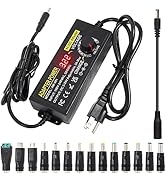
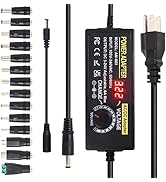
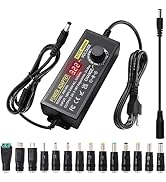
Adjustable Power Adapter
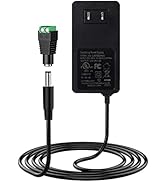
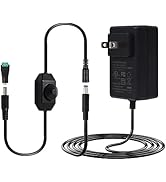
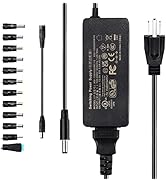
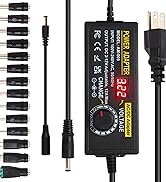
12V Power Supply
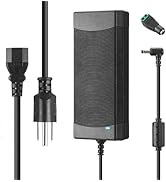
Power Supply for LED or more
What devices is our adapter suitable for?
Devices such as LED light strips, printers, makeup mirror,massage equipment, and others that require continuous power supply are all suitable.
Are our products safe?
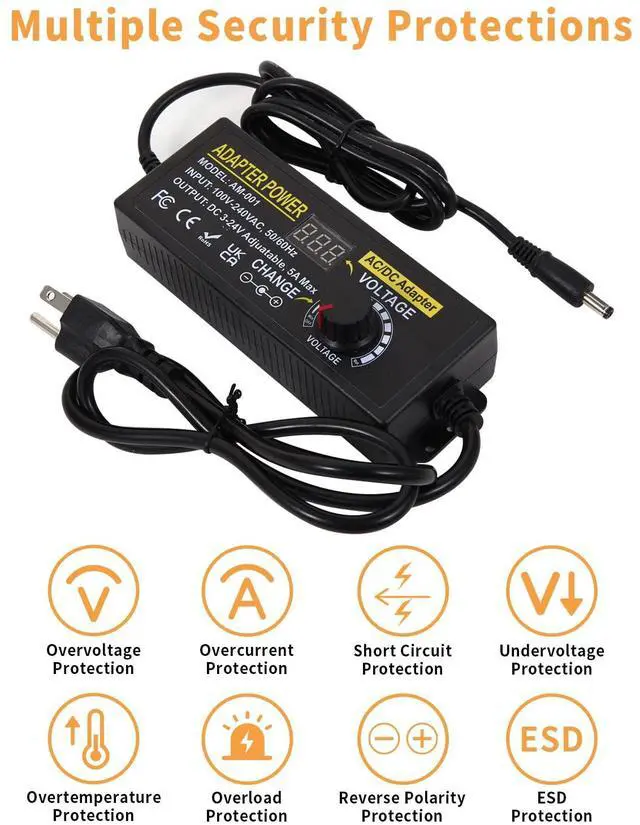
Our products have multiple safety protections, such as overvoltage, overcurrent, short circuit, overtemperature,
anti-static, undervoltage protection, etc.
How to choose a suitable power supply?
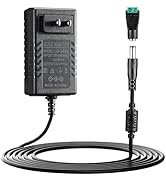
The output port diameter of our power supply is compatible with 5.5mm*2.1mm ~2.5mm;As long as the voltage of your device is the same as that of the adapter and the current is within the range.
Functional Details
- Due to the large capacitance of our power adapter, it is normal for the screen numbers to flash for about a minute after the power is turned off or the AC plug is unplugged when the device is not connected.
- Since ambient temperature, magnetic field, and signal noise also affect the output voltage, it is normal and acceptable for a slight change in voltage during use.
- The short black power cord is a reverse polarity converter, not an extension wire. It is used to reverse the original polarity of the power supply output port. Please confirm the polarity of your device’s power port before use. If the positive and negative poles are reversed, it may cause an issue with your device.
3V~24V 5A 120W Adjustable Power Supply
How to Choose the Right Plug:
1:Check the input port size from your device's specification information
2: Measure the Inside Diameter of Your Device's Plug: Use a ruler or tape measure to accurately measure the inside diameter (diameter) of your device's plug.
The Size of Plugs:
A:6.4x4.0mm+Pin,C:5.5x2.5mm,H(yellow):5.0x3.0mm+Pin,D:5.0x2.5mm,B:6.3x3.0mm,E:5.5x1.7mm,F:4.8x1.7mm,G:4.0x1.7mm,H(red):3.5x1.35mm,L:3.0x1.1mm,I:2.5x0.7mm, Micro-USB,Type-C and DC terminal connector.
The Polarity of plugs:inside"+", outside"-".
Package included:
- 1 x 120W Power Supply Adapter
- 14 x DC Tips
- 1 x Reverse Polarity Converter Cable
- 1x Instruction Manual
3~24V Adjustable Voltage
- The power supply can provide any voltage between 3V~24V, such as 3V 4.5V 5V 5.5V 6V 9V 12V 14V 15V 16V 18V 19V 19.5V 20V 22V 24V, and any current less than 3A, such as 300mA,500mA,1A,1.5A,2A,2.5A,3A,3.5A,4A,4.5A,5A.
- The voltage adjustment knob features a power-off position, allowing you to easily shut down the power without the need to unplug the adapter.
Pure Copper Wire Core
- The use of pure copper wire cores in our power adapters not only enhances conductivity but also ensures exceptional durability, resulting in a significantly extended lifespan for your power supply.
LED Display Voltage
- The power supply features a clear LED display that shows the real-time voltage output, allowing you to monitor your device or project.
- Please Note: The power cord between power brick and DC plug will lead to 0.4V~0.6V voltage drop, so we designed the screen displayed voltage was 3.5V~24.5V.
Compatible with Most Home Appliances
Compatible with Most Home Appliances
The switching power supply can be for 24V 5050 3528 LED strips lights, LCD Monitors, 3D printers, Switches, LED Driver, car subwoofer amps, audio amplifiers, RC LiPo chargers, computer projects, wireless routers, ITX DC power, webcam router, CCTV camera, massage gun, external speaker, Christmas light decoration, radio, games consoles, speaker and other 3V~24V devices. Noted: Indoor use only!
Usage Precautions and Warnings:
- Please check your devices' voltage, current, and charging interface size before using them.
- Do not expose the power supply to moisture or extreme temperatures.
- Keep the power supply away from children and pets.
- It is normal for the temperature of the universal adapter to increase during powering of the devices.
-Note: This power adapter is not a charger,It is a power supply,it allows to power devices with batteries, but it cannot store power for batteries devie.Because it is not set to the corresponding instructions. This is the difference between a power supply and a charger.
How to Use the Power Adapter Correctly:
- Insert the Plug: Insert the plug of your choice into the output port of the adapter, ensuring a secure connection.
- Connect to Power: Plug the AC adapter into the power outlet. Please note that even after inserting it into the power outlet, the device will not immediately start.
- Power On: Rotate the power switch on the adapter to activate it. Please be aware that upon activating the power, you may hear a slight "click" sound. This indicates that the device has truly powered on. Likewise, when turning off the power, you will hear the same sound, signifying that the device has completely shut down.
- Adjust the Output Voltage: If necessary, use the voltage adjustment knob on the adapter to set the output voltage to match the requirements of your device. When adjusting the voltage, observe the voltage display on the adapter's screen to ensure it aligns with your device's specifications.
- Connect the Device: Insert the DC plug of the adapter into the power port of your device, ensuring a secure connection.
- Use the Device: Your device should now operate correctly. After usage, please remember to power off the device and rotate the adapter's power switch to the "Off" position.
- Remove the Plug and Disconnect Power: When you no longer require the adapter, unplug the plug and disconnect the AC adapter from the power source. If the adapter is not in use for an extended period, it's advisable to disconnect it from the power source.
-Be sure to power on the power supply first and set it to the appropriate voltage before connecting it to your device.
3~12V 12A Adjustable Power Supply | 3~24V 3A Adjustable Power Supply | 3~24V 5A Adjustable Power Supply | 3~24V 6A Adjustable Power Supply | 9~36V 3A Adjustable Power Supply | |
|---|---|---|---|---|---|
| Customer Reviews | — | — | — | — | — |
| Price | — | — | — | — | — |
| Input Voltage: | AC 100-240V 50-60Hz | AC 100-240V 50-60Hz | AC 100-240V 50-60Hz | AC 100-240V 50-60Hz | AC 100-240V 50-60Hz |
| Output Voltage: | 3~12V | 3~24V | 3~24V | 3~24V | 9~36V |
| Output Current: | 12A Max | 3A Max | 5A Max | 6A Max | 3A Max |
| Output Watts: | 144W | 72W | 120W | 144W | 108W |
| Output DC Connector: | 5.5mm x 2.1mm (inside"+", outside"-") | 5.5mm x 2.1mm (inside"+", outside"-") | 5.5mm x 2.1mm (inside"+", outside"-") | 5.5mm x 2.1mm (inside"+", outside"-") | 5.5mm x 2.1mm (inside"+", outside"-") |
| DC Outlet Plug: | 12 DC Tips | 14 DC Tips | 14 DC Tips | 14 DC Tips | 14 DC Tips |
| Reverse Polarity Converter: | ? | ? | ? | ? | ? |
AIYADAISU Power Adapter
Professional power supply manufacturer.
Our AC/DC power supply adapter is the perfect tool for anyone looking to power a variety of devices. Whether you're an electronics hobbyist, a small business owner, or someone who needs a reliable power source, our power supply has you covered. Its adjustable voltage and current settings make it easy to customize to your needs, while its compact size and included connector tips make it portable and easy to use on the go.
Adjustable Power Adapter
12V Power Supply
Power Supply for LED or more
What devices is our adapter suitable for?
Devices such as LED light strips, printers, makeup mirror,massage equipment, and others that require continuous power supply are all suitable.
Are our products safe?
Our products have multiple safety protections, such as overvoltage, overcurrent, short circuit, overtemperature,
anti-static, undervoltage protection, etc.
How to choose a suitable power supply?
The output port diameter of our power supply is compatible with 5.5mm*2.1mm ~2.5mm;As long as the voltage of your device is the same as that of the adapter and the current is within the range.