Customer ServiceRest assured with 30 days Refund and 12 months Warranty; Note: Amazon return windows will close after one month, dont worry about it, you can click on seller store on right corner ask a question and contact seller directly
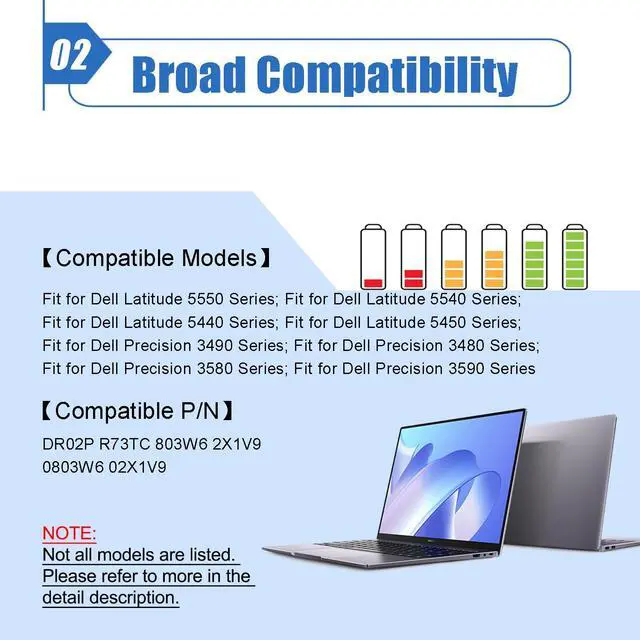
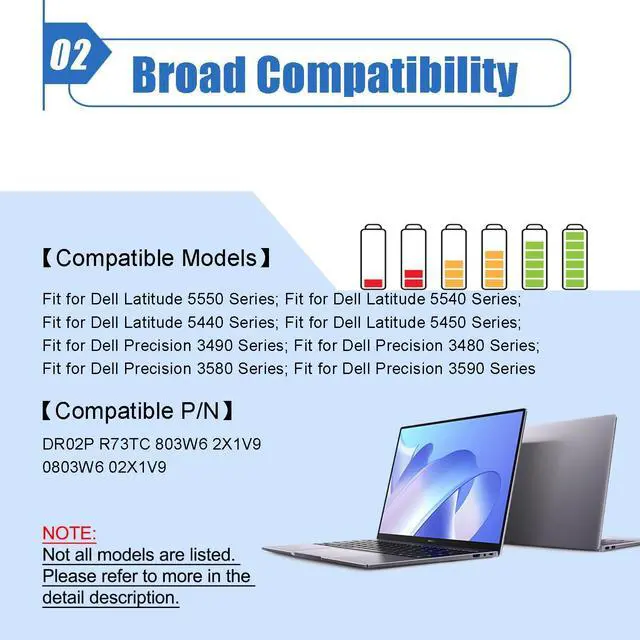
Compatible Laptop ModelsFit for Dell Latitude 5550 Series; for Dell Latitude 5540 Series; for Dell Latitude 5440 Series; for Dell Latitude 5450 Series; for Dell Precision 3490 Series; for Dell Precision 3480 Series; for Dell Precision 3580 Series; for Dell Precision 3590 Series
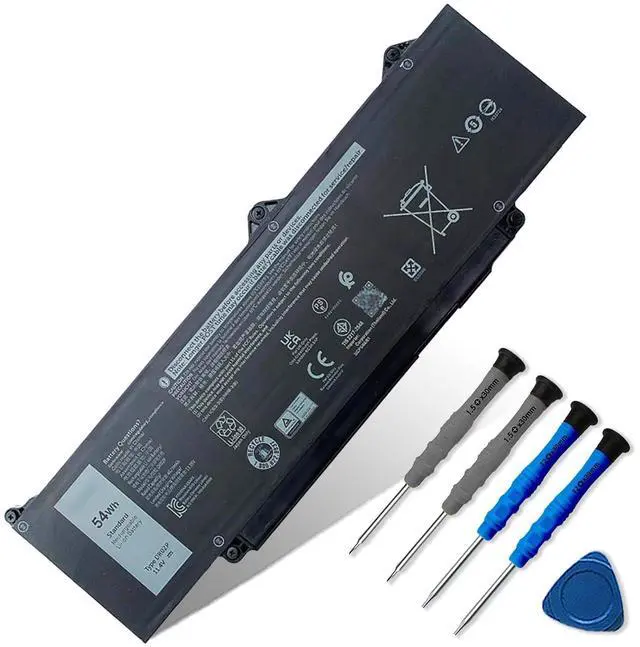
NoteThe package includes: 1*battery and 1*Instructions. Before purchasing, please open the back cover of the laptop to confirm the battery model and shape
+
+
Overview
Specs
Reviews
Any questions? Ask CelesteSM will help you find out quickly.
Try me now
Battery Model
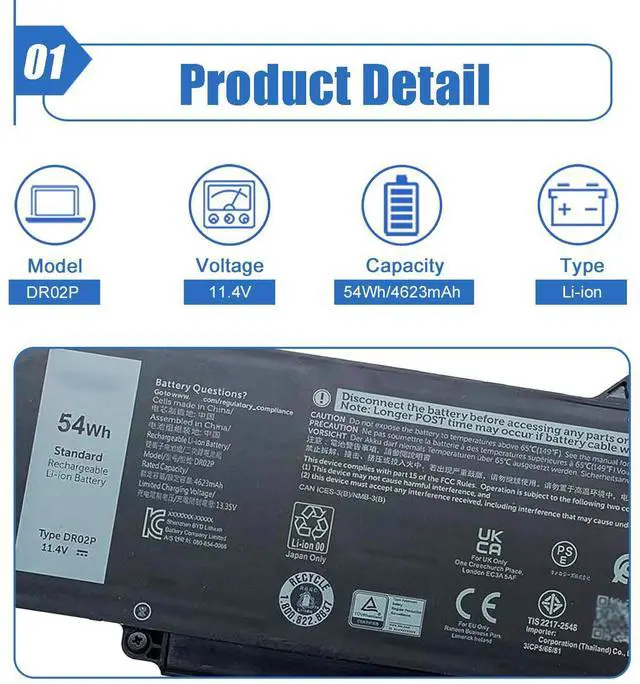
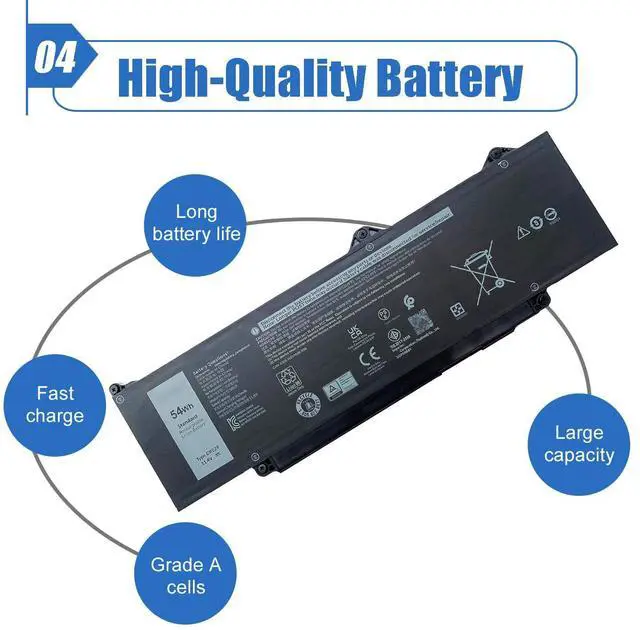
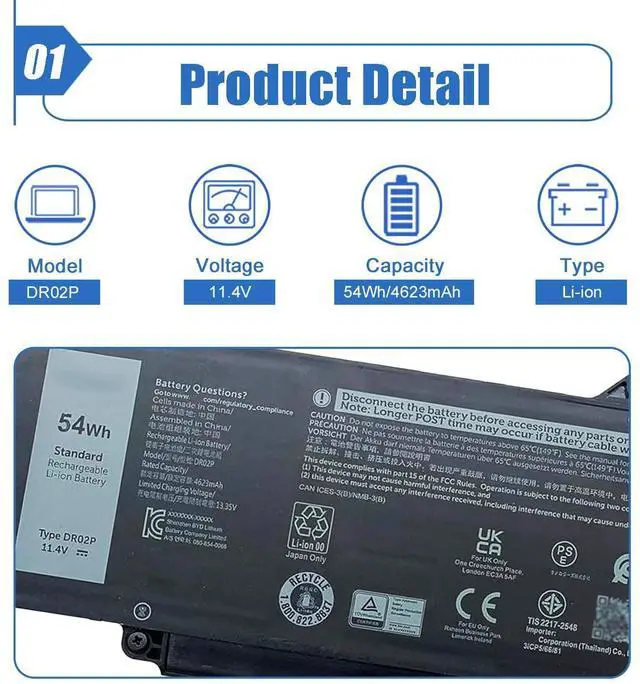
DR02P
Battery Type
Li-ion
Voltage
11.4V
Capacity
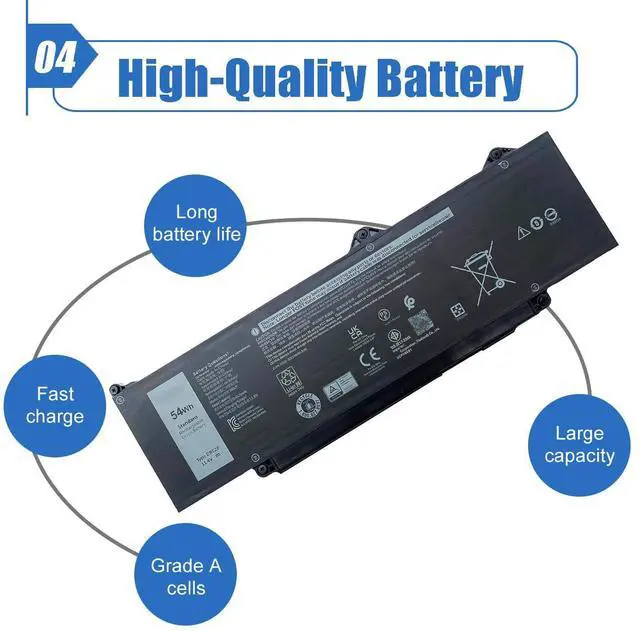
54Wh 4623mAh 3-Cell
Condition
100% Brand New From Manufacturer
Packaging
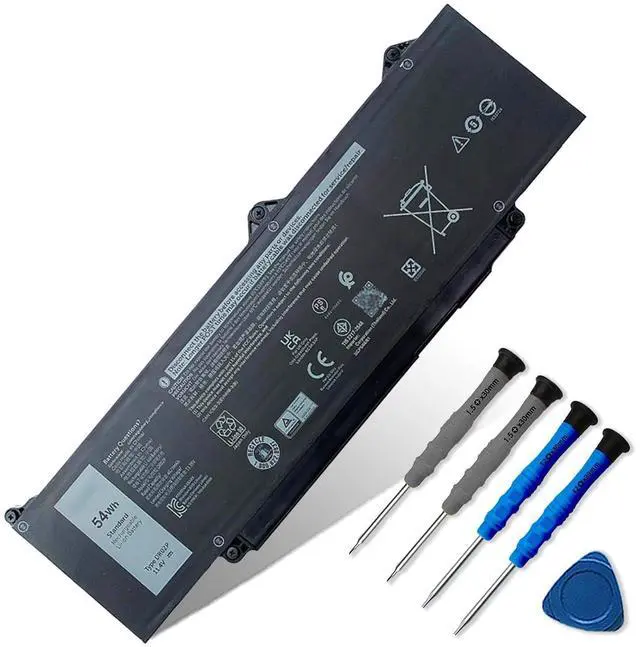
1* battery + 1* instruction manual
Note Before Purchasing
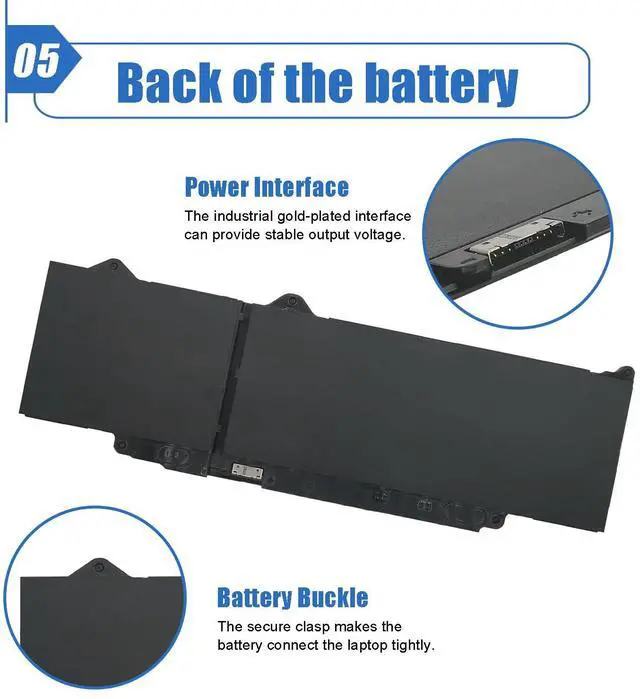
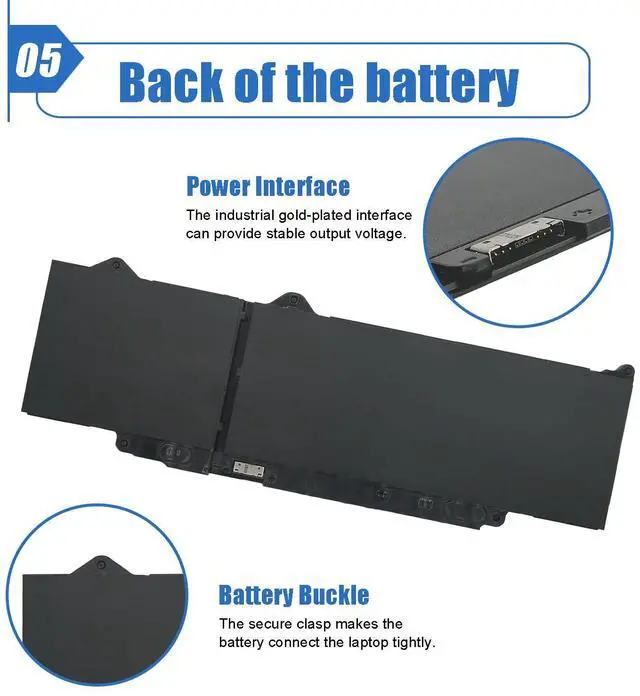
We suggest you open your laptop case to check and confirm your original battery model and appearance, compared with our battery image, make sure that's what you need. Especially the connector location and type, the cable length (long or short etc).
Replacement for Part Number
DR02P R73TC GTG7N GRWKG? 2X1V9
Compatible Laptop Models(Use "Ctrl+F” to find your model quickly)
For Dell Latitude 5340 Series
For Dell Latitude 5440 Series
For Dell Latitude 5540 Series
For Dell Latitude 3340 Series
For Dell Latitude 3440 Series
For Dell Latitude 3540 Series
For Dell Latitude 3480 Series
For Dell Latitude 3580 Series
Battery Optimal Maintenance
New battery received, discharge the battery to 5% (not 0%) for the fist use, then charge and cycle 3-4 times to wake up the new battery.
The important point is to perform a full discharge and charge every other month to extend the battery life.
Do not connect adapter for a long time while using the battery. It may damage the battery.
Avoid artificial shocks, disassembly, crush or puncture. Do not dispose of it in fire or water.
Installation Suggestion
All of our batteries are rigorously tested to meet or exceed the OEM specifications. The performance are the same or better than laptop original battery.
Battery Installation is easy, but we also recommend you to learn related installation video on the web in advance, or just find a repair technician for help.
Please be careful when install battery. Any damage caused by improper operation will be your own responsibility, hope understand.
Battery cannot be identified by your laptop or it doesn't seem to work. That may be caused by different situations. Please check by yourself first as below steps.
Issue Troubleshooting Methods
Could be caused by battery loose. Remove the battery and try to reinstall more than once.
May be due to conductive material damaged which the laptop motherboard and battery anode and cathode contact position, you can try to confirm it with your original battery.
Check whether the battery drive is in normal condition, if not, download the corresponding driver software to update.
Take out the battery and press the power button for about 15 seconds to consume the internal residual power (Do not connect the power cord), and then reinstall the battery. You can try several times.
Battery Model
DR02P
Battery Type
Li-ion
Voltage
11.4V
Capacity
54Wh 4623mAh 3-Cell
Condition
100% Brand New From Manufacturer
Packaging
1* battery + 1* instruction manual
Note Before Purchasing
We suggest you open your laptop case to check and confirm your original battery model and appearance, compared with our battery image, make sure that's what you need. Especially the connector location and type, the cable length (long or short etc).
Replacement for Part Number
DR02P R73TC GTG7N GRWKG? 2X1V9
Compatible Laptop Models(Use "Ctrl+F” to find your model quickly)
For Dell Latitude 5340 Series
For Dell Latitude 5440 Series
For Dell Latitude 5540 Series
For Dell Latitude 3340 Series
For Dell Latitude 3440 Series
For Dell Latitude 3540 Series
For Dell Latitude 3480 Series
For Dell Latitude 3580 Series
Battery Optimal Maintenance
New battery received, discharge the battery to 5% (not 0%) for the fist use, then charge and cycle 3-4 times to wake up the new battery.
The important point is to perform a full discharge and charge every other month to extend the battery life.
Do not connect adapter for a long time while using the battery. It may damage the battery.
Avoid artificial shocks, disassembly, crush or puncture. Do not dispose of it in fire or water.
Installation Suggestion
All of our batteries are rigorously tested to meet or exceed the OEM specifications. The performance are the same or better than laptop original battery.
Battery Installation is easy, but we also recommend you to learn related installation video on the web in advance, or just find a repair technician for help.
Please be careful when install battery. Any damage caused by improper operation will be your own responsibility, hope understand.
Battery cannot be identified by your laptop or it doesn't seem to work. That may be caused by different situations. Please check by yourself first as below steps.
Issue Troubleshooting Methods
Could be caused by battery loose. Remove the battery and try to reinstall more than once.
May be due to conductive material damaged which the laptop motherboard and battery anode and cathode contact position, you can try to confirm it with your original battery.
Check whether the battery drive is in normal condition, if not, download the corresponding driver software to update.
Take out the battery and press the power button for about 15 seconds to consume the internal residual power (Do not connect the power cord), and then reinstall the battery. You can try several times.
54Wh DR02P R73TC Laptop Battery Compatible with Dell Latitude 5550 5540 5450 5440 Precision 3590 3580 3480 3490 Series 2X1V9 02X1V9 803W6 0803W6 11.4V 4623mAh
Learn more about the Generic Brand DR02P
Model
Brand
DELL
Model
DR02P
Part Number
DR02P
Details
Compatibility
Fit for Dell Latitude 5550 Series; for Dell Latitude 5540 Series; for Dell Latitude 5440 Series; for Dell Latitude 5450 Series; for Dell Precision 3490 Series; for Dell Precision 3480 Series; for Dell Precision 3580 Series; for Dell Precision 3590 Series
Battery Type
96W
Features
Features
lithium_ion, Rechargeable, Fit for Dell Latitude 5550 Series; for Dell Latitude 5540 Series; for Dell Latitude 5440 Series; for Dell Latitude 5450 Series; for Dell Precision 3490 Series; for Dell Precision 3480 Series; for Dell Precision 3580 Series; for Dell Precision 3590 Series, Laptop
Additional Information
First Listed on Newegg
May 21, 2026
Customer Reviews of the Generic Brand DR02P
There are no reviews yet.
Do you own this product?
Warranty & Returns
Warranty, Returns, And Additional Information
Warranty
Please contact the Seller directly for warranty information. Warranty information may also be found on the Manufacturer's website.





 here!
here!