




 here!
I’m your shopping assistant for PC builds, upgrades, and everything tech.
Got questions? Ask away!
Start a conversation
here!
I’m your shopping assistant for PC builds, upgrades, and everything tech.
Got questions? Ask away!
Start a conversationShipped by Hebei XG Technology Co., Ltd.





Any questions? Ask CelesteSM will help you find out quickly.
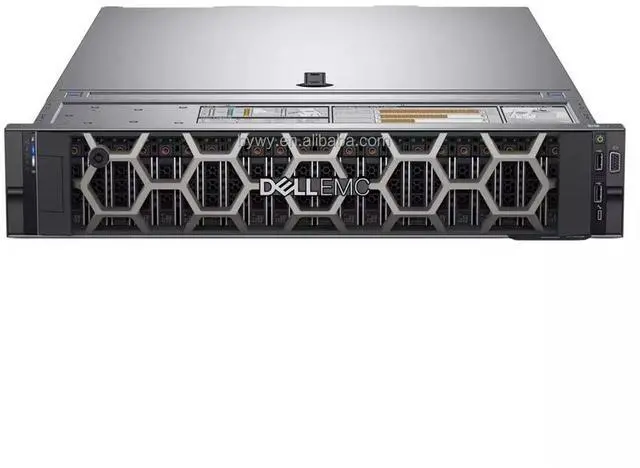
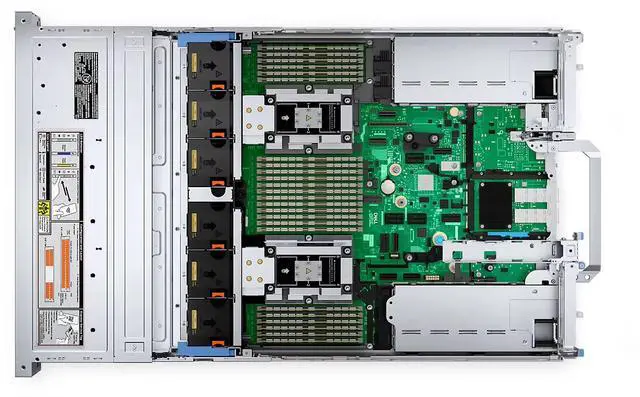
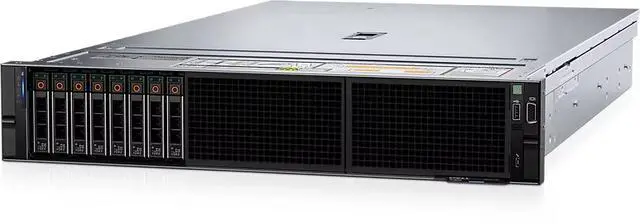
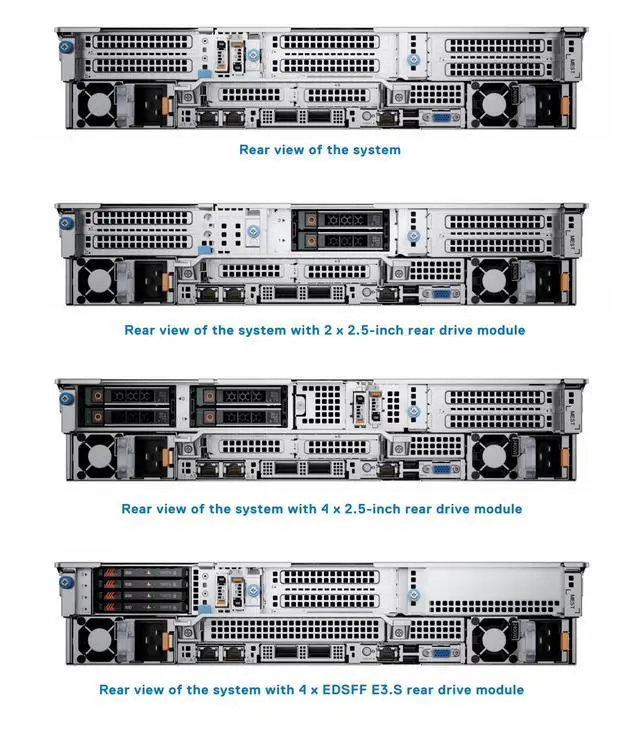
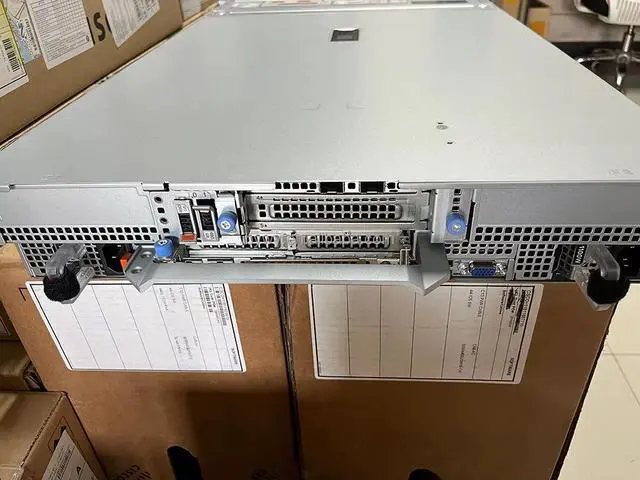
The Dell PowerEdge R7625 is a 2U server barebone chassis with 12 x 3.5-inch drive bays, designed for IT teams, system integrators, and data center builders who want a customizable rack platform to configure their own CPUs, storage, cards, and power setup.
| Attribute | Value |
|---|---|
| Best For | Rack-mounted PowerEdge deployments that require processors using the LGA 3647 socket |
| Processor And Socket | Rack server CPU type featuring an LGA 3647 CPU socket for processors that use the LGA 3647 platform |
| Model Identifiers | Dell PowerEdge R7625 (model R7625) |
Q: Should I choose the Dell PowerEdge R7625 barebone or the older PowerEdge R7525 for a new virtualization or VDI build?
A: Choose the PowerEdge R7625 if you are building new and want a longer platform life, newer AMD EPYC 9004 support, DDR5 memory, and PCIe Gen5 expansion. Dell positions the R7625 for HPC, VDI, and virtualization, and Dell testing showed roughly 30% higher VM density and about 11% lower response time versus an R7525 in a like-for-like VDI comparison. Choose the R7525 instead when lower acquisition cost matters more than moving to the newer CPU, memory, and I/O platform.
Q: Dell PowerEdge R7625 vs R7615: which is better for this 12 x 3.5-inch barebone build?
A: Choose the R7625 when you need dual-socket scalability, more total memory capacity, or stronger consolidation for virtualization, HPC, or mixed enterprise workloads. Dell lists the R7625 as a 2-socket platform with 24 DIMM slots and up to 6 TB memory, while the R7615 is a 1-socket design with 12 DIMM slots and up to 3 TB. Choose the R7615 when you want a simpler single-socket AMD EPYC build with lower platform complexity and lower total system cost.
Q: Is the 12-bay 3.5-inch PowerEdge R7625 a better choice than a 2.5-inch R7625 configuration?
A: Choose the 12 x 3.5-inch R7625 when your priority is large-capacity storage with fewer drives, such as backup repositories, software-defined storage, archive tiers, or virtualization clusters that need more bulk capacity per chassis. Choose a 2.5-inch R7625 configuration when you want denser SSD or NVMe layouts and faster flash-oriented storage designs. Dell's platform supports both directions, so the decision is mainly capacity-first versus flash-density-first rather than a difference in core server capability.
Q: Should I buy this R7625 barebone now or a fully configured R7625?
A: Choose the barebone R7625 if you already have a planned bill of materials, want to source CPUs, memory, storage, NICs, RAID, and power supplies separately, or need a custom storage-focused build around the 12 x 3.5-inch chassis. Choose a fully configured R7625 when faster deployment, validated component compatibility, and single-vendor support coverage matter more than build flexibility. This barebone listing includes no CPU, no power supply, and no internal components, so it fits buyers who are intentionally designing the final system.
Q: PowerEdge R7625 vs a GPU-focused Intel server like the R760xa: which should I choose?
A: Choose the R7625 when your main goal is AMD EPYC-based compute, virtualization, VDI, or storage-heavy server design in a flexible 2U platform. Choose a GPU-focused Intel platform such as the R760xa when your deployment is centered on accelerator density and vendor-validated GPU configurations for AI or specialized compute. In other words, the R7625 fits performance-per-socket and general data center consolidation decisions, while a platform like the R760xa fits accelerator-first designs.
Q: Who is this barebone server suitable for?
A: This model is best for IT teams, labs, refurbishers, and experienced builders who want to choose and install their own CPU, storage, expansion cards, and power supply. It is not a ready-to-run server. Buyers should expect to source the missing internal components and complete system validation before deployment.
Q: Can I use this server immediately after purchase?
A: No. This barebone configuration does not include a CPU, disks, cards, power supply, or other internal components, so it is not usable out of the box. It is a chassis platform for a custom build, not a complete operating server.
Q: What are the main trade-offs of buying this barebone version?
A: The main advantage is flexibility: you can configure the server around your own processor, storage, and expansion needs. The trade-off is higher setup effort and compatibility risk, because core parts are not included. This option makes more sense for buyers who already have a parts plan, rather than for anyone seeking a fast or simple deployment.
Q: Is this a good choice if I want large local storage capacity?
A: Yes, if your plan is to build a storage-heavy server. The 12 front 3.5-inch drive bays make it a sensible starting point for high-capacity local storage configurations. However, storage drives, any storage controller needs, and the rest of the system still have to be added separately.
Q: Is this a good fit for buyers who are new to server building?
A: Usually no. A barebone server like this is better suited to buyers who understand component compatibility, power requirements, storage planning, and rack deployment. Newer buyers will face more build complexity because key parts are missing and must be selected correctly before the system can be used.
Q: Who is this Dell PowerEdge R7625 barebone best suited for?
A: This barebone is best for experienced server buyers who already plan to choose their own CPUs, memory, storage, power supplies, and add-in cards. It is not a ready-to-run server. Because this listing includes only the 12-bay 3.5-inch chassis, it makes the most sense for custom builds, lab environments, or infrastructure teams that already know the exact bill of materials they want.
Q: Is this barebone worth buying if I want a cheap entry into the R7625 platform?
A: It can be worth buying only if the chassis price is low enough to offset the missing parts. Community buying discussions around R7625 systems repeatedly treat missing CPUs, RAM, and PSUs as major value gaps. For most buyers, a bare chassis is only a good deal when they already own compatible parts or can source the rest of the build economically.
Q: What are the main trade-offs of buying this R7625 as a barebone instead of a populated system?
A: The main trade-off is flexibility versus completion cost and integration effort. You get freedom to choose processors, RAM, storage, and cards, but you also take on part compatibility, firmware matching, power supply sourcing, and full assembly. For this model, community discussions also show that upgrades such as DDR5 memory and server-grade parts selection can be more sensitive than on older platforms.
Q: Is this a good choice for a storage-focused build or homelab server?
A: It can be a strong fit for a storage-focused build if you specifically want a 12 x 3.5-inch enterprise chassis and plan the rest of the platform carefully. Reddit demand around the R7625 shows interest in NVMe paths, boot media, networking, rails, caddies, and redundant PSUs, which means the bare chassis alone is only part of the total solution. It is a better fit for advanced homelab or infrastructure users than for first-time server buyers.
Q: Should I buy this barebone if I expect an easy, quiet workstation-style setup?
A: No. The R7625 is a rack server platform, not a quiet workstation base. Community discussion around 16th Gen PowerEdge systems highlights fan-control limitations and high noise as practical concerns. This chassis is better suited to racks, server rooms, or lab spaces where enterprise acoustics and power requirements are acceptable.


