




EASYCEL HDMI to Component + R/ L Audio Scaler Converter

EASYCEL HDMI to Component Converter with Scaler Function
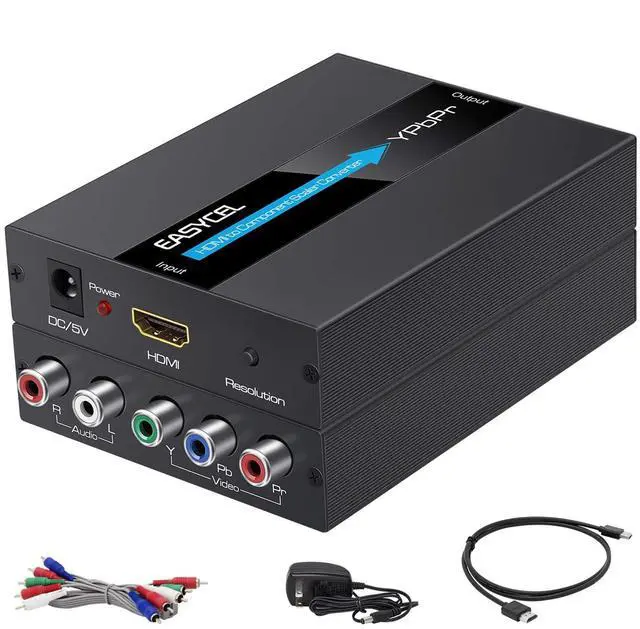
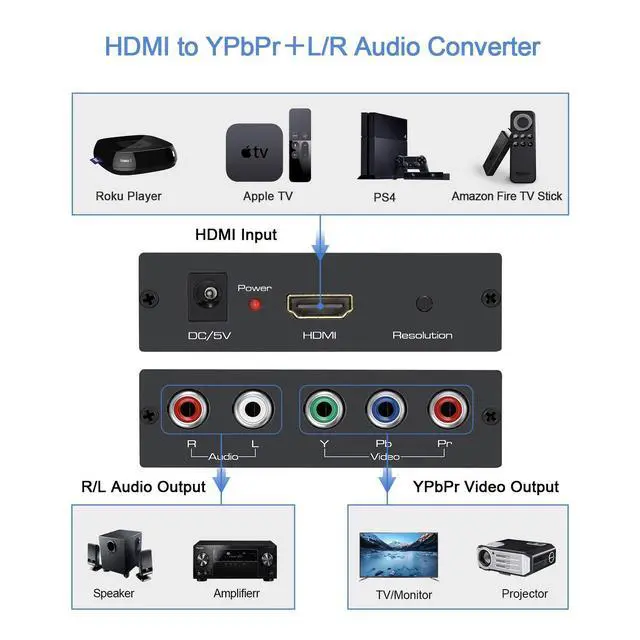
EASYCEL HDMI to Component Converter converts HDMI into Component(YPbPr) video and analog stereo R/ L audio signal. It allows users to enjoy their high definition video and audio when watching movies or playing games on the traditional Component televisions, monitors or projectors.

Why Choose EASYCEL HDMI to Component Scaler Converter?
Have you ever encountered the following issue?
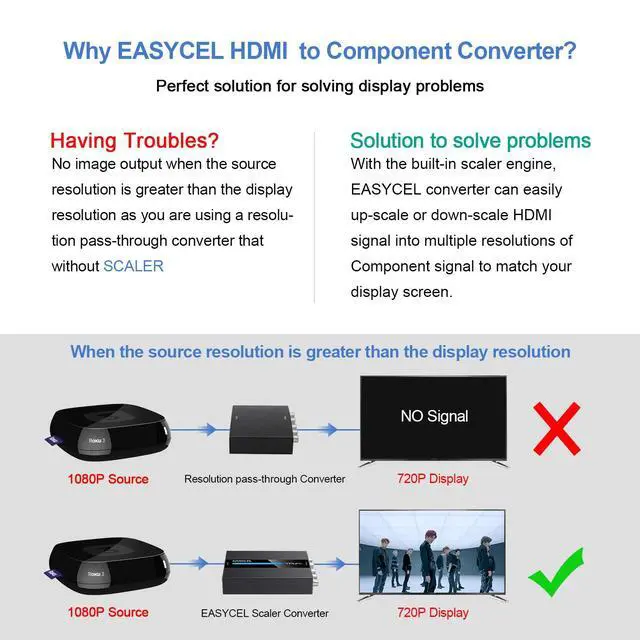
There is no image output if the source resolution is greater than the display as you are using a resolution pass- through converter that without Scaler.
Solution to Solve Your Problem
With the build-in scaler engine, EASYCEL HDMI to Component Scaler Converter can easily up-scaler or down-scale HDMI signal into multiple resolutions of Component signals to match your display screen.
How to Connect & Operate

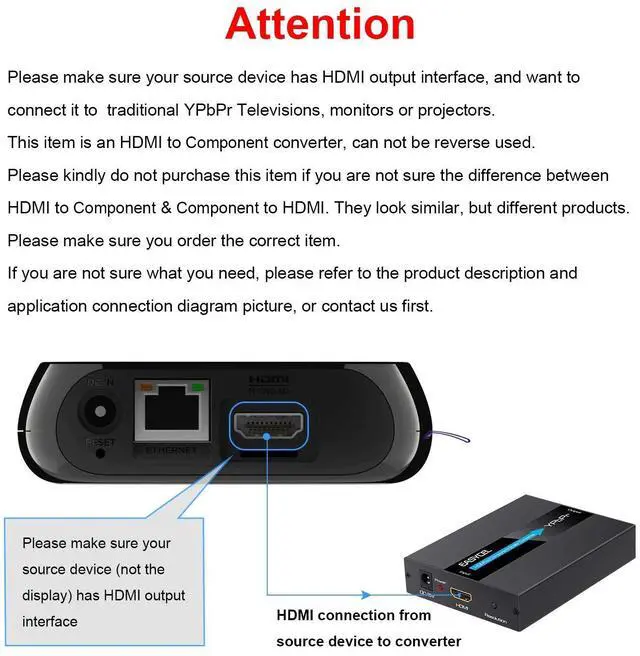
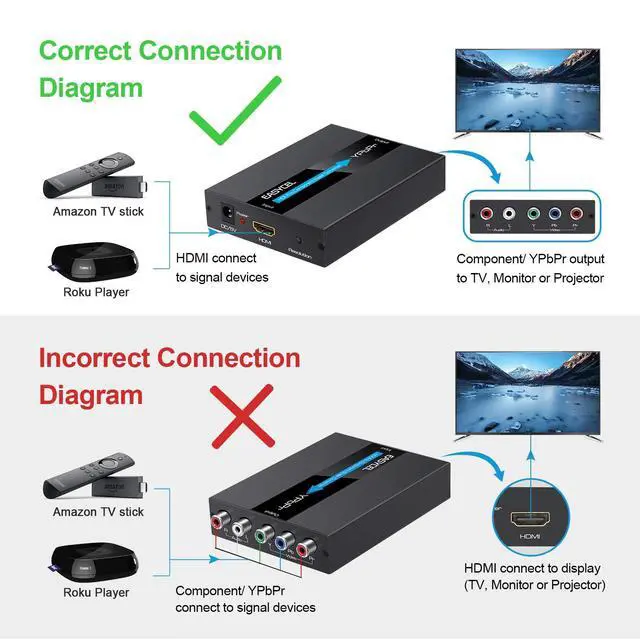
Use an HDMI cable to connect the input port of the converter and the HDMI output port of your source device, such as DVD, STB, TV Box, TV Stick, PS3, PS4, ect;
Insert the DC side of 5V power supply into the converter.

Use an Component cable to connect the Component video and R/ L audio input of your display and the output port of the converter. Please make sure the colors of video and audio signal are correctly connected.

Set Component port as the input signal of your display.

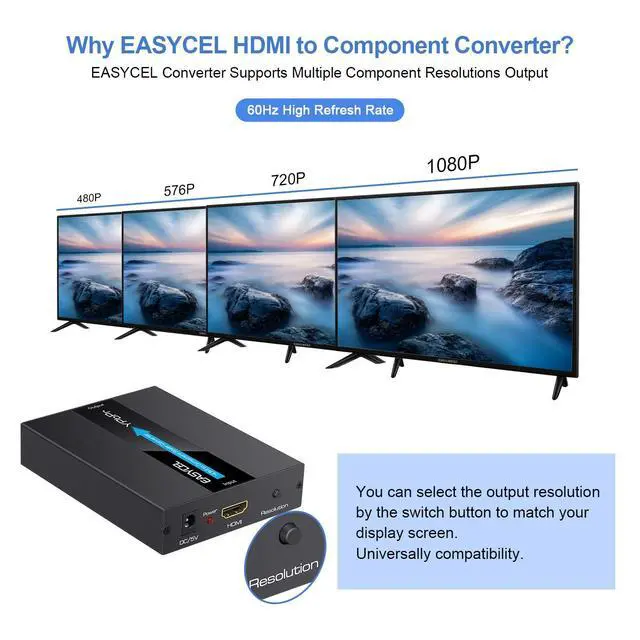
Choose the correct output resolution to match your display by the switch button on the converter.

Specification:
1. Product Type: HDMI to YPbPr + R/ L Converter
2. Interface Type: HDMI Input YPbPr + R/ L Output
3. HDMI Input Resolutions: 480p(60Hz), 576p(50hz), 720p(50/60Hz), 1080i/p(50/60Hz)
4. Component Output Resolutions: 480p(60Hz), 576p(50hz), 720p(50/60Hz), 1080i/p(50/60Hz)
5. Case Material: Aluminum
Package Includes:
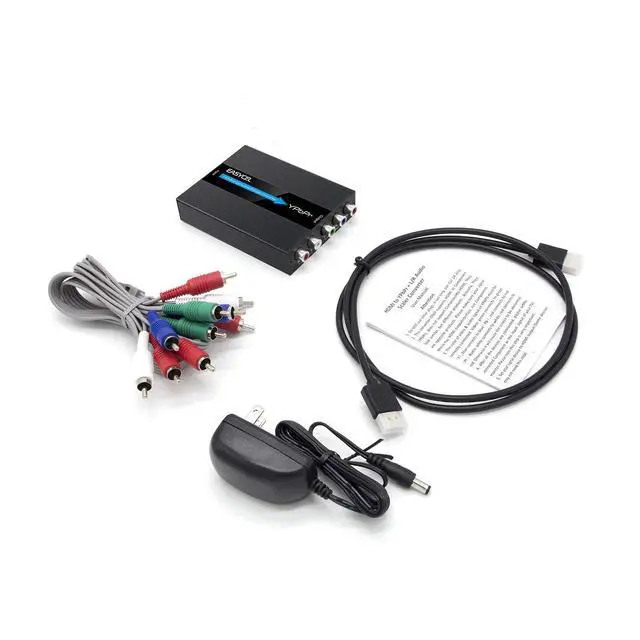
- 1 x HDMI to RGB Converter
- 1 x 5V DC Power Supply
- 1 x Component Cable
- 1 x HDMI Cable
- 1 x User Manual
Note:
1. The connector of video & audio signal must be correctly connected. Video: green connects to green(Y), blue connects to blue(Pb), red connects to red(Pr). Audio: white connects to white, red connects to red.
2. This HDMI to 5RCA Converter can not support 4k HDMI signal input.
3. This item only supports HDMI to Component, can not be reverse used.
EASYCEL HDMI to Component + R/ L Audio Scaler Converter
EASYCEL HDMI to Component Converter with Scaler Function
EASYCEL HDMI to Component Converter converts HDMI into Component(YPbPr) video and analog stereo R/ L audio signal. It allows users to enjoy their high definition video and audio when watching movies or playing games on the traditional Component televisions, monitors or projectors.
Why Choose EASYCEL HDMI to Component Scaler Converter?
Have you ever encountered the following issue?
There is no image output if the source resolution is greater than the display as you are using a resolution pass- through converter that without Scaler.
Solution to Solve Your Problem
With the build-in scaler engine, EASYCEL HDMI to Component Scaler Converter can easily up-scaler or down-scale HDMI signal into multiple resolutions of Component signals to match your display screen.
How to Connect & Operate
Use an HDMI cable to connect the input port of the converter and the HDMI output port of your source device, such as DVD, STB, TV Box, TV Stick, PS3, PS4, ect;
Insert the DC side of 5V power supply into the converter.
Use an Component cable to connect the Component video and R/ L audio input of your display and the output port of the converter. Please make sure the colors of video and audio signal are correctly connected.
Set Component port as the input signal of your display.
Choose the correct output resolution to match your display by the switch button on the converter.
Specification:
1. Product Type: HDMI to YPbPr + R/ L Converter
2. Interface Type: HDMI Input YPbPr + R/ L Output
3. HDMI Input Resolutions: 480p(60Hz), 576p(50hz), 720p(50/60Hz), 1080i/p(50/60Hz)
4. Component Output Resolutions: 480p(60Hz), 576p(50hz), 720p(50/60Hz), 1080i/p(50/60Hz)
5. Case Material: Aluminum
Package Includes:
- 1 x HDMI to RGB Converter
- 1 x 5V DC Power Supply
- 1 x Component Cable
- 1 x HDMI Cable
- 1 x User Manual
Note:
1. The connector of video & audio signal must be correctly connected. Video: green connects to green(Y), blue connects to blue(Pb), red connects to red(Pr). Audio: white connects to white, red connects to red.
2. This HDMI to 5RCA Converter can not support 4k HDMI signal input.
3. This item only supports HDMI to Component, can not be reverse used.