




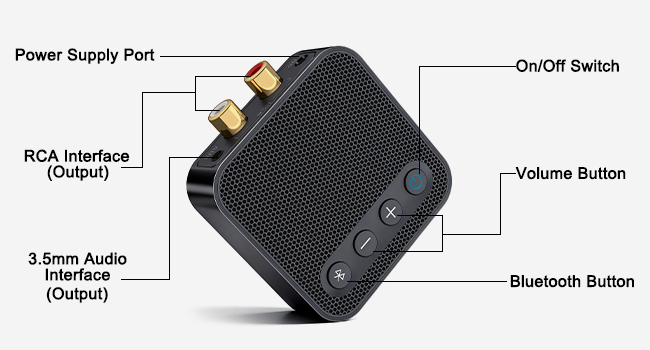
Full-Featured with Dedicated Buttons
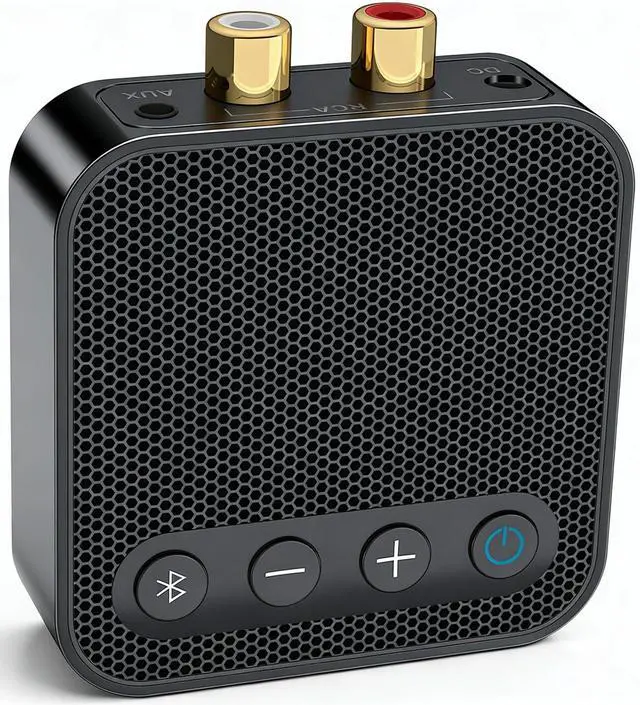
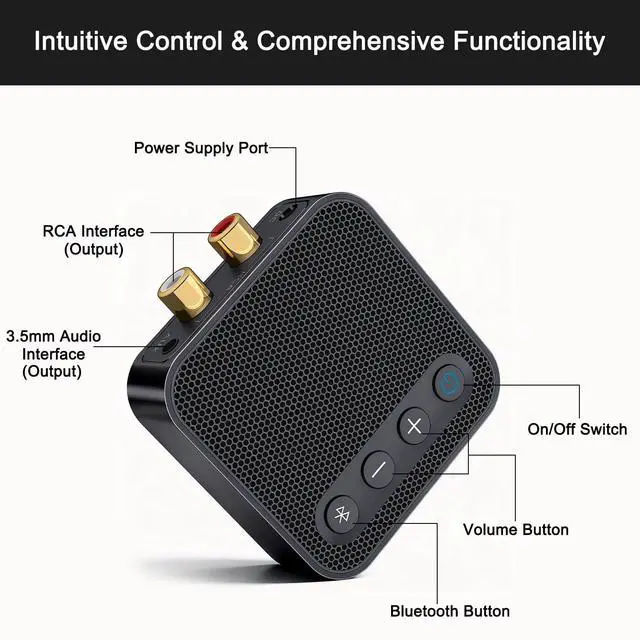
Unlike standard adapters, our device features a dedicated power switch. Simply turn it off to prevent unwanted auto-connections or audio hijacking when not in use. No need to unplug the power cord repeatedly.
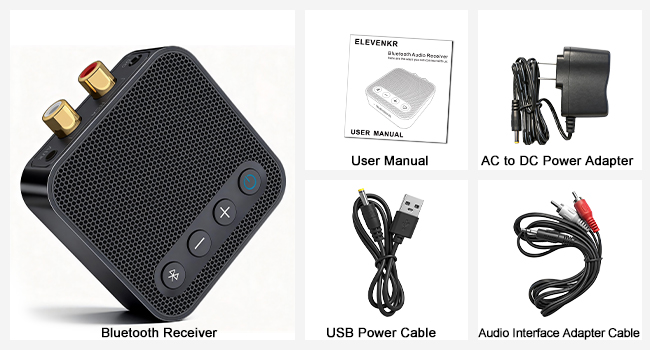
Ready to Use Out of the Box
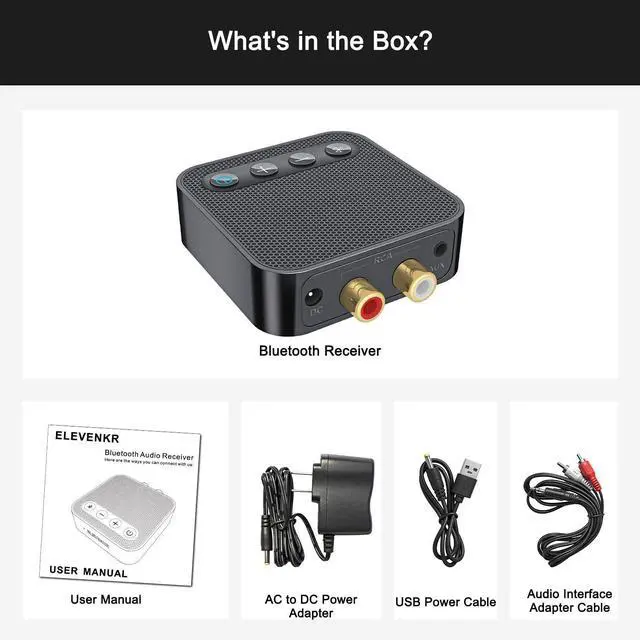
Comes with a power adapter and all necessary audio cables. No need to buy extra accessories—simply plug, pair, and play for a hassle-free setup.
Can I use this to connect my Bluetooth headphones to my TV?
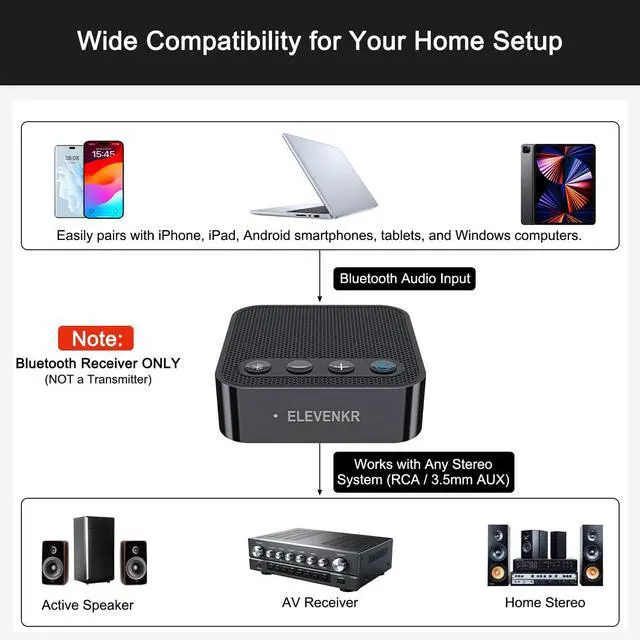
No. This device is a Bluetooth Receiver (RX) only, designed to add Bluetooth capability to wired speakers or stereos. It is NOT a Transmitter (TX) and cannot send audio from a TV to Bluetooth headphones.
Does it have a battery? Can I use it in my car?
This model does not have a built-in battery; it requires continuous power via the USB cable. You can use it in a car if your car has a USB power port and an AUX input, but it is primarily designed for home stereo systems.
Will this receiver work with my old stereo or boom box?
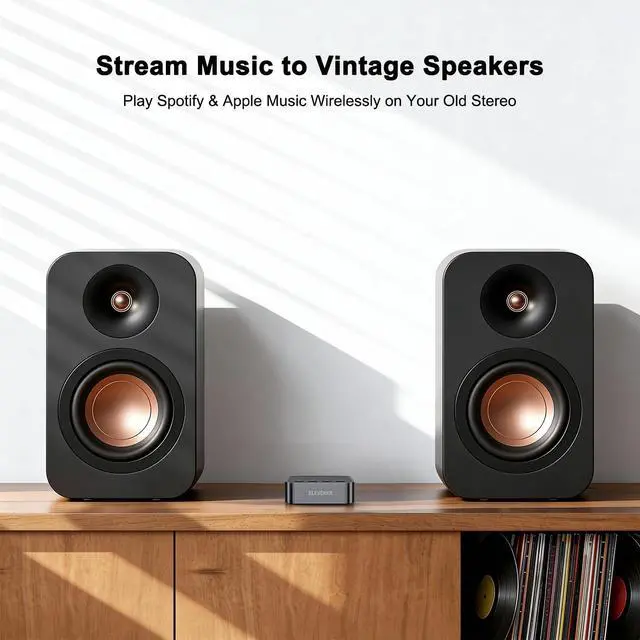
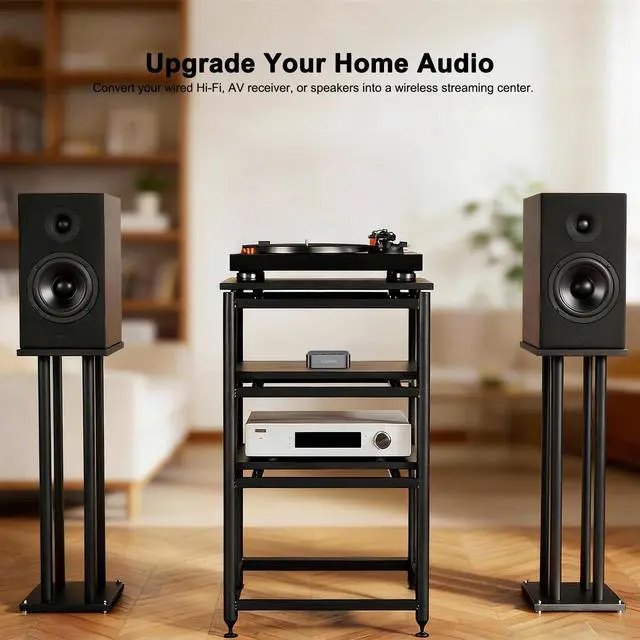
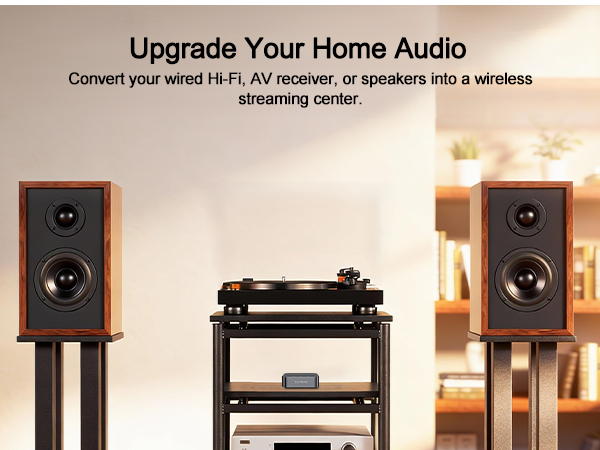
Yes! As long as your device has a standard RCA or 3.5mm AUX input, our receiver will connect and upgrade it to wireless Bluetooth streaming.
How do I switch between two phones?
he device supports dual connection. Pause the music on the first phone, and simply press play on the second phone. If you want to pair a third new device, press and hold the Bluetooth button on top for 2 seconds to enter pairing mode instantly.
Do I need to buy a separate power plug?
No! Unlike many other sellers, we include a standard wall power adapter in the box, so you have everything you need to get started immediately.
Special Case Explanation
“I purchased one E116s Bluetooth Audio Receiver earlier and it connected to my phone without any issues. Later, I bought two more units for my other receivers, but neither of the new ones will connect. Is there a reason for this, or are the two new units defective?”
Thank you for reaching out and for purchasing multiple E116s Bluetooth Audio Receivers. Please note that when you have more than one identical receiver (all showing as “E116s”), your phone will automatically try to reconnect to the first paired unit. This is why the other two receivers are not connecting.
To resolve this, we recommend renaming each receiver in your phone’s Bluetooth settings after pairing (e.g., E116s-Living Room, E116s-Bedroom, E116s-Office). This way, your phone can distinguish between the three units and connect to them individually without conflict.
Rest assured, your units are not defective. Once renamed, you’ll be able to switch between them easily.
Full-Featured with Dedicated Buttons
Unlike standard adapters, our device features a dedicated power switch. Simply turn it off to prevent unwanted auto-connections or audio hijacking when not in use. No need to unplug the power cord repeatedly.
Ready to Use Out of the Box
Comes with a power adapter and all necessary audio cables. No need to buy extra accessories—simply plug, pair, and play for a hassle-free setup.
Can I use this to connect my Bluetooth headphones to my TV?
No. This device is a Bluetooth Receiver (RX) only, designed to add Bluetooth capability to wired speakers or stereos. It is NOT a Transmitter (TX) and cannot send audio from a TV to Bluetooth headphones.
Does it have a battery? Can I use it in my car?
This model does not have a built-in battery; it requires continuous power via the USB cable. You can use it in a car if your car has a USB power port and an AUX input, but it is primarily designed for home stereo systems.
Will this receiver work with my old stereo or boom box?
Yes! As long as your device has a standard RCA or 3.5mm AUX input, our receiver will connect and upgrade it to wireless Bluetooth streaming.
How do I switch between two phones?
he device supports dual connection. Pause the music on the first phone, and simply press play on the second phone. If you want to pair a third new device, press and hold the Bluetooth button on top for 2 seconds to enter pairing mode instantly.
Do I need to buy a separate power plug?
No! Unlike many other sellers, we include a standard wall power adapter in the box, so you have everything you need to get started immediately.
Special Case Explanation
“I purchased one E116s Bluetooth Audio Receiver earlier and it connected to my phone without any issues. Later, I bought two more units for my other receivers, but neither of the new ones will connect. Is there a reason for this, or are the two new units defective?”
Thank you for reaching out and for purchasing multiple E116s Bluetooth Audio Receivers. Please note that when you have more than one identical receiver (all showing as “E116s”), your phone will automatically try to reconnect to the first paired unit. This is why the other two receivers are not connecting.
To resolve this, we recommend renaming each receiver in your phone’s Bluetooth settings after pairing (e.g., E116s-Living Room, E116s-Bedroom, E116s-Office). This way, your phone can distinguish between the three units and connect to them individually without conflict.
Rest assured, your units are not defective. Once renamed, you’ll be able to switch between them easily.