





A good day with Qingping Bluetooth Alarm Clock
- 8:00 AM: Wake up to the sound you like, want to sleep more after the alarm rings? Just press it from the top once, it will ring again after 10 minutes;
- 8:00 PM: After the whole day's work, it accompanies you when you want to run away from your mobile and take an hour to read books;
- 0:00 AM: At night, don't worry, it will be completely silent while you are having a sweet dream. If you want to know the time, just press it from the top, the backlight will turn on.
Main Features:
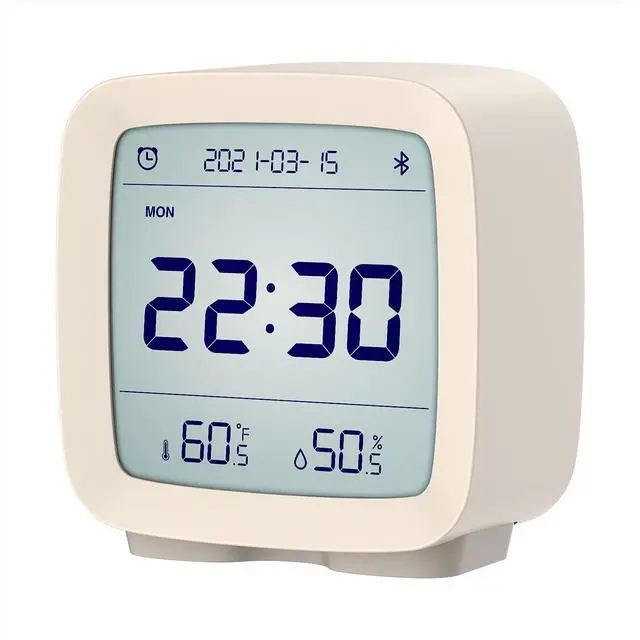
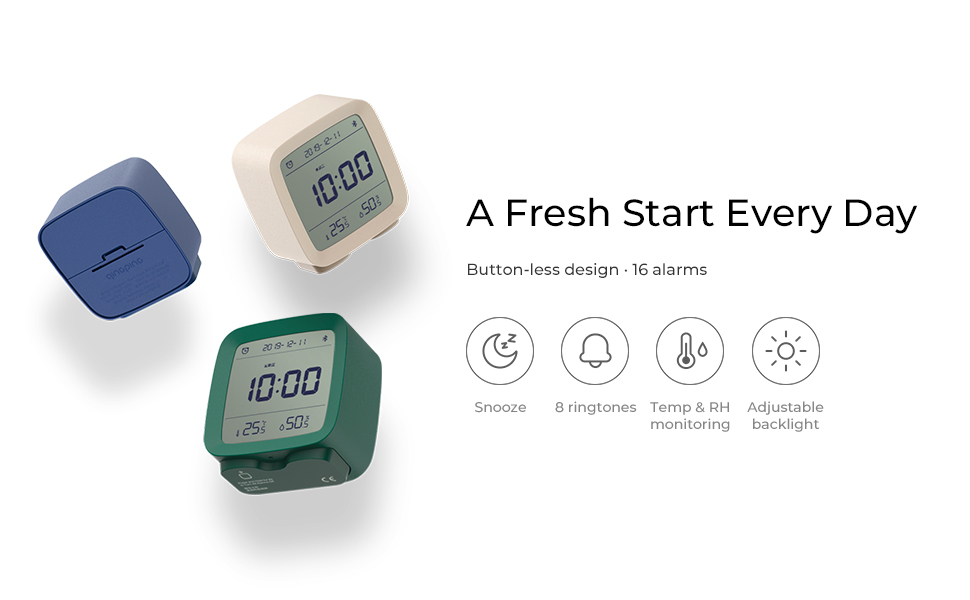
- Alarm clock with time, date, temperature and humidity
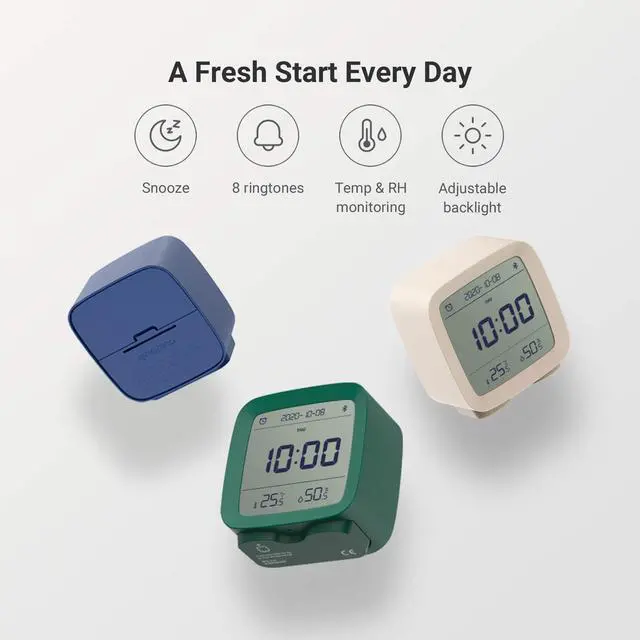
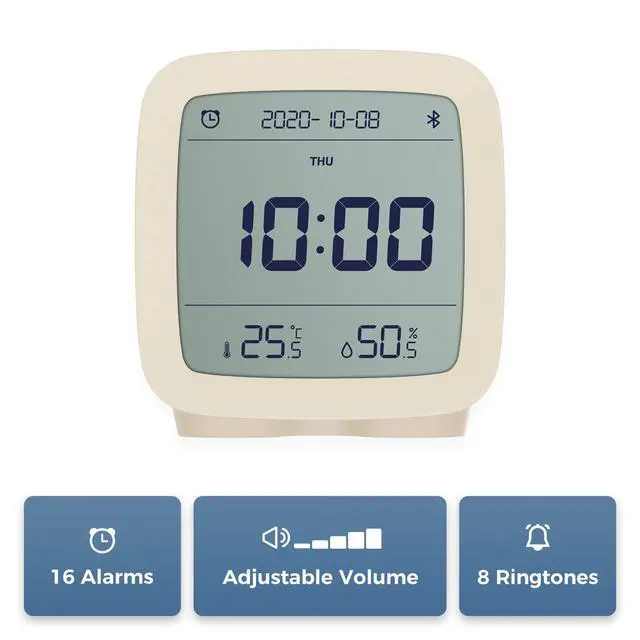
- 16 alarms and 8 ringtones available
- Snooze mode
- Volume adjustable
- Backlight adjustable
- Synchronize time automatically
- Easy to set, all done through mobile app
Powered by:
2 AA batteries, supplied in the package.
A Functional Smart Alarm Clock Starts a Fresh Day
Desktop clock/Alarm clock/Thermo-hygrometer
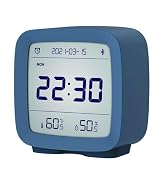
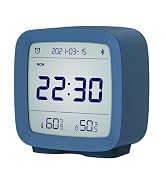
- Qingping Bluetooth Alarm Clock is a multi-functional device. As an easy-to-set alarm clock, it also shows date and time, temperature and humidity.
- The alarm clock can be set easily through the Qingping+ app.
- The product has an adjustable backlight, so you can check the time at night.
How to use it?
- Set alarms: Connect the alarm clock to your mobile via Bluetooth, set alarms and choose ringtones in the Qingping+ app (it cannot work with Mi Home in US now).
- When it rings, press the device's body from the top to stop it or enable the snooze mode.
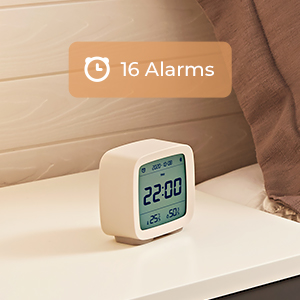
16 alarms and 8 ringtones
- Set multiple alarms for working days and weekends easily.
- Alarms can be set repeatedly to save efforts.
- You can choose from 8 ringtones, and the volume of the alarm is adjustable.
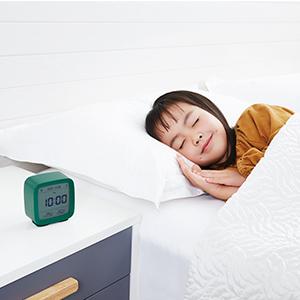
Snooze mode
When an alarm rings, press the clock from the top for a 10 minutes snooze; when it rings again, press it twice, the alarm will stop.
It makes getting up more enjoyable.
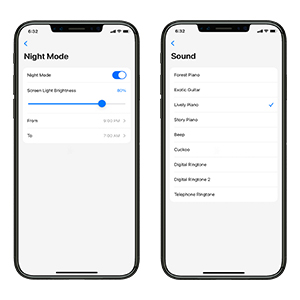
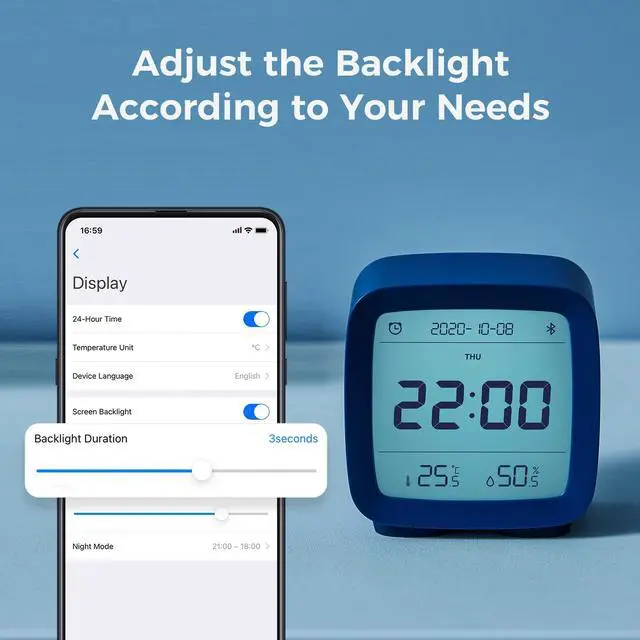
Adjustable brightness & night mode
You can adjust the duration (0-30 seconds) and the brightness of the backlight, you can also choose a time range and set the night light mode of reduced brightness.
Note: the backlight CANNOT be set as always on.
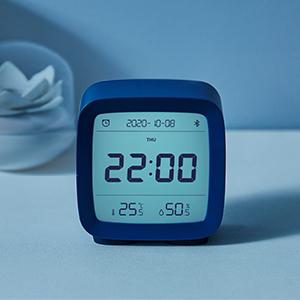
Temp & RH monitoring
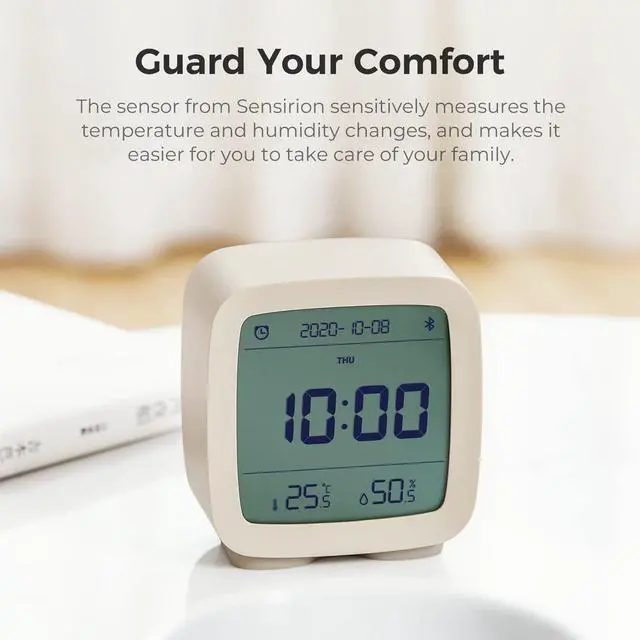
The product is equipped with a digital temperature and humidity sensor from Sensirion AG. The gadget is not only an alarm clock but also an accurate thermo-hygrometer.
Measurement range:
- Temperature: 14.2°F ~ 121.8°F ( -9.9? ~ 49.9?)
- Humidity: 0 ~ 100%RH (non-condensation environment)
Set the temperature unit: open Qingping+ app, click the settings at the bottom right then you can switch it to F/C (it is in the app's settings not in the product card's settings).
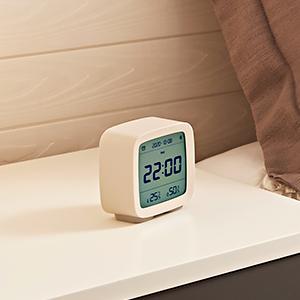
Synchronize time automatically
Qingping Bluetooth Alarm Clock can synchronize with the network time automatically through Bluetooth, and it can also synchronize the time twice a day without phone app as long as there is a Qingping Bluetooth Gateway.
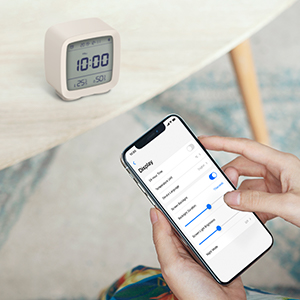
Easy settings all through the app
All settings can be done through the Qingping+ app, it has iOS and Android versions, it can be downloaded from App Store or Google Play Store. Only need to connect the device to your mobile via Bluetooth.
Please note that the product only works with Qingping+ app in the USA, it does not support Mi Home app yet.
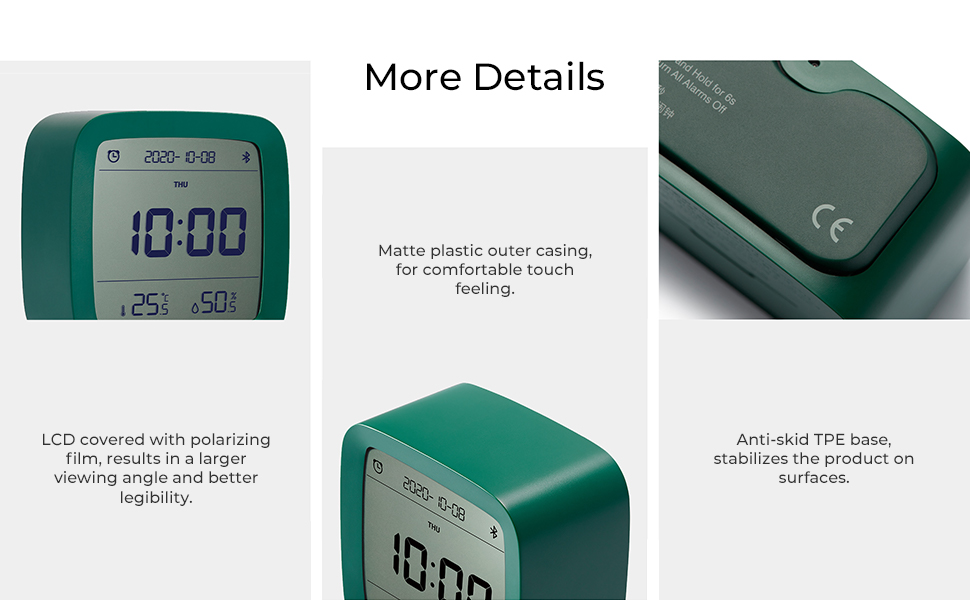
User Instructions
1. Download Qingping+ app and Add the Device
- Download Qingping+ app on App Store (for iOS users) or Google Play (for Android users).
- Open Qingping+ app, click the "+" icon at the top right, select "Qingping Bluetooth Alarm Clock";
- Follow the app's instructions to add the device, meanwhile please keep your cellphone and the alarm clock close together. If you are prompted about failed connection, please try again.
2. Set Alarms and Make Adjustments
- You can set alarms, choose ringtones or adjust the brightness/duration of the backlight.
- When you set the alarm, there should be a Bluetooth icon indicating that the device is connected in the app. If there is no such icon but it is showing "not connected", please go back to the first page and enter into the product card page again, re-check it.
Notes
- Qingping Bluetooth Alarm Clock can only work with Qingping+ app in the USA, it does not support Mi Home app for now;
- The connection between the mobile and the device should be established in Qingping+ app, you do not need to find the device in your mobile's Bluetooth device list.
Specification
Qingping
Sensing and Controlling

Qingping is devoted to creating IoT sensors for both consumers and industrial clients. For smart home customers, we have delivered several iF and Red Dot award-winning products of thermo-hygrometers, air quality monitors and other sensors to improve the quality and comfort of life. Our industrial clients cover agricultural, food production, transportation, medical care and many other territories.
Featured products
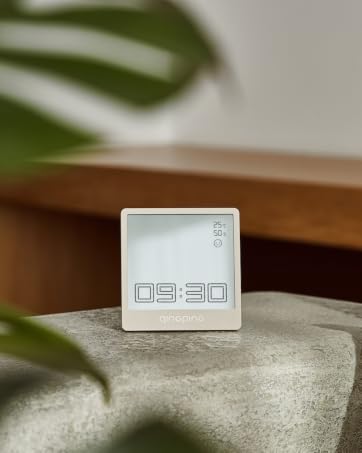
Qingping Bluetooth Clock - A multifunctional desk clock

Qingping LEE GUITARS Bluetooth Thermo-Hygrometer -- Specially for acoustic guitars
Qingping
Sensing and Controlling
Qingping is devoted to creating IoT sensors for both consumers and industrial clients. For smart home customers, we have delivered several iF and Red Dot award-winning products of thermo-hygrometers, air quality monitors and other sensors to improve the quality and comfort of life. Our industrial clients cover agricultural, food production, transportation, medical care and many other territories.
Featured products
Qingping Bluetooth Clock - A multifunctional desk clock
Qingping LEE GUITARS Bluetooth Thermo-Hygrometer -- Specially for acoustic guitars

A good day with Qingping Bluetooth Alarm Clock
- 8:00 AM: Wake up to the sound you like, want to sleep more after the alarm rings? Just press it from the top once, it will ring again after 10 minutes;
- 8:00 PM: After the whole day's work, it accompanies you when you want to run away from your mobile and take an hour to read books;
- 0:00 AM: At night, don't worry, it will be completely silent while you are having a sweet dream. If you want to know the time, just press it from the top, the backlight will turn on.
Main Features:
- Alarm clock with time, date, temperature and humidity
- 16 alarms and 8 ringtones available
- Snooze mode
- Volume adjustable
- Backlight adjustable
- Synchronize time automatically
- Easy to set, all done through mobile app
Powered by:
2 AA batteries, supplied in the package.
A Functional Smart Alarm Clock Starts a Fresh Day
Desktop clock/Alarm clock/Thermo-hygrometer
- Qingping Bluetooth Alarm Clock is a multi-functional device. As an easy-to-set alarm clock, it also shows date and time, temperature and humidity.
- The alarm clock can be set easily through the Qingping+ app.
- The product has an adjustable backlight, so you can check the time at night.
How to use it?
- Set alarms: Connect the alarm clock to your mobile via Bluetooth, set alarms and choose ringtones in the Qingping+ app (it cannot work with Mi Home in US now).
- When it rings, press the device's body from the top to stop it or enable the snooze mode.
16 alarms and 8 ringtones
- Set multiple alarms for working days and weekends easily.
- Alarms can be set repeatedly to save efforts.
- You can choose from 8 ringtones, and the volume of the alarm is adjustable.
Snooze mode
When an alarm rings, press the clock from the top for a 10 minutes snooze; when it rings again, press it twice, the alarm will stop.
It makes getting up more enjoyable.
Adjustable brightness & night mode
You can adjust the duration (0-30 seconds) and the brightness of the backlight, you can also choose a time range and set the night light mode of reduced brightness.
Note: the backlight CANNOT be set as always on.
Temp & RH monitoring
The product is equipped with a digital temperature and humidity sensor from Sensirion AG. The gadget is not only an alarm clock but also an accurate thermo-hygrometer.
Measurement range:
- Temperature: 14.2°F ~ 121.8°F ( -9.9? ~ 49.9?)
- Humidity: 0 ~ 100%RH (non-condensation environment)
Set the temperature unit: open Qingping+ app, click the settings at the bottom right then you can switch it to F/C (it is in the app's settings not in the product card's settings).
Synchronize time automatically
Qingping Bluetooth Alarm Clock can synchronize with the network time automatically through Bluetooth, and it can also synchronize the time twice a day without phone app as long as there is a Qingping Bluetooth Gateway.
Easy settings all through the app
All settings can be done through the Qingping+ app, it has iOS and Android versions, it can be downloaded from App Store or Google Play Store. Only need to connect the device to your mobile via Bluetooth.
Please note that the product only works with Qingping+ app in the USA, it does not support Mi Home app yet.
User Instructions
1. Download Qingping+ app and Add the Device
- Download Qingping+ app on App Store (for iOS users) or Google Play (for Android users).
- Open Qingping+ app, click the "+" icon at the top right, select "Qingping Bluetooth Alarm Clock";
- Follow the app's instructions to add the device, meanwhile please keep your cellphone and the alarm clock close together. If you are prompted about failed connection, please try again.
2. Set Alarms and Make Adjustments
- You can set alarms, choose ringtones or adjust the brightness/duration of the backlight.
- When you set the alarm, there should be a Bluetooth icon indicating that the device is connected in the app. If there is no such icon but it is showing "not connected", please go back to the first page and enter into the product card page again, re-check it.
Notes
- Qingping Bluetooth Alarm Clock can only work with Qingping+ app in the USA, it does not support Mi Home app for now;
- The connection between the mobile and the device should be established in Qingping+ app, you do not need to find the device in your mobile's Bluetooth device list.
Specification
| Size | 80.3 × 41 × 83 mm |
| Color | Beige, green, blue (available for choices) |
| Temperature measurement range | -9.9? ~ 49.9? |
| Humidity measurement range | 0 ~ 100%RH (non-condensation environment) |
| Note | The product is not waterproof or dustproof. Do not place this product in environment with humidity higher than 90% for long term use. |
| Name | Qingping Bluetooth Alarm Clock |
| Model | CGD1 |
| Weight | 99 g (battery no included) |
| Connectivity | Bluetooth 5.0 |
| Battery | 2 AA batteries |