






Bluetooth Pairing Instructions:
Turn on your Bluetooth device and make it ‘discoverable’ by turning on Bluetooth mode.
• When the unit is ON, press the Mode Button on the iBT29BX until the ‘BT’ icon appears on the display.
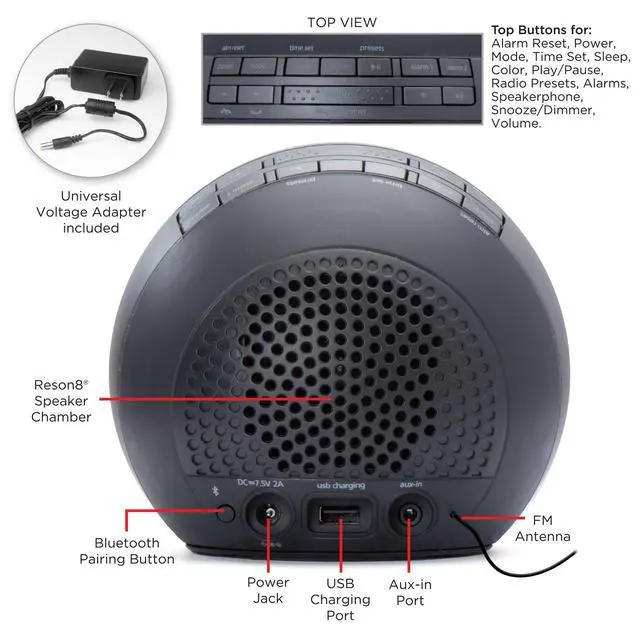
• Press and hold the Bluetooth Pairing Button on the back of the unit for 2 seconds.
• Select ‘iHome iBT29’ on your device’s Bluetooth menu to connect!
• Press the Play/Pause/Presets Button and the – or + Buttons to play, pause, and navigate tracks.
• Press the or Buttons to adjust the volume on the unit. You may need to adjust the volume on your device, too.

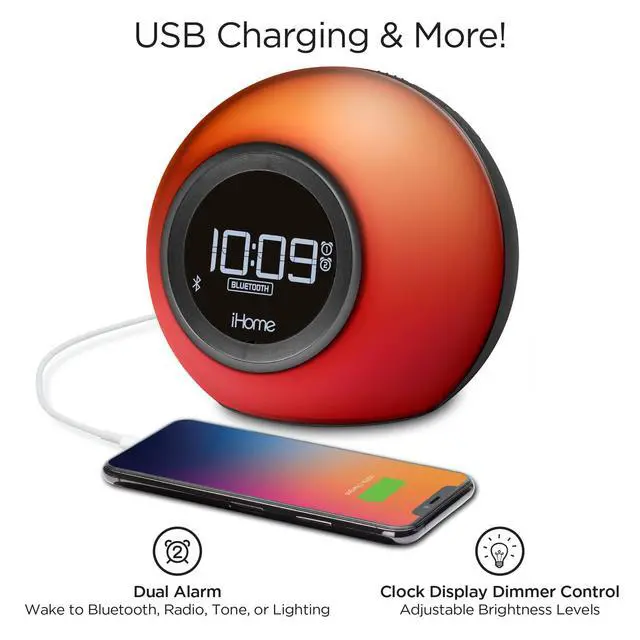
Setting the Alarms: This unit features dual alarms which can be set to different times and alarm sources. Each is set in the same way. Instructions are given as “Alarm Button”; use Alarm 1 or Alarm 2 to set respective alarms. Each step must be completed while display is flashing or setting will time-out.
1. Press and hold the Alarm Button for 2 seconds until the alarm time display and alarm icon flash. A beep sounds.
2. Press the – or + Buttons to adjust the alarm time to the desired time (hold for rapid setting).
Make sure you set the correct AM/PM alarm time. The AM and PM indicators appear to the left of the display.
3. Press the Alarm Button to confirm the alarm time setting. The wake-to source will flash.
4. Press the – or + Buttons to select the desired wake-to alarm source: Bluetooth, FM radio or tone:
Wake to Bluetooth: Wake to the currently linked Bluetooth device. If no device is detected, the alarm will default to tones.
Wake to FM radio: Press the Alarm Button to confirm. Press the Presets Button to select an FM preset to wake to, or press the – or +
Buttons to select a station.
Wake to Tone: Press the Alarm Button to confirm. Press the – or + Buttons to select a wake-to tone (Tone 1 -Tone 4). Scroll down to continue instructions...

Alarm Instructions (continued)
5. Press the Alarm Button to confirm wake-to source.
6. Press the – or + Buttons to adjust the alarm volume.
7. Press the Alarm Button to confirm alarm volume and enter wake-to light selection.
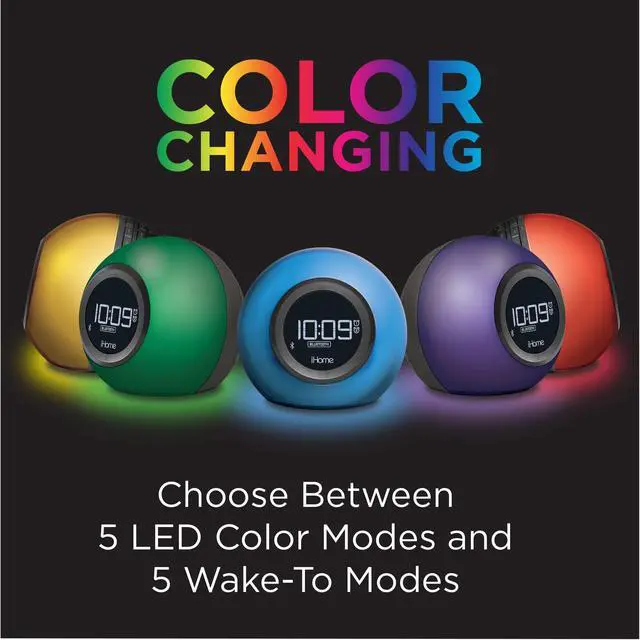
8. Press the – or + Buttons to select the desired wake-to light mode: Slow fade, Fast Change, One Color (selects current color), Pulse to
Music, Sky Gradient or Off (no change to light mode that is active when alarm sounds).
9. Press the Alarm Button to confirm the alarm settings and exit alarm setting mode. 2 beeps will confirm alarm setting is complete. The
alarm icon will remain on the display, indicating the alarm is armed.
10. To turn off a sounding alarm and reset it to come on the next day at the same time, press the Power/Alarm Reset Button or the
associated alarm button (Alarm 1 Button or Alarm 2 Button). Press the desired Alarm Button to preview the alarm time and to turn the
alarm ON (alarm icon on display) or OFF (no alarm icon).
Bluetooth Pairing Instructions:
Turn on your Bluetooth device and make it ‘discoverable’ by turning on Bluetooth mode.
• When the unit is ON, press the Mode Button on the iBT29BX until the ‘BT’ icon appears on the display.
• Press and hold the Bluetooth Pairing Button on the back of the unit for 2 seconds.
• Select ‘iHome iBT29’ on your device’s Bluetooth menu to connect!
• Press the Play/Pause/Presets Button and the – or + Buttons to play, pause, and navigate tracks.
• Press the or Buttons to adjust the volume on the unit. You may need to adjust the volume on your device, too.
Setting the Alarms: This unit features dual alarms which can be set to different times and alarm sources. Each is set in the same way. Instructions are given as “Alarm Button”; use Alarm 1 or Alarm 2 to set respective alarms. Each step must be completed while display is flashing or setting will time-out.
1. Press and hold the Alarm Button for 2 seconds until the alarm time display and alarm icon flash. A beep sounds.
2. Press the – or + Buttons to adjust the alarm time to the desired time (hold for rapid setting).
Make sure you set the correct AM/PM alarm time. The AM and PM indicators appear to the left of the display.
3. Press the Alarm Button to confirm the alarm time setting. The wake-to source will flash.
4. Press the – or + Buttons to select the desired wake-to alarm source: Bluetooth, FM radio or tone:
Wake to Bluetooth: Wake to the currently linked Bluetooth device. If no device is detected, the alarm will default to tones.
Wake to FM radio: Press the Alarm Button to confirm. Press the Presets Button to select an FM preset to wake to, or press the – or +
Buttons to select a station.
Wake to Tone: Press the Alarm Button to confirm. Press the – or + Buttons to select a wake-to tone (Tone 1 -Tone 4). Scroll down to continue instructions...
Alarm Instructions (continued)
5. Press the Alarm Button to confirm wake-to source.
6. Press the – or + Buttons to adjust the alarm volume.
7. Press the Alarm Button to confirm alarm volume and enter wake-to light selection.
8. Press the – or + Buttons to select the desired wake-to light mode: Slow fade, Fast Change, One Color (selects current color), Pulse to
Music, Sky Gradient or Off (no change to light mode that is active when alarm sounds).
9. Press the Alarm Button to confirm the alarm settings and exit alarm setting mode. 2 beeps will confirm alarm setting is complete. The
alarm icon will remain on the display, indicating the alarm is armed.
10. To turn off a sounding alarm and reset it to come on the next day at the same time, press the Power/Alarm Reset Button or the
associated alarm button (Alarm 1 Button or Alarm 2 Button). Press the desired Alarm Button to preview the alarm time and to turn the
alarm ON (alarm icon on display) or OFF (no alarm icon).