











AK820 PRO Wireless Mechanical Gaming Keyboard with Screen


Tips on Switches, Software, Backlight, Screen, Connection, Size and Package
Driver only Available for Windows PC
Programming Software
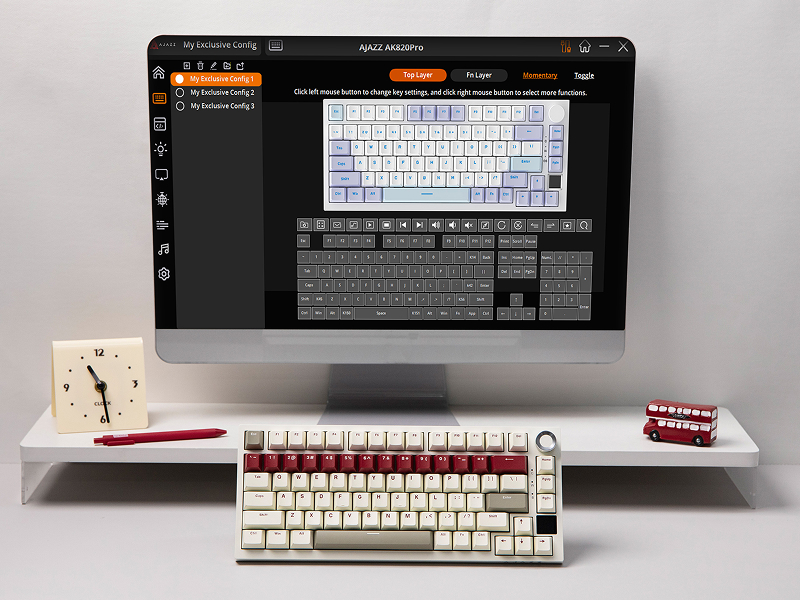
With customization being our core branding, our AK820 PRO is packed with features for personalization. With powerful software for macro recording, configure keys and more keyboard settings, AK820 PRO is a joy to have for DIY fun. Remap layout of keys for a quicker workflow at office or reassign functions of keys to save a bit time to access your favorite gear in fast-paced gaming, as this keyboard helps you streamline your workflow.
South-Facing Per-Key LEDs
Dynamic RGB Backlight
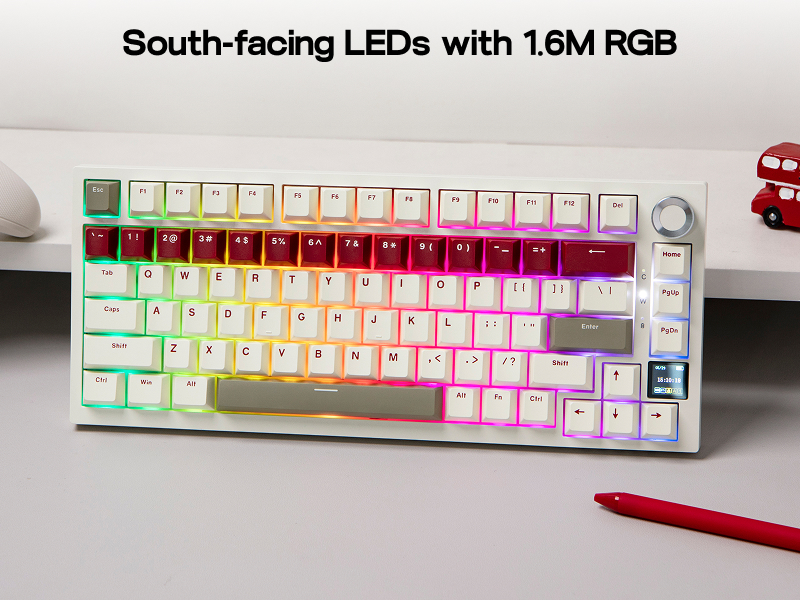
With a staggering 1.6 million color combinations from per-key south-facing LEDs, customize the vibrant RGB lighting of the AK820 PRO RGB Keyboard in color and style, via shortcut, software or screen, to suit your mood, occasion, or overall aesthetic.
- FN+Spacebar: Factory Reset; FN+X: Backlight On/Off
- FN+\|: Toggle Light Effect; FN+??: Brightness +/-
for PC/Tablet/Laptop/Phone
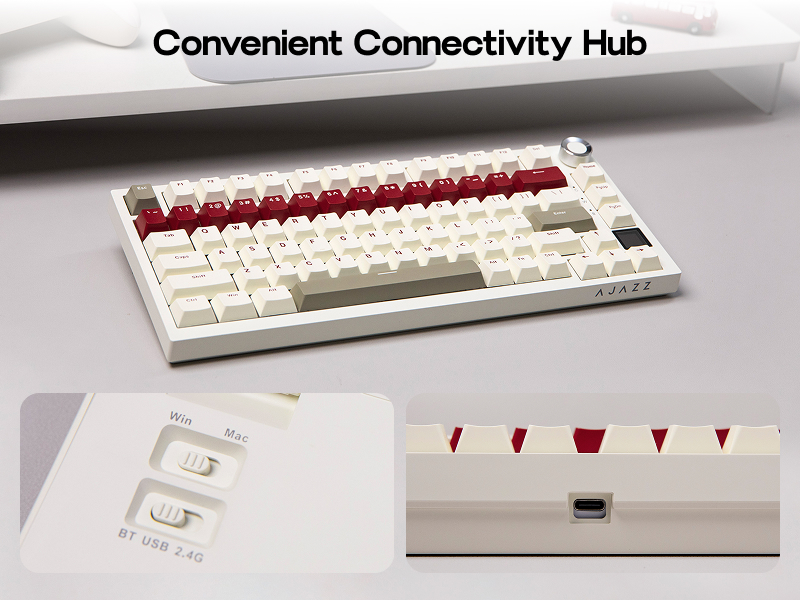
2.4Ghz/USB/Bluetooth
Game in style with the anti-ghosting AK820 PRO that performs stability without double chattering or mistype in Bluetooth, 2.4Ghz wireless and cable mode, with 1000hz polling rate in USB and 2.4G modes. Its support of NKRO allows gamers to input multiple keys simultaneously, handy in FPS and Rhythm Games, while its compatibility with Android, Windows, Mac and Linux is valuable for programmers and clerks in the office.
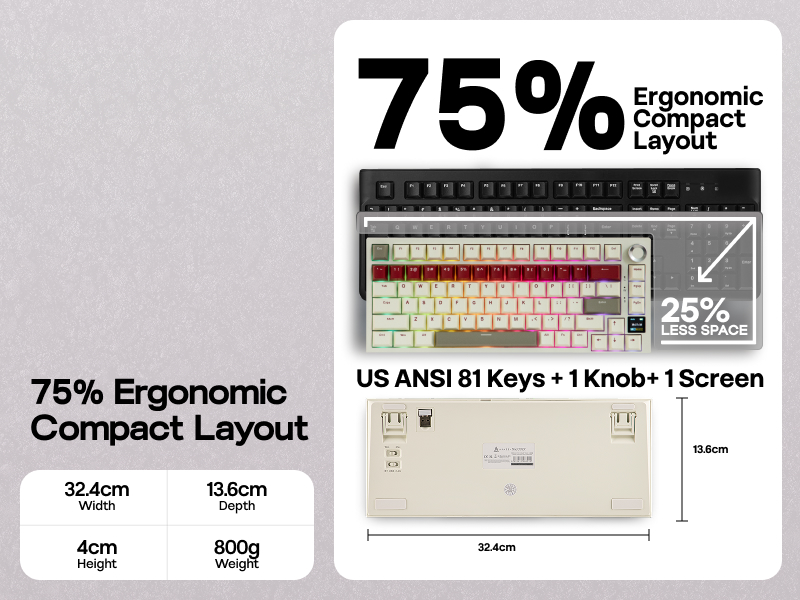
32.4cm*13.6cm in Size, 0.8kg in Weight
Compact 75% Keyboard
Dive into the retro trend and try out the powerful AK820 PRO in brand new eye-catching colors of creamy white, warm green and retro red, with 81 keys, one knob and one screen.
- What's in the Package: 1* AK820 PRO Gaming Keyboard, 3* Extra Keycaps, 1* 2-in-1 Switch-and-Keycap Puller, 1* USB A-to-C Cable, 1* Wireless 2.4Ghz Receiver (Stored on Keyboard) and 1* Manual.
How to quickly switch the language of the screen?
FN+C/V: Set Screen Language as Chinese/English
How do you change the time on the small screen?
Download AK820 PRO driver > TFT > Time Syns
Is this keyboard compatible with 3 or 5 pins hot-swappable switches?
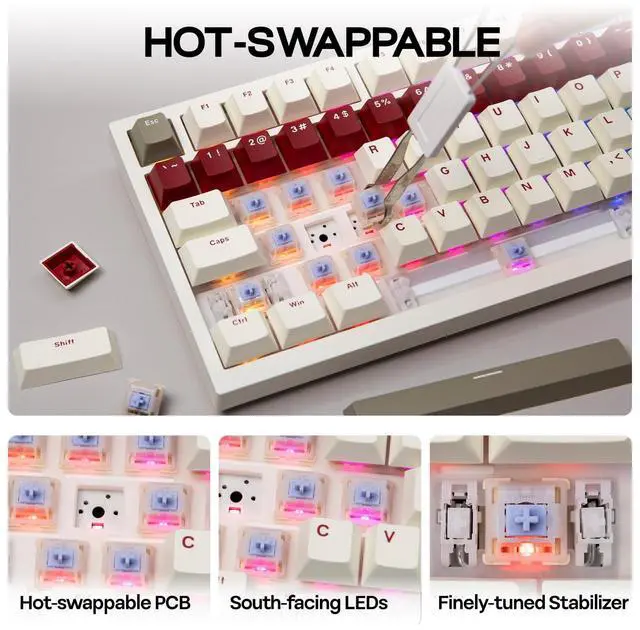
Yes, AK820 PRO has hot swap socket that supports 5-pin and 3-pin mechanical switches.
Is there any way I am able to customize the RGB settings without using a Windows computer?
You can use the keyboard screen to operate the mode change of RGB lights. If you need to use macro editing software, you need to use Windows system.
Can you remap the keys?
Yes, the driver allows you to map keys, record macros, set keyboard backlighting and load GIF images for the screen.
Gaming Keyboard with Screen from EPOMAKEER
 AK820 PRO (Mechanical) |  AK820 PRO (Mechanical) |  F75 Max (Mechanical) |  HE65 Mag (Hall Effect) |  F108 PRO (Mechanical) |  HE65 Mec (Mechanical) | 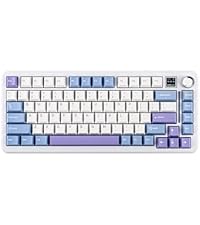 Cypher81 (Mechanical) | |
|---|---|---|---|---|---|---|---|
Customer Reviews | — | — | — | — | — | — | — |
Price | — | — | — | — | — | — | — |
Special Feature | Glass Screen & Volume Knob | 0.85" Screen & Volume Knob | Interactive Screen | 8000mAh, Mac Driver, SOCD/MT | Full Sized with 8000mAh | 65% Compact, Mac Driver | 75% Compact, Mac Driver |
Material & Color | Plastic; Retro | Plastic; Black/Purple | Plastic; Black/Purple | Plastic; Black | Plastic; Black | Plastic; Blue | Plastic; White |
Switch Types | Linear | Linear | Linear | Linear | Linear | Linear | Linear |
75% Layout | QWERTY US | QWERTY US | QWERTY US | QWERTY US | QWERTY US | QWERTY US | QWERTY US |
Keys+Knob | 81+1 | 81+1 | 81+1 | 66+1 | 104+1 | 66+1 | 81+1 |
PBT Keycap | Cherry Profile | OEM Profile | Cherry Profile | Cherry Profile | Cherry Profile | Cherry Profile | Cherry Profile |
Connectivity | Bluetooth/2.4G/USB-C | Bluetooth/2.4G/USB-C | Bluetooth/2.4G/USB-C | Bluetooth/2.4G/USB-C | Bluetooth/2.4G/USB-C | Bluetooth/2.4G/USB-C | Bluetooth/2.4G/USB-C |
Battery | 4000mAh | 4000mAh | 4000mAh | 8000mAh | 8000mAh | 4000mAh | 4000mAh |
Hot-Swappable | 3/5-pin Mechanical Switch | 3/5-pin Mechanical Switch | 3/5-pin Mechanical Switch | EP Magnetic Switches | 3/5-pin Mechanical Switch | 3/5-pin Mechanical Switch | 3/5-pin Mechanical Switch |
Backlight | Per-Key RGB | Per-Key RGB | Per-Key RGB | Per-Key RGB | Per-Key RGB | Per-Key RGB | Per-Key RGB |
OS System | Win/Mac/Android/iOS | Win/Mac/Android/iOS | Win/Mac/Android/iOS | Win/Mac/Android/iOS | Win/Mac/Android/iOS | Win/Mac/Android/iOS | Win/Mac/Android/iOS |
Software | AK820 PRO Software (WIN) | AK820 PRO Software (WIN) | F75 MAX Driver (WIN) | EPOMAKER Driver (Mac/WIN) | F108 PRO Software (WIN) | EPOMAKER Driver (Mac/WIN) | EPOMAKER Driver (Mac/WIN) |
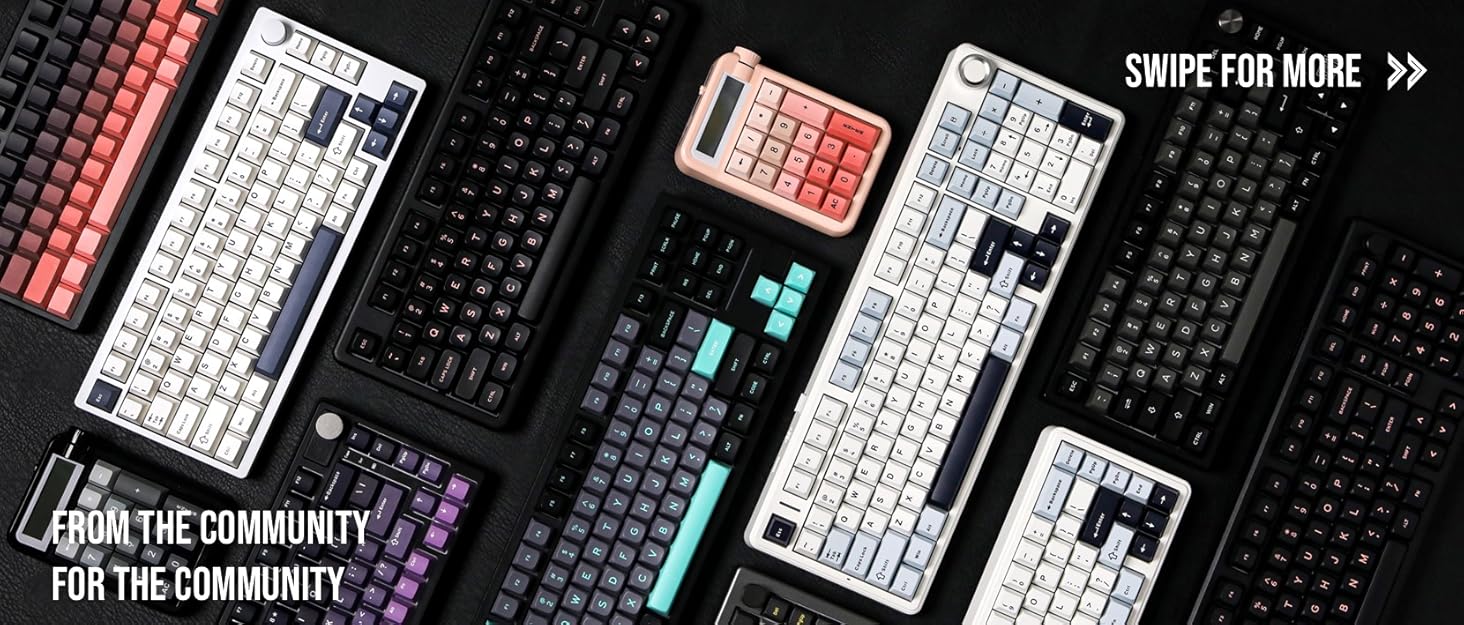

Composed of a team of young gamers, software engineers, and product designers who love tech gadgets, we set out to develop the best products that encapsulate personality, functionality, and affordability. Unsatisfied with the keyboards currently out there, we have created our ultimate sturdiness, wireless, and fully-customizable mechanical keyboard. Our promise is to deliver a keyboard that meets all of your workflow needs.
EPOMAKER New Release for 2025
EPOMAKER Gaming Keyboard
65% Layout Gaming Keyboard
75% Layout Gaming Keyboard
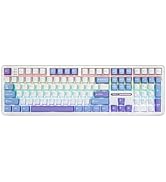
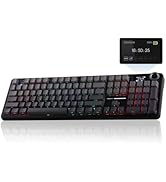
1800 Layout Gaming Keyboard
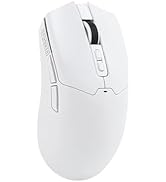
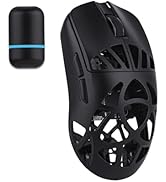
PC Gaming Mice
Numpad
Premium PBT Keycap Set
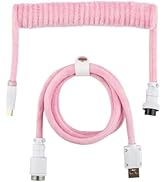
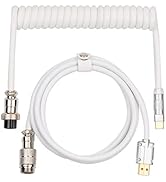
Keyboard Cable
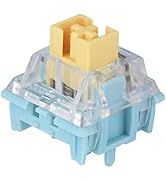
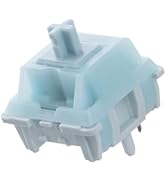
Keyboard Switches
AK820 PRO Wireless Mechanical Gaming Keyboard with Screen


Tips on Switches, Software, Backlight, Screen, Connection, Size and Package


Switch Comparison
Buttery Smooth & Creamy Rich
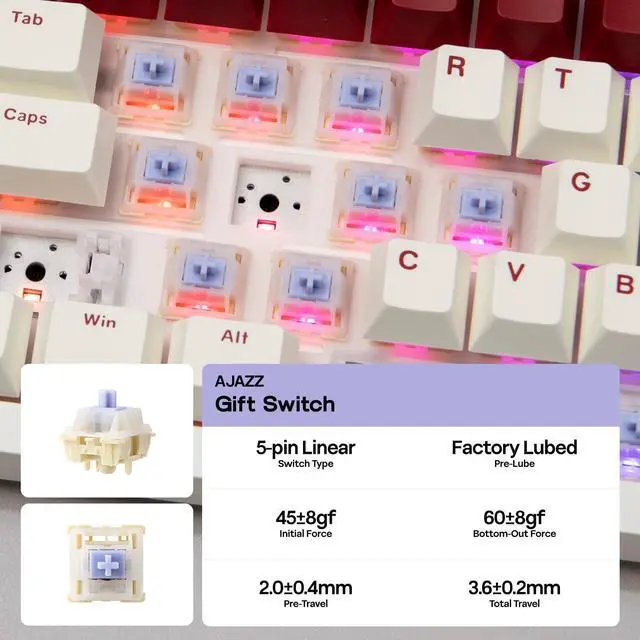
With 5 layers of foam and silicones stuffing the empty chamber to rid the noise caused by echo within the cavity, the switch sound is mellowed and highlighted to be creamy rich and buttery smooth. Lubed and finely tuned in factory for out of box perfection, the linear switches and plate-mounted stabilizers gift AK820 PRO incredible smoothness and richness in sound and feel.
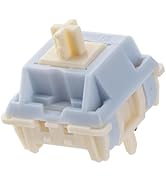
- AJAZZ Dreamy Switch: 5-pin Linear, Lubed, 40/50gf, 2.0/3.3mm.
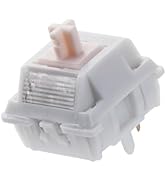
- AJAZZ Gift Switch: 5-pin Linear, Lubed, 45/60gf, 2.0/3.6mm.
Driver only Available for Windows PC
Programming Software
With customization being our core branding, our AK820 PRO is packed with features for personalization. With powerful software for macro recording, configure keys and more keyboard settings, AK820 PRO is a joy to have for DIY fun. Remap layout of keys for a quicker workflow at office or reassign functions of keys to save a bit time to access your favorite gear in fast-paced gaming, as this keyboard helps you streamline your workflow.
South-Facing Per-Key LEDs
Dynamic RGB Backlight
With a staggering 1.6 million color combinations from per-key south-facing LEDs, customize the vibrant RGB lighting of the AK820 PRO RGB Keyboard in color and style, via shortcut, software or screen, to suit your mood, occasion, or overall aesthetic.
- FN+Spacebar: Factory Reset; FN+X: Backlight On/Off
- FN+\|: Toggle Light Effect; FN+??: Brightness +/-
0.85 inch Glass Screen
Interactive Custom Display
With 81 programmable keys and a volume knob, the AK820 PRO packs a interactive Glass screen for real-time updates and customization. Enjoy this Gif-showing display for easy and fun backlight customization, and revel in the convenience it brings with a neatly displayed info page that present time, connectivity, battery monitor and indicator lights status.
for PC/Tablet/Laptop/Phone
2.4Ghz/USB/Bluetooth
Game in style with the anti-ghosting AK820 PRO that performs stability without double chattering or mistype in Bluetooth, 2.4Ghz wireless and cable mode, with 1000hz polling rate in USB and 2.4G modes. Its support of NKRO allows gamers to input multiple keys simultaneously, handy in FPS and Rhythm Games, while its compatibility with Android, Windows, Mac and Linux is valuable for programmers and clerks in the office.
32.4cm*13.6cm in Size, 0.8kg in Weight
Compact 75% Keyboard
Dive into the retro trend and try out the powerful AK820 PRO in brand new eye-catching colors of creamy white, warm green and retro red, with 81 keys, one knob and one screen.
- What's in the Package: 1* AK820 PRO Gaming Keyboard, 3* Extra Keycaps, 1* 2-in-1 Switch-and-Keycap Puller, 1* USB A-to-C Cable, 1* Wireless 2.4Ghz Receiver (Stored on Keyboard) and 1* Manual.
How to quickly switch the language of the screen?
FN+C/V: Set Screen Language as Chinese/English
How do you change the time on the small screen?
Download AK820 PRO driver > TFT > Time Syns
Is this keyboard compatible with 3 or 5 pins hot-swappable switches?
Yes, AK820 PRO has hot swap socket that supports 5-pin and 3-pin mechanical switches.
Is there any way I am able to customize the RGB settings without using a Windows computer?
You can use the keyboard screen to operate the mode change of RGB lights. If you need to use macro editing software, you need to use Windows system.
Can you remap the keys?
Yes, the driver allows you to map keys, record macros, set keyboard backlighting and load GIF images for the screen.
Gaming Keyboard with Screen from EPOMAKEER
AK820 PRO (Mechanical) | AK820 PRO (Mechanical) | F75 Max (Mechanical) | HE65 Mag (Hall Effect) | F108 PRO (Mechanical) | HE65 Mec (Mechanical) | Cypher81 (Mechanical) |
|---|---|---|---|---|---|---|
| Customer Reviews | ||||||
| — | — | — | — | — | — | — |
| Price | ||||||
| — | — | — | — | — | — | — |
| Special Feature | ||||||
| Glass Screen & Volume Knob | 0.85" Screen & Volume Knob | Interactive Screen | 8000mAh, Mac Driver, SOCD/MT | Full Sized with 8000mAh | 65% Compact, Mac Driver | 75% Compact, Mac Driver |
| Material & Color | ||||||
| Plastic; Retro | Plastic; Black/Purple | Plastic; Black/Purple | Plastic; Black | Plastic; Black | Plastic; Blue | Plastic; White |
| Switch Types | ||||||
| Linear | Linear | Linear | Linear | Linear | Linear | Linear |
| 75% Layout | ||||||
| QWERTY US | QWERTY US | QWERTY US | QWERTY US | QWERTY US | QWERTY US | QWERTY US |
| Keys+Knob | ||||||
| 81+1 | 81+1 | 81+1 | 66+1 | 104+1 | 66+1 | 81+1 |
| PBT Keycap | ||||||
| Cherry Profile | OEM Profile | Cherry Profile | Cherry Profile | Cherry Profile | Cherry Profile | Cherry Profile |
| Connectivity | ||||||
| Bluetooth/2.4G/USB-C | Bluetooth/2.4G/USB-C | Bluetooth/2.4G/USB-C | Bluetooth/2.4G/USB-C | Bluetooth/2.4G/USB-C | Bluetooth/2.4G/USB-C | Bluetooth/2.4G/USB-C |
| Battery | ||||||
| 4000mAh | 4000mAh | 4000mAh | 8000mAh | 8000mAh | 4000mAh | 4000mAh |
| Hot-Swappable | ||||||
| 3/5-pin Mechanical Switch | 3/5-pin Mechanical Switch | 3/5-pin Mechanical Switch | EP Magnetic Switches | 3/5-pin Mechanical Switch | 3/5-pin Mechanical Switch | 3/5-pin Mechanical Switch |
| Backlight | ||||||
| Per-Key RGB | Per-Key RGB | Per-Key RGB | Per-Key RGB | Per-Key RGB | Per-Key RGB | Per-Key RGB |
| OS System | ||||||
| Win/Mac/Android/iOS | Win/Mac/Android/iOS | Win/Mac/Android/iOS | Win/Mac/Android/iOS | Win/Mac/Android/iOS | Win/Mac/Android/iOS | Win/Mac/Android/iOS |
| Software | ||||||
| AK820 PRO Software (WIN) | AK820 PRO Software (WIN) | F75 MAX Driver (WIN) | EPOMAKER Driver (Mac/WIN) | F108 PRO Software (WIN) | EPOMAKER Driver (Mac/WIN) | EPOMAKER Driver (Mac/WIN) |
Composed of a team of young gamers, software engineers, and product designers who love tech gadgets, we set out to develop the best products that encapsulate personality, functionality, and affordability. Unsatisfied with the keyboards currently out there, we have created our ultimate sturdiness, wireless, and fully-customizable mechanical keyboard. Our promise is to deliver a keyboard that meets all of your workflow needs.
EPOMAKER New Release for 2025
EPOMAKER Gaming Keyboard
65% Layout Gaming Keyboard
75% Layout Gaming Keyboard
1800 Layout Gaming Keyboard
PC Gaming Mice
Numpad
Premium PBT Keycap Set
Keyboard Cable
Keyboard Switches