




 here!
I’m your shopping assistant for PC builds, upgrades, and everything tech.
Got questions? Ask away!
Start a conversation
here!
I’m your shopping assistant for PC builds, upgrades, and everything tech.
Got questions? Ask away!
Start a conversation




Any questions? Ask CelesteSM will help you find out quickly.

Hassle-free and wire-free, 3 connection style to meet all your needs in gaming and work.

Register multiple keystrokes simultaneously, to be fast and accurate in the heat of the game.

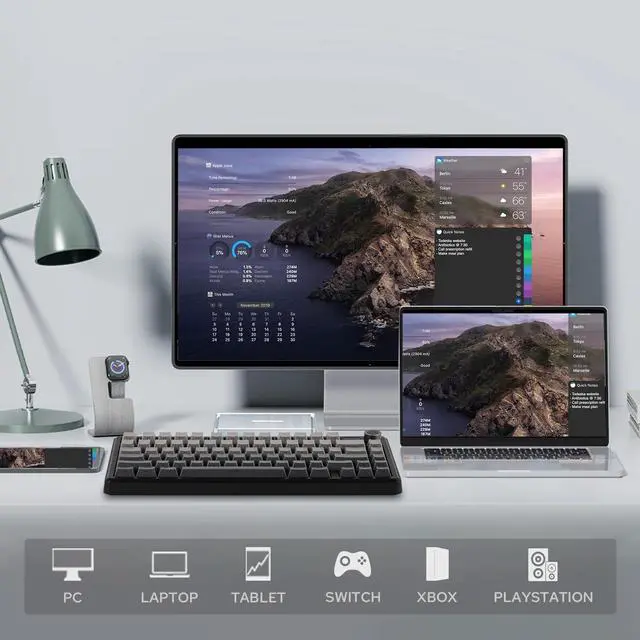
Compatibility with Android, Windows, Mac, and Linux, built for cross-system gamers or office clerks.

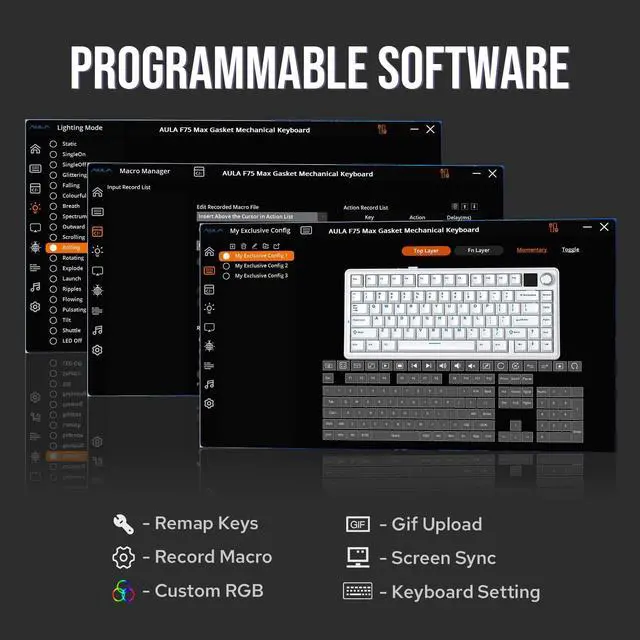
For efficiency or accessibility, the software (WIN only) lets you remap and configure as needed.

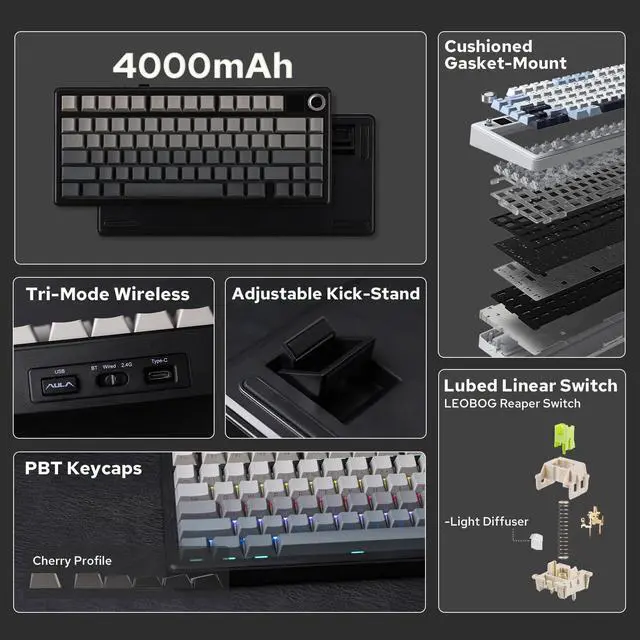
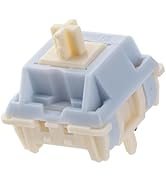
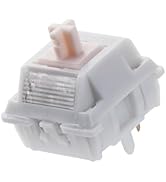
Well-lubed Reaper Switch with Light Diffuser and Plate-Mount Stabilizer for buttery smooth typing.

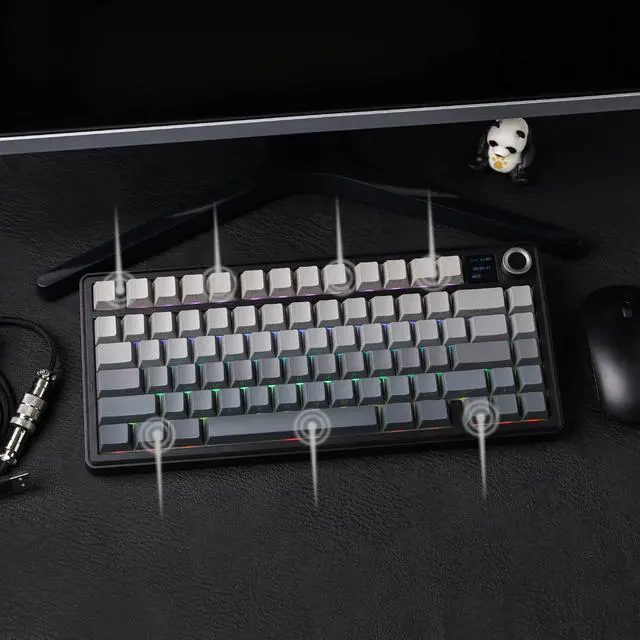
Rich and pleasant, without shake, shock, hollow or pin-noise, thanks to 5 layers of foams and Pads.

Keyboard Dimensions: 32.8*14.3*4.4cm. Weight: 0.96kg.

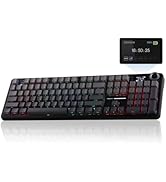
While the screen showcases CapsLock, WINlock, and Numlock, the 2nd Indicator is much more intuitive.

5 minutes of no activity, the keyboard will sleep to save power. Check the screen for battery info.

Indulge in the creamy, smooth melody of F75 MAX, composed by the rhythmic thud of every keystroke. Factory lubed and tuned, the stabilizers and linear switches sound as incredible as they feel, with the right amount of creamy and thockey combined.

Configure as your needs call for, with the powerful software that supports individual key remaps, macro recording, combo editing, RGB adjustment, sensitivity setting, and more.

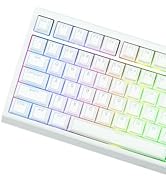
As personalization is our core branding, our F75 Max isn’t shy in the realm of customization. With south-facing per-key LEDs and light diffusers on the Reaper switches, the RGB Backlight shines brightly with dozens of pre-set dynamic effects, adjustable in color and style via software, screen, and shortcut.

Immerse in continuous gaming sessions with no debuff from low-battery nor interruptions from charging, and relish in the versatile compatibility of the F75 MAX keyboard that connects to up to 5 devices simultaneously.


How can I toggle the screen with knob? How to turn the volume up/down with knob?
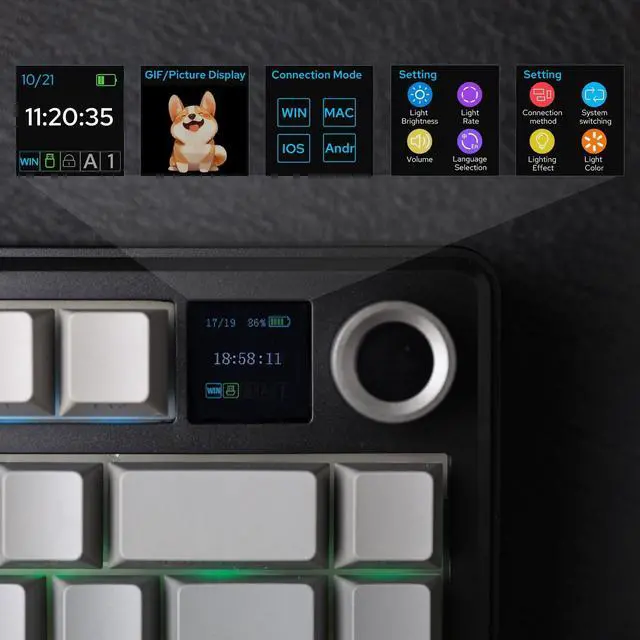
The dual-function knob can be used to toggle volume or the screen. Press FN+KNOB once to switch between these two modes. Once knob is in screen mode, you can turn the knob to slide through pages and press the knob to confirm.
What're the meaning of all the signs on F75 Max's screen?
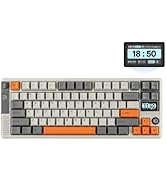
The info page on the screen has 5 signs at the bottom telling keyboard's status. From left to right, each of them means: Mac/WIN layout, keyboard's connection status, WIN-Lock, Caps-Lock and Num-Lock status.
Does the F75 MAX keyboard have RGB Backlight?
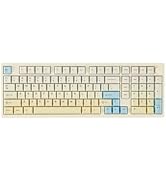
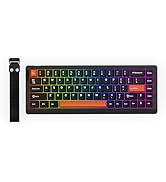
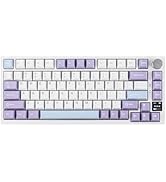
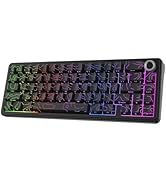
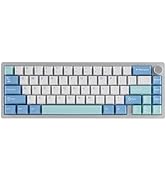
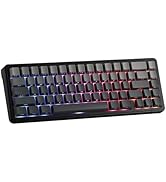
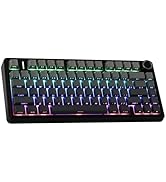
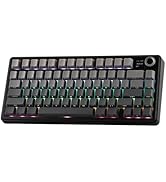
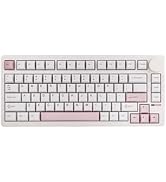
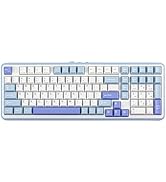
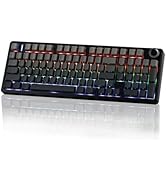
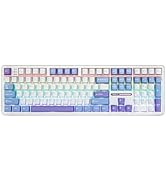
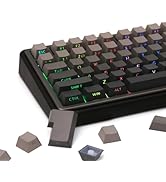
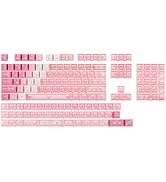
Yes the F75 MAX Keyboard support dynamic and still backlight in individual colors and RGBs. The White and Purple keycaps are not shine-through, but the Black keycaps are.
Is the F75 MAX keyboard good for Mac?
The F75 MAX keyboard is compatible with WIN, MAC, Android and Linux Systems. The software is only available for Windows system, but keyboard has on-board memory so the settings saved can be used on other systems.
 F75 Max (Mechanical) |  RT85 (Mechanical) |  TH85 (Mechanical) |  WIN68 HE MAX (Magnetic) |  AK820 PRO (Mechanical) |  F75 (Mechanical) |  Galaxy70 (Mechanical) | |
|---|---|---|---|---|---|---|---|
Customer Reviews | — | — | — | — | — | — | — |
Price | — | — | — | — | — | — | — |
Material & Color | Plastic; Black/Purple | Plastic; Green/White | Plastic; Black/White/Blue | Plastic; Grey/White/Red | Plastic; Black/Purple | Plastic; Blue/Black/Green | Aluminum; White/Black/Blue |
Switch Types | Linear | Linear | Linear | Magnetic | Linear | Linear | Linear |
75% Layout | QWERTY US | QWERTY US | QWERTY US | QWERTY US | QWERTY US | QWERTY US | QWERTY US |
Keys+Knob | 81+1 | 82 | 84 | 68 | 81+1 | 80+1 | 82+1 |
PBT Keycap | Cherry Profile | Cherry Profile | Cherry Profile | Cherry Profile | OEM Profile | Cherry Profile | Cherry/MDA Profile |
Connectivity | Bluetooth/2.4G/USB-C | Bluetooth/2.4G/USB-C | Bluetooth/2.4G/USB-C | USB-C Wired | Bluetooth/2.4G/USB-C | Bluetooth/2.4G/USB-C | Bluetooth/2.4G/USB-C |
Battery | 4000mAh | 8000mAh | 4000mAh | / | 4000mAh | 4000mAh | 4000mAh |
Hot Swappable | ? | ? | ? | ? | ? | ? | ? |
Backlight | Per-Key RGB | Per-Key RGB | Per-Key RGB | Per-Key RGB | Per-Key RGB | Per-Key RGB | Per-Key RGB |
OS System | Win/Mac/Android/iOS | Win/Mac/Android/iOS | Win/Mac/Android/iOS | Win/Mac/Android | Win/Mac/Android/iOS | Win/Mac/Android/iOS | Win/Mac/Android/iOS |
Software | F75 MAX Driver (WIN) | EPOMAKER 3.0 Driver | QMK/VIA Software | AULA Web Driver | AK820 PRO Software (WIN) | F75 Driver (WIN) | Epomaker Galaxy70 Driver (WIN) |
Special Feature | Interactive Screen | Joystick & Screen | Fully Configurable QMK/VIA | Magnetic Switch | 0.85" Screen & Volume Knob | Last 40+ hours with RGB | 1.8kg Solid Aluminum |

Composed of a team of young gamers, software engineers, and product designers who love tech gadgets, we set out to develop the best products that encapsulate personality, functionality, and affordability. Unsatisfied with the keyboards currently out there, we have created our ultimate sturdiness, wireless, and fully-customizable mechanical keyboard. Our promise is to deliver a keyboard that meets all of your workflow needs.


Hassle-free and wire-free, 3 connection style to meet all your needs in gaming and work.
Register multiple keystrokes simultaneously, to be fast and accurate in the heat of the game.
Compatibility with Android, Windows, Mac, and Linux, built for cross-system gamers or office clerks.
For efficiency or accessibility, the software (WIN only) lets you remap and configure as needed.
Well-lubed Reaper Switch with Light Diffuser and Plate-Mount Stabilizer for buttery smooth typing.


Rich and pleasant, without shake, shock, hollow or pin-noise, thanks to 5 layers of foams and Pads.
Keyboard Dimensions: 32.8*14.3*4.4cm. Weight: 0.96kg.
While the screen showcases CapsLock, WINlock, and Numlock, the 2nd Indicator is much more intuitive.
5 minutes of no activity, the keyboard will sleep to save power. Check the screen for battery info.
Indulge in the creamy, smooth melody of F75 MAX, composed by the rhythmic thud of every keystroke. Factory lubed and tuned, the stabilizers and linear switches sound as incredible as they feel, with the right amount of creamy and thockey combined.
Configure as your needs call for, with the powerful software that supports individual key remaps, macro recording, combo editing, RGB adjustment, sensitivity setting, and more.
As personalization is our core branding, our F75 Max isn’t shy in the realm of customization. With south-facing per-key LEDs and light diffusers on the Reaper switches, the RGB Backlight shines brightly with dozens of pre-set dynamic effects, adjustable in color and style via software, screen, and shortcut.
Immerse in continuous gaming sessions with no debuff from low-battery nor interruptions from charging, and relish in the versatile compatibility of the F75 MAX keyboard that connects to up to 5 devices simultaneously.
How can I toggle the screen with knob? How to turn the volume up/down with knob?
The dual-function knob can be used to toggle volume or the screen. Press FN+KNOB once to switch between these two modes. Once knob is in screen mode, you can turn the knob to slide through pages and press the knob to confirm.
What're the meaning of all the signs on F75 Max's screen?
The info page on the screen has 5 signs at the bottom telling keyboard's status. From left to right, each of them means: Mac/WIN layout, keyboard's connection status, WIN-Lock, Caps-Lock and Num-Lock status.
Does the F75 MAX keyboard have RGB Backlight?
Yes the F75 MAX Keyboard support dynamic and still backlight in individual colors and RGBs. The White and Purple keycaps are not shine-through, but the Black keycaps are.
Is the F75 MAX keyboard good for Mac?
The F75 MAX keyboard is compatible with WIN, MAC, Android and Linux Systems. The software is only available for Windows system, but keyboard has on-board memory so the settings saved can be used on other systems.
F75 Max (Mechanical) | RT85 (Mechanical) | TH85 (Mechanical) | WIN68 HE MAX (Magnetic) | AK820 PRO (Mechanical) | F75 (Mechanical) | Galaxy70 (Mechanical) |
|---|---|---|---|---|---|---|
| Customer Reviews | ||||||
| — | — | — | — | — | — | — |
| Price | ||||||
| — | — | — | — | — | — | — |
| Material & Color | ||||||
| Plastic; Black/Purple | Plastic; Green/White | Plastic; Black/White/Blue | Plastic; Grey/White/Red | Plastic; Black/Purple | Plastic; Blue/Black/Green | Aluminum; White/Black/Blue |
| Switch Types | ||||||
| Linear | Linear | Linear | Magnetic | Linear | Linear | Linear |
| 75% Layout | ||||||
| QWERTY US | QWERTY US | QWERTY US | QWERTY US | QWERTY US | QWERTY US | QWERTY US |
| Keys+Knob | ||||||
| 81+1 | 82 | 84 | 68 | 81+1 | 80+1 | 82+1 |
| PBT Keycap | ||||||
| Cherry Profile | Cherry Profile | Cherry Profile | Cherry Profile | OEM Profile | Cherry Profile | Cherry/MDA Profile |
| Connectivity | ||||||
| Bluetooth/2.4G/USB-C | Bluetooth/2.4G/USB-C | Bluetooth/2.4G/USB-C | USB-C Wired | Bluetooth/2.4G/USB-C | Bluetooth/2.4G/USB-C | Bluetooth/2.4G/USB-C |
| Battery | ||||||
| 4000mAh | 8000mAh | 4000mAh | / | 4000mAh | 4000mAh | 4000mAh |
| Hot Swappable | ||||||
| ? | ? | ? | ? | ? | ? | ? |
| Backlight | ||||||
| Per-Key RGB | Per-Key RGB | Per-Key RGB | Per-Key RGB | Per-Key RGB | Per-Key RGB | Per-Key RGB |
| OS System | ||||||
| Win/Mac/Android/iOS | Win/Mac/Android/iOS | Win/Mac/Android/iOS | Win/Mac/Android | Win/Mac/Android/iOS | Win/Mac/Android/iOS | Win/Mac/Android/iOS |
| Software | ||||||
| F75 MAX Driver (WIN) | EPOMAKER 3.0 Driver | QMK/VIA Software | AULA Web Driver | AK820 PRO Software (WIN) | F75 Driver (WIN) | Epomaker Galaxy70 Driver (WIN) |
| Special Feature | ||||||
| Interactive Screen | Joystick & Screen | Fully Configurable QMK/VIA | Magnetic Switch | 0.85" Screen & Volume Knob | Last 40+ hours with RGB | 1.8kg Solid Aluminum |
Composed of a team of young gamers, software engineers, and product designers who love tech gadgets, we set out to develop the best products that encapsulate personality, functionality, and affordability. Unsatisfied with the keyboards currently out there, we have created our ultimate sturdiness, wireless, and fully-customizable mechanical keyboard. Our promise is to deliver a keyboard that meets all of your workflow needs.
Specifications:
Brand: EPOMAKER X AULA
Model: F75 MAX
Layout: 75% ANSI US Layout
Number of Keys: 80 keys, 1 Metal Knob and 1 TFT Screen
Battery: 4000mAh
Battery Life: 30.5 hours with Backlight on, and 80 hours with Backlight off.
Connectivity: Type-C Cable, 2.4GHz, Bluetooth 5.0
Compatibility: Mac/WIN/Android/Linux
Keyboard Dimensions: 32.8*14.3*4.4cm
Keyboard Weight: 0.96kg
Front Height: 2cm
Case Material: ABS Plastic
Plate Material: PC Plate
Flex-Cut: Partial Flex-Cut
Stabilizers: Plate-Mount Stabilizer. (Compatible with Screw-in Stabilizer)
Mounting Structure: Gasket-Mount
Sound Dampening: 5 layers: Sandwich Pad, IXPE Switch Pad, PET Sound-Enhancement pad, Bottom Foam and Bottom Silicone.
Keycaps Profile: Cherry Profile
Keycaps Material: PBT Plastic
Keycaps Manufacturing Technique: Double-Shot
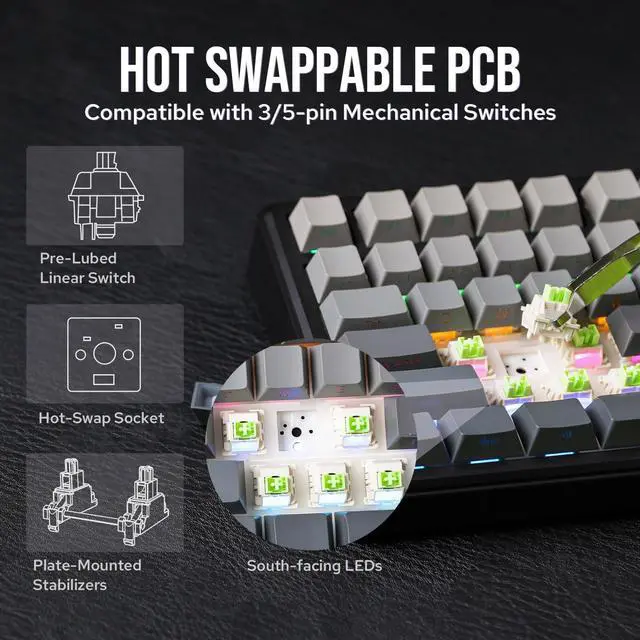
Switch: 5-pin Pre-Lubed Mechanical Switch
Hot swappable: Yes, with 3/5-pin Mechanical Switches
RGB: South-Facing, Per-Key RGB
Polling Rate: 1000Hz (USB, 2.4Ghz), 125Hz (Bluetooth 5.0)
Latency: 3ms (USB), 7ms (2.4Ghz wireless), 18ms (Bluetooth 5.0)
Anti-Ghosting: N-Key Rollover
Switch Specs
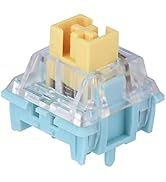
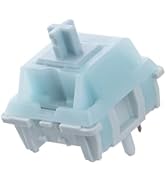
LEOBOG Reaper Mechanical Switch
Switch Type: Regular Linear Switch with 5 pins
Trigger Force: 45±3 gf
Bottom-out Force: 55±3 gf
Pre-Travel: 1.8±0.3mm
Total Travel: 3.6±0.3mm
Stem Material: POM
Top Material: PC
Base Material: Nylon
Light Diffuser: Yes, the Reaper Switch has Light Diffuser
Factory Lubed: Yes, the Reaper Switch is pre-lubed in the factory
Life Spans: 5,000,000
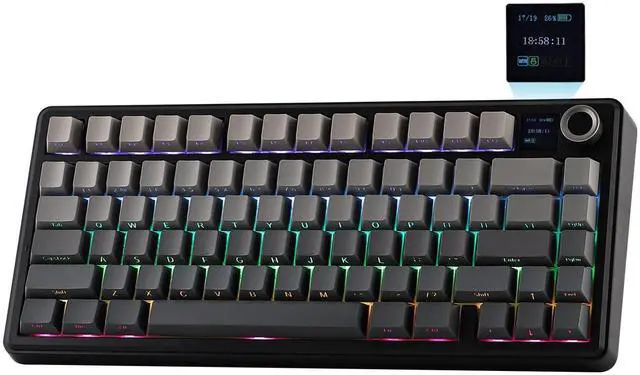
The EPOMAKER x Aula F75 MAX is a 75% wireless mechanical gaming keyboard with 80 keys, RGB lighting, a TFT smart display, and a volume knob, making it a strong fit for gamers and everyday desktop users who want a compact layout with customization and quick access controls.
| Attribute | Value |
|---|---|
| Best For | Gamers and compact-desk users who want a 75% mechanical keyboard with linear switches and RGB backlighting; battery-powered with a USB power option for flexible use |
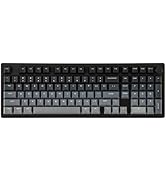
| Layout And Design | 75% layout with 80 keys in an ambidextrous, gaming-styled plastic chassis with a black gradient finish |
| Switches And Keys | Mechanical key construction with linear switch type |
| Lighting | RGB backlighting |
| Power And Connectivity | Battery-powered with a USB power option |
| Physical Dimensions And Materials | Plastic construction; dimensions 5.62 in x 1.69 in x 12.87 in |
| Model Identifiers | EPOMAKER — F75 MAX |
Q: Should I get the EPOMAKER x Aula F75 MAX or the regular Aula F75?
A: Choose the F75 MAX if you specifically want the added TFT screen and knob for on-board controls and visual status, while keeping the same compact 75% format and hot-swap, tri-mode style feature set associated with the F75 line. Choose the regular F75 if you want a simpler version of the same general formula and do not place much value on the display. Across official positioning and community discussion, the MAX is generally treated as the feature-added version rather than a full change in typing concept.
Q: Is the F75 MAX a better buy than the Keychron V1 Max?
A: Pick the F75 MAX if you want a more feature-forward 75% wireless keyboard with extras like the TFT screen and knob, and your priority is value-oriented hardware features out of the box. Pick the Keychron V1 Max if your priority is a more established enthusiast ecosystem, especially QMK/VIA support and broader cross-platform customization expectations. This is usually a choice between feature density and software/ecosystem maturity rather than raw layout differences.
Q: Should I choose the F75 MAX or the AJAZZ AK820 Pro?
A: Choose the F75 MAX if you want the Aula/EPOMAKER tuning of a 75% wireless board with gasket-style comfort, hot-swap support, and the added screen-plus-knob package. Choose the AJAZZ AK820 Pro if you want a similar compact feature set and are comparing within the same budget-oriented screen-and-knob segment. In practice, this comparison usually comes down to preference for design, sound profile, software behavior, and which board’s implementation of the screen/knob features you prefer, because both target buyers who want a compact all-in-one wireless mechanical keyboard.
Q: Is the F75 MAX worth it over a magnetic-switch gaming keyboard for competitive play?
A: Choose the F75 MAX if you want a more general-purpose wireless mechanical keyboard for mixed gaming, typing, and desk customization. Choose a magnetic-switch keyboard instead if your main goal is competitive gaming features such as adjustable actuation or rapid-trigger-style behavior, because that is a different product category with a different performance focus. Community comparisons around the F75 MAX often treat it as a strong all-rounder, but not as the specialized choice for buyers shopping specifically for Hall-effect gaming features.
Q: Is the EPOMAKER x Aula F75 MAX a good fit for both office work and gaming?
A: Yes, if you want one compact keyboard for both. Its 75% layout keeps the function row and arrow keys that office users usually need, while the linear switches, gasket structure, wireless options, knob, and RGB features suit gaming and general desk use. The trade-off versus a more office-first keyboard is that it is still a gaming-style mechanical board, so it may be less discreet for quiet shared spaces and less travel-friendly than slimmer productivity keyboards.
Q: Is it suitable for Mac as well as Windows or Linux?
A: Mostly yes for typing and general use, because the product listing states PC, Mac, and Linux support. The practical trade-off, seen often in retail keyboard Q&A, is that compatibility does not always mean every shortcut, software feature, or legend matches perfectly on Mac. Buyers who switch between systems should expect basic keyboard use to work, but should confirm whether any advanced customization tools or key labeling are optimized for their main OS.
Q: Is the F75 MAX worth buying if I want hot-swappable switches and customization without deep modding?
A: Yes, for buyers who want an easier entry into custom mechanical keyboards. Hot-swappable support means you can change compatible switches later without soldering, which is one of the most repeated decision questions on retail keyboard pages. The trade-off is that hot-swap flexibility does not automatically mean enthusiast-level firmware, premium keycaps, or unlimited customization; it mainly lowers the barrier to changing switch feel over time.
Q: Is it a good travel or portable work keyboard?
A: It is portable in the sense that a 75% layout saves desk space and travels more easily than a full-size board, but it is not an ideal light-travel keyboard. The battery-powered wireless design helps for meetings and temporary setups, yet the added screen, knob, and mechanical build make it bulkier than slim low-profile travel keyboards. It is better suited to a fixed desk, dorm, or hybrid work setup than frequent bag-carry commuting.
Q: What are the main trade-offs versus a more established alternative like Keychron?
A: The F75 MAX appears stronger on visual features and convenience extras like the TFT screen and knob, while a Keychron alternative is more likely to appeal to buyers who prioritize mature cross-platform workflow features, broader customization ecosystems, and a more productivity-oriented reputation. In short: choose the F75 MAX for feature-rich compact gaming and everyday use, and choose a Keychron-style alternative if firmware, remapping depth, and established Mac/Windows/Linux support matter more than the display.
Q: Is the EPOMAKER x Aula F75 MAX worth buying if I want a budget 75% mechanical keyboard with a softer typing feel?
A: Yes, if your priority is a compact 75% keyboard with hot-swap support, wireless use, a knob, and a softer gasket-style typing feel. Reddit discussion around the F75 MAX repeatedly points to its out-of-box typing feel and sound as the main reason to choose it. The trade-off is that it is still a plastic keyboard with extra features like the screen, so it is a better fit for buyers who value feel and features over premium materials.
Q: Who is the F75 MAX a good fit for: gaming, work, or both?
A: It is best suited to users who want one keyboard for both everyday work and casual gaming. Its 75% layout keeps function-row access while saving desk space, and the knob, wireless support, and programmable keys make it practical for general desktop use. Community discussion suggests it is more often recommended for typing, schoolwork, and mixed use than for buyers chasing the lowest possible gaming latency.
Q: What are the main trade-offs of choosing the F75 MAX over other 75% keyboards?
A: The main trade-offs are material quality, the usefulness of the screen, and wireless practicality. The F75 MAX offers many features for the size, but buyers comparing it with alternatives often call out its plastic construction and mixed opinions on the TFT screen and knob. It makes the most sense if you want feature density at a lower price, not if you are specifically looking for a heavier metal case or a simpler keyboard without display extras.
Q: Is the F75 MAX a good choice if I care about typing sound and stock feel more than modding?
A: Yes. The strongest recurring reason people consider the F75 MAX is that it aims to deliver a pleasing stock typing experience without immediate mods. Since it is hot-swappable, you still have upgrade flexibility later, but the product is more appealing to buyers who want a ready-to-use sound-and-feel package than to hobbyists who plan to rebuild most of the board right away.
Q: Should I buy the F75 MAX if I plan to use it mostly wirelessly?
A: Only if wireless convenience matters more to you than maximizing battery life or minimizing latency. The keyboard supports wireless use, but community discussion includes concerns about battery life and a preference for wired mode for more consistent gaming performance. It is a safer buy for mixed wired/wireless desktop use than for someone who expects long untethered sessions as the main benefit.


