




 here!
here!
I’m your shopping assistant for PC builds, upgrades, and everything tech.
Got questions? Ask away!
Start a conversation
here!
I’m your shopping assistant for PC builds, upgrades, and everything tech.
Got questions? Ask away!
Start a conversation




Any questions? Ask CelesteSM will help you find out quickly.

High-Performance Magnetic Gaming Keyboard with Unmatched Precision and Control

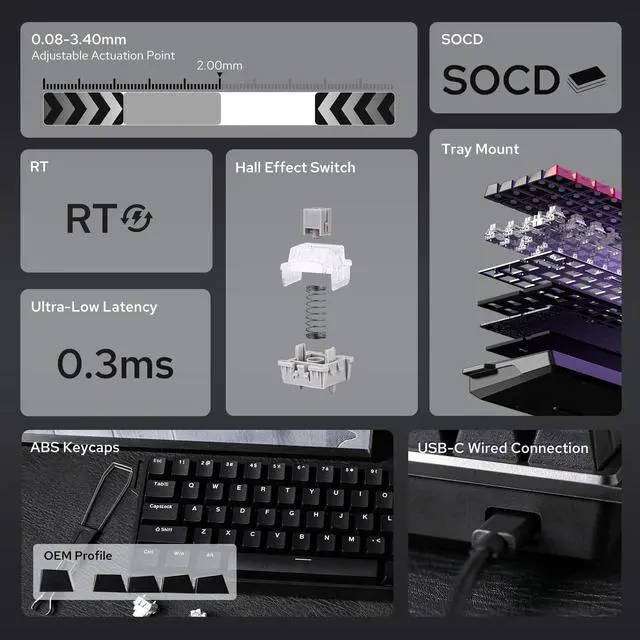
No more halting in the heat of battle. With SOCD, only latter key is prioritized and activated when two opposing directions are pressed simultaneously.

RT eliminates delays from switch movement. it activates and deactivates keys instantly with minimal travel, making it perfect for FPS gaming.

Set "hold" or "double-click" as the trigger for continuous input and "tap" as termination. Release your finger for operation elsewhere.

The current key can be modified to bind 1 to 4 functions based on the degree of pressing and releasing.
Premium Details: Online Software, Magnetic Switch, RGB Backlit, and Package


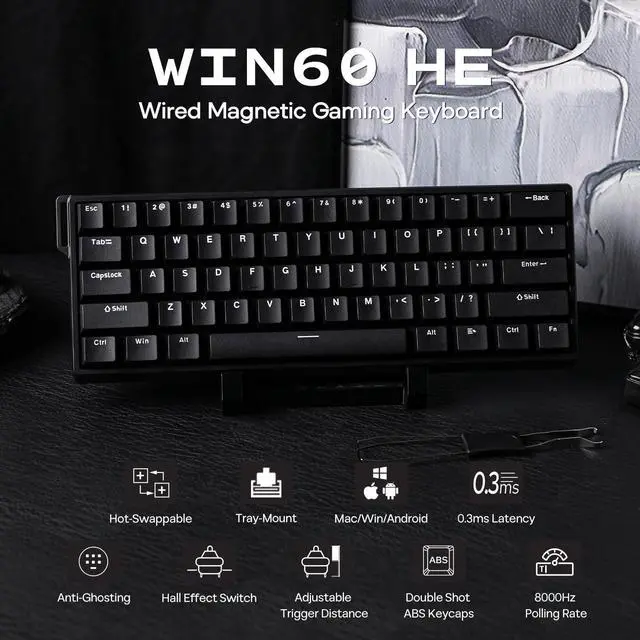
Experience the unmatched speed of a magnetic keyboard with the wired version, boasting 8x faster response times. Powered by Hall sensor technology, it ensures millisecond-level precision for quicker and more accurate inputs. Plus, with fully customizable key actuation, you can adjust the trigger distance from 0.08mm to 3.4mm to suit your unique preferences.

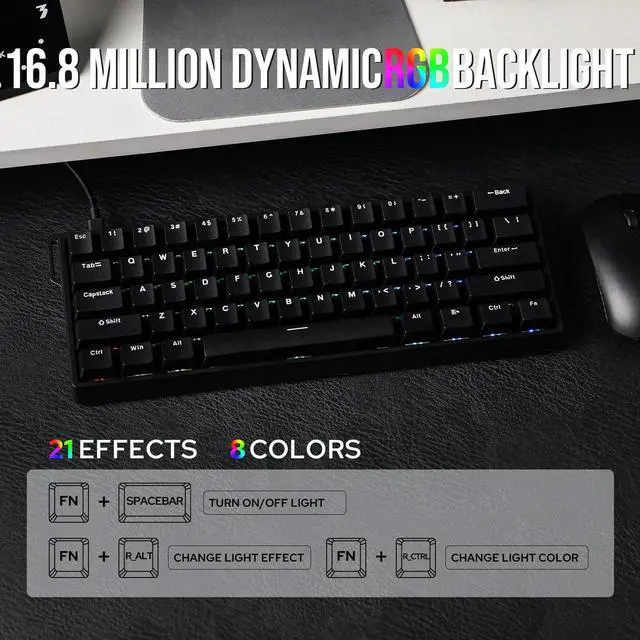
Experience stunning, customizable RGB effects that enhance your gaming environment, complemented by an ergonomic layout designed for comfort during extended sessions, and superior heat dissipation properties.


Every keystroke is accurately registered when multiple keys are pressed at the same time.

Powered by Hall sensor technology, it ensures millisecond-level precision for quicker and more accurate inputs.
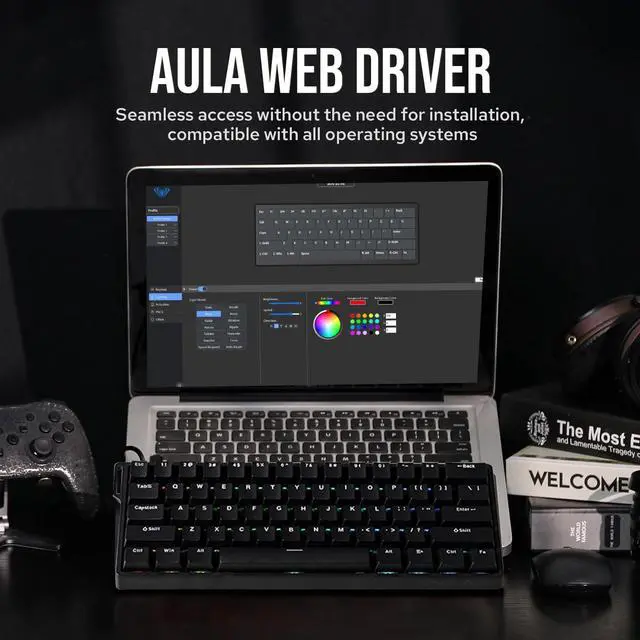
User-friendly customization via Web Driver allows real-time layout changes without downloads.

Perfect for users seeking a compact keyboard without sacrificing essential functions.


| Brand | AULA |
|---|---|
| Model | WIN60 HE/WIN60 HE MAX |
| Layout | 60% ANSI US Layout |
| Number of Keys | 61 keys |
| Connectivity | Cable Wired |
| Compatibility | Mac/WIN/Android |
| Case Material | ABS Plastic |
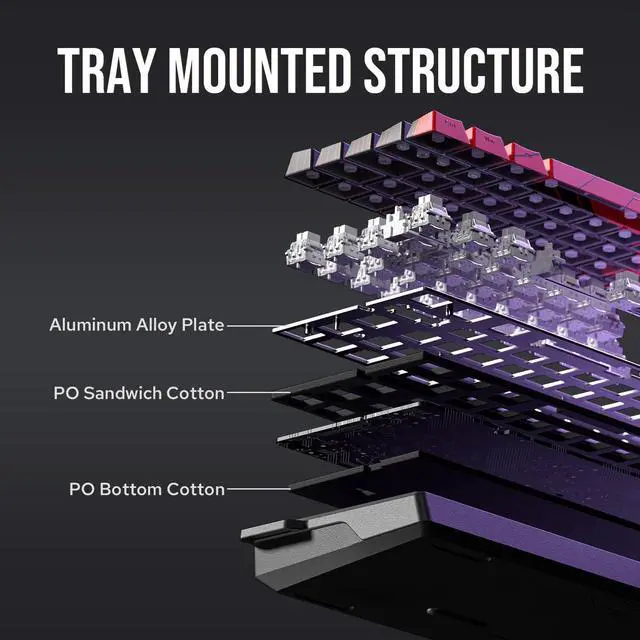
| Plate Material | Aluminum Alloy Plate |
| Flex-Cut | No Flex-Cut |
| Stabilizers | Plate-Mount Stabilizer |
| Mounting Structure | Tray-Mount |
| Sound Dampening | PO Sandwich Foam and PO Bottom Foam/EPDM Foam (standard version) |
| Keycaps Profile | OEM/Cherry (MAX Version) |
| Keycaps Material | ABS(standard version)/PBT (MAX Version) |
| Switch | Hall Effect Magnetic Switch |
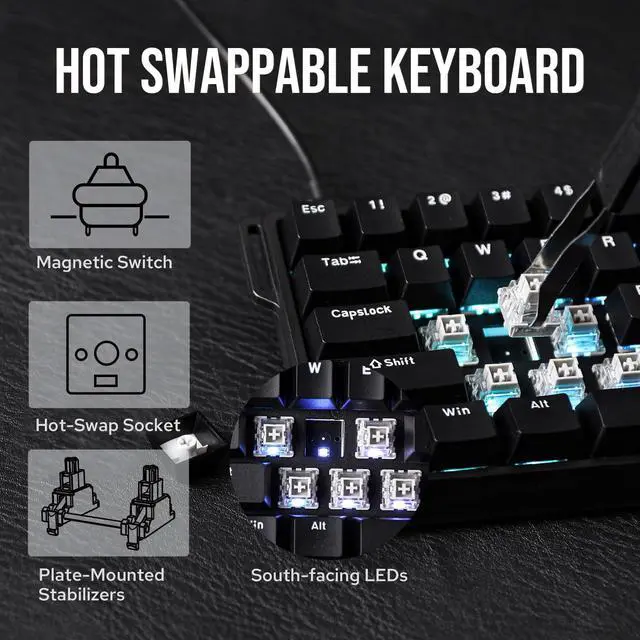
| Hot swappable | Yes, with other south-facing magnetic switches |
| RGB | South-facing, per-key RGB |
| Polling Rate | 8000Hz |
| Keyboard Dimensions | 302*109*37mm |
| Keyboard Weight | 0.63kg |
Switch Specs
Wing Chun Magnetic Switch
Switch Type: Magnetic Hall Effect Switch
Force: 36 gf
Bottom-out Force: 49gf
Stroke: 3.4±0.1mm
Accuracy: 0.02mm
Switch Specs
Greywood Magnetic Switch
Switch Type: Magnetic Hall Effect Switch
Force: 32 gf
Bottom-out Force: 50gf
Stroke: 3.4±0.1mm
Accuracy: 0.04mm
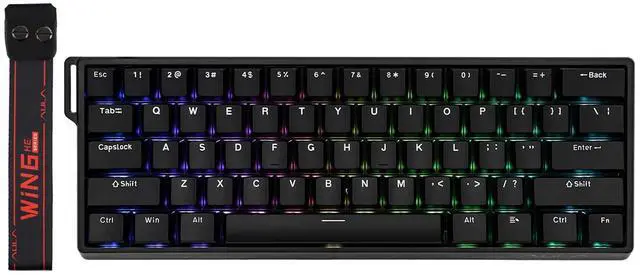
The EPOMAKER Aula WIN60 HE is a 60% wired magnetic gaming keyboard built for competitive FPS players who want ultra-fast input, adjustable actuation, and a compact layout that leaves more room for mouse movement.
| Attribute | Value |
|---|---|
| Best For | Competitive FPS players and compact-desk setups who want a 60% wired magnetic mechanical keyboard with 61 keys and an ambidextrous layout |
| Physical Specs | 60% layout with 61 keys in a black plastic case; dimensions 302.0 in x 109.0 in x 37.0 in — compact form saves desk space and favors quicker mouse movement |
| Switches & Typing | Magnetic mechanical keyboard with linear key switches for smooth, non-tactile actuation |
| Connectivity & Power | Wired USB-C connection and power via USB-C interface |
| Lighting | RGB backlighting |
| Design And Orientation | Classic design style with ambidextrous hand orientation |
| Package Contents | Includes USB cable |
| Model Identifiers | EPOMAKER WIN60 HE (model WIN60 HE), listed under Epomaker > Gaming Keyboard |
Q: Should I buy the EPOMAKER AULA WIN60 HE or a Wooting 60HE?
A: Choose the EPOMAKER AULA WIN60 HE if you want Hall effect features like adjustable actuation, rapid-trigger-style input behavior, and an 8000Hz claim at a much lower entry price. Choose the Wooting 60HE if you care more about software maturity, deeper tuning, and the broader ecosystem that has made Wooting the reference point for magnetic gaming keyboards. In practical buying terms, the WIN60 HE makes more sense for budget-focused competitive play, while the Wooting 60HE is the safer pick for users who want refined firmware and long-term customization support.
Q: Is the WIN60 HE worth it over a regular mechanical 60% keyboard for gaming?
A: Yes, the WIN60 HE is the better fit if your priority is competitive gaming and you specifically want adjustable actuation or rapid-trigger-style behavior. Those are the main reasons people move from a standard mechanical 60% board to a Hall effect model. A regular mechanical 60% keyboard is still the more sensible choice if you mainly type, want broad switch compatibility, or do not plan to use magnetic-switch features. The decision is less about size and more about whether you will actually use analog-style tuning and fast reset behavior.
Q: Should I choose the WIN60 HE or spend more on a Keychron Q1 HE?
A: Choose the WIN60 HE if you want a compact, wired 60% keyboard mainly for fast-paced gaming and want to keep cost down. Choose the Keychron Q1 HE if you want a more premium keyboard for mixed gaming and everyday use, especially if you value a larger 75% layout, wireless connectivity, QMK-based positioning, and a heavier aluminum build. The trade-off is straightforward: the WIN60 HE focuses on low-cost magnetic gaming features, while the Q1 HE is the better match for users who want a more versatile and premium desk setup.
Q: Is a 60% Hall effect keyboard like the WIN60 HE better than a larger HE keyboard for everyday use?
A: The WIN60 HE is the better choice if you want maximum mouse space, a smaller footprint, and a keyboard centered on shooter or esports use. A larger Hall effect keyboard is usually the better choice for everyday productivity because it gives you dedicated arrows and more function keys with fewer layers. For most buyers, this is a layout decision first: pick the WIN60 HE for portability on the desk and gaming focus, and pick a larger HE board if you split time between gaming, work, and general typing.
Q: Should I buy the WIN60 HE now or move up to a higher-tier Hall effect board later?
A: Buy the WIN60 HE now if you want an inexpensive way to try Hall effect gaming features without committing to a premium board. Move up to a higher-tier model later if you already know you care about software polish, broader feature support, better case materials, or a more established tuning platform. This makes the WIN60 HE a practical entry point, while premium HE keyboards make more sense once you know you will keep using magnetic-switch customization long term.
Q: Is the EPOMAKER Aula WIN60 HE a good choice mainly for FPS gaming?
A: Yes. It is best suited to competitive PC gaming, especially FPS use, because it combines Hall-effect magnetic switches, adjustable actuation, rapid-trigger style features, and an 8000Hz polling rate in a wired design. Retail Q&A on comparable Hall-effect gaming keyboards repeatedly centers on actuation range, rapid trigger, and polling rate, which are the same decision factors highlighted on the WIN60 HE. The trade-off is that its 60% layout favors mouse space and speed over dedicated function, arrow, and numpad keys.
Q: Is this keyboard good for office work, note-taking, and general typing?
A: It can work for office use, but it is not the most convenient option if typing productivity is the priority. The main limitation is the 60% layout with 61 keys, which saves desk space but removes many dedicated keys that office users often want for spreadsheets, shortcuts, navigation, and function-row tasks. Its adjustable actuation can help tune typing feel, but the product is positioned more clearly as a gaming keyboard than a work-first keyboard.
Q: Who is the WIN60 HE most suitable for?
A: It is most suitable for gamers who want a compact wired keyboard with fast input tuning, especially players interested in Hall-effect features such as adjustable actuation, rapid trigger behavior, and SOCD-style directional priority. It is less suitable for buyers who need a full office layout, wireless connectivity, or a keyboard primarily for heavy document work.
Q: Is a 60% Hall-effect keyboard like this better than a TKL or larger Hall-effect alternative?
A: It is better if you value a smaller footprint, more mouse room, and a lower entry price for Hall-effect features. A TKL, 75%, or 96% alternative is usually better if you want easier access to arrows, function keys, navigation keys, or a numpad. In short: the WIN60 HE favors compact competitive play, while larger Hall-effect models are the safer choice for mixed gaming and productivity.
Q: Is this a good travel or portable work keyboard?
A: It is portable in size, but only a partial fit for travel work. The 60% layout is compact and easy to pack, but the keyboard is wired, gaming-oriented, and lacks the convenience features many travel users prefer, such as wireless pairing or a fuller work layout. It makes more sense as a compact desktop gaming keyboard than as a dedicated travel productivity keyboard.
Q: Is the AULA WIN60 HE worth buying mainly for competitive FPS gaming?
A: Yes, if your priority is fast input features in a low-cost 60% board. Reddit and YouTube discussions repeatedly focus on its Hall-effect switches, adjustable actuation, rapid-trigger style behavior, and 8K polling as the main reasons to choose it. The trade-off is that it is a wired-only compact keyboard with fewer convenience features than larger all-purpose boards.
Q: Who is the AULA WIN60 HE best suited for?
A: It is best suited for gamers who specifically want a compact wired Hall-effect keyboard for fast shooters and who are comfortable with a 60% layout. It is less suitable for buyers who need a full function row, navigation cluster, wireless use, or a more work-focused layout.
Q: What are the main trade-offs of choosing the AULA WIN60 HE over other budget Hall-effect keyboards?
A: The main trade-off is value versus polish. Discussion around the WIN60 HE often frames it as strong on core gaming performance for the price, but weaker on software maturity, convenience, and broader versatility. Buyers choosing it should be doing so for compact Hall-effect performance first, not for the smoothest software or the most flexible everyday layout.
Q: Is the AULA WIN60 HE a good choice for work, note-taking, or general everyday use?
A: It can work for everyday typing, but it is not the most practical choice if work productivity is your main use case. The 60% layout saves desk space, but it also removes dedicated keys that many office and note-taking users rely on. It makes more sense as a gaming-first keyboard that can also handle general typing than as a primary productivity keyboard.
Q: Can you swap switches or customize the AULA WIN60 HE easily?
A: Customization is possible, but only within the limits of a magnetic-switch platform. The product is built around Hall-effect switches with adjustable actuation, so it is suitable for users who want to tune key behavior. However, Reddit discussion indicates buyers should not assume it supports standard mechanical switch compatibility in the same way as a typical MX hot-swap keyboard.


