here!
I’m your shopping assistant for PC builds, upgrades, and everything tech.
Got questions? Ask away!
Start a conversation
here!
I’m your shopping assistant for PC builds, upgrades, and everything tech.
Got questions? Ask away!
Start a conversation



Any questions? Ask CelesteSM will help you find out quickly.
| Best Seller Ranking | #8 in Mini-PC Barebone |
|---|
| Brand | Firebat |
|---|---|
| Model | R3 |
| Part Number | 0000190#FBMP |
| Color | Black |
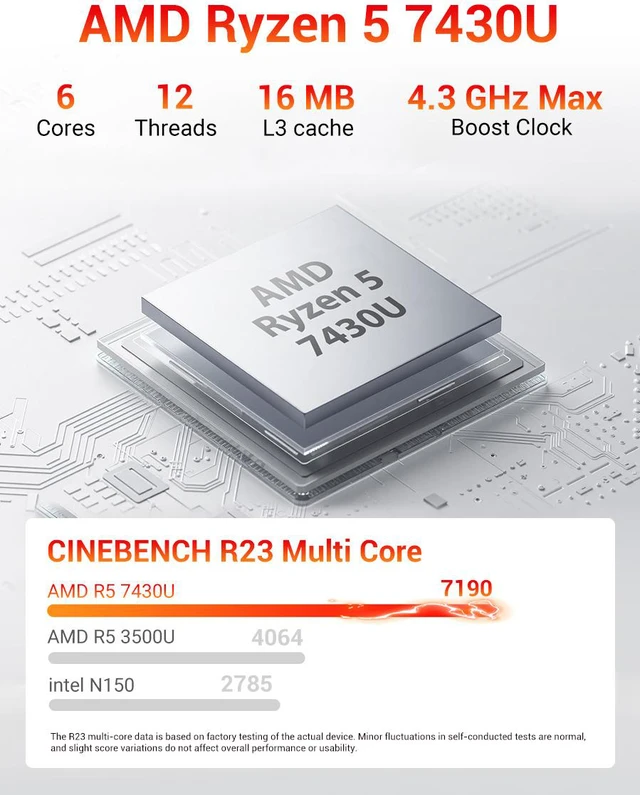
| CPU Type | AMD Ryzen 5 7430U |
|---|---|
| CPU Cores | 6-Core |
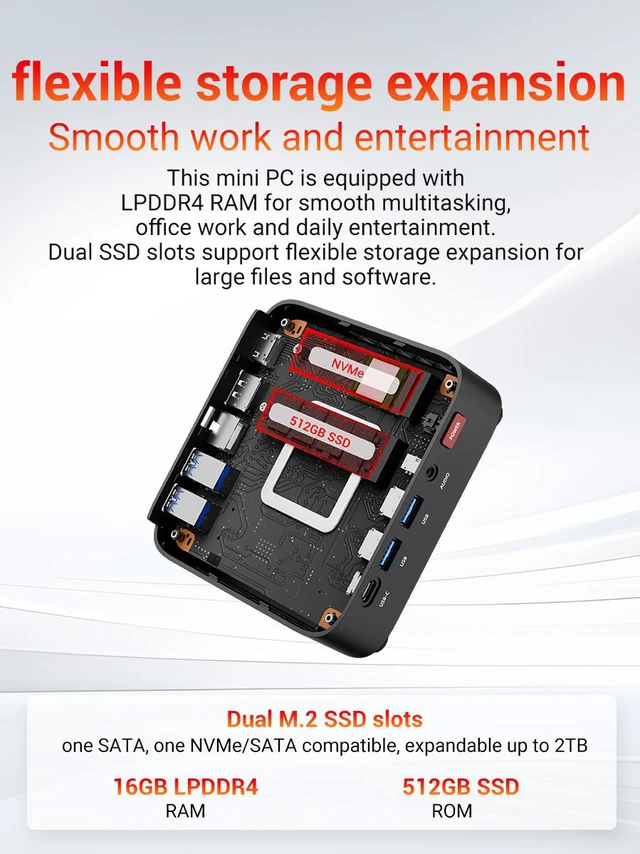
| Memory installed | 16GB LPDDR4 |
|---|
| Storage Installed | 512GB SSD |
|---|
| Max LAN Speed | 1Gbps |
|---|---|
| Wireless LAN | 802.11ax |
| WiFi Generation | Wi-Fi 6 |
| Bluetooth | Bluetooth 5.2 |
| Power Supply | 65W, 19V/3.42A |
|---|
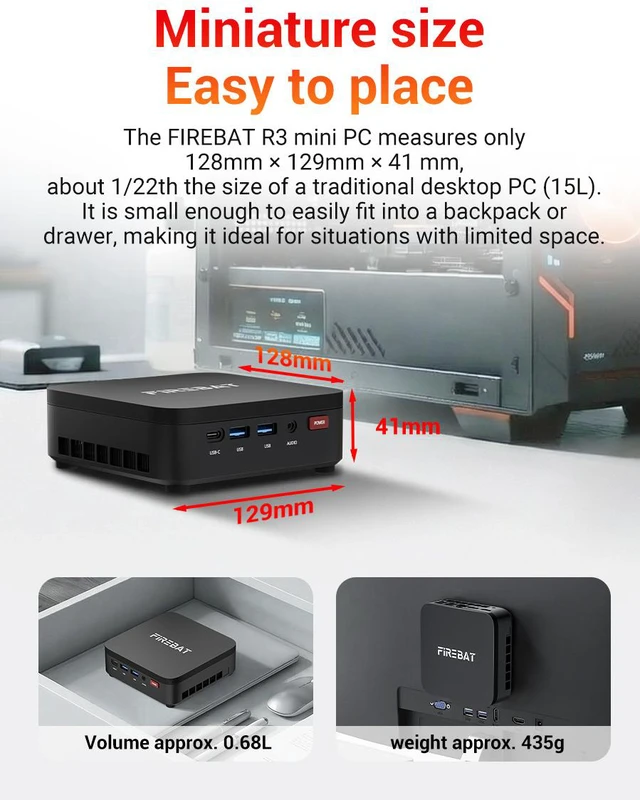
| Dimensions | 129 x 128 x 41mm |
|---|---|
| Weight | 435g |
| Packaging | R3 Mini PC VESA Mount HDMI Cable User Guide Power adapter |
|---|
| First Listed on Newegg | September 10, 2026 |
|---|
We want to ensure your holiday shopping this year is hassle-free. That’s why we’re automatically extending our return policies on almost every product! For purchases placed between November 1st, 2026 and December 31, 2026 you will have until January 31, 2027 to return your product.
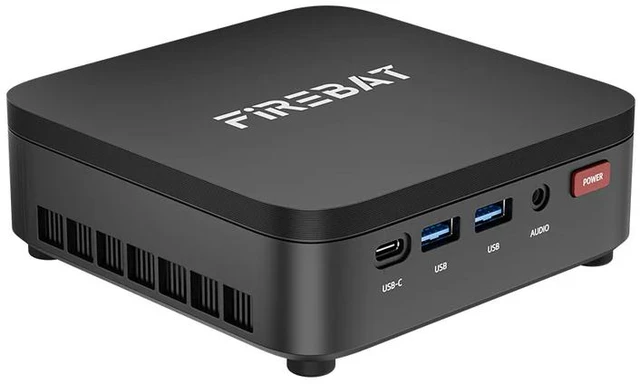
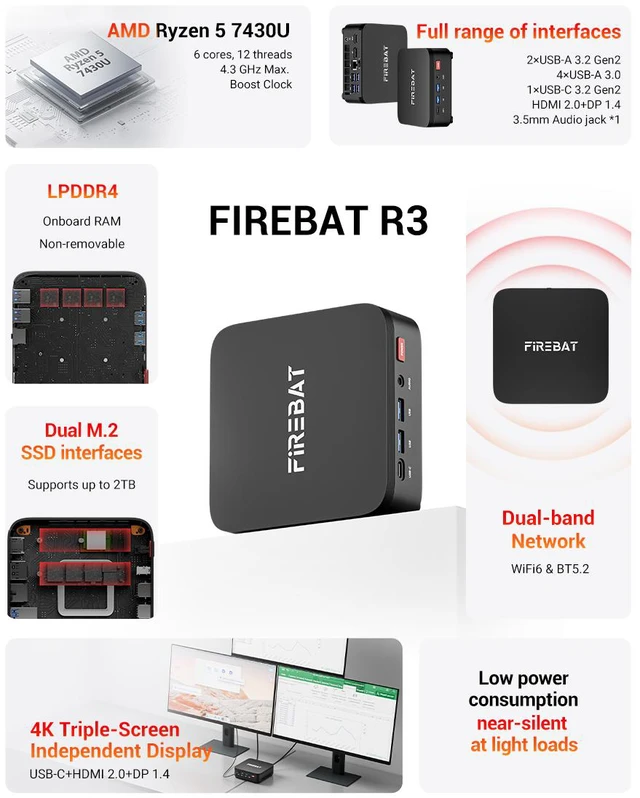
The Firebat R3 is a compact Windows 11 mini PC with an AMD Ryzen 5 7430U processor, 16GB LPDDR4 RAM, and a 512GB SSD. It suits business users, home offices, media playback, and light creative workloads that need dependable everyday performance in a small desktop.
| Attribute | Value |
|---|---|
| Best For | Compact everyday computing for office and media tasks, with an AMD Ryzen 5 processor, 16GB memory, 512GB SSD storage, and a space-saving mini PC design |
| Processor And Core Count | AMD Ryzen 5 7430U processor with 6 cores |
| Memory Configuration | 16GB LPDDR4 memory installed |
| Storage | 512GB SSD storage installed |
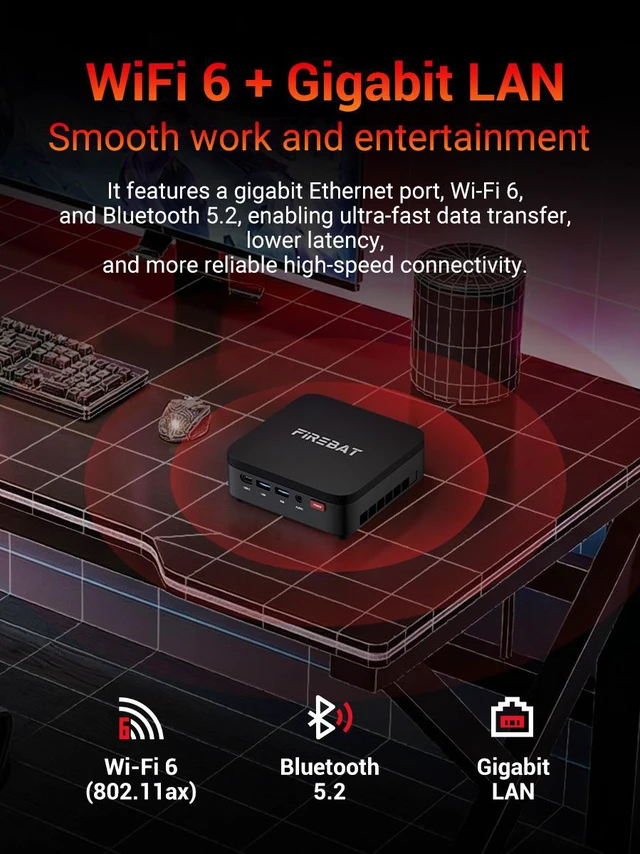
| Wired And Wireless Networking | Wi-Fi 6 wireless networking through 802.11ax, Bluetooth 5.2, and wired LAN speeds up to 1Gbps |
| Power Supply | 65W power supply rated at 19V/3.42A |
| Portability And Mounting | Black compact chassis measuring 129 x 128 x 41mm and weighing 435g, with VESA mounting support |
| Included Items | Includes an HDMI cable, user guide, and power adapter |
| Model Identifiers | Firebat R3 mini PC, part number 0000190#FBMP |
Q: Is the Firebat R3 suitable for office work, online meetings, note-taking, and everyday multitasking?
A: Yes. The Firebat R3 is suitable for office applications, web browsing, document work, note-taking, video meetings, media playback, and light creative tasks. Its Ryzen 5 7430U processor, 16GB of RAM, 512GB SSD, Wi-Fi 6, Bluetooth 5.2, and Windows 11 provide a practical setup for everyday productivity. It is not intended as a workstation for demanding 3D rendering or other highly intensive workloads. ([newegg.com](https://www.newegg.com/p/1VK-02BG-00036/questions?utm_source=openai))
Q: Is this mini PC practical as a portable travel work computer?
A: It can work well as a portable desktop for business trips, temporary workspaces, classrooms, or shared offices because it weighs about 435g and measures 129 x 128 x 41mm. The main trade-off is that it still requires a monitor or TV, keyboard, mouse, and its 65W power adapter, so it is less self-contained than a laptop. ([newegg.com](https://www.newegg.com/p/2SW-007E-000A0/questions?utm_source=openai))
Q: Can the Firebat R3 run a three-monitor workstation?
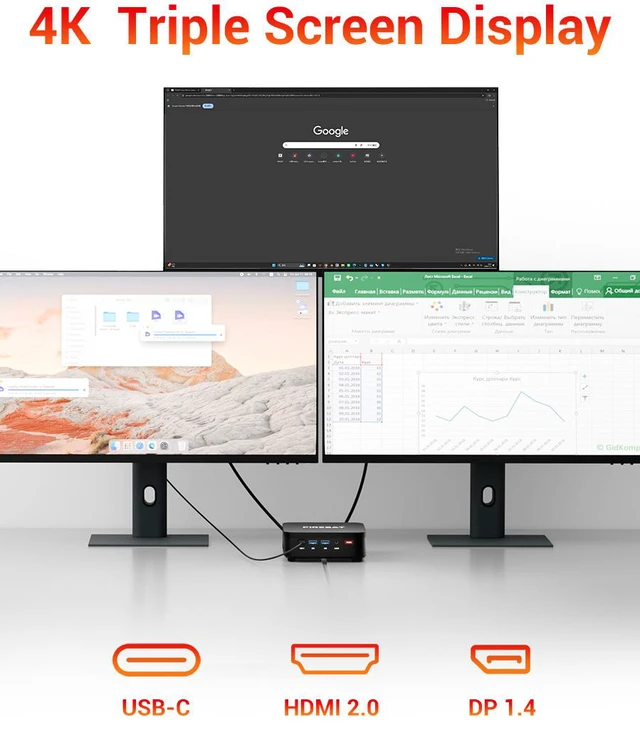
A: Yes. The product specifications state that the Firebat R3 supports three simultaneous 4K displays, making it suitable for expanded office, trading, monitoring, or productivity workspaces. Monitor compatibility still depends on the available video connectors, display inputs, refresh-rate requirements, and any adapters that may be needed. ([us.amazon.com](https://us.amazon.com/MINISFORUM-Desktop-Computer-1xUSB-C-Graphics/dp/B0F655CWWG?utm_source=openai))
Q: Can the storage be upgraded, and is 512GB enough for typical work use?
A: The included 512GB SSD is generally adequate for documents, applications, meetings, browsing, and moderate media storage. The Firebat R3 supports an M.2 2280 SSD using NVMe or SATA interfaces, with stated support up to 2TB. The 16GB LPDDR4 memory is installed, but the provided specifications do not confirm that the RAM is upgradeable. ([newegg.com](https://www.newegg.com/p/3C6-01S2-00ZH3/questions?utm_source=openai))
Q: Who is the Firebat R3 best suited for, and what are its main limitations?
A: It is best suited for home-office users, business users, students, reception or signage applications, media playback, and people who want a compact Windows desktop with multiple displays. Its main limitations are the need for separate peripherals, the fixed 16GB LPDDR4 memory configuration indicated in the product data, 1Gbps wired networking, and performance that is better aligned with office and light creative work than demanding gaming, professional video production, or advanced 3D workloads. ([newegg.com](https://www.newegg.com/p/3C6-01S2-00ZH3/questions?utm_source=openai))
Q: Is the Firebat R3 suitable for office work, browsing, and multi-monitor setups?
A: Yes. The Firebat R3 is a reasonable fit for office applications, web browsing, media playback, and light multitasking. Its Ryzen 5 7430U, 16GB RAM, 512GB SSD, and support for three simultaneous 4K displays make it suitable for compact workstation setups. It is less compelling if you need newer platform features or high-end graphics performance. ([youtube.com](https://www.youtube.com/watch?v=06eJGAFCDBQ&utm_source=openai))
Q: Is the Firebat R3 good for gaming or heavy creative work?
A: No. It can handle everyday productivity and light creative applications, but its integrated Radeon graphics are an older design and are not intended for modern graphics-intensive games or demanding GPU workloads. Buyers needing serious gaming, 3D work, or heavy video production should consider a newer mini PC with stronger integrated or discrete graphics. ([reddit.com](https://www.reddit.com/r/MiniPCs/comments/1uv953i/anyone_having_experience_with_firebat_r3_mini/?utm_source=openai))
Q: Is the Firebat R3 suitable for Linux or a clean Windows installation?
A: It may be suitable for Linux, but the available discussion does not confirm complete driver compatibility for this exact Ryzen 5 7430U configuration. A clean Windows installation is a reasonable precaution for buyers concerned about preinstalled software, provided they back up the activation details and obtain the required device drivers first. ([reddit.com](https://www.reddit.com/r/MiniPCs/comments/1uv953i/anyone_having_experience_with_firebat_r3_mini/?utm_source=openai))
Q: What are the main trade-offs when buying the Firebat R3?
A: The main trade-offs are the compact, low-power design and strong connectivity versus an older processor platform, integrated graphics limitations, non-premium build expectations, and uncertainty about long-term brand support. Community reports about Firebat reliability and warranty service are anecdotal, so buyers should purchase from a seller with a clear return and warranty policy. ([reddit.com](https://www.reddit.com/r/MiniPCs/comments/1uv953i/anyone_having_experience_with_firebat_r3_mini/?utm_source=openai))