here!
here!
I’m your shopping assistant for PC builds, upgrades, and everything tech.
Got questions? Ask away!
Start a conversation
here!
I’m your shopping assistant for PC builds, upgrades, and everything tech.
Got questions? Ask away!
Start a conversation





Any questions? Ask CelesteSM will help you find out quickly.
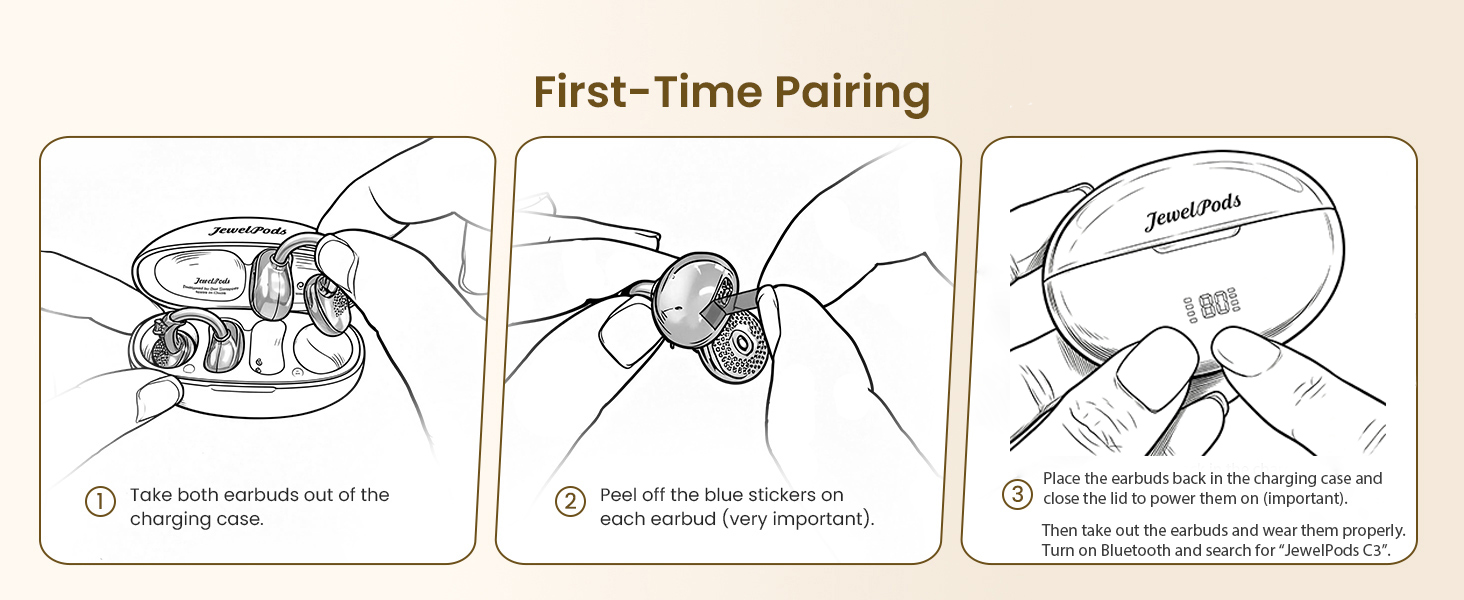
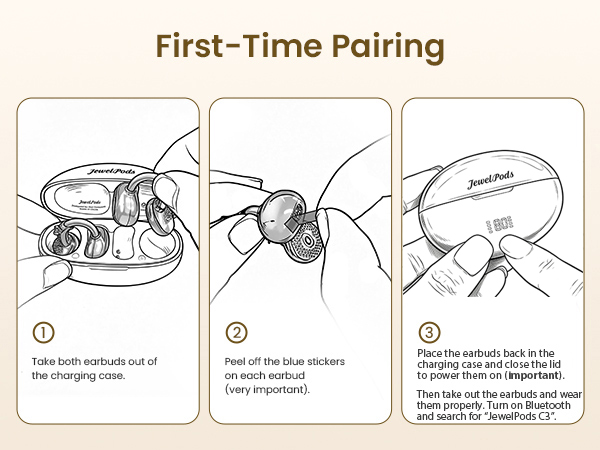
Can’t connect to my phone’s Bluetooth or can’t find JewelPods C3?
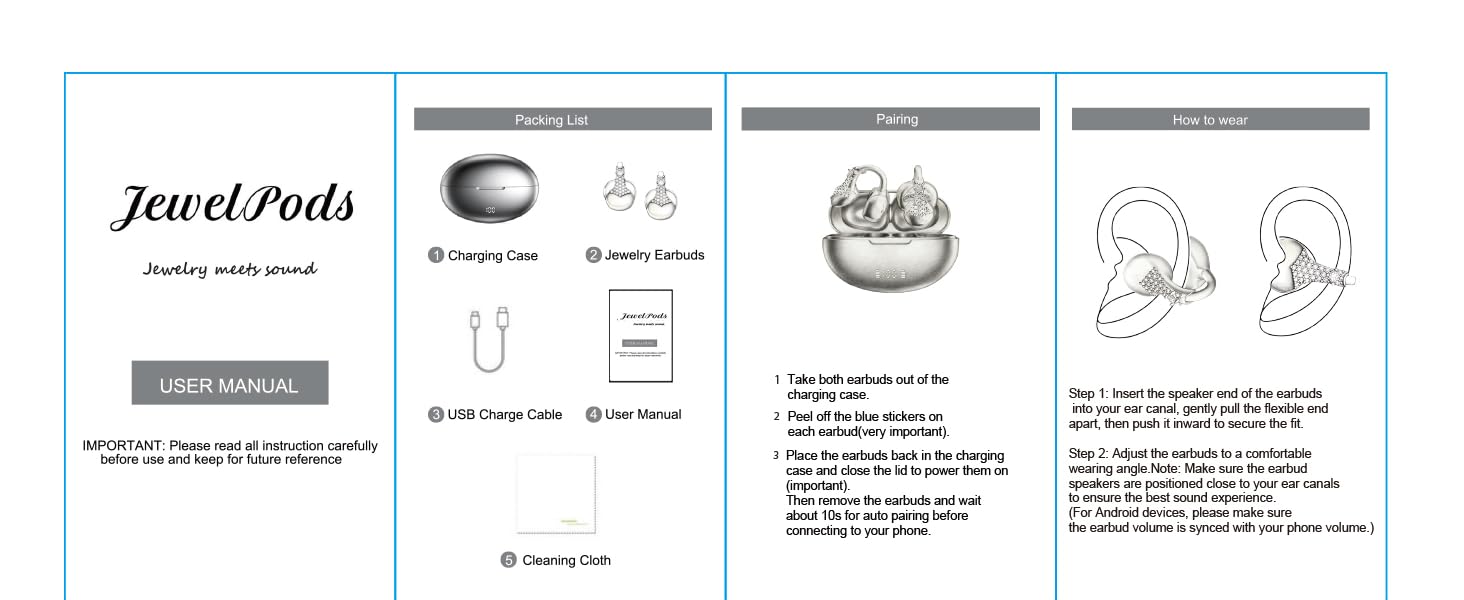
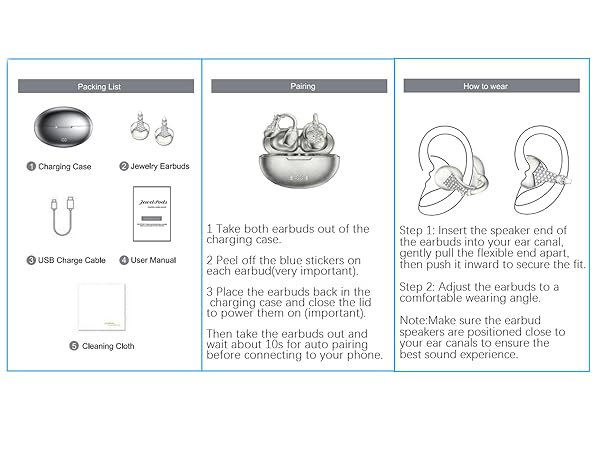
A: Please check whether the blue protective film on the earbuds has been removed. If not, please remove it, then place the earbuds back into the charging case and close the lid(power on the JewelPods). After that, take them out again and try pairing.
After connecting to Bluetooth, only one earbud is working ?
This is not a defect.Only one earbud is connected.Please put both earbuds back into the charging case and close the lid. Delete the previous Bluetooth pairing on your phone, then take the earbuds out again,
wait 5–10s, and reconnect via Bluetooth.
The earbuds disconnected after I tapped them 5 times while adjusting the volumeor switching songs ?
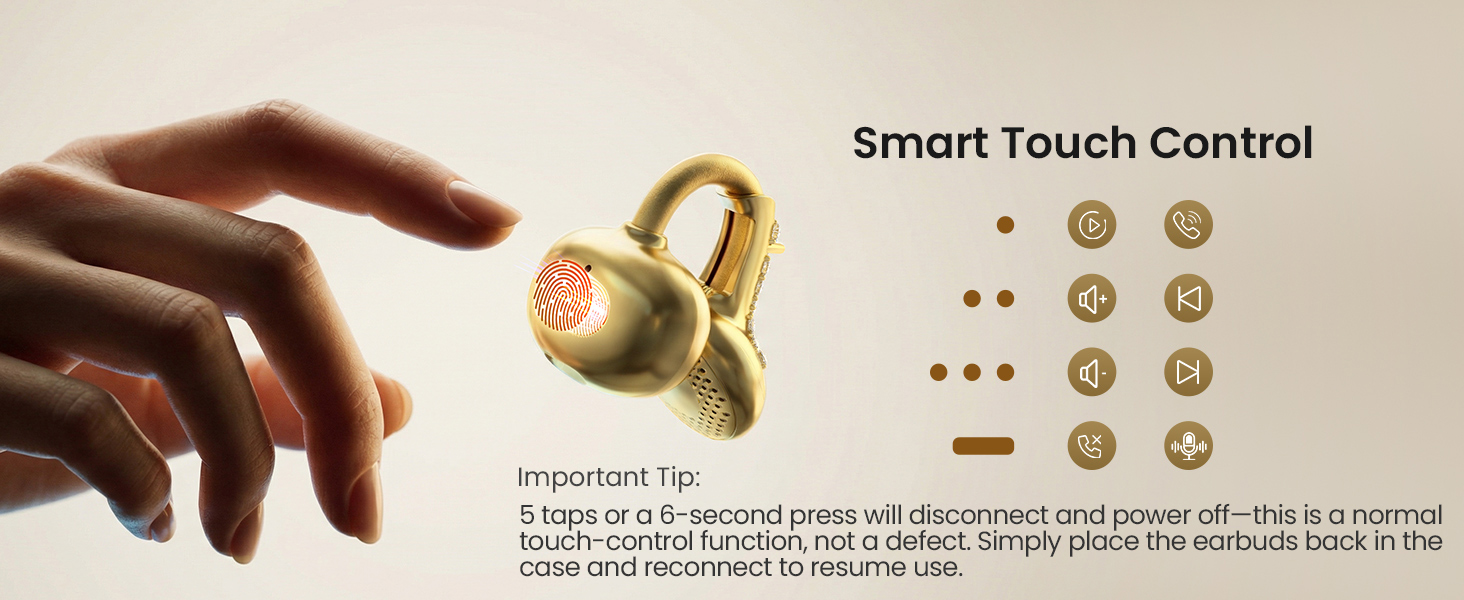
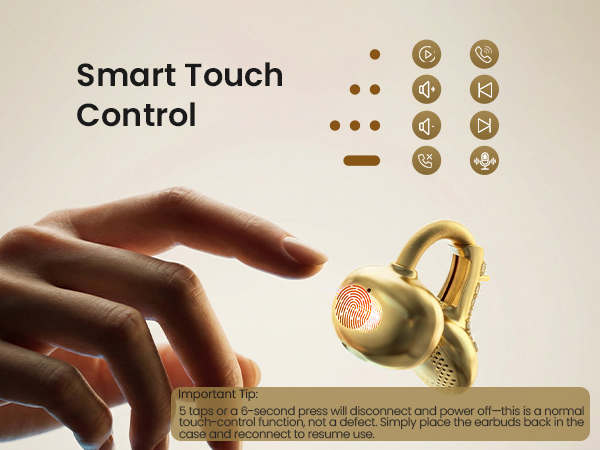
Tapping the earbuds 5 times activates the forced pairing reset function. Please place both earbuds back into the charging case and close the lid, delete the previous Bluetooth pairing record from your phone, and then pair the earbuds again.
The earbud stopped playing after I pressed and held it for more than 6 seconds while rejecting a call ?
Pressing and holding for 6 seconds activates the single-earbud power-off function. Please place the earbud back into the charging case and close the lid. Then take it out again.(To reject an incoming call, hold for up to 3 seconds)
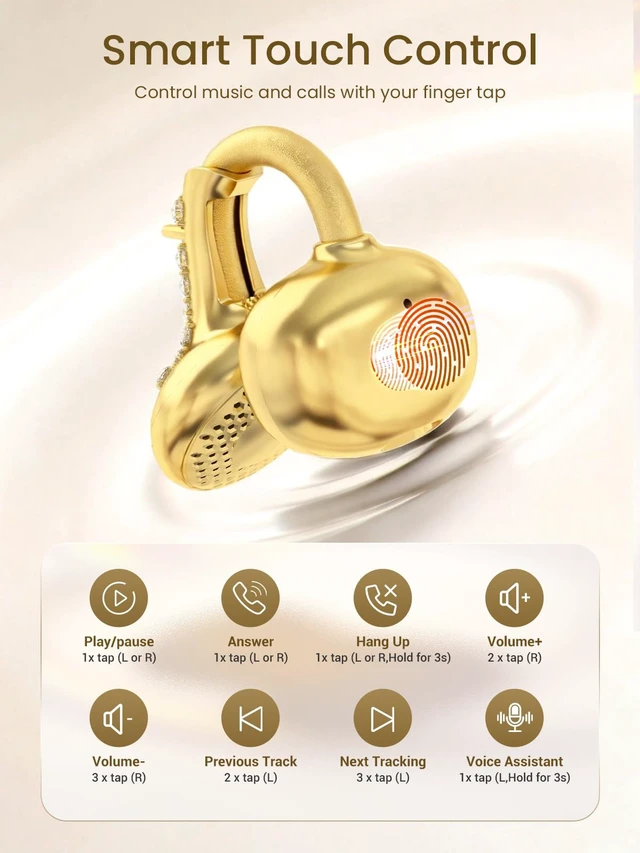
Can I switch modes or activate the voice assistant by pressing and holding the earbuds for 3 seconds?
A: Yes. Press and hold the right earbud for 3 seconds to switch between Music Mode and Game Mode. Press and hold the left earbud for 3 seconds to activate your phone’s voice assistant (such as Siri or Google Assistant).










Can’t connect to my phone’s Bluetooth or can’t find JewelPods C3?
A: Please check whether the blue protective film on the earbuds has been removed. If not, please remove it, then place the earbuds back into the charging case and close the lid(power on the JewelPods). After that, take them out again and try pairing.
After connecting to Bluetooth, only one earbud is working ?
This is not a defect.Only one earbud is connected.Please put both earbuds back into the charging case and close the lid. Delete the previous Bluetooth pairing on your phone, then take the earbuds out again,
wait 5–10s, and reconnect via Bluetooth.
The earbuds disconnected after I tapped them 5 times while adjusting the volumeor switching songs ?
Tapping the earbuds 5 times activates the forced pairing reset function. Please place both earbuds back into the charging case and close the lid, delete the previous Bluetooth pairing record from your phone, and then pair the earbuds again.
The earbud stopped playing after I pressed and held it for more than 6 seconds while rejecting a call ?
Pressing and holding for 6 seconds activates the single-earbud power-off function. Please place the earbud back into the charging case and close the lid. Then take it out again.(To reject an incoming call, hold for up to 3 seconds)
Can I switch modes or activate the voice assistant by pressing and holding the earbuds for 3 seconds?
A: Yes. Press and hold the right earbud for 3 seconds to switch between Music Mode and Game Mode. Press and hold the left earbud for 3 seconds to activate your phone’s voice assistant (such as Siri or Google Assistant).