


• $53.99
  • Price alert
    Shop it at NeweggBusiness.

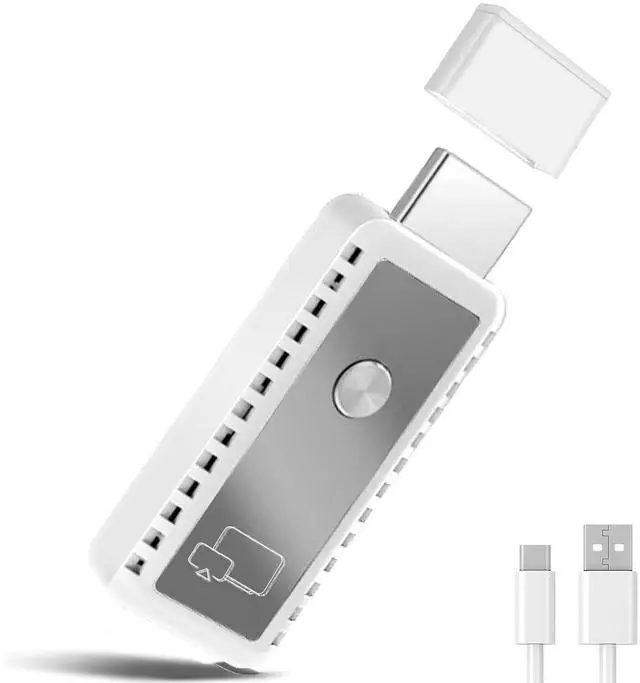
    2026 Upgraded 2-in-1 Wireless HDMI Display Dongle Adapter,4K HDR Decode Dual Band 5G Receiver,Plug & Play For Smartphone/Laptop/PC to TV/Monitor, AirPlay/Miracast/DLNA Screen Mirroring with 1080P HD

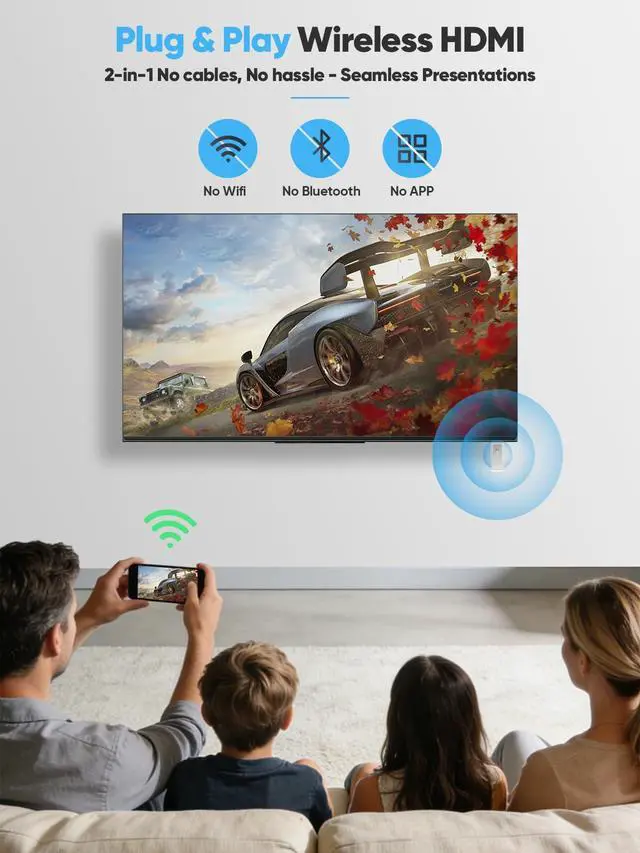
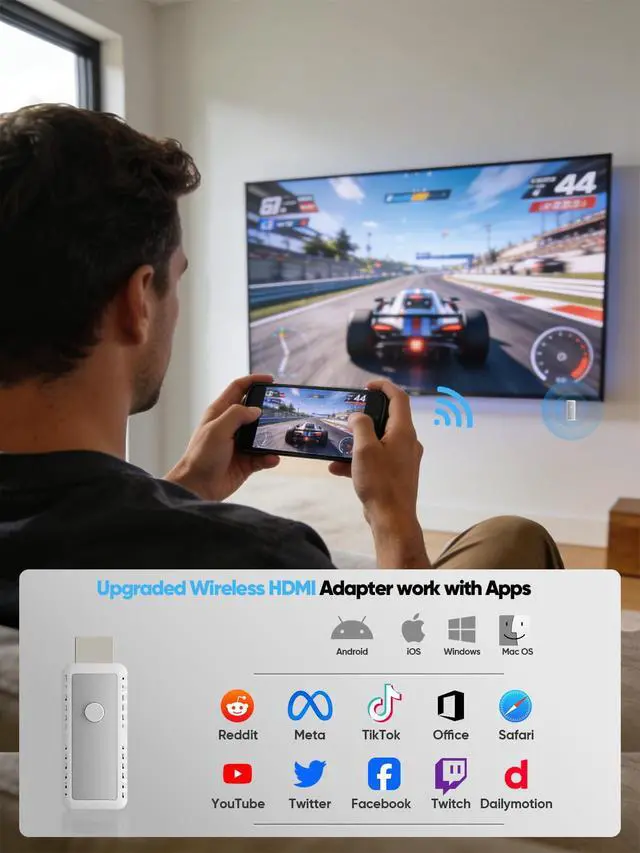
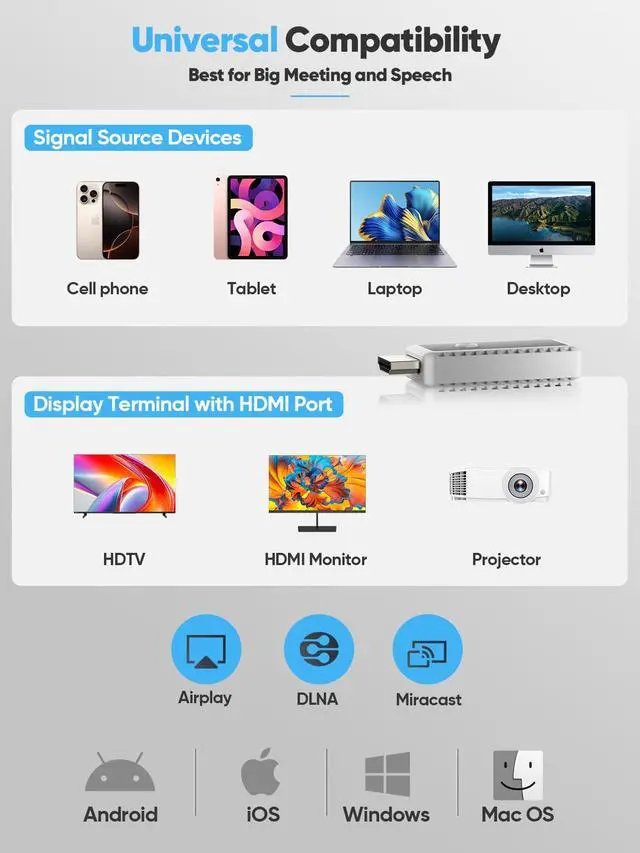
    • Hassle-Free Plug & Play: No Cables-Enjoy true plug-and-play convenience with our wireless display adapter, plus broad multi-protocol mirroring support (compatible with AirPlay, Miracast, and DLNA). Simply connect the device to your display, then turn on casting from your phone, tablet, or computerno apps to download, no Wi-Fi/Bluetooth required, and connection takes mere seconds. Its multi-protocol design works seamlessly with iOS, Android, Windows 10/11, and macOS devices, delivering smooth, cable-free mirroring. Its crafted for hassle-free use, making it ideal for home movie nights, office presentations, and classroom lessons.
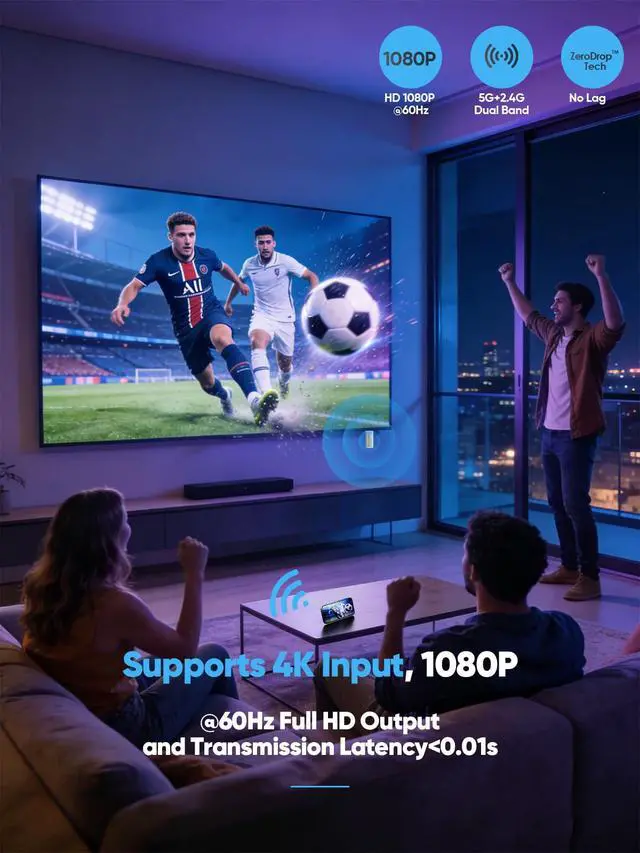
    • 4K HDR Decoding + 1080P HD Output: Stunning Visuals for Sharing Scenarios,Experience 4K HDR ultra-vivid colors on compatible displaysevery detail pops for immersive viewingwhile ensuring seamless 1080P HD output at 60Hz for older screens, no lag or blurriness. Whether youre sharing project files with colleagues in a work meeting (crisp charts and docs shine on display) or showing family travel videos and funny clips at home (vibrant hues feel lifelike), it delivers clear, smooth visuals that make every shared moment more engaging.
    +
    +
    Overview
    Specs
    Reviews
    avatar

    Any questions? Our AI beta will help you find out quickly.

    2025 Newly Upgraded – Your Go-To Electronic Partner

    aplus content image

    Applicable to multiple scenarios

    aplus content image

    1080P HD playback delivers a theater-like experience at home instantly

    aplus content image

    Compatible with a wide range of protocols and systems

    aplus content image

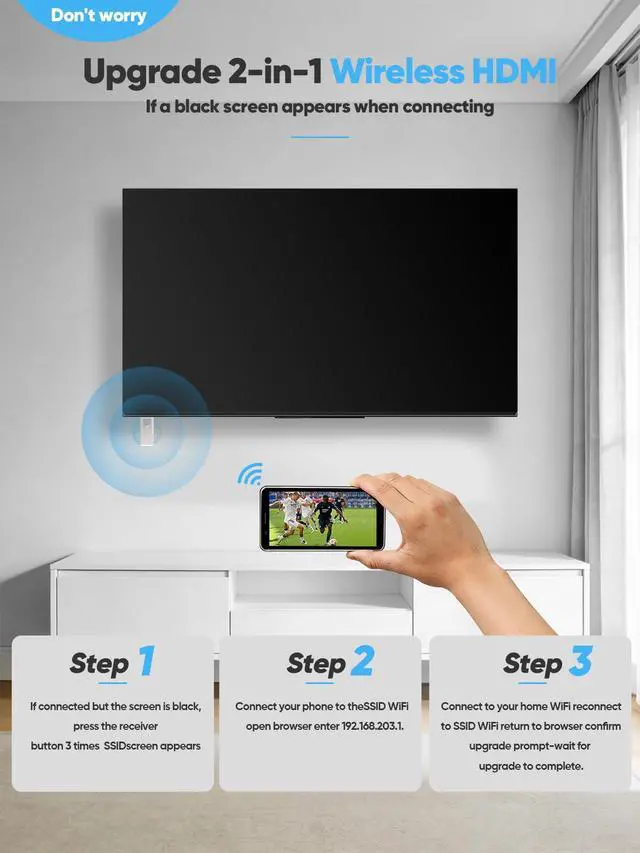
    Q1: My wireless HDMI device is connected, but no content is being projected. How can I fix this?

    (Example: On certain Windows 10/11 laptops, the device may connect, but only a black screen is displayed when using Miracast.)

    A1: Update Your Wireless HDMI Device

    1. Press the button on the wireless HDMI device three times consecutively. Once successful, the SSID interface will appear.
    2. Using the information shown on the screen, connect your smartphone to the Wi-Fi network named SSID.
    3. Open your mobile browser and navigate to 192.168.203.1.
    4. Select the first option on this webpage, which is "Connect to your home Wi-Fi".
    5. After the screen confirms a successful connection, wait for a few seconds, then reconnect to the Wi-Fi network named SSID.
    6. Go back to the main interface of 192.168.203.1 and confirm the automatically popping-up update prompt.
    7. Simply wait until the update process is finished.

    Q2: What is the reason for updating the wireless HDMI device?

    A2: Devices that are currently compatible with our wireless HDMI (including smartphones, desktops, laptops, etc.) receive regular system updates. To maintain continuous and stable compatibility between our wireless HDMI device and these devices, we also keep updating the wireless HDMI device. This ensures it adapts to the latest system changes and technological developments.

    2025 Newly Upgraded – Your Go-To Electronic Partner

    aplus content image

    Applicable to multiple scenarios

    aplus content image

    1080P HD playback delivers a theater-like experience at home instantly

    aplus content image

    Compatible with a wide range of protocols and systems

    aplus content image

    Q1: My wireless HDMI device is connected, but no content is being projected. How can I fix this?

    (Example: On certain Windows 10/11 laptops, the device may connect, but only a black screen is displayed when using Miracast.)

    A1: Update Your Wireless HDMI Device

    1. Press the button on the wireless HDMI device three times consecutively. Once successful, the SSID interface will appear.
    2. Using the information shown on the screen, connect your smartphone to the Wi-Fi network named SSID.
    3. Open your mobile browser and navigate to 192.168.203.1.
    4. Select the first option on this webpage, which is "Connect to your home Wi-Fi".
    5. After the screen confirms a successful connection, wait for a few seconds, then reconnect to the Wi-Fi network named SSID.
    6. Go back to the main interface of 192.168.203.1 and confirm the automatically popping-up update prompt.
    7. Simply wait until the update process is finished.

    Q2: What is the reason for updating the wireless HDMI device?

    A2: Devices that are currently compatible with our wireless HDMI (including smartphones, desktops, laptops, etc.) receive regular system updates. To maintain continuous and stable compatibility between our wireless HDMI device and these devices, we also keep updating the wireless HDMI device. This ensures it adapts to the latest system changes and technological developments.

    Wireless HDMI Transmitter and Receiver


    Product information

    Brand AN·GWEL
    Unit Count 1.0 Count
    Color White
    Item Weight 0.05 Kilograms
    UPC 643459637634
    Manufacturer Shenzhen Pinwei Technology Co.,Ltd
    Product Dimensions 2.54 x 0.96 x 0.46 inches
    Item model number DT269W-H
    Date First Available May 12, 2025

    Additional Features

    • The Convenience of Upgraded 2-in-1 Wireless HDMI in 2026: Just plug the wireless HDMI adapter into your HDMI portNo Wi-Fi, app, or Bluetooth requiredand you can easily connect it to your displays, projectors, and more. Boasting broad multi-protocol mirroring support (compatible with AirPlay, Miracast, DLNA), it eliminates worries about device incompatibility, working seamlessly with iOS, Android, Windows, and macOS devices. Simple and efficient setup, whether you are a technical novice or a professional.(Note: If the device is connected but shows a black screen (e.g., on Windows 10/11 laptops), a firmware update is necessary. For update guidelines, check the listing FAQ.)
    • Dual Band 2.4G/5G Wireless Transmission: Stable, Long-Range & Low-Latency;Equipped with 2.4G/5G dual-band technology, this HDMI wireless receiver delivers rock-solid, high-speed data transmissionwith a coverage range of up to 33ft (10m), its signal effortlessly penetrates walls and obstacles. No more choppy streams or lag: it maintains ultra-low latency(0.01s) and uninterrupted performance, whether youre casting 4K movies in the living room, sharing presentations across the office from your phone. Perfect for both home and professional use.
    • Portable, Compact Design for On-the-Go Use: Weighing only 0.1 lbs, this HDMI wireless display boasts an ultra-compact, lightweight build that slips easily into your laptop bag, backpack, or even a pocket. No bulky gear to haulits slim design makes it perfect for on-the-go presentations at client meetings, travel entertainment in hotels, or sharing family photos/videos at gatherings. Enjoy hassle-free wireless video streaming anywhere, anytime, without the burden of heavy equipment.

    Warranty & Returns

    Warranty, Returns, And Additional Information

    Warranty

    • Please contact the Seller directly for warranty information. Warranty information may also be found on the Manufacturer's website.
    • CONTACT

    Return Policies

    Manufacturer Contact Info

    LOADING...