



Out of stock
  • $59.99
  • Free 30-day Returns
Price alert
Shop it at NeweggBusiness.

Meet Your Seller

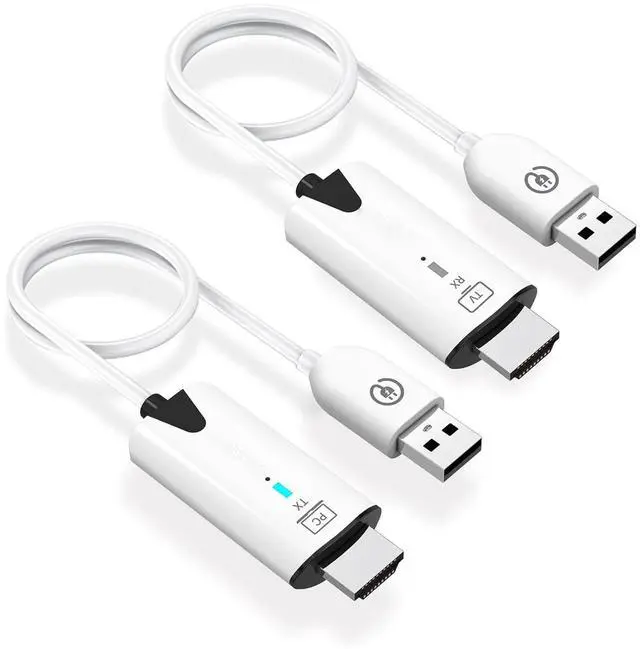
Wireless HDMI Transmitter and Receiver,Portable 1080P HDMI Extender 164FT/50M Range, Plug&Play, for Laptops, TV Box, PS4/5, Cameras to Project to TV/Projector/Monitor/Video Audio Transmission

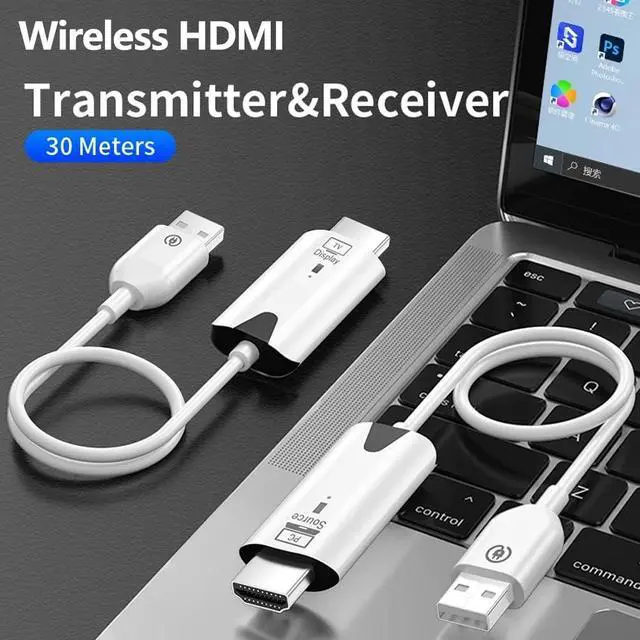
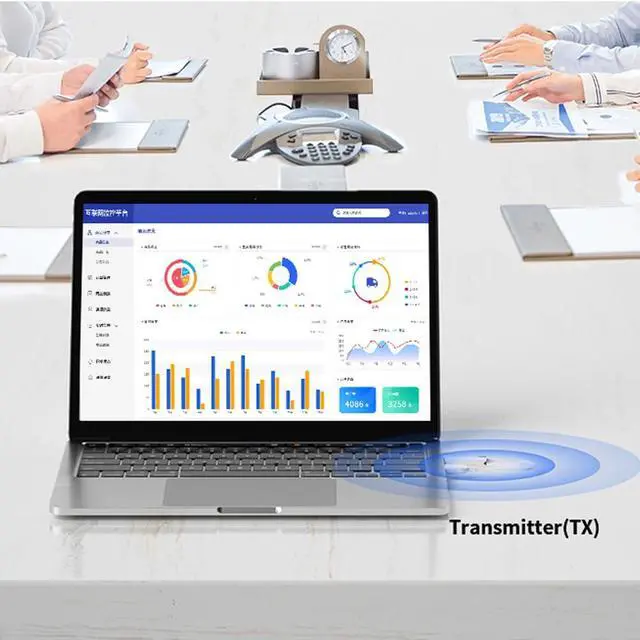
  • Wireless HDMI Transmitter and ReceiverThis wireless hdmi transmitter and receiver transmits 1080P high-definition video to large-screen devices. It uses WIFI transmission technology, which is very suitable for business meetings, family gatherings and game entertainment.
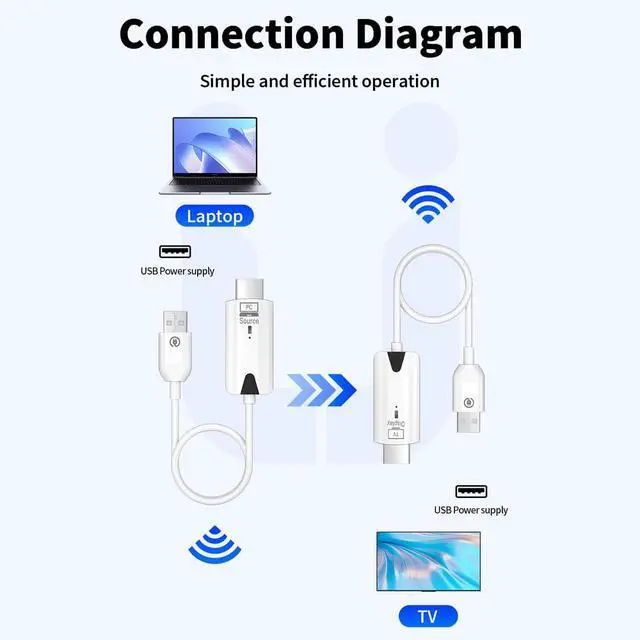
  • [Plug & Play] This wireless hdmi kit does not require Bluetooth connection, no need to download drivers, no need to connect to WiFi, plug & play, ultra-high-speed transmission efficiency can reach 5.8G frequency, only need to connect the HDMI interface and USB power supply interface to use , solve the problem of HDMI connection and wiring, thereby improving work efficiency.
  • 1080P HD TransmissionOur hdmi wireless can support 1080P@60Hz resolution, allowing you to enjoy the feeling of home theater and experience the delicate screen images, allowing you and your family to stream media, play movies, and play games. You can feel the clarity and detail in every game.
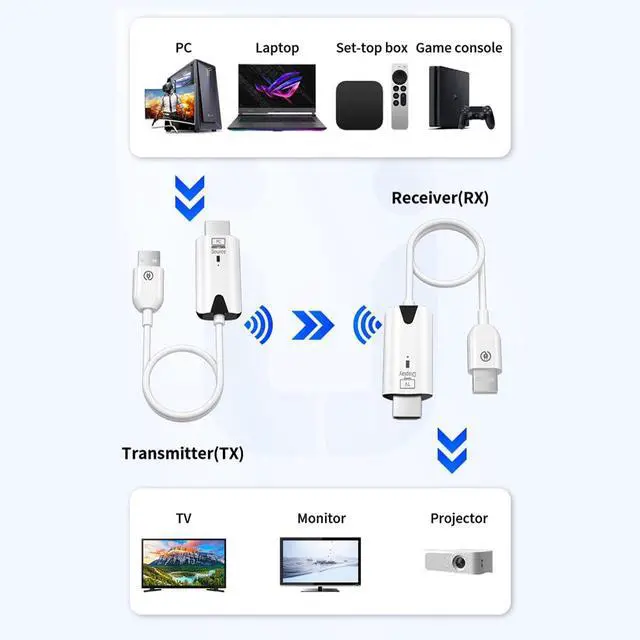
  • Wide CompatibilityThis wireless hdmi transmitter is compatible with most HDMI output devices, including laptops, camcorders, Blu-ray players, cameras, set-top boxes and other devices. It is a must-have product for home entertainment, conference rooms, and multimedia education.
+
+
Overview
Specs
Reviews
avatar

Any questions? Our AI beta will help you find out quickly.

wireless HDMI
wireless hdmi

Installation steps

Step 1. Plug-in receiver to TV or Monitor: Connect the wireless HDMI display receiver (RX) to your display device and power it on by plugging the USB male port into a USB power source. Note: To power the receiver, you'll need an external USB-A power source with a minimum of 5V/0.5A output.

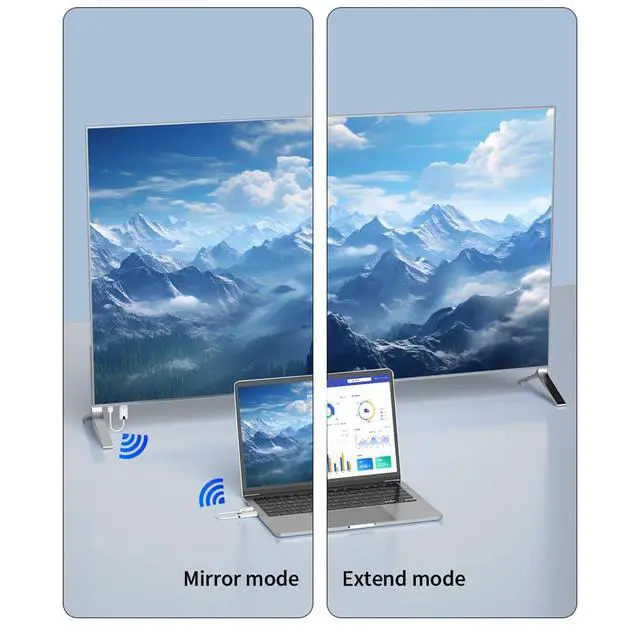
Step 2. Plug-in the transmitter to one of your any HDMI video sources, then connect the USB male port into a USB power source and wait for wireless screen mirroring/extension to establish automatically.

Step 3. Unplugging USB power port from the power source to stop screen mirroring/extension and plugging USB power back into the power source to restart.

165FT/50M Range
hdmi

Note: To power the receiver, you'll need an external USB-A power source with a minimum of 5V/0.5A output.

HDMI

Note:the current for HDMI ports is lower on some computer,the power light on the transmitter will be weak or extinguished, please use the type c cable to support the transmitter powering it.

Package Content

wireless hdmi

Business Meeting

1080P HDMI Extender

Home Theater

Play Game

Play Games

wireless HDMI
wireless hdmi

Installation steps

Step 1. Plug-in receiver to TV or Monitor: Connect the wireless HDMI display receiver (RX) to your display device and power it on by plugging the USB male port into a USB power source. Note: To power the receiver, you'll need an external USB-A power source with a minimum of 5V/0.5A output.

Step 2. Plug-in the transmitter to one of your any HDMI video sources, then connect the USB male port into a USB power source and wait for wireless screen mirroring/extension to establish automatically.

Step 3. Unplugging USB power port from the power source to stop screen mirroring/extension and plugging USB power back into the power source to restart.

165FT/50M Range
hdmi

Note: To power the receiver, you'll need an external USB-A power source with a minimum of 5V/0.5A output.

HDMI

Note:the current for HDMI ports is lower on some computer,the power light on the transmitter will be weak or extinguished, please use the type c cable to support the transmitter powering it.

Package Content

wireless hdmi

Business Meeting

1080P HDMI Extender

Home Theater

Play Game

Play Games

Wireless HDMI Transmitter and Receiver, Portable 1080P HDMI Extender 164FT/50M Range, Plug&Play, for Laptops, TV Box, PS4/5, Cameras to Project to TV/Projector/Monitor/Video Audio Transmission

Warranty & Returns

Warranty, Returns, And Additional Information

Warranty

  • Please contact the Seller directly for warranty information. Warranty information may also be found on the Manufacturer's website.
  • CONTACT

Return Policies

Manufacturer Contact Info

LOADING...