






How to resolve intermittent audio interruptions or unstable signals?
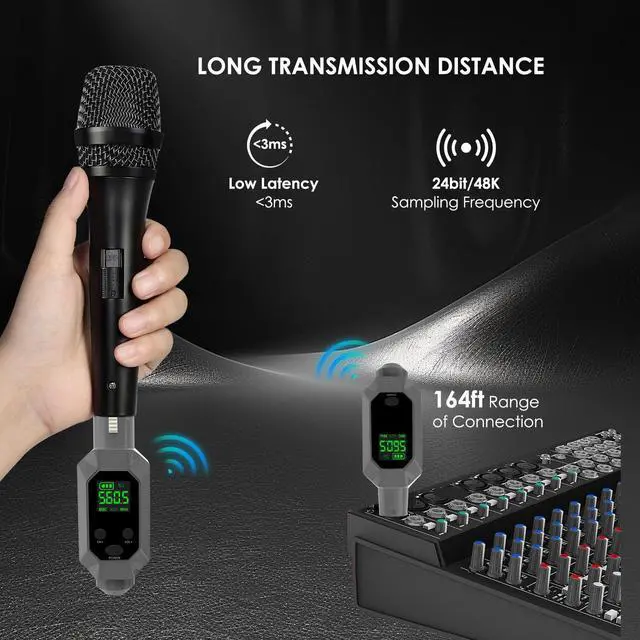
1. Check distance/obstacles: Keep receiver/transmitter is within the effective range. Avoid walls/metal blocking signals
2. Avoid interference: Watch the video on the page for instructions on how to lock the product frequency to minimize interference
How can I reduce background noise when using BEIGRAD products?
1. Ensure sufficient battery power; 2. Check the XLR plug and connected devices for damage or poor contact; 3. Optimize gain settings; 4. Keep the system away from routers, fluorescent lights, or other devices that electromagnetic interference
Why does my wireless audio quality seem poor?
1. Check audio input/output: Test the sound quality of the microphone/input. Try other microphones/sound sources.
2. Adjust gain/level: Check the gain to avoid distortion. Set the level to achieve balanced audio.
Determine the microphone type and select the appropriate voltage (0V/5V/48V)
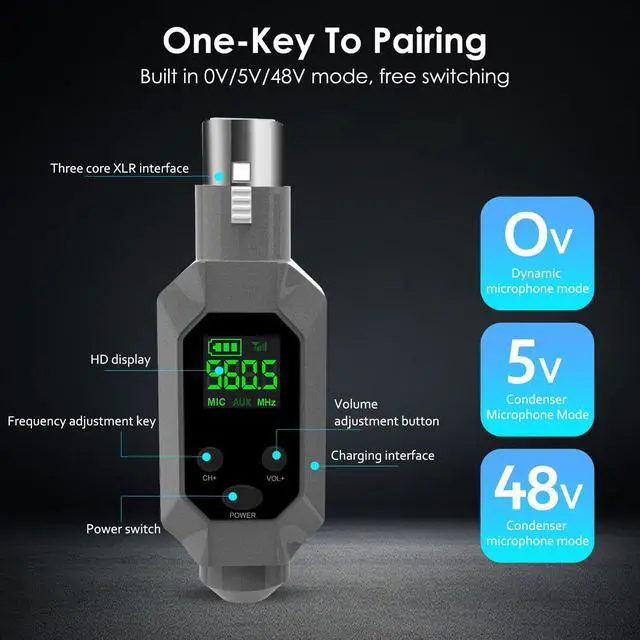
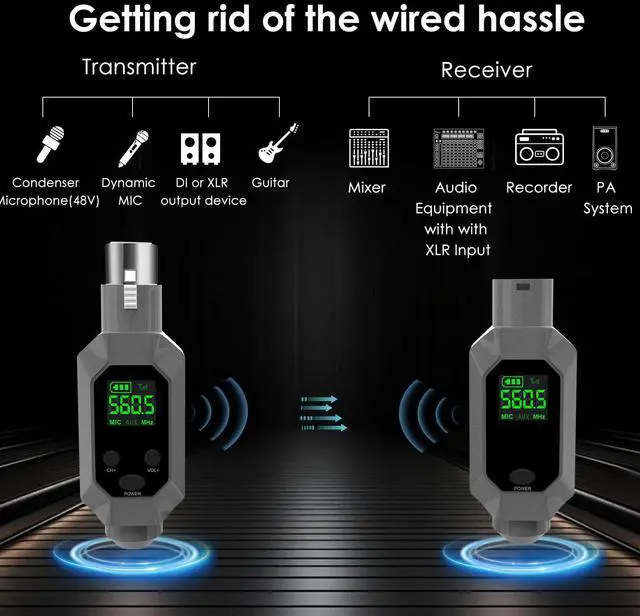
The operating voltage can be switched between 0V/5V/48V (hold the “VOL+” button for 3 seconds to switch). Dynamic microphones are suitable for 0V/5V, while condenser microphones require 48V.
What should I do if I encounter a product issue?
Please go to your order page and send a message, and we will provide support services.


How to resolve intermittent audio interruptions or unstable signals?
1. Check distance/obstacles: Keep receiver/transmitter is within the effective range. Avoid walls/metal blocking signals
2. Avoid interference: Watch the video on the page for instructions on how to lock the product frequency to minimize interference
How can I reduce background noise when using BEIGRAD products?
1. Ensure sufficient battery power; 2. Check the XLR plug and connected devices for damage or poor contact; 3. Optimize gain settings; 4. Keep the system away from routers, fluorescent lights, or other devices that electromagnetic interference
Why does my wireless audio quality seem poor?
1. Check audio input/output: Test the sound quality of the microphone/input. Try other microphones/sound sources.
2. Adjust gain/level: Check the gain to avoid distortion. Set the level to achieve balanced audio.
Determine the microphone type and select the appropriate voltage (0V/5V/48V)
The operating voltage can be switched between 0V/5V/48V (hold the “VOL+” button for 3 seconds to switch). Dynamic microphones are suitable for 0V/5V, while condenser microphones require 48V.
What should I do if I encounter a product issue?
Please go to your order page and send a message, and we will provide support services.