


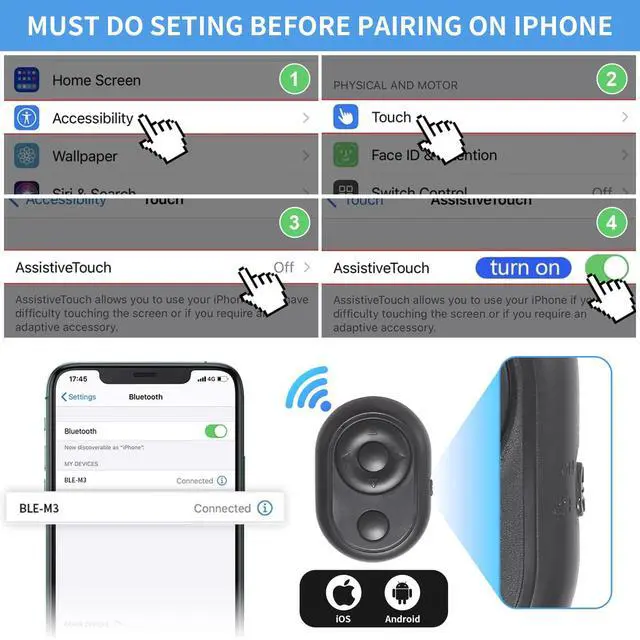


iOS15.0 or above requires the following settings to be used. The settings are as follows: Settings -Accessibility- Touch-Assistive Touch-On, and the mouse dot appears.
?If the user feels the remote control sensitivity is poor or strong. You need to turn on the (tracking sensitivity) in the auxiliary touch, slightly pull the progress bar, and adjust it to click the camera button to display a small dot in the center of the screen. Note that the phone's direction keys need to be locked.
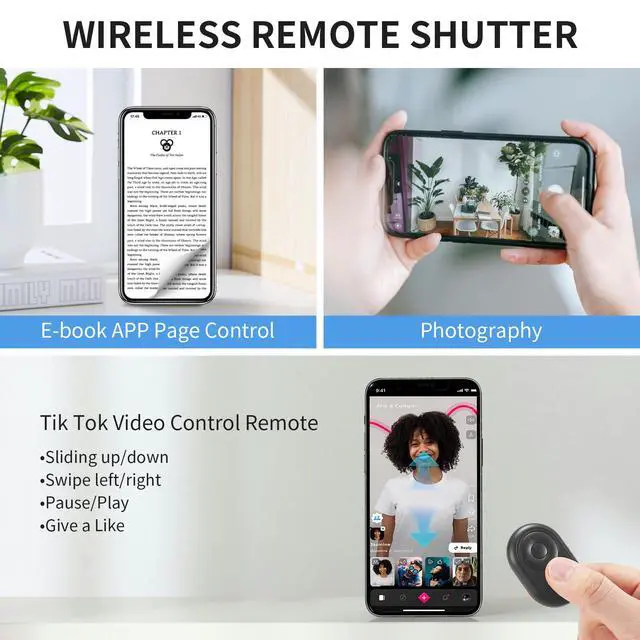
?The remote control is suitable for reading e-books on mobile phones, not for Kindle or Kindle app on the phone.
?Because the screen sizes are not uniform when taking pictures on some mobile phones, you need to adjust the position of the small dot of the camera button (press and hold the camera button, and click the up, down, left, and right buttons to adjust to the desired position).
?If the link cannot be connected or the link is successfully used abnormally, delete or ignore the device first, turn off the phone turn on the remote control again, and then link again.
The Android version of the mobile phone can be used with Bluetooth pairing, no additional settings are required.
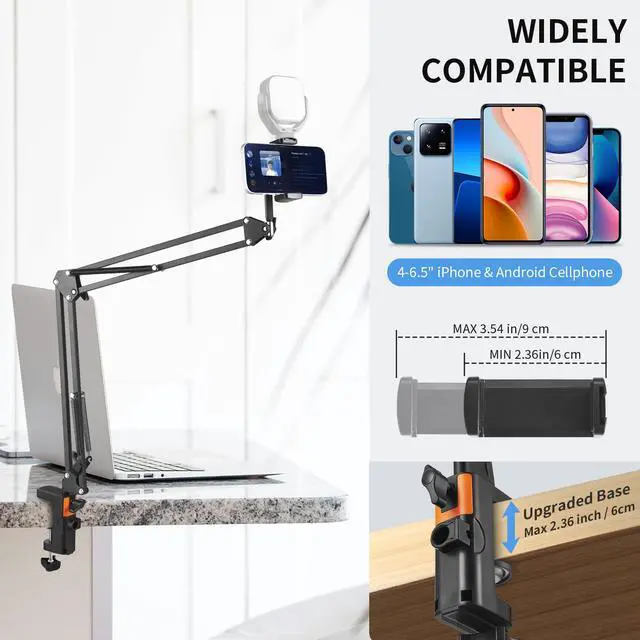
?The phone clip can be plugged into a fill light (note: this set does not include a fill light).
iOS15.0 or above requires the following settings to be used. The settings are as follows: Settings -Accessibility- Touch-Assistive Touch-On, and the mouse dot appears.
?If the user feels the remote control sensitivity is poor or strong. You need to turn on the (tracking sensitivity) in the auxiliary touch, slightly pull the progress bar, and adjust it to click the camera button to display a small dot in the center of the screen. Note that the phone's direction keys need to be locked.
?The remote control is suitable for reading e-books on mobile phones, not for Kindle or Kindle app on the phone.
?Because the screen sizes are not uniform when taking pictures on some mobile phones, you need to adjust the position of the small dot of the camera button (press and hold the camera button, and click the up, down, left, and right buttons to adjust to the desired position).
?If the link cannot be connected or the link is successfully used abnormally, delete or ignore the device first, turn off the phone turn on the remote control again, and then link again.
The Android version of the mobile phone can be used with Bluetooth pairing, no additional settings are required.
?The phone clip can be plugged into a fill light (note: this set does not include a fill light).