



Frequently Asked Questions
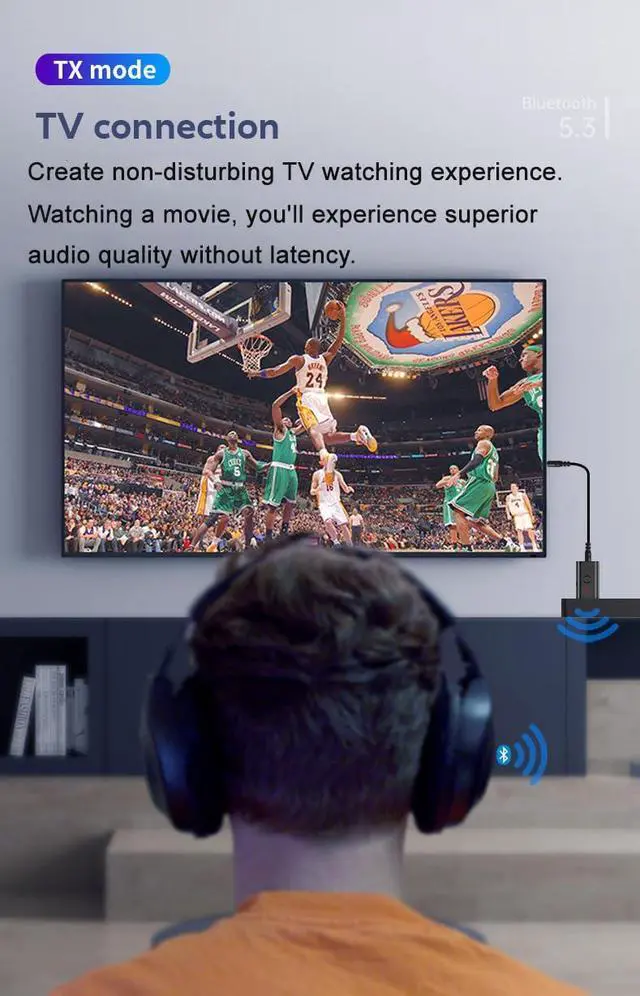
- 1. How do I connect to a TV?
- Answer:A. Set the Bluetooth headphones to pairing mode.
- B. Plug the B53 into a USB power port and switch it to “TX” mode (indicated by a rapidly flashing red light).
- C. Connect the device to the TV's audio output port.
- 2. Why can't I pair with Bluetooth headphones/speakers?
- Answer: First ensure the adapter is in transmitter mode (red light flashing) and verify the Bluetooth headphones/speakers are in pairing mode. Please turn off your phone's Bluetooth function.
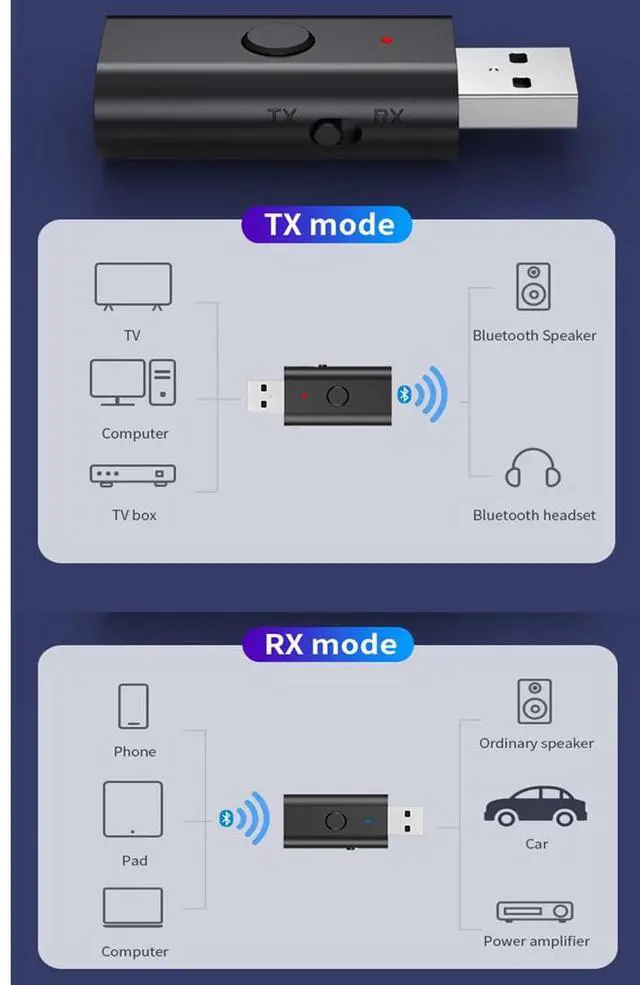
- 3. How do I switch modes?
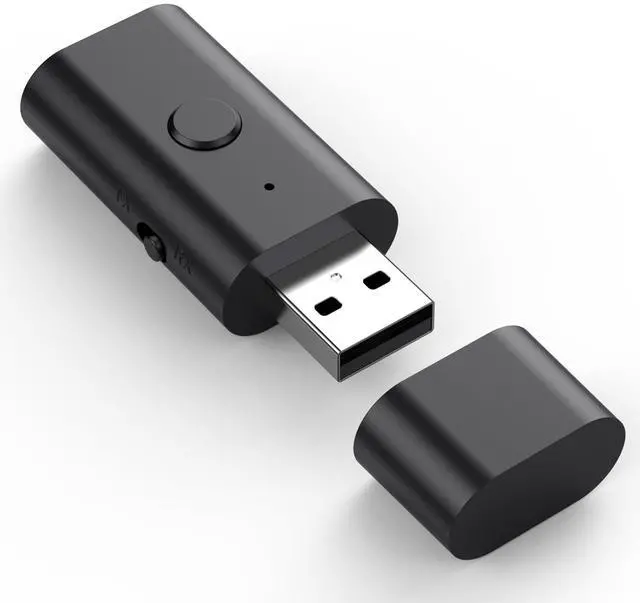
- Answer: Press the button to switch between RX/TX sides. TX mode shows a flashing red light, while RX mode shows a flashing blue light
- 4. Is it compatible with all TVs?
- Answer:A. In transmit mode, ensure your TV has a 3.5mm auxiliary audio output jack or headphone port, and this adapter must be powered via USB.
- B. In receive mode, switch the toggle to the receive position. Enable Bluetooth on your phone, search for the pairing device “B53,” and tap to connect. Once connected, the speaker will prompt: “Your phone can now play music and stream it to the speaker.”
- 5. Why can't I pair with my smartphone?
- Answer: Ensure the adapter is in receiver mode. Pairing with smartphones is possible in this mode—please turn off your phone's Bluetooth function. Note: Pairing is not possible when the adapter is operating as a transmitter.
- 6. Why is there no sound from the TV?
- Answer: Verify the AUX cable is securely plugged into the TV's “AUDIO OUT” or headphone jack, and confirm both devices are successfully paired. Then switch the TV's audio output source from “TV Speakers” to “Audio Output” or “External Speakers.”

WARM UP:
- Most of customers does not set BT headphone under pairing states, so the pair is failed.
- Once paired , it will pair automatically next time.
- *No sound or sound still from TV? Please ensure the aux cable is tightly plugged into “AUDIO OUT”and change the TV’s sound settings from “TV speaker” to “Audio out”.
- Has Latency? This may be caused by the insufficient power supply. Please try replacing the power supply and use a standard 5V 1A power adapter to power it.


Low Latency
Whether you are playing video games or watching movies, you’ll experience high quality sound without audio and video to be out of sync issue.

Handsfree Calling
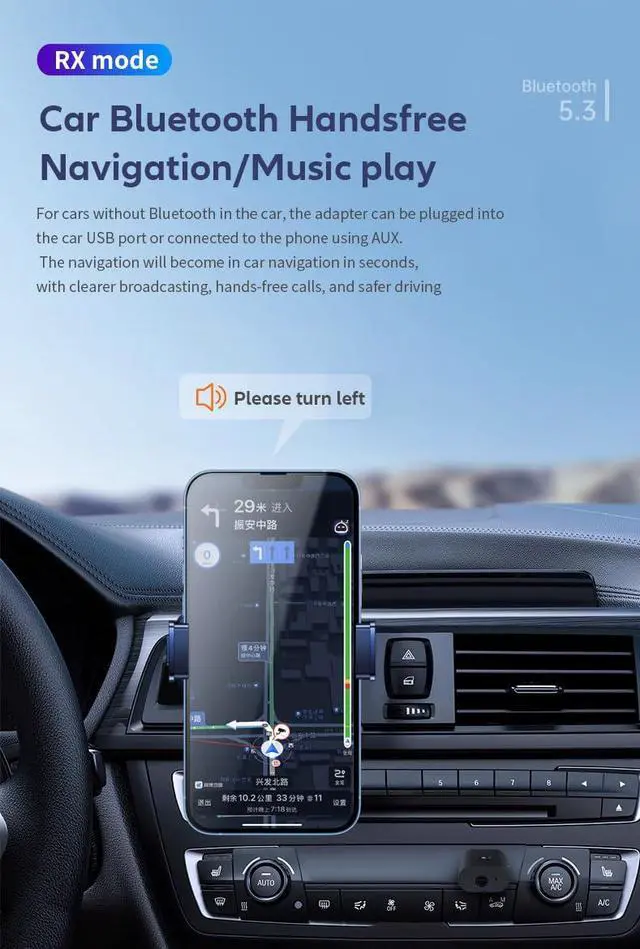
Built in microphones and noise cancellation, the bluetooth adapter can effectively filters out road noise, resulting in clearer hands-free calls on both input and output.

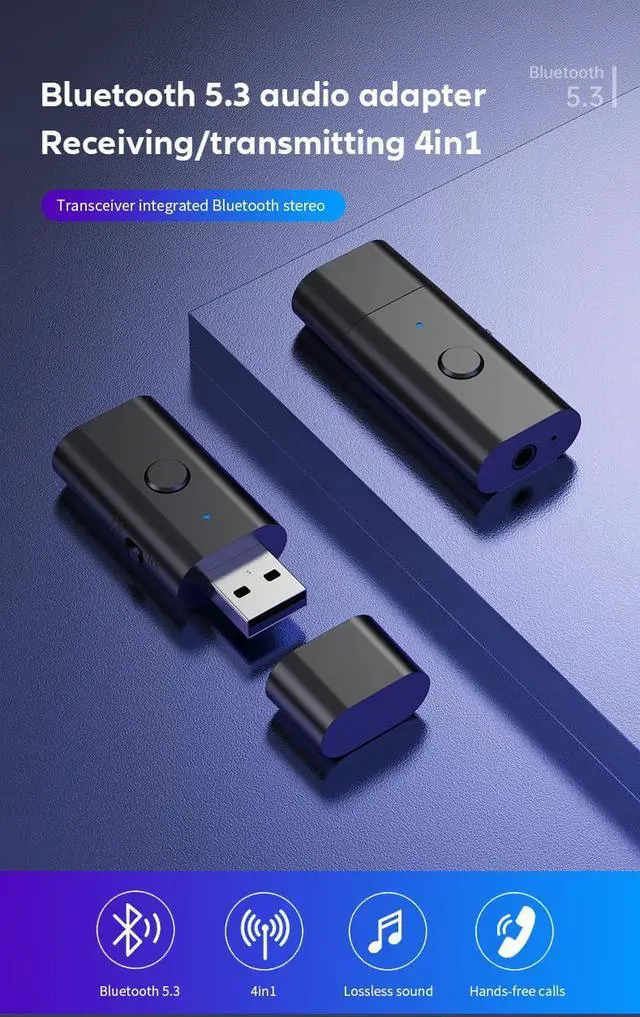
Bluetooth 5.3
Bluetooth 5.3 chip offers a 10m stable connection, reduce noise as well as low latency to ensure excellent stereo effects deliver clear, functional, and enjoyable sound,


Very Easy to Use and Troubleshooting -Transmitter mode:(Red light flashes)
- 1. Insert the transmitter receiver into the USB port (if your device does not have a USB port. You can use a mobile phone charger or power bank, etc.).
- 2. Then use 3.5mm audio cable audio cable to connect the product to TV, PC.
- 3. Turn on your Bluetooth device. The transmitter will automatically search for your Bluetooth headset, Bluetooth speaker, Bluetooth headphone) and pair automatically.
- Trouble Shooting
- 1. Does not pair with BT headphone?
- Make sure your BT headphone is under pairing states, in this case, check to turn off your mobile phone bluetooth.
- 2. Can not transmit sound.
- You need to set your TV speaker as external speaker or set 3.5mm audio out option.
- 3. When sitting far 6 feets, the signal can not be transfer
- Please check if there is interference, such as microwave,frideg or other BT device since they work at the same frequency.

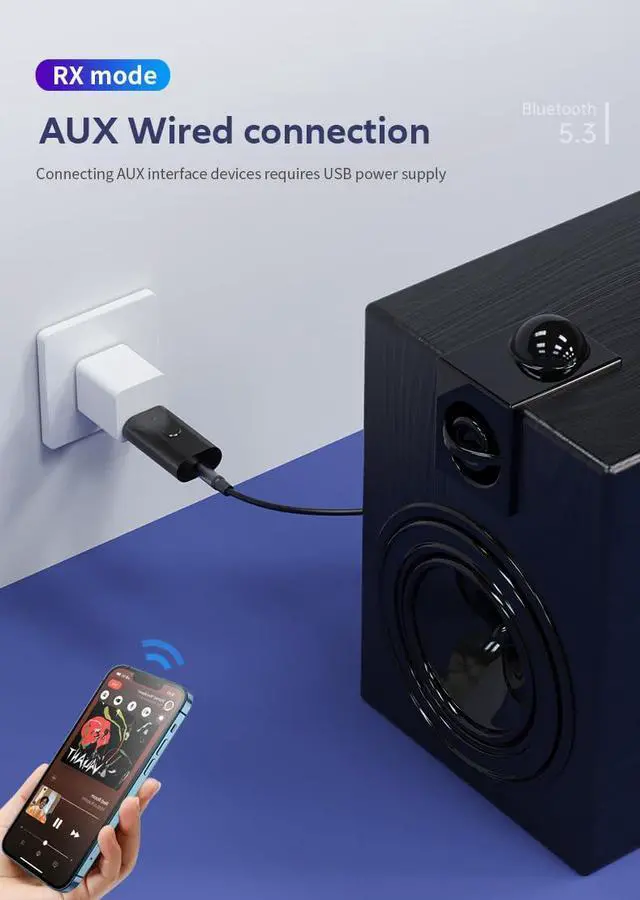
Very Easy to Use and Troubleshooting— Receiver mode:(Blue light flashes)
- 1. Plug the device into the USB port to supply power (such as car charging, wall charging, power bank, etc.),
- 2. The device light flashes blue quickly, connect the device with your non-Bluetooth audio device with a 3.5MM audio cable
- 3. Turn on the mobile phone Bluetooth, search for Bluetooth devices (B53), click and connect
- 4. The pairing is successful and start to enjoy wireless music or handsfreel calling.
- Trouble Shooting
- 1. Can not pair with Bluetooth headphone
- This is receiver mode, it can only pair with smartphone
- 2. How to change Transmitter/Receiver Mode
- Long press the middle button for 3s and you can change two modes
Frequently Asked Questions
- 1. How do I connect to a TV?
- Answer:A. Set the Bluetooth headphones to pairing mode.
- B. Plug the B53 into a USB power port and switch it to “TX” mode (indicated by a rapidly flashing red light).
- C. Connect the device to the TV's audio output port.
- 2. Why can't I pair with Bluetooth headphones/speakers?
- Answer: First ensure the adapter is in transmitter mode (red light flashing) and verify the Bluetooth headphones/speakers are in pairing mode. Please turn off your phone's Bluetooth function.
- 3. How do I switch modes?
- Answer: Press the button to switch between RX/TX sides. TX mode shows a flashing red light, while RX mode shows a flashing blue light
- 4. Is it compatible with all TVs?
- Answer:A. In transmit mode, ensure your TV has a 3.5mm auxiliary audio output jack or headphone port, and this adapter must be powered via USB.
- B. In receive mode, switch the toggle to the receive position. Enable Bluetooth on your phone, search for the pairing device “B53,” and tap to connect. Once connected, the speaker will prompt: “Your phone can now play music and stream it to the speaker.”
- 5. Why can't I pair with my smartphone?
- Answer: Ensure the adapter is in receiver mode. Pairing with smartphones is possible in this mode—please turn off your phone's Bluetooth function. Note: Pairing is not possible when the adapter is operating as a transmitter.
- 6. Why is there no sound from the TV?
- Answer: Verify the AUX cable is securely plugged into the TV's “AUDIO OUT” or headphone jack, and confirm both devices are successfully paired. Then switch the TV's audio output source from “TV Speakers” to “Audio Output” or “External Speakers.”
WARM UP:
- Most of customers does not set BT headphone under pairing states, so the pair is failed.
- Once paired , it will pair automatically next time.
- *No sound or sound still from TV? Please ensure the aux cable is tightly plugged into “AUDIO OUT”and change the TV’s sound settings from “TV speaker” to “Audio out”.
- Has Latency? This may be caused by the insufficient power supply. Please try replacing the power supply and use a standard 5V 1A power adapter to power it.
Low Latency
Whether you are playing video games or watching movies, you’ll experience high quality sound without audio and video to be out of sync issue.
Handsfree Calling
Built in microphones and noise cancellation, the bluetooth adapter can effectively filters out road noise, resulting in clearer hands-free calls on both input and output.
Bluetooth 5.3
Bluetooth 5.3 chip offers a 10m stable connection, reduce noise as well as low latency to ensure excellent stereo effects deliver clear, functional, and enjoyable sound,
Very Easy to Use and Troubleshooting -Transmitter mode:(Red light flashes)
- 1. Insert the transmitter receiver into the USB port (if your device does not have a USB port. You can use a mobile phone charger or power bank, etc.).
- 2. Then use 3.5mm audio cable audio cable to connect the product to TV, PC.
- 3. Turn on your Bluetooth device. The transmitter will automatically search for your Bluetooth headset, Bluetooth speaker, Bluetooth headphone) and pair automatically.
- Trouble Shooting
- 1. Does not pair with BT headphone?
- Make sure your BT headphone is under pairing states, in this case, check to turn off your mobile phone bluetooth.
- 2. Can not transmit sound.
- You need to set your TV speaker as external speaker or set 3.5mm audio out option.
- 3. When sitting far 6 feets, the signal can not be transfer
- Please check if there is interference, such as microwave,frideg or other BT device since they work at the same frequency.
Very Easy to Use and Troubleshooting— Receiver mode:(Blue light flashes)
- 1. Plug the device into the USB port to supply power (such as car charging, wall charging, power bank, etc.),
- 2. The device light flashes blue quickly, connect the device with your non-Bluetooth audio device with a 3.5MM audio cable
- 3. Turn on the mobile phone Bluetooth, search for Bluetooth devices (B53), click and connect
- 4. The pairing is successful and start to enjoy wireless music or handsfreel calling.
- Trouble Shooting
- 1. Can not pair with Bluetooth headphone
- This is receiver mode, it can only pair with smartphone
- 2. How to change Transmitter/Receiver Mode
- Long press the middle button for 3s and you can change two modes