




Frequently Asked Questions
Question: Why does it makes strange noise instead of playing sound from connected devices?
- Answer: The transmitter was connected to non-grounded USB power sources (e.g., laptops/cheap adapters), causing ground loop noise. So please plug it into power adapter directly.
Question: Why does it not work/no sound on my TV?
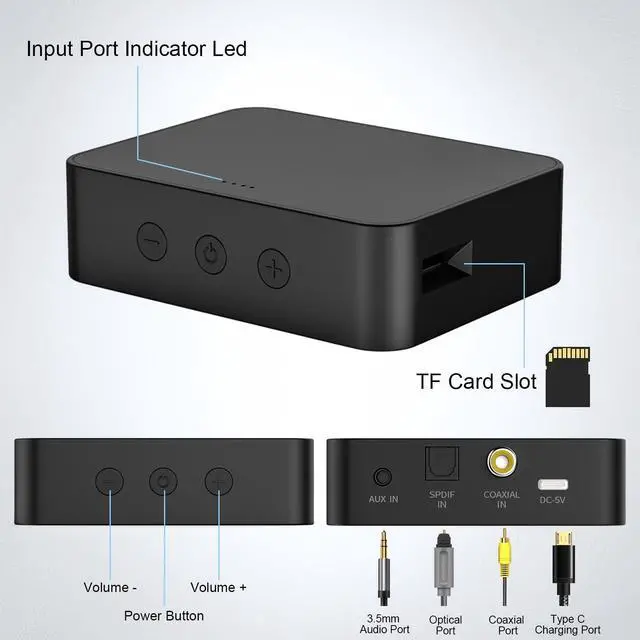
- Answer: Please make sure you are plugging in the TV audio OUTPUT jack or Optical , Coaxial Port, and both devices are successfully paired.
Then change the TV’s sound settings from “TV speaker” to “Audio out”.NOT the INPUT jack.
If you connected via optical, switch your TV audio settings to “Answer: The transmitter was connected to non-grounded USB power sources (e.g., laptops/cheap adapters), causing ground loop noise. So please plug it into power adapter directly. Optical” and “PCM / Stereo.”
Question: Why is there an audio lag when watch TV?
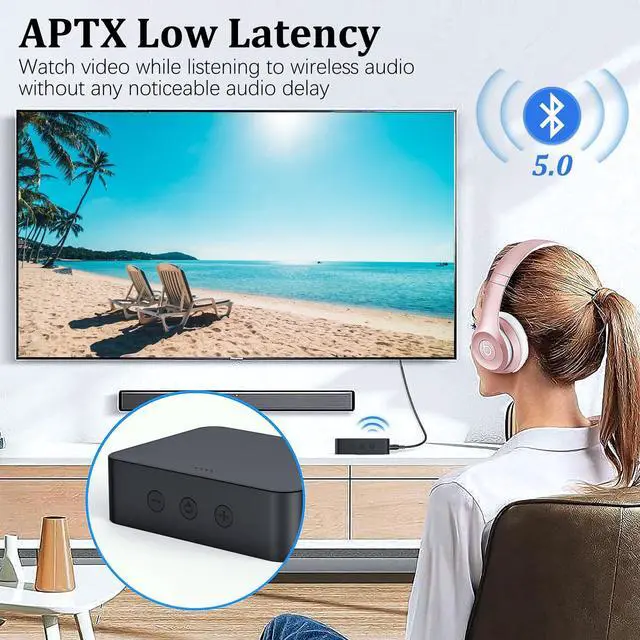
- Answer: To achieve perfect low latency it's required that your headphones also support apt-X Low Latency.
Question: The volume is too low
- Answer: There are 3 ways to adjust the volume. A. You can raise the volume using the on-screen or remote control). B. Press the volume + on this transmitter. C. Turn up your BT headphone volume as you want.
Question: Why can't I pair with Bluetooth speakers/headphones?
- Answer: Turn off Bluetooth on all mobile phones or PC in the house (Make sure your headphone or speaker has not paired with other devices automatically during the process of pairing). For first-time pairing, make sure the pairing distance is within 1 meter.


Very Easy to Use
- No technician required, just press the power button to activate and the Bluetooth adapter will automatically connect.
- Not recommend for streaming live music (while playing guitar, keyboard, electronic drums, karaoke etc.)
- Features Volume Control + / - (specifically designed while wearing airpods or airpod type earphones) for your convenience.
- Normally, the transmitter will reconnect to previous paired devices when it is turned on.

Low Latency Technology
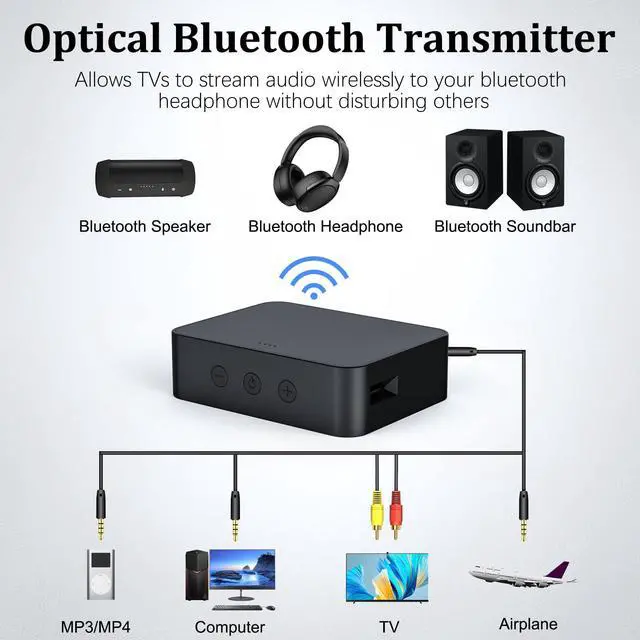
Wirelessly transmit audio from TV, computer, game console to Bluetooth headset, Bluetooth speaker.

Wide Compatibility
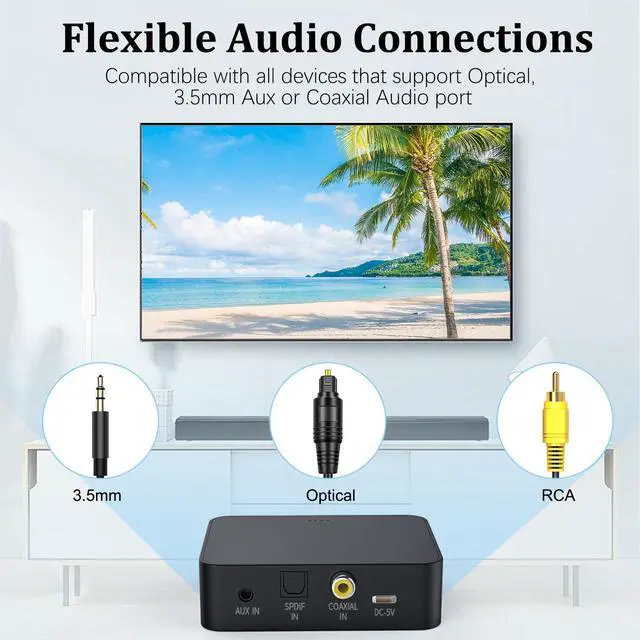
The Bluetooth transmitter with optical is compatible with all TVs on the market.

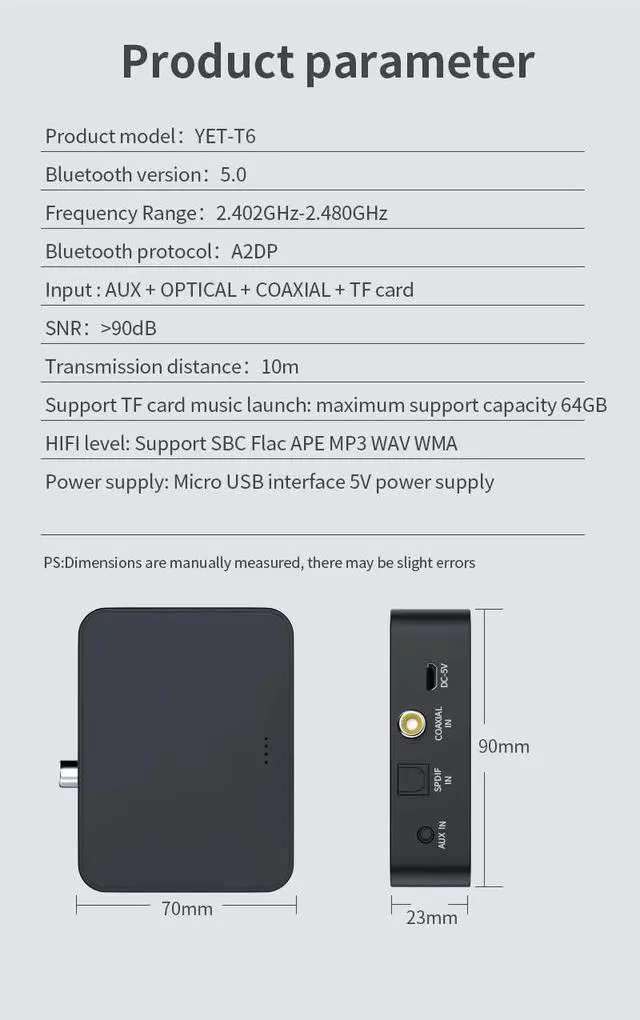
10M Working Range
Enjoy audio over a working range of up to 10 meters with a Bluetooth connection with stable signal and superior audio.

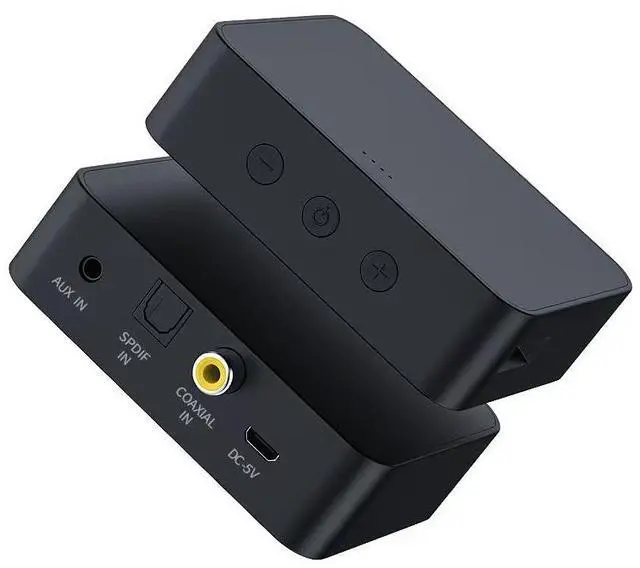
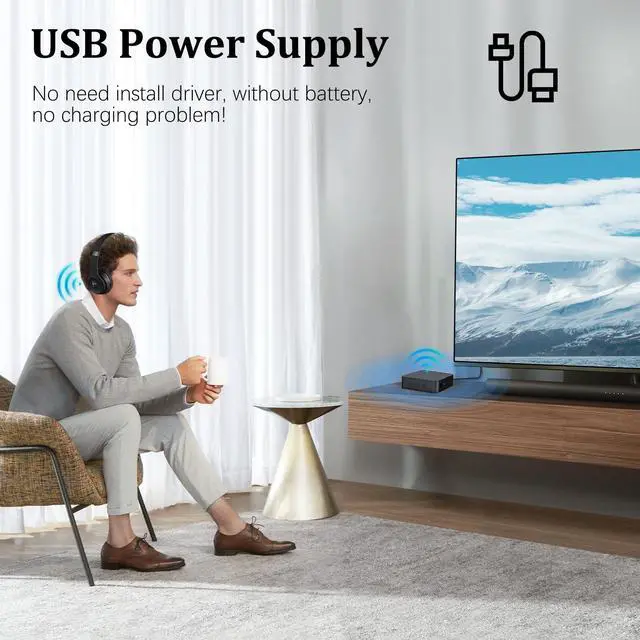
Power by USB C
Bluetooth audio transmitter is powered by USB, no more worrying about charging issue, you can plug it forever.

Low Latency
you can enjoy wireless music and listen to late-night programs without disturbing others with noise.

Bluetooth 5.0
Bluetooth 5.0 TV adapter with built-in BT5.0 chipset, no more wires or cables to get in the way!
Frequently Asked Questions
Question: Why does it makes strange noise instead of playing sound from connected devices?
- Answer: The transmitter was connected to non-grounded USB power sources (e.g., laptops/cheap adapters), causing ground loop noise. So please plug it into power adapter directly.
Question: Why does it not work/no sound on my TV?
- Answer: Please make sure you are plugging in the TV audio OUTPUT jack or Optical , Coaxial Port, and both devices are successfully paired.
Then change the TV’s sound settings from “TV speaker” to “Audio out”.NOT the INPUT jack.
If you connected via optical, switch your TV audio settings to “Answer: The transmitter was connected to non-grounded USB power sources (e.g., laptops/cheap adapters), causing ground loop noise. So please plug it into power adapter directly. Optical” and “PCM / Stereo.”
Question: Why is there an audio lag when watch TV?
- Answer: To achieve perfect low latency it's required that your headphones also support apt-X Low Latency.
Question: The volume is too low
- Answer: There are 3 ways to adjust the volume. A. You can raise the volume using the on-screen or remote control). B. Press the volume + on this transmitter. C. Turn up your BT headphone volume as you want.
Question: Why can't I pair with Bluetooth speakers/headphones?
- Answer: Turn off Bluetooth on all mobile phones or PC in the house (Make sure your headphone or speaker has not paired with other devices automatically during the process of pairing). For first-time pairing, make sure the pairing distance is within 1 meter.
Very Easy to Use
- No technician required, just press the power button to activate and the Bluetooth adapter will automatically connect.
- Not recommend for streaming live music (while playing guitar, keyboard, electronic drums, karaoke etc.)
- Features Volume Control + / - (specifically designed while wearing airpods or airpod type earphones) for your convenience.
- Normally, the transmitter will reconnect to previous paired devices when it is turned on.
Low Latency Technology
Wirelessly transmit audio from TV, computer, game console to Bluetooth headset, Bluetooth speaker.
Wide Compatibility
The Bluetooth transmitter with optical is compatible with all TVs on the market.
10M Working Range
Enjoy audio over a working range of up to 10 meters with a Bluetooth connection with stable signal and superior audio.
Power by USB C
Bluetooth audio transmitter is powered by USB, no more worrying about charging issue, you can plug it forever.
Low Latency
you can enjoy wireless music and listen to late-night programs without disturbing others with noise.
Bluetooth 5.0
Bluetooth 5.0 TV adapter with built-in BT5.0 chipset, no more wires or cables to get in the way!