Are you an E-Blast Insider?

Shop without retyping payment details. Secure shopping made faster.
Check out with PayPal.
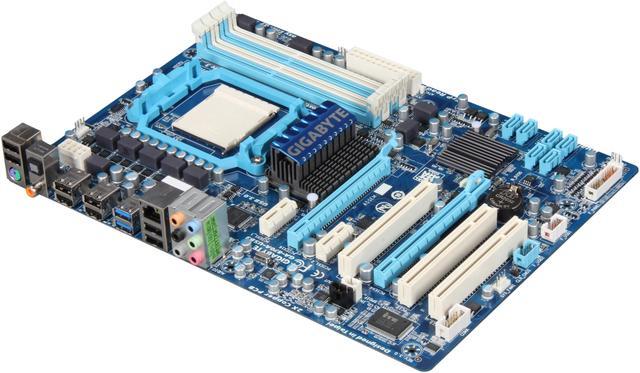
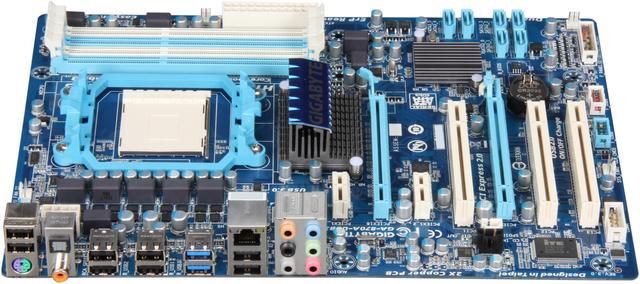
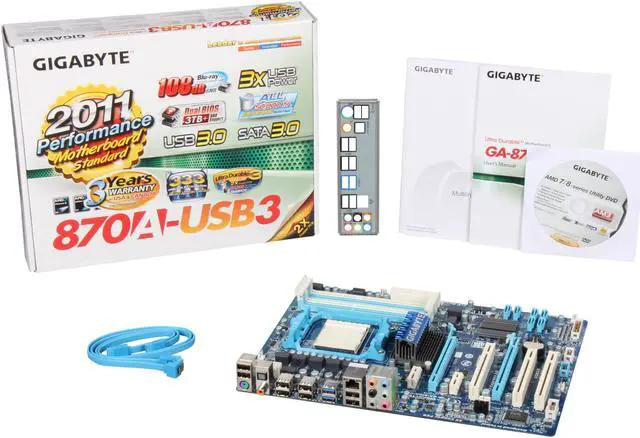
GIGABYTE GA-870A-USB3 AM3 AMD 870 SATA 6Gb/s USB 3.0 ATX AMD Motherboard
- AMD 870
- Phenom II / Athlon II Series
- DDR3 2000(O.C.)/1333/1066
GIGABYTE Ultra Durable 3 series motherboards once again lead the motherboard industry for the highest quality and most innovative motherboard design. Featuring the industry's first consumer desktop motherboard design to introduce 2 ounces of copper for both the Power and Ground layers, delivering a dramatically lower system temperature, improved energy efficiency and enhanced stability for overclocking. GIGABYTE Ultra Durable 3 Classic motherboards are equipped with the GIGABYTE Ultra Durable signature features including Japanese Solid Capacitors boasting an operational life time of more than 50,000 hours for CPU VRM, Lower RDS(on) MOSFETs (providing lower resistance to reduce power consumption and heat generation) and GIGABYTE patented DualBIOS technology (providing dual hardware BIOS protection). GIGABYTE Ultra Durable 3 Classic motherboards promise to provide the stability, reliability and longevity essential to meet the power needs of high-end processors and other components running today's most demanding applications and games.
Warranty & Returns
Warranty, Returns, And Additional Information
Warranty
- Limited Warranty period (parts): 3 years
- Limited Warranty period (labor): 3 years
- Read full details
Return Policies
- Return for refund within: 30 days
- Return for replacement within: 30 days
- This item is covered by Gamemax Return Policy
Manufacturer Contact Info
- Manufacturer Product Page
- Manufacturer Website
- Support Phone: 1-626-854-9338
- Support Website
- View other products from GIGABYTE


Pros: This board works great. Plenty of PCI slots for people like me who still have the need for them. I am running this board with an AMD Phenom II X6 1090T. It handles the processor quite well.
Cons: The BIOS in this board is GARBAGE! It doesn't detect the DEL key half of the time, you just have to keep pounding on it. If you do get it to go into BIOS, it locks up on the AHCI detection page most of the time. You just have to get lucky to get past that. I use the BIOS a lot because I often change operating systems and boot from different drives. This problem will stop me from ever buying a Gigabyte board again.
Overall Review: I keep looking for an updated BIOS, but never see one.