

• 184.14Dh
  • VAT-Inclusive Price
Ships from China.
Most customers receive within 7-17 days.
Shop it at NeweggBusiness.

KVM Switch DisplayPort - 2 Port Displayport KVM Switch, Two Computers One Monitor Switch to Share Mouse,Keyboard,Printer,USB and Ultra HD Monitor, Support 4K@60Hz, 2 DP Cable and 2 USB Cable Included

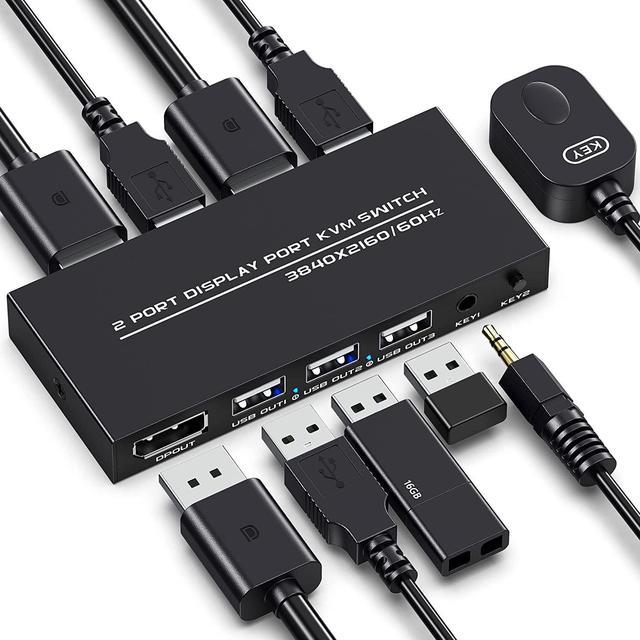
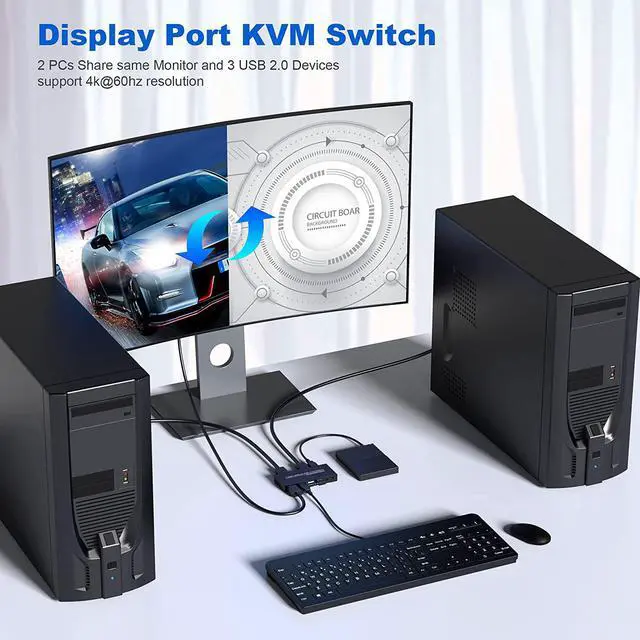
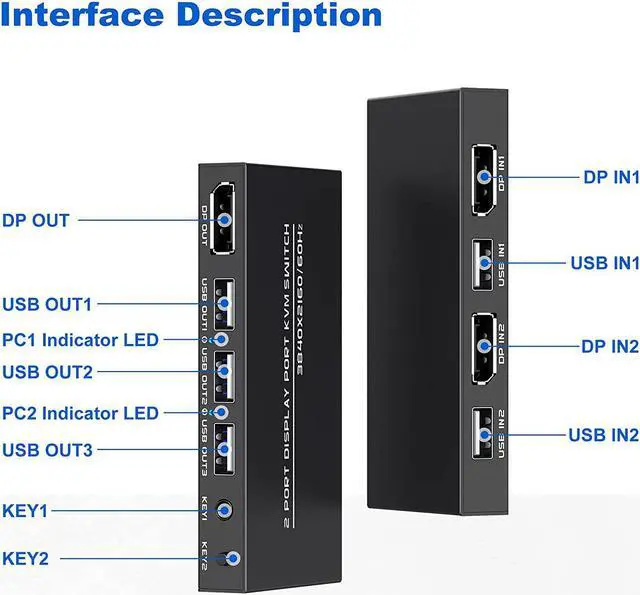
  • [2 Port DisplayPort KVM Switch] The KVM switch Displayport is a displayport switch that can help you sharing one monitor and 3 USB 2.0 devices such as scanner mouse keyboard between two PCs.
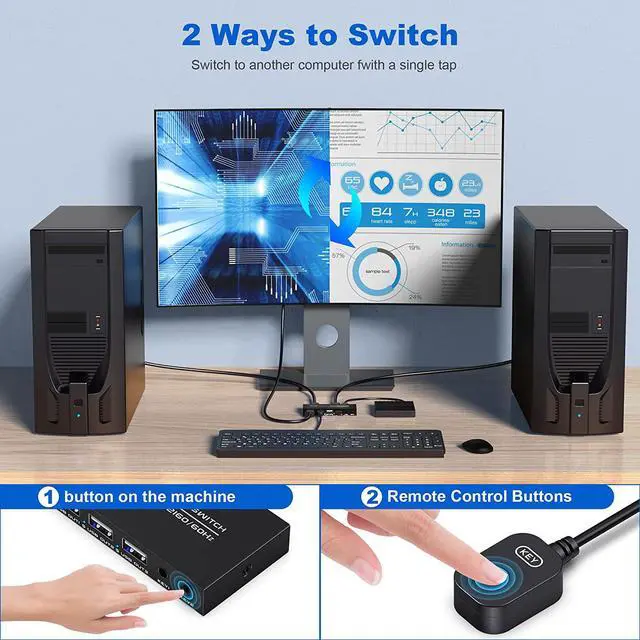
  • [Two Switching Modes] This 2 computers 1 monitor switch has 2 ways to switch between PCs, panel button and external remote controller. The Remote button is easier to click to toggle two systems. This will improve your efficiency on multi tasking. (This device does not support keyboard hotkey switching)
  • [Ultra HD 4K Visual Enjoyment] Supports resolution up to 4k@60Hz(3840×2160 @ 60Hz )and backward compatible with lower resolution. E
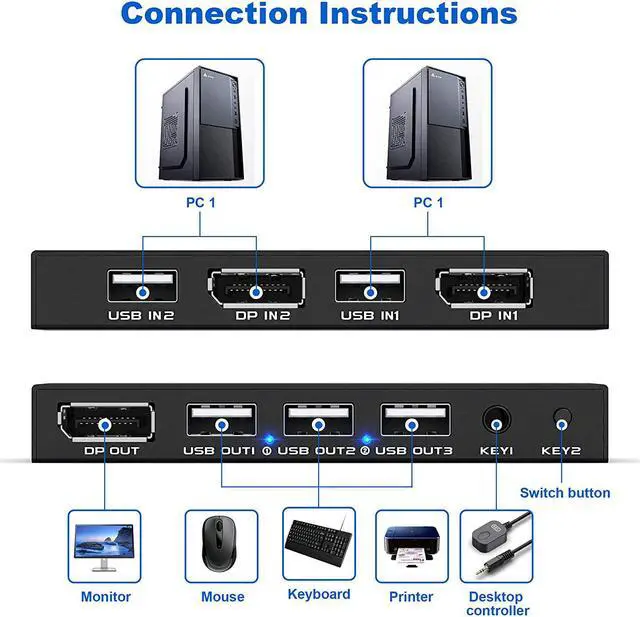
  • [Easy to install] Plug and play, with 2 DP cable and 2 USB cable, what you need to do is just connect it between the KVM Displayport and your computers/laptops and enjoy your work and life getting easier
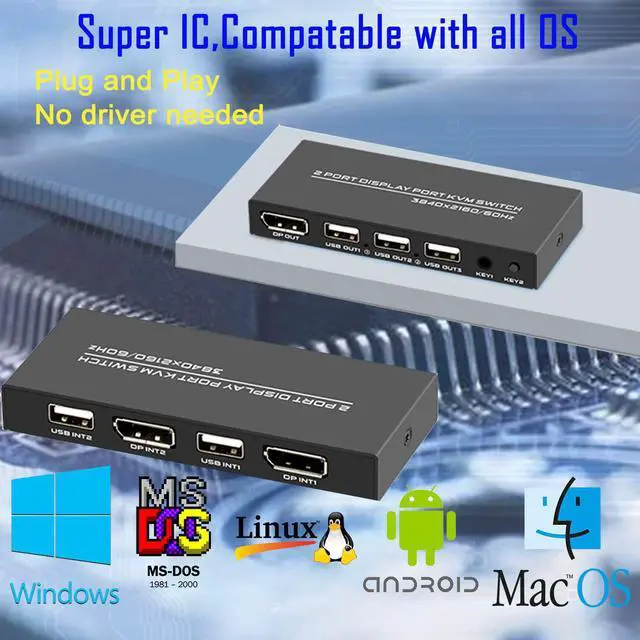
  • [Strong compatibility] Works with great compatibility, suit for OS like DOS, Windows, Unix, Linux, Vista, Mac OS. For a business, office, multimedia classroom etc..
+
+
Overview
Specs
Reviews
image for this item
image for this item
image for this item
KVM Switch Connects Two Computers to a Single Keyboard, Mouse and Monitor, it is ideal for working at home.

You can share a single USB keyboard, USB mouse and DP monitor with both systems, saving space on your desk and using your prefered display, keyboard and mouse with both computers.


  • Please ensure to connect all the cables included-2 DP cables & 2 USB cables,then connect your wireless or wired mouse and keyboard to use.
  • Button and LED Indicator : Design Easily switches between systems via push buttons with LED indicating the active computer.
  • Easy Installation: This KVM DP Switch is plug-and-play, with no additional driver installation needed. No power adapter required. Applications Great for PC test/burn-in computer control, saving the desk space required for two monitors, keyboards and mice Perfect for sharing computers and attached peripherals in the home or home office Dual system control for single user workstations increasing user productivity in the office.
image for this item
Two Ways to Toggle Between Systems

By Switch Button and Desktop Controller, easily toggle between 2 computers.

image for this item
2 Display Ports

The DP USB KVM Switch Selector for dual Computers Share same set of Keyboard, Mouse, Printer, thumb drive, game machines and HD 4k@60Hz Monitor.

image for this item
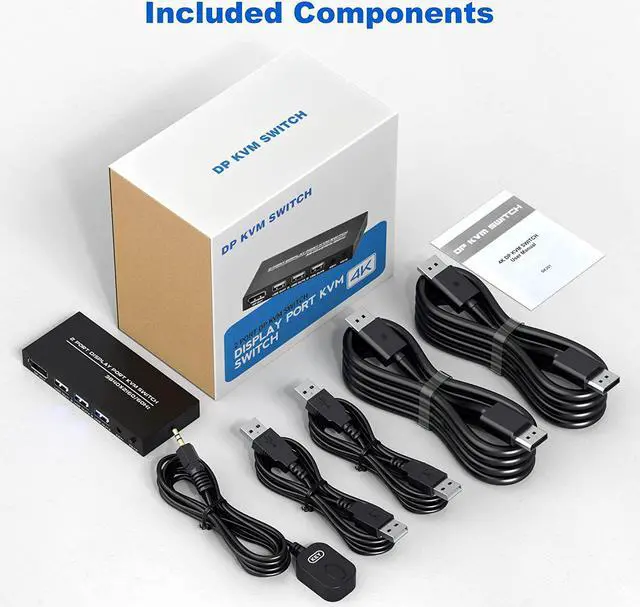
Components Included

Plug and play, 2 DP cable and 2 USB cable are in the package, what you need to do is just connect it between the dp kvm switch and your computers/laptops and enjoy your work and life getting easier and simpler.

The KVM Switch Connects Two Computers to a Single Keyboard, Mouse and Monitor, it is ideal for working at home.

Features:

Two Ways to Toggle Between Systems
By Switch Button and Desktop Controller, easily toggle between 2 computers.

2 Display Ports
The DP USB KVM Switch Selector for dual Computers Share same set of Keyboard, Mouse, Printer, thumb drive, game machines and HD 4k@60Hz Monitor.

Components Included
Plug and play, 2 DP cable and 2 USB cable are in the package, what you need to do is just connect it between the dp kvm switch and your computers/laptops and enjoy your work and life getting easier and simpler.

Warranty & Returns

Warranty, Returns, And Additional Information

Return Policies*

  • Return for refund within: 30 days
  • Return for replacement within: non-replaceable
  • This item is covered by Shenzhen Qiuyiyue Store Return Policy
  • *Subject to applicable law
  • Warranty Notice:

    This product does not include manufacturer warranty when purchased or used outside of its designated sales region. By purchasing internationally, you acknowledge that warranty support from the manufacturer will not be available.

Manufacturer Contact Info

LOADING...