

• 323.90Dh
  • VAT-Inclusive Price
Ships from China.
Most customers receive within 7-17 days.
Shop it at NeweggBusiness.

USB 3.0 2x2 KVM Switch 2 Monitors 2 Computers, USB3.0 HDMI KVM Switch Dual Monitor Sharing 4 USB Devices for Keyboard Mouse Scanner, 4K @60Hz KVM Switches Support Audio, Hotkey, Button Switching

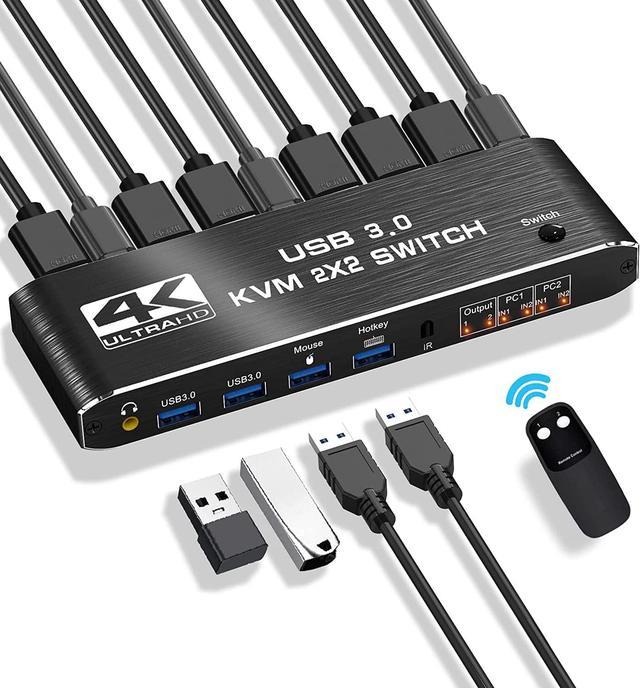
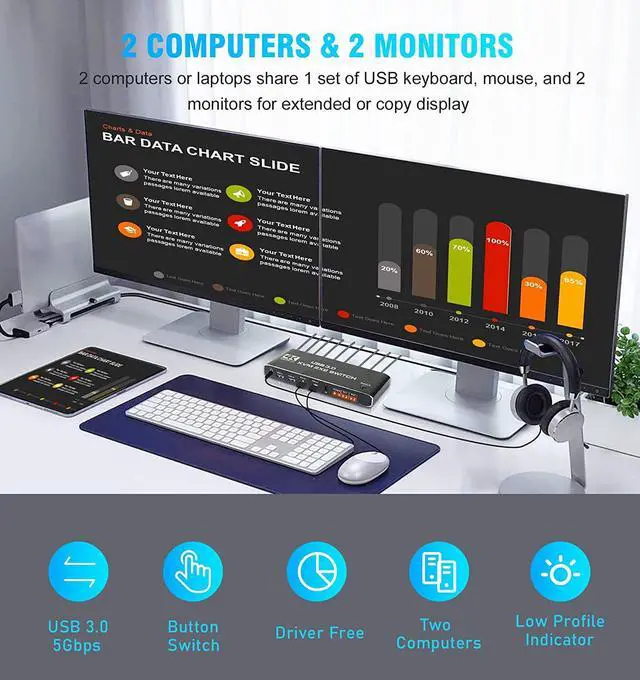
  • [KVM Switch 2 Monitors 2 Computers] The KVM switches allow you to share 2 monitors and 4 USB peripherals (a mouse, keyboard, printer, scanner etc) between 2 computers.
  • [4K@60Hz Ultra HD Visual Enjoyment] Supports up to 4K@60Hz resolution (supports 3D, 1080P), making the image display more fascinating and realistic. 2 additional USB 3.0 ports are added to transmit various video information at extremely high speeds without lag
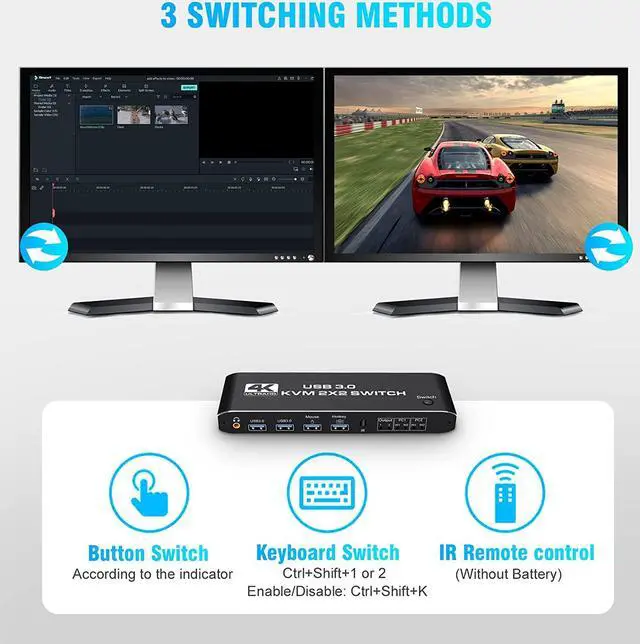
  • [3 Switching Methods & 2 Modes] 3 fast-switching methods: button, hotkey, and IR remote control. For hotkeys, use Ctrl+Shift+1/2 or quickly tap the Ctrl key to switch between computers (Ctrl+Shift+K can disable/enable this function). It also supports copy and extended modes, which will meet more user needs
  • [Easy to Install & Use] plug and play, ideal for beginners. Compatible with Windows 10/8/8.1/7/Vista/XP, MacOS X, Linux etc..
  • [Perfect Accessories] 1* KVM Switch, 2x HD MI Cable, 1x IR Remote, 3x USB cable, 1* User manual.
+
+
Overview
Specs
Reviews
image for this item
Aluminum KVM Switch Dual Monitor, Enjoy a Simpler and More Efficient Life!
 

Overview:

  • The KVM switches allow you to share 2 monitors and 4 USB peripherals between 2 computers, such as a Mouse, Keyboard, Printer, Scanner, USB stick, etc. No need to constantly swap cables or set up complicated tethering software, making your life simpler and more efficient.


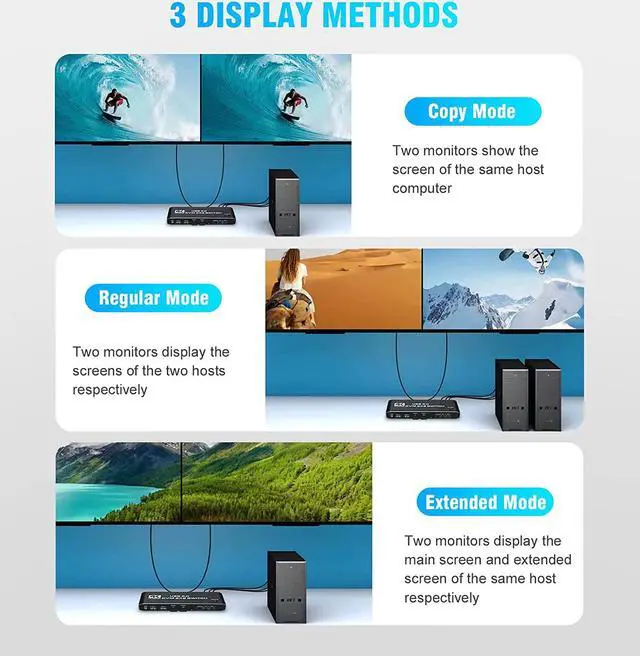
  • Two display modes:
  1. Copy Mode: Two monitors show the screen of the same host computer;
  2. Extended Mode: Two monitors display the main screen and extended screen of the same


Notice:

  1. Computer needs to support 2 screens or more;
  2. If your computer lacks the required connectors, you can use an adapter or conversion cable;
  3. Need to be connected to a power source, which ensures that the devices can work together;
  4. Make sure both computers support HDMI 2.0! You can't connect two computers and set one to 4K@60Hz and the other to 4K@30Hz because it won't work and your screen will stay blank, they both have to be able to display 4K@60Hz or both are 4K @30Hz.
image for this item
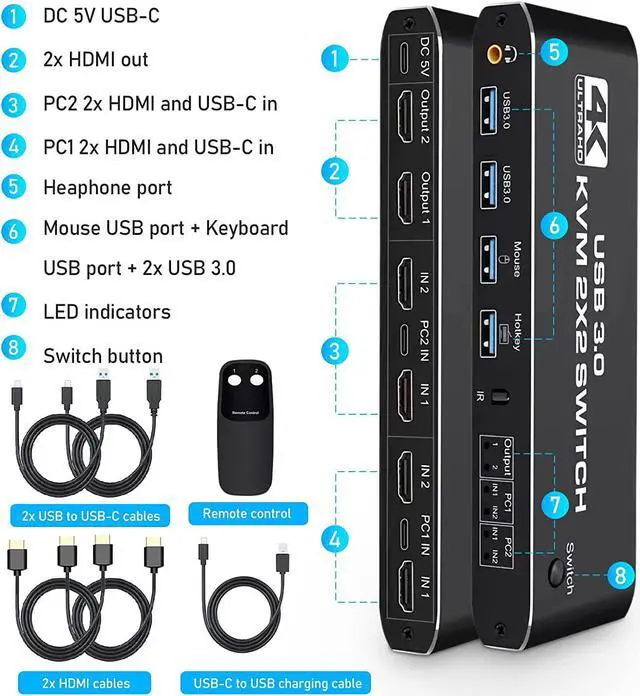
Introduction of ports:


  • PC1: USB C + HDMI IN 1 + HDMI IN 2
  • PC1: USB C + HDMI IN 1 + HDMI IN 2
  • Monitor: HDMI Output 1 + HDMI Output 2
  • Devices: 2 x USB-A 3.0, Mouse, Keyboard (Hotkey)
  • Audio: 3.5mm Jack
  • Power: USB C 5V1A


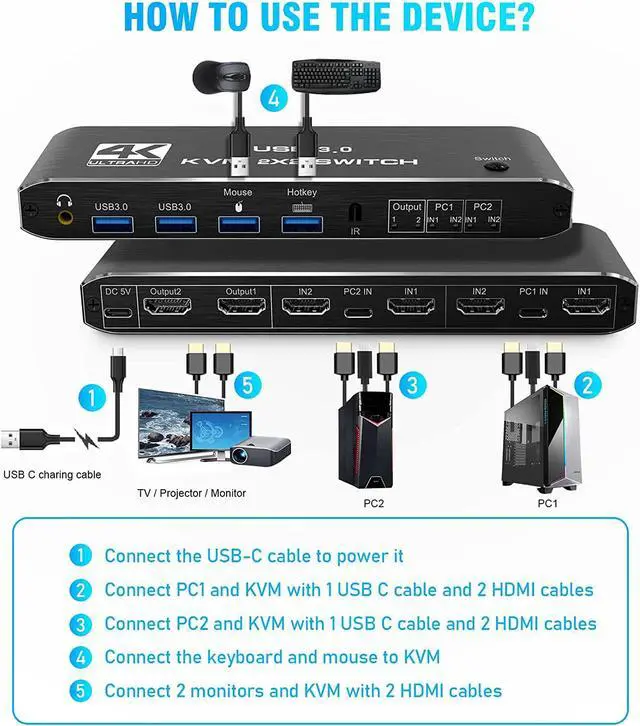
How to quickly master this KVM switch?

  1. Connect the USB-C cable to power it;
  2. Connect PC1 and KVM with 1 USB C cable and 2 HD MI cables;
  3. Connect PC2 and KVM with 1 USB C cable and 2 HD MI cables;
  4. Connect the keyboard and mouse to KVM;
  5. Connect 2 monitors and KVM with 2 HD MI cables.
image for this item
image for this item
image for this item
3 Quick Switching Methods
  1. Hotkey switch: Ctrl+shift+ 1/2=PC1 /2, Ctrl+Ctrl = PC1/2; Ctrl+Shift+K = enable/disable hotkey function.
  2. Remote Control (battery not included)
  3. Button Switch
image for this item
Metal Housing & Various Systems
  • Using metal aluminum as the shell is not only strong and light, but also has better anti-interference and heat dissipation performance.
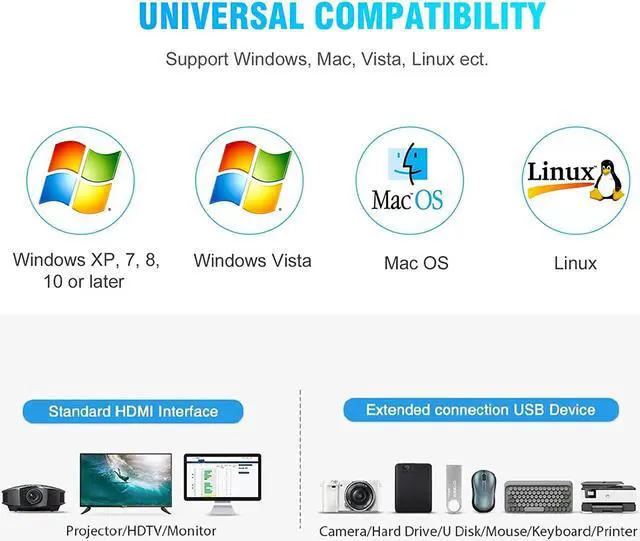
  • Compatible with Windows 10 / 8 / 8.1 / 7 / Vista /XP, Mac OS X, Linux, Chrome OS and other operating systems.
image for this item
Comes with High-quality Cables
  • 1 x Dual Monitor HD MI KVM
  • 2 x HD MI Cable
  • 1 x IR Remote Control
  • 2 x Type-c to USB-A Cable
  • 1 x 5V1A USB C Power Cable
  • 1 x IR Remote Control
  • 1 x User Manual
image for this item
Overview:

The KVM switches allow you to share 2 monitors and 4 USB peripherals between 2 computers, such as a Mouse, Keyboard, Printer, Scanner, USB stick, etc. No need to constantly swap cables or set up complicated tethering software, making your life simpler and more efficient.
Two display modes:
Copy Mode: Two monitors show the screen of the same host computer;
Extended Mode: Two monitors display the main screen and extended screen of the same

Introduction of ports:

PC1: USB C + HDMI IN 1 + HDMI IN 2
Monitor: HDMI Output 1 + HDMI Output 2
Devices: 2 x USB-A 3.0, Mouse, Keyboard (Hotkey)
Audio: 3.5 mm Jack
Power: USB C 5V1A
How to quickly master this KVM switch?

Connect the USB-C cable to power it;
Connect PC1 and KVM with 1 USB C cable and 2 HD MI cables;
Connect PC2 and KVM with 1 USB C cable and 2 HD MI cables;
Connect the keyboard and mouse to KVM;
Connect 2 monitors and KVM with 2 HD MI-cables.

Package included:
1 x Dual Monitor HDMI KVM
2 x HD MI-Cable
1 x IR Remote Control
2 x Type-c to USB-A Cable
1 x 5V 1A USB C Power Cable
1 x IR Remote Control
1 x User Manual

Warranty & Returns

Warranty, Returns, And Additional Information

Return Policies*

  • Return for refund within: 30 days
  • Return for replacement within: non-replaceable
  • This item is covered by Shenzhen Qiuyiyue Store Return Policy
  • *Subject to applicable law
  • Warranty Notice:

    This product does not include manufacturer warranty when purchased or used outside of its designated sales region. By purchasing internationally, you acknowledge that warranty support from the manufacturer will not be available.

Manufacturer Contact Info

LOADING...