• In Stock
  • Sold by Newegg
  • New
Brands
Show More
Type
Ports
Show More
VPN
WAN Ports
LAN Ports
Maximum Users
Form Factor
Simultaneous Sessions
Show More
Sold by
All Top Brands
Availability
Condition
Useful Links
Customer Ratings
Sort By:
View:
TP-Link TL-R470T+ 10/100Mbps Load Balance Broadband Router
Quick View
TP-Link TL-R470T+ 10/100Mbps Load Balance Broadband Router
  • WAN Ports: 1 x 10/100Mbps
  • LAN Ports: 1 x Fixed LAN, 3 x Changeable WAN/LAN
  • Protocols: TCP/IP, DHCP, ICMP, NAT, PPPoE, SNTP, HTTP, DNS
  • Security: Firewall Security: IP Address Filtering MAC Address Filtering Domain Name Filtering DoS Protection
  • Model #: TL-R470T+
  •  
  • AUD$151.80 
  • AUD$196.89 Shipping
Ubiquiti Networks Unifi 802.11ac Dual-Radio PRO Access Point (UAP-AC-PRO-US)
Quick View
Ubiquiti Networks Unifi 802.11ac Dual-Radio PRO Access Point (UAP-AC-PRO-US)
  • Brand: Ubiquiti Networks
  • Part Number: 120092
  • Features: Sleek, ultra-compact design
  • Weight: 2.55
  • Model #: 120092
  •  
  • AUD$308.00 
  • AUD$196.89 Shipping
Grandstream Layer 2 Unmanaged PoE Switch, 5 x GigE (4 x PoE), Metal Case GWN7700P
Quick View
Grandstream Layer 2 Unmanaged PoE Switch, 5 x GigE (4 x PoE), Metal Case GWN7700P
  • Brand: Grandstream
  • Model: GWN7700P
  • Model #: 6947273704515
  •  
  • AUD$152.90 
  • AUD$106.01 Shipping
Grandstream GCC6010W IPPBX, Firewall, Router, Switch and WiFi
Quick View
Grandstream GCC6010W IPPBX, Firewall, Router, Switch and WiFi
  • LAN Ports: 7
  • Security: WPA2, WPA3
  • Brand: Grandstream
  • Series: GCC6010W
  • Model #: GS-GCC6010W - NW
  •  
  • AUD$440.00 
  • AUD$196.89 Shipping
APC AP9630 UPS Network Management Card 2
Quick View
APC AP9630 UPS Network Management Card 2
  • Type: UPS Management Adapter
  • Specifications: Protocols: HTTP, HTTPS, SMTP, SNMP v1, SNMP v3, TCP/IP, Telnet Network Interface Connections: RJ-45 10/100 Base-T
  • Dimensions: 1.50" x 4.80" x 4.50"
  • Weight: 0.18 lb.
  • Model #: AP9630
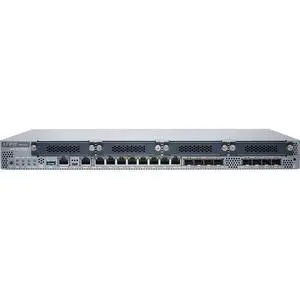
Juniper Networks SRX345 Firewall | SRX345
Quick View
Juniper Networks SRX345 Firewall | SRX345
  • Protocols: ROUTING PROTOCOLS IPv4, IPv6, ISO, Connectionless Network Service (CLNS) Static routes RIP v1/v2 OSPF/OSPF v3 BGP with Route Reflector IS-IS Multicast: Internet Group Management Protocol (IGMP) v1/v2, Protocol Independent Multicast (PIM) sparse mode (SM)/dense mode (DM)/source-specific multicast (SSM), Session Description Protocol (SDP), Distance Vector Multicast Routing Protocol (DVMRP), Multicast Source Discovery Protocol (MSDP), Reverse Path Forwarding (RPF) Encapsulation: VLAN, Point-to-Point Protocol (PPP), Frame Relay, High-Level Data Link Control (HDLC), serial, Multilink Point-to-Point Protocol (MLPPP), Multilink Frame Relay (MLFR), and Point-to-Point Protocol over Ethernet (PPPoE) Virtual routers Policy-based routing, source-based routing Equal-cost multipath (ECMP)
  • Brand: Juniper Networks
  • Series: SRX300...
  • Model #: SRX345
  •  
  • AUD$2,748.90 
  • Free Shipping
Juniper Networks SRX340 Firewall w/ Junos Software Base (firewall, NAT, IPSec, routing, MPLS and switching) | SRX340-SYS-JB
Quick View
Juniper Networks SRX340 Firewall w/ Junos Software Base (firewall, NAT, IPSec, routing, MPLS and switching) | SRX340-SYS-JB
  • Protocols: ROUTING PROTOCOLS IPv4, IPv6, ISO, Connectionless Network Service (CLNS) Static routes RIP v1/v2 OSPF/OSPF v3 BGP with Route Reflector IS-IS Multicast: Internet Group Management Protocol (IGMP) v1/v2, Protocol Independent Multicast (PIM) sparse mode (SM)/dense mode (DM)/source-specific multicast (SSM), Session Description Protocol (SDP), Distance Vector Multicast Routing Protocol (DVMRP), Multicast Source Discovery Protocol (MSDP), Reverse Path Forwarding (RPF) Encapsulation: VLAN, Point-to-Point Protocol (PPP), Frame Relay, High-Level Data Link Control (HDLC), serial, Multilink Point-to-Point Protocol (MLPPP), Multilink Frame Relay (MLFR), and Point-to-Point Protocol over Ethernet (PPPoE) Virtual routers Policy-based routing, source-based routing Equal-cost multipath (ECMP)
  • Brand: Juniper Networks
  • Series: SRX300
  • Par...
  • Model #: SRX340-SYS-JB
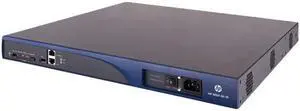
HPE JF230A A-MSR30-60 Multi Service Router
Quick View
HP
HPE JF230A A-MSR30-60 Multi Service Router
  • Protocols: HCRP, SPP
  • Brand: HP
  • Speed: 10/100/1000Base-T
  • Model #: JF230A
  •  
  • AUD$221.10 
  • Free Shipping
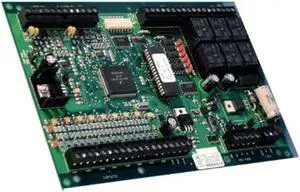
Lenel LNL-1320 Interface Module Dual Reader, PC Board, Series 1
Quick View
  •  
  • AUD$1,193.50 
  • Free Shipping
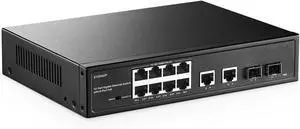
MokerLink 12 Port Gigabit Ethernet Switch, 8 GE PoE+, 2 GE Uplink, 2 Gigabit SFP, Fanless Plug & Play
Quick View
  •  
  • AUD$149.60 
  • Free Shipping
Juniper SRX1500-SYS-JB-AC
Quick View
Juniper SRX1500-SYS-JB-AC
  • Firewall Type: Cabinet Type
  • Model #: SRX1500-SYS-JB-AC
  •  
  • AUD$12,393.70 
  • Free Shipping
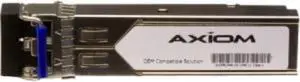
Brocade Communications - E1MG-SX-OM - Brocade 1000BASE-SX SFP Module - 1 x 1000Base-SX
Quick View
  •  
  • AUD$574.20 
  • Free Shipping
  • Wired Routers

Wired Routers

Use this link for more information on Wireless Routers in our Learning Center

Home wireless routers allow you to connect multiple devices together wirelessly into a network to share resources and access the internet. Examples of some of the devices you can connect to your network include desktop computers, notebook computers, external hard drives, PDAs, stand alone or all-in-one copy / fax / printers, media players, entertainment devices and more all without wires.

If you setup your network to be 100% wireless then you will need to ensure that every device that you want to add to the network has a wireless network adapter installed otherwise they will have no way to access the network. If these are not already in the computers, you'll need to purchase them and add them in. Once all devices are configured and set up you will be able to share files and resources across the network.

The Importance of Security with Wireless Network Routers

Security is especially important when using a wireless network. Basically, anybody within the range of your network who has the right equipment can access it if it is not secured. Therefore we recommend safety features such as WEC or MAC address filtering. This is a unique hardware identifier that gives each network device its own identity.

WEP, or Wireless Encryption Protocol, is another way to identify your network devices. It establishes a shared key between the access point and clients, using the key to encrypt and de-encrypt the data that is transferred between them. This is enough security for most home network uses.