• In Stock
  • Sold by Newegg
  • New
Brands
Show More
Type
Ports
Show More
VPN
WAN Ports
LAN Ports
Maximum Users
Form Factor
Simultaneous Sessions
Show More
Sold by
All Top Brands
Availability
Condition
Useful Links
Customer Ratings
Sort By:
View:
Juniper SRX1500-SYS-JE-AC SRX1500-Series 20-Ports 9Gbps Rack-Mountable Gateway
Quick View
  •  
  • AUD$25,171.30 
  • Free Shipping
4 Ports Passive RJ45 PoE Power Injection Module, Power Over Ethernet Injector
Quick View
  •  
  • AUD$53.90 
  • Free Shipping
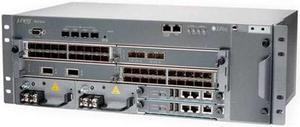
Juniper Networks - MX104-40G-DC-BNDL - Promo Mx104 Bndl 40g 2x10g Built-in Port Mic Slot Redundant
Quick View
  •  
  • AUD$18,517.40 
  • Free Shipping
Juniper Networks - MX104-40G-AC-BNDL - Promo Mx104 Bndl 40g2x10g Port Svc Mic 1slot Interface Ac Ps
Quick View
  •  
  • AUD$42,483.10 
  • Free Shipping
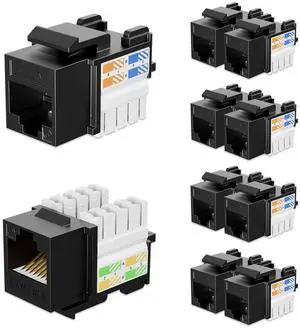
iwillink 10Gbps Cat6 Ethernet Coupler - 90-Degree Keystone Jack Adapter (Black) 10-Pack
Quick View
  •  
  • AUD$35.20 
  • Free Shipping
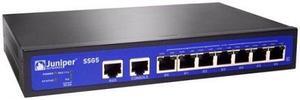
Juniper SSG-5-SB-W-W SSG-5 8-Port Rack-Mount Secure Service Gateway
Quick View
  •  
  • AUD$535.70 
  • Free Shipping
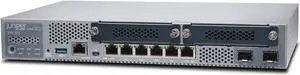
Juniper SRX340-SYS-JB
Quick View
Juniper SRX340-SYS-JB
  • Model #: SRX340-SYS-JB.
  •  
  • AUD$2,015.20 
  • Free Shipping
Juniper NFX250 Network Services Platform
Quick View
Juniper NFX250 Network Services Platform
  • Firewall Type: Rack-mountable
  • Standard: TCP UDP HTTP HTTPS FTP DNS
  • Ports: 10/100/1000Base-T 1000Base-X 10GBase-X
  • Model #: NFX250-S2
  •  
  • AUD$5,447.20 
  • Free Shipping
Juniper SRX240 Services Gateway with 16 x GbE Ports
Quick View
Juniper SRX240 Services Gateway with 16 x GbE Ports
  • Brand: Juniper
  • Speed: 10/100/1000Base-T
  • Model #: SRX240H2-DC-TAA
  •  
  • AUD$5,306.40 
  • Free Shipping
ACX5448-D-DC-AFI
Quick View
ACX5448-D-DC-AFI
  • Model #: ACX5448-D-DC-AFI
  •  
  • AUD$16,318.50 
  • Free Shipping
JNP304-RE-S
Quick View
JNP304-RE-S
  • Model #: JNP304-RE-S
  •  
  • AUD$15,538.60 
  • Free Shipping
Juniper MX-MPC3E-3D MX-MPC3E-3D Expansion Module
Quick View
Juniper MX-MPC3E-3D MX-MPC3E-3D Expansion Module
  • Protocols: HCRP, SPP
  • Brand: Juniper
  • Model #: MX-MPC3E-3D
  •  
  • AUD$42,375.30 
  • Free Shipping
MIC3-100G-DWDM
Quick View
MIC3-100G-DWDM
  • Model #: MIC3-100G-DWDM
  •  
  • AUD$4,650.80 
  • Free Shipping
Juniper SRX345-SYS-JB
Quick View
Juniper SRX345-SYS-JB
  • Firewall Type: Cabinet Type
  • Features: Anti-spam protection, Anti-virus protection, DDos attack prevention, Dead Peer Detection (DPD), DHCP client, DHCP relay, DHCP server, DiffServ Code Point (DSCP) support, Firewall protection, Generic Routing Encapsulation (GRE), Inspect SSL Encrypted Traffic, Intrusion Prevention System (IPS), IPSec NAT-Traversal (NAT-T), IPv4 support, IPv6 support, J-Flow, Label Distribution Protocol (LDP), LLDP support,
  • Model #: Juniper SRX345-SYS-JB.
Amped Wireless REC22P IEEE 802.11ac 1.17 Gbit/s Wireless Range Extender
Quick View
  •  
  • AUD$82.50 
  • AUD$242.33 Shipping
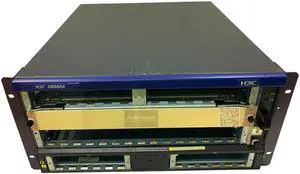
HP H3C A6604 Router 4 Slot Core Chassis SR6604 0235A37X (JC178A)
Quick View
  •  
  • AUD$1,148.40 
  • Free Shipping
  • Wired Routers

Wired Routers

Use this link for more information on Wireless Routers in our Learning Center

Home wireless routers allow you to connect multiple devices together wirelessly into a network to share resources and access the internet. Examples of some of the devices you can connect to your network include desktop computers, notebook computers, external hard drives, PDAs, stand alone or all-in-one copy / fax / printers, media players, entertainment devices and more all without wires.

If you setup your network to be 100% wireless then you will need to ensure that every device that you want to add to the network has a wireless network adapter installed otherwise they will have no way to access the network. If these are not already in the computers, you'll need to purchase them and add them in. Once all devices are configured and set up you will be able to share files and resources across the network.

The Importance of Security with Wireless Network Routers

Security is especially important when using a wireless network. Basically, anybody within the range of your network who has the right equipment can access it if it is not secured. Therefore we recommend safety features such as WEC or MAC address filtering. This is a unique hardware identifier that gives each network device its own identity.

WEP, or Wireless Encryption Protocol, is another way to identify your network devices. It establishes a shared key between the access point and clients, using the key to encrypt and de-encrypt the data that is transferred between them. This is enough security for most home network uses.