
Your Browsing History
AUD$265.10
GST-Inclusive Price
Ships from Hong Kong.
Most customers receive within 10-17 days.

Meet Your Seller



DP2.0 KVM Switch DisplayPort 2 Port KVM Switch 1 Monitors 2 Computers Displayport KVM Switch Box 1440P 120Hz 144Hz 165Hz 175Hz 240Hz KVM Displayport USB 3.0 FreeSync G-SYNC
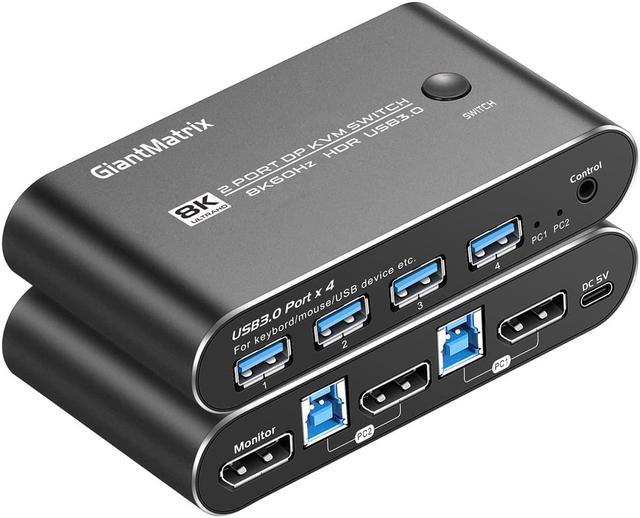
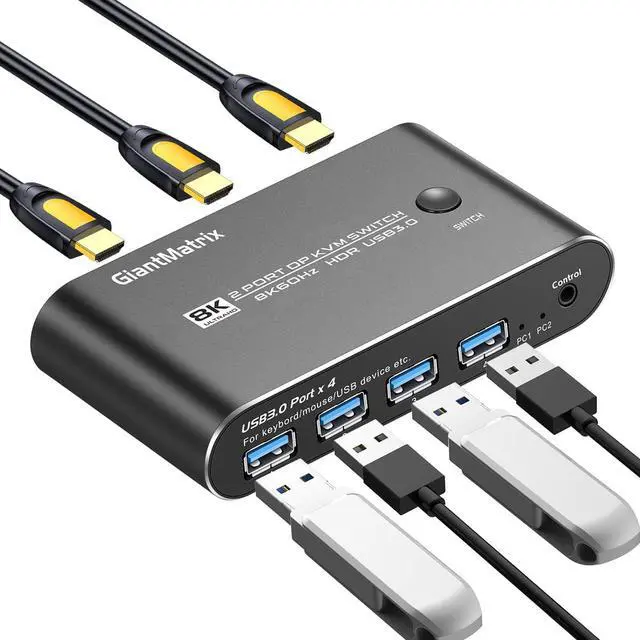
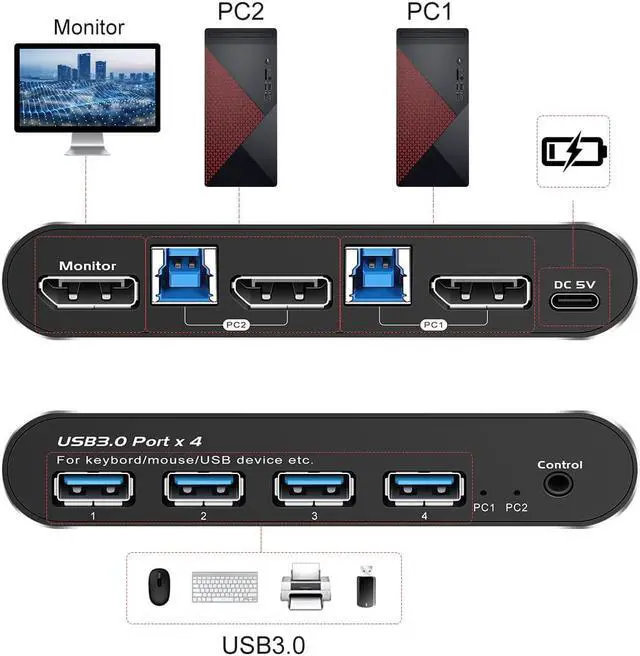
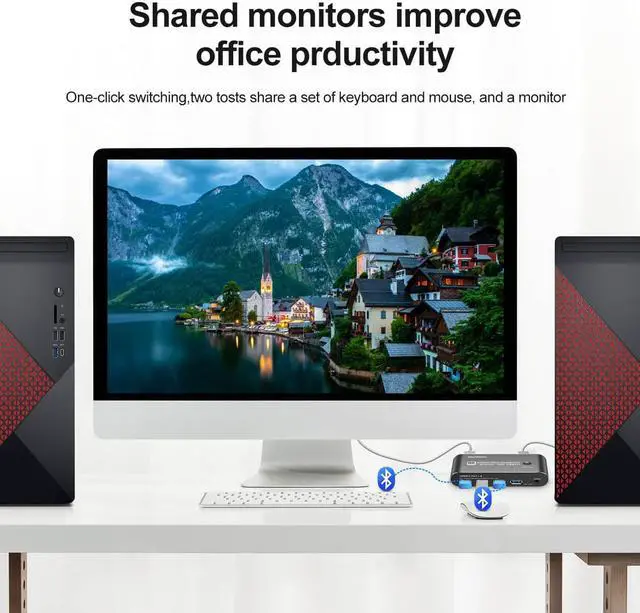
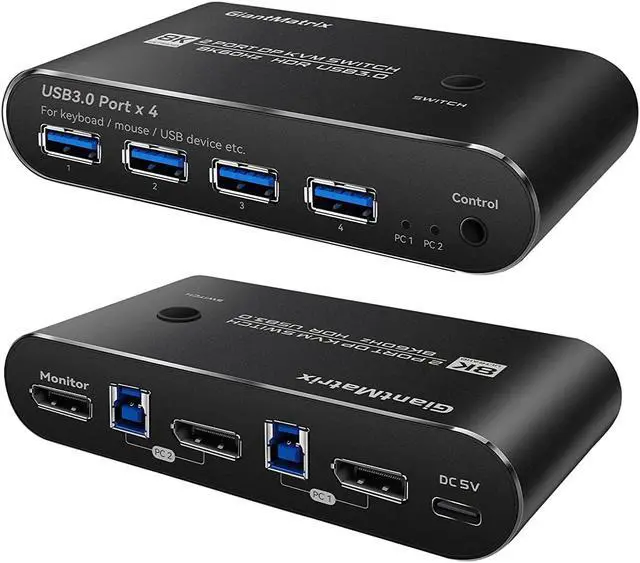
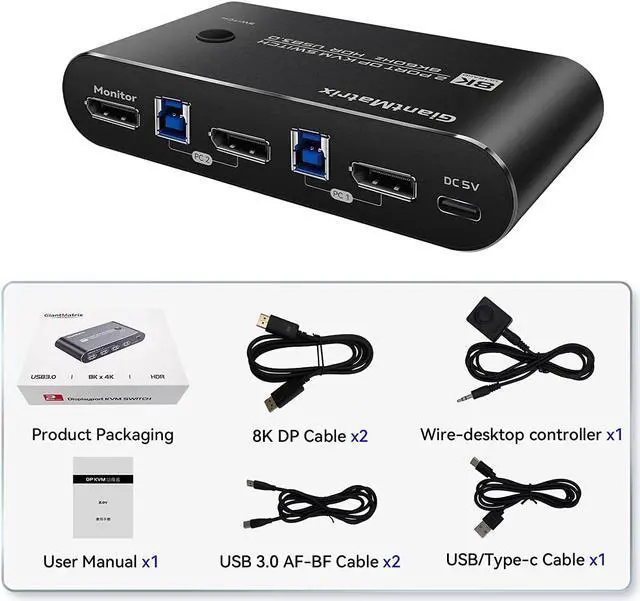
- 1. 2 Port KVM Displayport: KVM Switch Displayport 2 Computers 1 Monitor sharing one set of keyboard & mouse, 1 DP2.0 or DP 1.4 monitor, and 2 pcs USB 3.0 peripheral devices. 2 pcs USB 3.0 hub (data transferring rate up to 5Gbps/s ,10 times faster than USB 2.0), 2 kits cables and a wire remote push button switch.
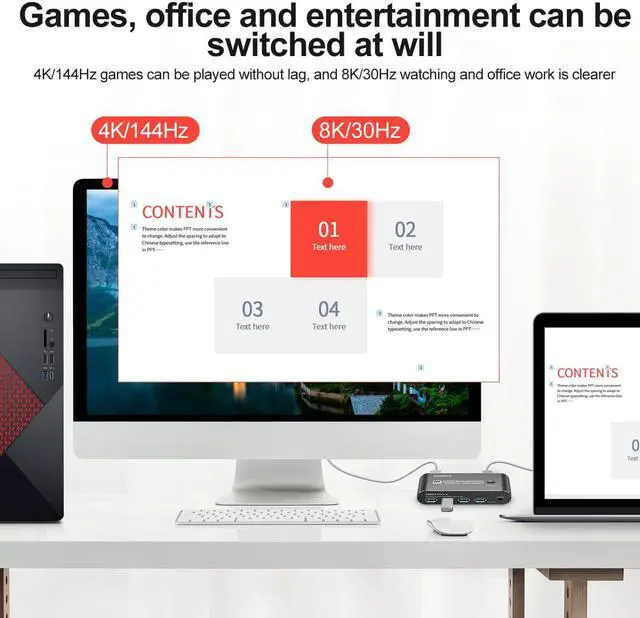
- 2. Displayport KVM Switch 2 Port : Recommend resolution 5120x1440@60Hz, 5120x1440@120Hz,5120x1440@144Hz,5120x1440@165Hz,3440x1440@75Hz,3440x1440@100Hz,3440x1440@144Hz,3440x1440@165Hz,3440x1440@175Hz,7680x4320@60Hz ,3840*2160@60Hz3840x2160@144hz3840x2160@175hz,3840x2160@240Hz ,2560*1440@165Hz,2560*1440@144Hz,3840x1600@144Hz,3840x1600@165Hz,3840*1620@144Hz,3440*1600@144Hz,3840*1080@240Hz,and the lower resolution is not recommended . Drive-free for Windows 10/7/2000/XP/Vista, Linux, Mac
+
+
Overview
Specs
Reviews
1. 2
Port KVM Displayport: KVM Switch Displayport 2 Computers 1 Monitor sharing one set of keyboard & mouse, 1 DP 2.0 or DP 1.4 monitor, and 2 pcs USB 3.0 peripheral devices. 2 pcs USB 3.0 hub (data transferring rate up to 5Gbps/s, 10 times faster than USB 2.0 ), 2 kits cables and a wire remote push button switch.
2. Displayport KVM Switch 2
Port: Recommend resolution 5120x1440@60Hz, 5120x1440@120Hz, 5120x1440@144Hz, 5120x1440@165Hz, 3440x1440@75Hz, 3440x1440@100Hz, 3440x1440@144Hz, 3440x1440@165Hz, 3440x1440@175Hz, 7680x4320@60Hz, 3840*2160@60Hz3840x2160@144hz3840x2160@175hz, 3840x2160@240Hz, 2560*1440@165Hz, 2560*1440@144Hz, 3840x1600@144Hz, 3840x1600@165Hz, 3840*1620@144Hz, 3440*1600@144Hz, 3840*1080@240Hz, and the lower resolution is not recommended. Drive-free for Windows 10/7/2000/XP/Vista, Linux, Mac
3. KVM Switch 1 Monitors 2
Computers Displayport: manual button switching, wired remote push button switching.
4,
KVM switch Displayport 2 Port: Support long DP 1.4 Cables, The kvm switch Displayport has EQ, Support long DP 1.4 Cables 4k 144Hz 2K165Hz 1440P 120Hz 144Hz 165Hz 175Hz 240Hz, DP input 1.5M, DP Output 1.5M For RTX3060, RTX3070, RTX3080, RTX3090, RTX4080Support FreeSync G-SYNC
5, Attention, The 2 Port Kvm Switch Displayport cannot support USB-C to DP Cable. The kvm Displayport cannot support EDID. The Displayport Kvm Switch cannot support laptop(USB-C Output).. The kvm switch cannot support DP TO HDMI output. It cannot support HDMI TO DP, too. It must use DP 1.4 Cables, and use the accessory cable for output. It can not support Dock (Docking) and other Devices which is Type-c output
Port KVM Displayport: KVM Switch Displayport 2 Computers 1 Monitor sharing one set of keyboard & mouse, 1 DP 2.0 or DP 1.4 monitor, and 2 pcs USB 3.0 peripheral devices. 2 pcs USB 3.0 hub (data transferring rate up to 5Gbps/s, 10 times faster than USB 2.0 ), 2 kits cables and a wire remote push button switch.
2. Displayport KVM Switch 2
Port: Recommend resolution 5120x1440@60Hz, 5120x1440@120Hz, 5120x1440@144Hz, 5120x1440@165Hz, 3440x1440@75Hz, 3440x1440@100Hz, 3440x1440@144Hz, 3440x1440@165Hz, 3440x1440@175Hz, 7680x4320@60Hz, 3840*2160@60Hz3840x2160@144hz3840x2160@175hz, 3840x2160@240Hz, 2560*1440@165Hz, 2560*1440@144Hz, 3840x1600@144Hz, 3840x1600@165Hz, 3840*1620@144Hz, 3440*1600@144Hz, 3840*1080@240Hz, and the lower resolution is not recommended. Drive-free for Windows 10/7/2000/XP/Vista, Linux, Mac
3. KVM Switch 1 Monitors 2
Computers Displayport: manual button switching, wired remote push button switching.
4,
KVM switch Displayport 2 Port: Support long DP 1.4 Cables, The kvm switch Displayport has EQ, Support long DP 1.4 Cables 4k 144Hz 2K165Hz 1440P 120Hz 144Hz 165Hz 175Hz 240Hz, DP input 1.5M, DP Output 1.5M For RTX3060, RTX3070, RTX3080, RTX3090, RTX4080Support FreeSync G-SYNC
5, Attention, The 2 Port Kvm Switch Displayport cannot support USB-C to DP Cable. The kvm Displayport cannot support EDID. The Displayport Kvm Switch cannot support laptop(USB-C Output).. The kvm switch cannot support DP TO HDMI output. It cannot support HDMI TO DP, too. It must use DP 1.4 Cables, and use the accessory cable for output. It can not support Dock (Docking) and other Devices which is Type-c output
Warranty & Returns
Warranty, Returns, And Additional Information
Return Policies*
- Return for refund within: 30 days
- Return for replacement within: non-replaceable
- This item is covered by Nexbyte Return Policy
- *Subject to applicable law
Warranty Notice:
This product does not include manufacturer warranty when purchased or used outside of its designated sales region. By purchasing internationally, you acknowledge that warranty support from the manufacturer will not be available.
Manufacturer Contact Info
- For a directory of all our manufacturers, please click below.
- Manufacturers Directory
LOADING...