
Your Browsing History

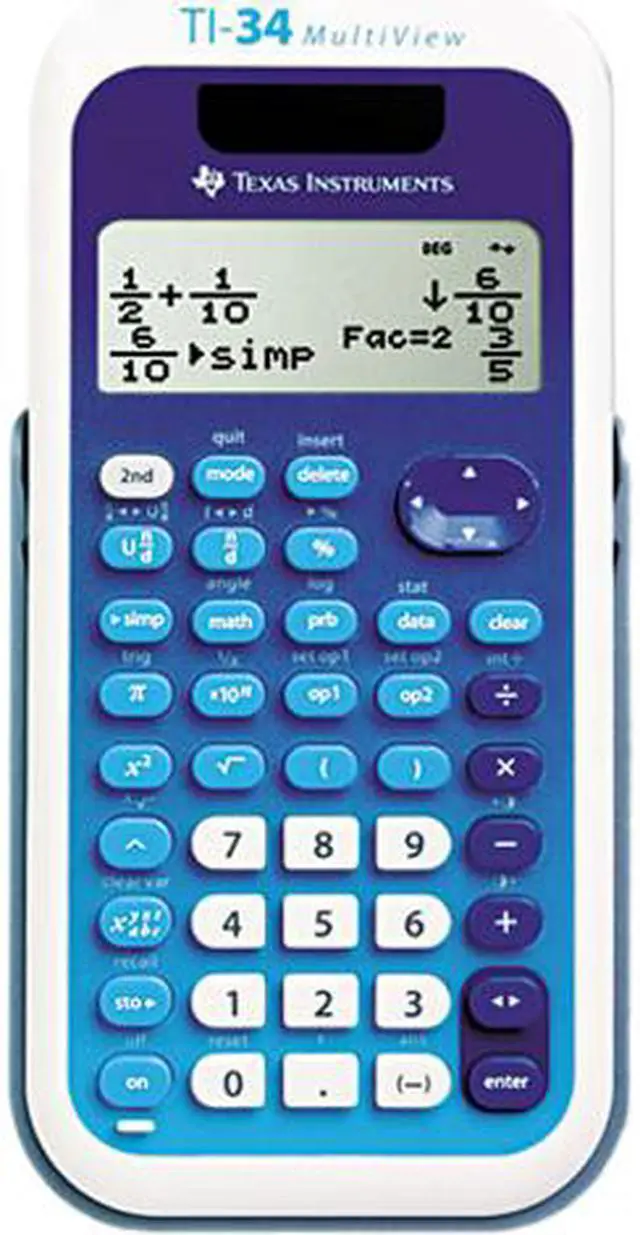

Texas Instruments TI-34MULTIV TI-34 MultiView Scientific Calculator
- Designed with unique features to allow you to enter more than one calculation, compare results and explore patterns, all on the same screen.
- Enter and view calculations in common Math Notation via the MATHPRINT Mode, including stacked fractions, exponents, exact square roots and more.
- Quickly view fractions and decimals in alternate forms by using the Toggle Key.
- Scroll through previous entries and investigate critical patterns as well as viewing and pasting into a new calculation.
Overview
Specs
Reviews
The TI-34 MultiView scientific calculator was designed with educator input in mind for use in these middle grades math and science classes: Middle School Math, Pre-Algebra, Algebra I & II, Trigonometry, General Science, Geometry and Biology.
In Classic mode, the TI-34 MultiView can be used in the same classrooms as the TI-34 II Explorer Plus as the screen appears identical to the TI-34 II Explorer Plus in this mode.
 MultiView DisplayView multiple calculations on a 4-line display and scroll through entries with ease. See math expressions and symbols, including stacked fractions, exactly as they appear in textbooks.
 Up to 4 lines of DisplayEnter multiple calculations to compare results and explore patterns, all on the same screen.
 Fraction ExplorationThe TI-34 MultiView scientific calculator comes with the same features that made the TI-34 II Explorer Plus so helpful at exploring fraction simplification, integer division and constant operators.
 Data List EditorEnter statistical data for 1- and 2-var analysis as well as for exploring patterns via list conversions to see different number formats like decimal, fraction and percent side-by-side.
 Toggle KeyQuickly view fractions, decimals and terms including Pi in alternate forms, exploring more advanced topics.
 Scrolling & EditingScroll through entries with ease. Students can investigate patterns similar to using a graphing calculator.
 MultiView DisplayView multiple calculations on a 4-line display and scroll through entries with ease. See math expressions and symbols, including stacked fractions, exactly as they appear in textbooks.
 Up to 4 lines of DisplayEnter multiple calculations to compare results and explore patterns, all on the same screen.
 Fraction ExplorationThe TI-34 MultiView scientific calculator comes with the same features that made the TI-34 II Explorer Plus so helpful at exploring fraction simplification, integer division and constant operators.
 Data List EditorEnter statistical data for 1- and 2-var analysis as well as for exploring patterns via list conversions to see different number formats like decimal, fraction and percent side-by-side.
 Toggle KeyQuickly view fractions, decimals and terms including Pi in alternate forms, exploring more advanced topics.
 Scrolling & EditingScroll through entries with ease. Students can investigate patterns similar to using a graphing calculator.
Warranty & Returns
Warranty, Returns, And Additional Information
Return Policies*
- Return for refund within: 30 days
- Returns are subject to restocking fees and return shipping fees. Please click here to learn more about restocking fees and return shipping fees.
- This item is covered by Newegg.com's International Order Return Policy.
- Read full return policy for details.
- *Subject to applicable law
Warranty Notice:
This product does not include manufacturer warranty when purchased or used outside of its designated sales region. By purchasing internationally, you acknowledge that warranty support from the manufacturer will not be available.
Manufacturer Contact Info
- Manufacturer Product Page
- Manufacturer Website
- Support Phone: 1-800-842-2737
- Support Website
- View other products from Texas Instruments
LOADING...