
Your Browsing History
Quick View
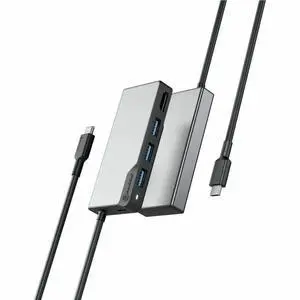
Alogic Fusion CORE 5-in-1 USB-C Hub Compact Dock V2 UCFUHDV2SGR
- Brand: ALOGIC
- Model #:
- ₩75,229 –
- ₩41,691 Shipping
Quick View
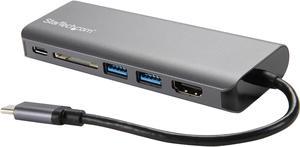
StarTech.com USB C Multiport Adapter - Portable USB-C Dock to 4K HDMI, 2-pt USB 3.0 Hub, SD/SDHC, GbE, 60W PD Pass-Through - USB Type-C/Thunderbolt 3 - NEW VERSION AVAILABLE DKT30CSDHPD3 (DKT30CSDHPD)
- Ports Spec: Connector Type(s) 1 - USB Type-C (24 pin) USB 3.0 Male 1 - HDMI (19 pin) Female 1 - RJ-45 Female 2 - USB Type-A (9 pin) USB 3.0 Female 1 - SD / MMC Slot Female 1 - USB-C (24 pin) USB Power Delivery only Female
- Parts: 3 Year
- Model #: DKT30CSDHPD
- ₩213,517 –
- ₩58,904 Shipping

Quick View
StarTech.com Black & Space Gray DK30C2DPEP Dual 4K Universal Laptop Docking Station - USB-C / USB 3.0 - 100W PD
- Compatibility: OS Compatibility Windows 7, 8, 8.1, 10 macOS 10.11 - 10.12, 10.14 Chrome OS? v55+
- Ports Spec: 2 x DisplayPort (20 pin) Female 2 x HDMI (19 pin) Female 1 x USB Type-C (Fast-Charge, 24 pin) USB 3.0 Female 1 x USB 3.0 A (Fast-Charge, 9 pin, SuperSpeed) Female 2 x USB Type-A (9 pin) USB 3.0 Female 1 x Ethernet Gigabit Female 1 x 3.5 mm Mini-Jack (4 Position) Female
- Dimension: 1.20" x 3.10" x 8.70"
- Weight: 9.90 oz.
- Model #: DK30C2DPEP
- ₩465,253 –
- More options from ₩418,963 - ₩465,253
- ₩100,356 Shipping
Quick View
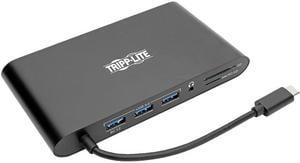
Tripp Lite USB C Docking Station 4k USB Hub HDMI VGA mDP Gbe Charging Black (U442-DOCK1-B)
- Brand: Tripp Lite
- Type: USB-C Laptop Docking Station
- Color: Black
- Changer Type: USB-C to VAG, HDMI, Mini DisplayPort, USB-A, RJ45, USB-C, 3.5mm, Micro SD, SD
- Model #: U442-DOCK1-B
- ₩134,939 –
- ₩40,199 Shipping
Quick View
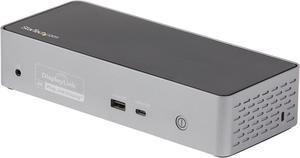
USB-C Dock, 4K 60Hz Quad Monitor DisplayPort & HDMI, Universal USB C Docking Station with 100W Power Delivery Charging, USB Hub w/ 1x USB Type-C & 3x USB-A, Ethernet, Audio - Thunderbolt 3 Compatible
- Compatibility: Windows 10 (64 bit) Mac OS 10.14-11.0 Chrome OS 61.x
- Ports Spec: 1 - Connector Type(s) Barrel Power Connector (CP (OD:7.4/ID:5.1/CPD:0.6)) 2 - Connector Type(s) USB 3.1 USB Type-A (9 pin, Gen 1, 5 Gbps) 1 - Connector Type(s) USB 3.1 USB Type-A (9 pin, Gen 1, 5 Gbps) 7.5W Charging USB 3.2 Gen 2x1 USB Type-C (Fast-Charge, 24 Pin, 10 Gbps) 4 - Connector Type(s) DisplayPort HDMI 1 - Connector Type(s) Ethernet Gigabit 3.5 mm Mini-Jack (4 Position) 1 - Host Connectors USB Type-C (24pin, Gen 2, 10Gbps)
- Dimension: 1.80" x 8.50" x 3.50"
- Weight: 0.73 lb.
- Model #: DK31C4DPPD
- ₩488,755 –
- ₩72,986 Shipping
Quick View
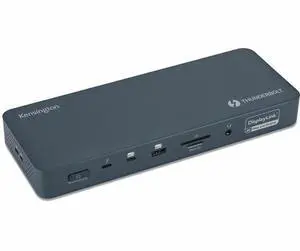
Kensington SD5900T Docking Station - Memory Card Reader - SD, microSD - 149W - Thunderbolt 4 - 4 Displays Support - 3x USB Type-A Ports - USB Type-C - RJ-45 Port - 2x HDMI - 3x DisplayPorts K35232NA
- Brand: Kensington
- Series: SD5900T, K35232NA
- Part Number: K35232NA
- Color: Midnight Blue
- Model #: K35232NA
- ₩525,047 –
- More options from ₩525,047 - ₩536,676
- ₩121,396 Shipping
Quick View
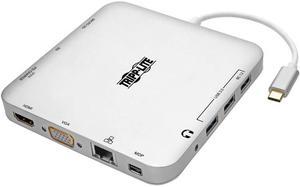
Tripp Lite USB C Docking Station w/ USB Hub mDP HDMI VGA GbE PD Charging 4K (U442-DOCK2-S)
- Brand: Tripp Lite
- Type: USB-C Laptop Docking Station
- Color: Silver
- Specifications: Max Supported Video Resolution: MDP/HDMI: 3840 X 2160 (4K X 2K) @ 30HZ; VGA: 1920 X 1200 (1080P) @ 60HZ Displayport Specification: 1.2 HDMI Specification: 1.4 HDCP Specification: 1.4 USB Specification: USB 3.0 (up to 5 Gbps); USB 3.1 Gen 1 (up to 5 Gbps) Audio Specification: Stereo Audio Driver Required: No Recommended Category Cable: Cat5/Cat5e/Cat6 Cables USB Power Delivery (PD) Charging Support: Yes Auto MDIX Support: Yes Full Duplex Support: Yes Suspend Mode Support: Yes Remote Wakeup Support: Yes
- Model #: U442-DOCK2-S
- ₩137,040 –
- ₩42,131 Shipping
Quick View
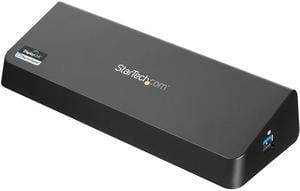
StarTech.com USB3DOCKHDPC USB 3.0 Docking Station, Windows / macOS Compatible, Supports Dual Displays, HDMI / DisplayPort or 4K Ultra HD on a Single Monitor (USB3DOCKHDPC) by StarTech.com.com
- Ports Spec: Connector Type(s): 1 x DisplayPort (20 pin) Female 1 x HDMI (19 pin) Female 1 x USB 3.0 A (Fast-Charge; 9 pin; SuperSpeed) Female 3 x USB 3.0 A (9 pin; SuperSpeed) Female 1 x RJ-45 Female 1 x 3.5 mm Mini-Jack (4 Position) Female 1 x USB 3.0 B (9 pin; SuperSpeed) Female 1 x Security Lock Slot Female Maximum Data Transfer Rate: 5 Gbps (USB 3.0) 2 Gbps (Ethernet; Full-Duplex) Maximum Digital Resolutions: 3840x2160 / 2560x1600 / 2560x1440 (DisplayPort - Single Display) 2560x1440 (HDMI - Single Display) 2048x1152 & 2048x1152 (DisplayPort & HDMI - Two Displays) Type and Rate: USB 3.0 - 5 Gbit/s UASP Support: Yes Compatible Networks: 10/100/1000 Mbps Auto MDIX: Yes Full Duplex Support: Yes
- Dimension: 0.90" x 3.00" x 8.90" (H x W x L)
- Weight: 0.61 lbs.
- Model #: USB3DOCKHDPC
- ₩221,861 –
- ₩100,356 Shipping
Quick View
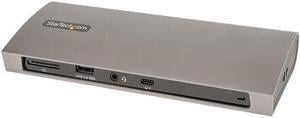
StarTech Thunderbolt 4 Multiport Dock Dual Monitor 4K TB4CDOCK
- Model #: TB4CDOCK
- ₩311,984 –
- ₩333,945 Shipping
Quick View
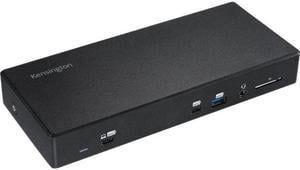
Kensington SD4850P USB-C 10Gbps Dual Video Driverless Docking Station
- Ports Spec: 1 x SD Card Slot (UHS-II, SD4.0) 1 x USB 3.1 Gen 2 (front) with 5V/2.4A fast-charging 4 x USB 3.1 Gen 1 (back) supporting 5V/0.9A 1 x USB 3.1 Gen 2 (front) with 5V/3A charging 1 x 3.5mm Combo Microphone & Headphone Port (front) 1 x Gigabit Ethernet port 1 x HDMI v2.0 2 x DisplayPort++ v1.4 1 x USB-C DP ALT Mode
- Dimension: 1.23" x 8.26" x 3.54"
- Weight: 0.70 lb.
- Parts: 3 Year
- Model #: K34115NA
- ₩360,648 –
- More options from ₩360,648 - ₩378,677
- ₩63,982 Shipping
Quick View
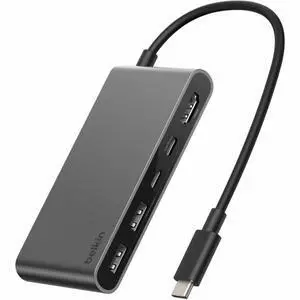
Belkin 5-Port USB-C Hub USB-C to 2xUSB-A, 2xUSB-C, 1x4K HDMI - Docking Station Black Model AVC022FQSGY
- Model #: AVC022FQSGY
- ₩64,505 –
- ₩79,808 Shipping
Quick View
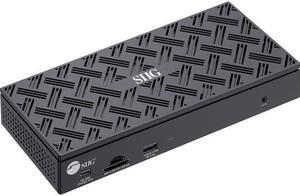
SIIG USB-C Quad Hybrid 4K Video Docking Station with 100W PD - USB-C to HDMI or DisplayPort - USB 10Gbps Data Transmission - 2.5G Ethernet
- Brand: SIIG
- Part Number: JU-DK0Q11-S1
- Color: Black
- Compatibility: Dell, HP, Lenovo & Apple and so on; supports Windows OS(Intel/AMD/Snapdragon), Mac M1/M2/M3 Pro & Max
- Model #: JU-DK0Q11-S1
- ₩728,960 –
- ₩53,033 Shipping
Quick View
StarTech USB-C Multiport Docking Station 100W PD DKT31CDHPD3
- Model #: DKT31CDHPD3
- ₩134,794 –
- ₩58,904 Shipping
Quick View
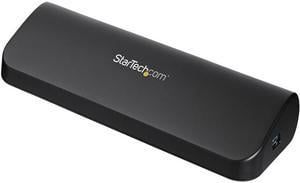
StarTech.com USB3SDOCKHDV USB 3.0 Docking Station, Compatible with Windows / macOS, Supports Dual Displays, HDMI / DVI / VGA (USB3SDOCKHDV) by StarTech.com.com
- Compatibility: Windows 8 (32/64-bit), 7 (32/64), Vista (32/64), XP SP3 (32/64), Windows Server 2008 R2, 2003 (32/64)
- Ports Spec: 1 x DVI-D (25 pin) Female 1 x HDMI (19 pin) Female 1 x RJ-45 Female 1 x USB 3.0 B (9 pin; SuperSpeed) Female 1 x VGA (15 pin; High Density D-Sub) Female 2 x 3.5 mm Mini-Jack (3 Position) Female 3 x USB 3.0 A (9 pin; SuperSpeed) Female
- Dimension: 12.00" x 7.00" x 1.70" (L x W x H)
- Weight: 0.64 lb.
- Model #: USB3SDOCKHDV
- ₩153,109 –
- ₩103,315 Shipping

Quick View
Kensington K39123AM UH7000C USB 3.0 7-Port Hub with Charging
- Type: Consumer Electronics
- Model #: K39123AM
- ₩99,479 –
- More options from ₩99,479 - ₩101,768
- ₩84,124 Shipping
Quick View
- ₩143,355 –
- More options from ₩124,267 - ₩143,355
- ₩58,904 Shipping
Quick View
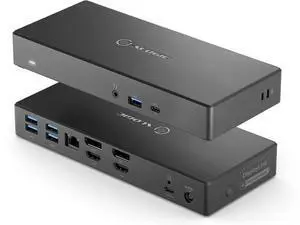
Alogic DA2 Universal Dual 4K Docking Station with 100W PD - DUCDA2-USIN
- Brand: Alogic
- Part Number: DUCDA2-USIN
- Ports Spec: Host Interface: USB Type C Total Number of USB Ports: 6 USB Type-A: Yes Number of USB 3.1 Gen 1 Type-A Ports: 4 Number of USB 3.1 Gen 2 Type-A Ports: 1 Number of USB Type-A Ports: 5 USB Type-C: Yes USB Type-C Detail: USB-C 3.1 Gen 2 Fast Charging Port Number of USB Type-C Ports: 1 Number of USB 3.1 Gen 2 Type-C Ports: 1 Network (RJ-45): Yes Number of RJ-45 Ports: 1 DisplayPort: Yes DisplayPort Version: 1.4++ Number of DisplayPort Outputs: 2 Headphone/Microphone Combo Port: Yes HDMI: Yes HDMI Version: 2.0 Number of HDMI Outputs: 2 USB Power Delivery: 100W
- Model #: DUCDA2-USIN
- ₩456,133 –
- ₩120,506 Shipping
Quick View
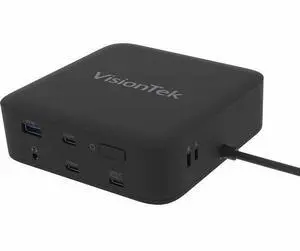
VisionTek VT1200DL Docking Station - for Notebook, Laptop, Desktop - Power Passthrough - USB Type A, USB Type C - 2 Displays Supported - 4K, 4K @ 60Hz, 4K UHD - 3840 x 2160 - 5 x USB Ports - 3 x USB T
- Brand: VisionTek
- Model #: 901802
- ₩230,591 –
- ₩55,739 Shipping
Quick View
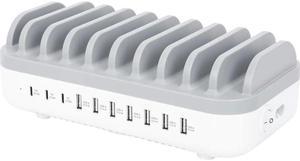
Manhattan 10-Port USB Charging Station - 120 W - 120 W - 120 V AC, 230 V AC Input - 5 V DC/3 A, 9 V DC, 12 V DC Output - White, Gray
- Parts: 3 Year
- Model #: 180856
- ₩125,873 –
- More options from ₩125,873 - ₩143,855
- ₩53,275 Shipping
Quick View
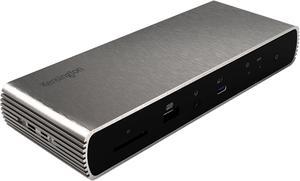
Kensington SD5700T Thunderbolt 4 Docking Station Dual 4K with 90W PD (K35175NA)
- Ports Spec: 1 x USB 2.0 (front) with 5V/1.5A fast-charging 3 x USB 3.2 Gen 2 (back) supporting 5V/0.9A 1 x 3.5mm Combo Microphone & Headphone Port (front) 4 x Thunderbolt 4 Ports (1 x upstream and 3 x downstream) 1 x Ethernet 1 x SD Card Reader (UHS-II, SD4.0)
- Model #: K35175NA
- ₩443,407 –
- More options from ₩360,818 - ₩443,407
- ₩120,506 Shipping
Quick View
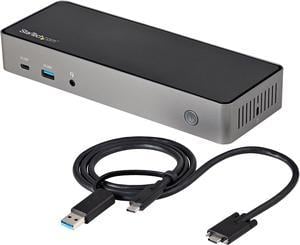
USB-C & USB-A Dock - Hybrid Universal Triple Monitor Laptop Docking Station w/ DisplayPort & HDMI 4K 60Hz - 85W Power Delivery, 6x USB Hub, GbE, Audio - USB 3.1 Gen 2 10Gbps (DK31C3HDPD)
- Ports Spec: 3 x HDMI 2.0 3 x DisplayPort 1.4 1 x Ethernet Gigabit 1 x USB-C 3.2 Gen 2 (10 Gbps) 1 x USB-A 3.2 Gen 2 (10 Gbps) 1 x USB-C 3.2 Gen 1 (5 Gbps) 3 x USB-A 3.2 Gen 1 (5 Gbps) 1 x Headset Port
- Dimension: 1.50" (H) x 9.20" (L) x 3.30" (W)
- Weight: 12.9 oz.
- Model #: DK31C3HDPD
- ₩412,623 –
- ₩120,506 Shipping

Quick View
SD1610P USB-C MOBILE 4K DOCK
- Weight: 1
- Parts: 3 Year
- Model #: K38365WW
- ₩40,624 –
- ₩58,904 Shipping
Quick View
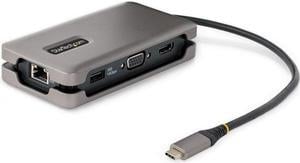
StarTech USB-C Multiport Adapter HDMI/VGA - 4K 60Hz - 3-Port USB Hub DKT31CVHPD3
- Model #: DKT31CVHPD3
- ₩94,958 –
- ₩58,904 Shipping

Quick View
StarTech Dual-Monitor USB-C Docking Station DisplayPort & HDMI/VGA 101NUSBCDOCK
- Model #: 101NUSBCDOCK
- ₩293,916 –
- ₩100,356 Shipping
Quick View
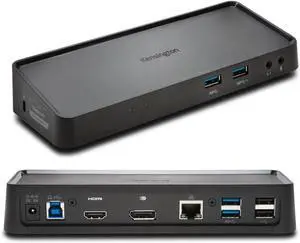
Kensington Dual DisplayPort & HDMI Docking Station USB 3.0 for Windows, Mac OS, Surface Pro & Surface Laptop (K33997WW)
- Compatibility: Windows 10, Windows 7, Windows 8, Windows 8.1
- Ports Spec: 2 x HD1080p, Gigabit
- Model #: K33997WW
- ₩151,989 –
- More options from ₩141,900 - ₩151,989
- ₩86,671 Shipping

Quick View
kensington sd5700t thunderbolt 4 docking station, dual 4k, 90w pd - window and mac os (k35175na)
- Parts: 3 Year
- Model #: RNAB08KRTKX9V
- ₩401,698 –
- More options from ₩401,698 - ₩725,927
- ₩58,714 Shipping

Quick View
StarTech.com Black & Space Gray DK30C2DPPD Dual 4K Universal Laptop Docking Station - USB-C / USB 3.0 - 60W PD
- Compatibility: OS Compatibility Windows 7, 8, 8.1, 10 macOS 10.11 - 10.12, 10.14 Chrome OS v55+
- Ports Spec: 2 x DisplayPort (20 pin) Female 2 x HDMI (19 pin) Female 1 x USB Type-C (Fast-Charge, 24 pin) USB 3.0 Female 1 x USB 3.0 A (Fast-Charge, 9 pin, SuperSpeed) Female 2 x USB Type-A (9 pin) USB 3.0 Female 1 x Ethernet Gigabit Female 1 x 3.5 mm Mini-Jack (4 Position) Female
- Dimension: 1.20" x 3.10" x 8.70"
- Weight: 9.90 oz.
- Model #: DK30C2DPPD
- ₩494,722 –
- More options from ₩410,095 - ₩494,722
- ₩135,150 Shipping
Quick View
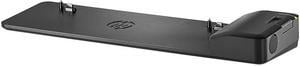
HP UltraSlim Dock 2013 Ultra Slim Docking Station Compatible with EliteBook, ProBook, ZBook (D9Y32AA#ABA / D9Y32UT#ABA)

- Brand: HP
- Model: D9Y32UT#ABA
- Part Number: D9Y32UT#ABA
- Color: Black
- Model #: D9Y32UT#ABA
- ₩65,716 –
- ₩82,244 Shipping
Universal docking stations neatly house laptops and connected peripherals. They can turn a mobile device, such as a tablet PC, into a capable desktop alternative while stowing away wires, enabling the connection of two or more 4K monitors and allowing you to charge your laptop from a single, convenient location. Some docking stations include ethernet ports, providing a stable wired internet connection, and you can find USB-C docking stations with six or more ports. It allows you to connect external hard drives, speakers, keyboards and monitors to create a desktop environment when you're at home or in the office.
Expand Functionality with a Universal Laptop Dock
Versatile laptops are convenient and portable, and modern incarnations offer a host of ports and connections. Universal docking stations include two or more USB, HDMI, ethernet and other ports. Add peripherals including a keyboard, mouse and monitor to connect to the office printer and home network. Even with extra laptop add on cards, they can lack power and functionality when you are sitting at your desk.
Enjoy Rapid Data Transfer Speeds with Thunderbolt 3 Support
Thunderbolt™ 3 launched in 2011. Its recent iteration provides data transfer speeds of up to 40 Gigabytes per second (Gbps). With support for two 4K monitors, it is easy to multitask while passing 100W of power via external laptop hard drives. Apple was the first company to support the new standards, but ASUS, Dell™, Alienware and HP® are among the companies that have adopted its use. Manufacturers view it as a natural replacement for USB-C connections and it will eventually replace USB-A. If your laptop or tablet supports Thunderbolt 3, look for a compatible universal laptop dock to extend the technology's benefits to all of your devices. If your laptop only has USB-C, a docking station with Thunderbolt capability will not upgrade your device.Connect Two Monitors with a Dual Display Docking Station
A dual display docking station enables the connection of two monitors. Some docking stations allow third and additional monitors. If you require 4K HD displays, which are becoming increasingly important in design and development work, ensure that the dock offers support for this resolution. A dock might be able to connect to a single 4K monitor or two HD monitors, for example, but will not work with two UHD displays. You should also ensure that you have the appropriate HDMI cables, especially if you will be using the monitors for gaming.
Keep Your Desk Clutter-Free
Using a laptop as a desktop replacement means connecting multiple devices. This, in turn, means multiple wires. Universal docking stations act as a central hub. Some, especially device or manufacturer specific models, offer dedicated physical space for speakers and monitors as well as the laptop itself. The universal laptop dock allows you to stow away wires and cables so that you can keep a tidy and clutter-free desktop.