• In Stock
  • Sold by Newegg
Brands
Show More
Type
Show More
Computer Connections
Show More
Monitor Connections
Video Resolution
Show More
PC Selection
Show More
Sold by
All Top Brands
Availability
Useful Links
Customer Ratings
Sort By:
View:
TRIPP LITE B005-DPUA4 4-Port DisplayPort/USB KVM Switch - 4K 60 Hz, HDR, HDCP 2.2, IR, DP 1.4, USB Sharing
Quick View
TRIPP LITE B005-DPUA4 4-Port DisplayPort/USB KVM Switch - 4K 60 Hz, HDR, HDCP 2.2, IR, DP 1.4, USB Sharing

OUT OF STOCK

  • Type: DisplayPort, USB
  • Computer Connections: 4 Port DisplayPort
  • Monitor Connections: 2 Ports
  • Video Resolution: 4K x 2K (4096 x 2160) @ 60 Hz (HDMI and DisplayPort)
  • Model #: B005-DPUA4
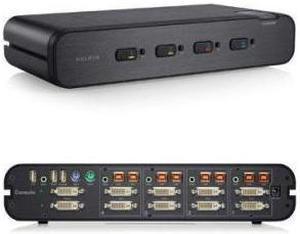
StarTech.com SV431DVIUAHR 4 Port High Resolution USB DVI Dual Link KVM Switch with Audio
Quick View
StarTech.com SV431DVIUAHR 4 Port High Resolution USB DVI Dual Link KVM Switch with Audio

OUT OF STOCK

  • Type: DVI, USB
  • Computer Connections: 4 Ports
  • Video Resolution: 2560 x 1600 @ 60Hz
  • PC Selection: Push Buttons
  • Model #: SV431DVIUAHR
  •  
  • ₩610,677 
  • ₩155,140 Shipping
Tripp Lite 4-Port 1U Rack-Mount USB/PS2 KVM Switch with On-Screen Display (B042-004)
Quick View
Tripp Lite 4-Port 1U Rack-Mount USB/PS2 KVM Switch with On-Screen Display (B042-004)

OUT OF STOCK

  • Type: D-Sub, USB, PS/2
  • Computer Connections: 4 Ports
  • Video Resolution: 2048 x 1536
  • PC Selection: Push Buttons/Hot Keys/OSD
  • Model #: B042-004
Black Box ACU5800A Black Box Dual-Head DisplayPort KVM Extender over CATx - 1 Computer(s) - 1 Remote User(s) - 492 ft Range - 6 x Network (RJ-45) - 6 x USB
Quick View
Black Box ACU5800A Black Box Dual-Head DisplayPort KVM Extender over CATx - 1 Computer(s) - 1 Remote User(s) - 492 ft Range - 6 x Network (RJ-45) - 6 x USB

OUT OF STOCK

  • Type: KVM Console/Extender
  • Computer Connections: 2 Port DisplayPort
  • Monitor Connections: 2 Ports
  • Video Resolution: 3840x2160 4K or 2560x1600 dual-link video up to 330 ft. (100 m).
  • Model #: ACU5800A
Vertiv Cybex SCMV245DPH-400 Secure MultiViewer KVM Switch 4 Port, NIAP Approved
Quick View
Vertiv Cybex SCMV245DPH-400 Secure MultiViewer KVM Switch 4 Port, NIAP Approved

OUT OF STOCK

  • Type: DP, HDMI, DVI-D, USB
  • Computer Connections: 4 Ports
  • Monitor Connections: 2 Ports
  • Video Resolution: UHD 4K (3840x2160) @ 60Hz
  • Model #: SCMV245DPH-400
  •  
  • ₩6,829,369 
  • ₩159,878 Shipping
Tripp Lite 4 Port Secure KVM Switch, HDMI to DisplayPort, Single Monitor, 4K, NIAP PP3.0 Certified, Audio, Common Access Card, TAA-Compliant (B002-HD1AC4)
Quick View
Tripp Lite 4 Port Secure KVM Switch, HDMI to DisplayPort, Single Monitor, 4K, NIAP PP3.0 Certified, Audio, Common Access Card, TAA-Compliant (B002-HD1AC4)

OUT OF STOCK

  • Type: KVM Switchbox
  • Computer Connections: 4 Ports
  • Video Resolution: 3840 x 2160
  • Dimensions: Height:1.8" x Width:12.6" x Depth:6.7"
  • Model #: B002-HD1AC4
Belkin Universal 2nd Gen Secure KVM Switch 8-Port Single Head w/ CAC F1DN108KVMUN4
Quick View
  •  
  • ₩3,627,591 
  • ₩507,250 Shipping
  • KVM Switches

KVM Switches

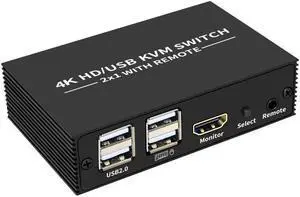
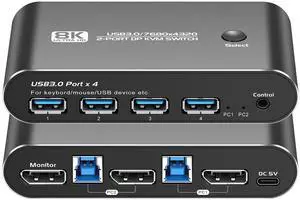
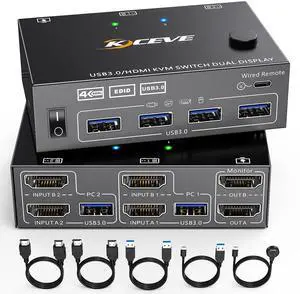
Suppose you have more than one computer in the same room but you do not have enough room for a second monitor. Or you have a laptop and want to use it with your home computer's keyboard, mouse and monitor, without changing your current setup. The answer lies in a handy device called a KVM switch.

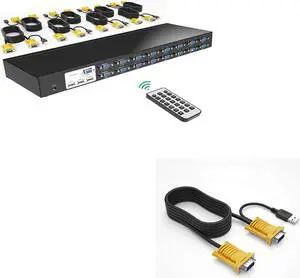
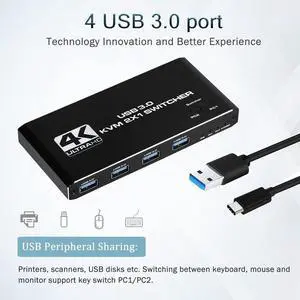
KVM stands for keyboard, video, mouse. The keyboard, video, and mouse set collectively is called a "console." KVM switches allow you to connect a console to more than one computer. You simply connect your console cables to the output jacks of the switch and connect the switch to the connections on your computer that the keyboard mouse and monitor would normally be plugged into. It's that simple.

KVM Switches Let You Switch between Consoles

To switch consoles, you just push a button on the switch and it allows you to use the other console. KVM switches save you money because you won't have to purchase separate keyboards, mice, and monitors for each computer you use. It makes it very easy when one person uses more than one computer at work, for example. They are also useful for server farms with one staff person accessing each computer periodically, one at a time.

When buying KVM switches, it is important to fully understand your needs before you buy anything. Make sure the switch you choose will support your monitor refresh rates and resolution so that the signals are not degraded.