Quick View
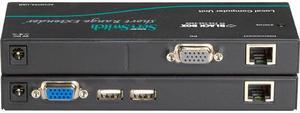
Black Box ACU075A-USB KVM Extender - Short-Range (75-ft,), VGA, USB, CATx
OUT OF STOCK
- Type: KVM Console/Extender
- Computer Connections: 1 Display VGA
- Monitor Connections: 1 Port
- Video Resolution: 1280 x 1024
- Model #: ACU075A-USB
- ₩491,956 –
- ₩127,905 Shipping

Quick View
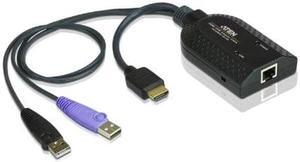
Aten Hdmi Usb Virtual Media Kvm Adapter Cable With Smart Card Reader (Cpu Module)-Taa Compliant
OUT OF STOCK
- Type: HDMI, USB
- PC Connectors: 2 x USB Type A Male 1 x HDMI Male
- Console Connectors: 1 x RJ-45 Female
- Weight: 1
- Model #: KA7168
- ₩267,208 –
- More options from ₩260,959 - ₩267,208
- ₩57,651 Shipping

Quick View
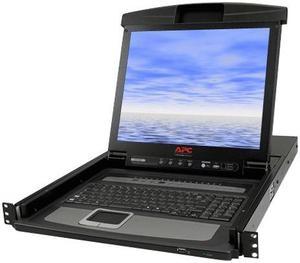
APC AP5808 Rackmount LCD Console with Integrated KVM Switch
OUT OF STOCK
- Type: N/A
- Computer Connections: 8 Ports
- Weight: 41.85
- Package Contents: AP5808 Rackmount LCD Cable Management Arm Documentation CD Installation Guide KVM Cable Rack Mounting Brackets User Manual
- Model #: AP5808
- ₩3,371,079 –
- ₩918,786 Shipping

Quick View
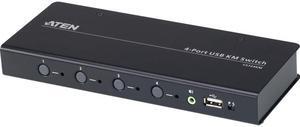
- ₩737,415 –
- More options from ₩737,415 - ₩897,037
- ₩101,117 Shipping

Quick View
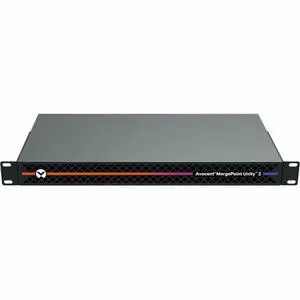
Vertiv Avocent MergePoint Unity 2 MPU2-2016DAC-400 Enterprise KVM-over-IP Switch - 16-Port - 2 Digital Path - Advanced Security - IT Remote Access - 1U - MPU2
OUT OF STOCK
- Brand: Vertiv
- Type: KVM Switch
- Part Number: MPU2-2016DAC-400
- Parts: 5 Year
- Model #: MPU2-2016DAC-400
- ₩9,174,188 –
- ₩257,414 Shipping

Quick View
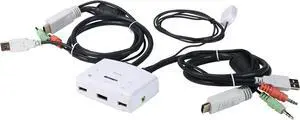
TRENDnet 2-Port HDMI KVM Switch, Control 2 Computers With One Set Of Console Controls, Full HD 1080P, HDMI And 3.5 mm Analog Audio, Monitor Switch, Windows And Mac KVM Switch Software, White, TK-215I
OUT OF STOCK
- Type: KVM Switchbox
- Computer Connections: Keyboard/mouse: USB 2.0 type A Monitor: HDMI 1.3 (19-pin) Speaker jack: 3.5 mm Microphone jack: 3.5 mm
- Video Resolution: 1920 x 1080 @ 60 Hz
- Console Connectors: Keyboard: USB Mouse: USB Monitor: HDMI 1.3 (19-pin) Speaker jack: 3.5 mm Microphone jack: 3.5 mm
- Model #: TK-215i
- ₩155,831 –
- Free Shipping
- KVM Switches
KVM Switches
Suppose you have more than one computer in the same room but you do not have enough room for a second monitor. Or you have a laptop and want to use it with your home computer's keyboard, mouse and monitor, without changing your current setup. The answer lies in a handy device called a KVM switch.
KVM stands for keyboard, video, mouse. The keyboard, video, and mouse set collectively is called a "console." KVM switches allow you to connect a console to more than one computer. You simply connect your console cables to the output jacks of the switch and connect the switch to the connections on your computer that the keyboard mouse and monitor would normally be plugged into. It's that simple.
KVM Switches Let You Switch between Consoles
To switch consoles, you just push a button on the switch and it allows you to use the other console. KVM switches save you money because you won't have to purchase separate keyboards, mice, and monitors for each computer you use. It makes it very easy when one person uses more than one computer at work, for example. They are also useful for server farms with one staff person accessing each computer periodically, one at a time.
When buying KVM switches, it is important to fully understand your needs before you buy anything. Make sure the switch you choose will support your monitor refresh rates and resolution so that the signals are not degraded.