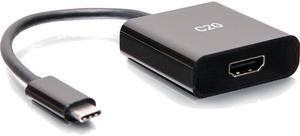
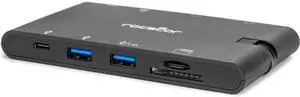
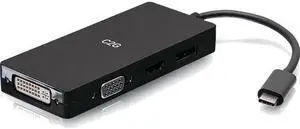
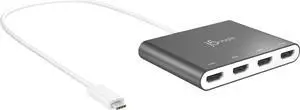
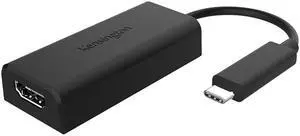
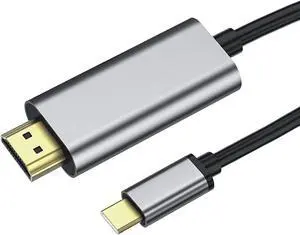
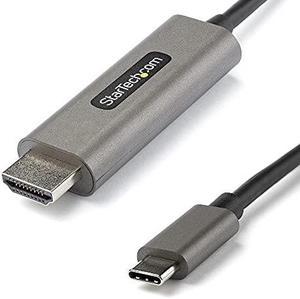
- Type: USB-C to HDMI Adapters
- Changer Type: USB-C Male to HDMI Male
- Color: Black
- Cable Length: 15 ft.
- Model #: 26890
- ₩95,621 –
- ₩132,618 Shipping

- Specifications: Interface: 1 x USB 3.0 port, 1 x HDMI port Compatible System: Windows 7/8/10/XP operation system Max Resolution: 1920x1080 Resotuion supports:1920x1080,1800x1200,1880x1050,1440x1050,1400x1050,1380x768,1280x1024 etc. Video Function: Primary, Extended, Mirror
- Model #: ADU3TOHDMI
- ₩44,880 –
- Free Shipping

- Color: N/A
- Model #: Y10A177-B1
- ₩59,570 –
- More options from ₩59,570 - ₩122,901
- ₩59,399 Shipping

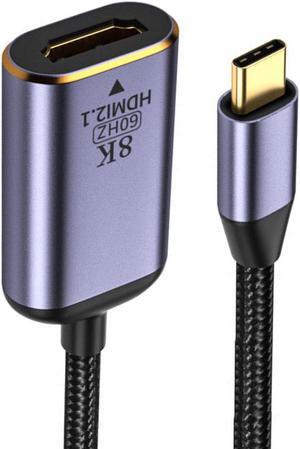
- Type: USB-C to HDMI Adapters
- Color: Space Gray
- Specifications: Chipset: VL103 + RTD2173 Compliant with DisplayPort 1.4, HDMI HDCP 2.2/1.4, HDR 10 Video resolution: 720p, 1080p, 4K30Hz, 4K60Hz,4K120Hz (w/DSC), 8K30Hz and 8K60Hz (w/DSC) Audio Support: 7.1-ch PCM Bandwidth: Up to 32.4Gbps
- Thunderbolt 3: Yes
- Model #: CB-TC0L11-S1
- ₩74,969 –
- More options from ₩62,023 - ₩178,693
- ₩59,904 Shipping

- Color: Gray
- Cable Length: 19.6 in.
- Connector Style: Standard
- Dimensions: 24 x 4 x 0.63
- Model #: JCA366-0
- ₩170,131 –
- ₩50,046 Shipping

- ₩49,485 –
- ₩52,531 Shipping

- Model #: U444-06N-H4GUC2
- ₩121,046 –
- More options from ₩121,046 - ₩269,409
- ₩43,822 Shipping

- ₩78,907 –
- ₩90,991 Shipping

- Model #: Y10A265A1
- ₩57,994 –
- More options from ₩57,994 - ₩73,808
- ₩94,890 Shipping

- ₩66,279 –
- ₩94,890 Shipping

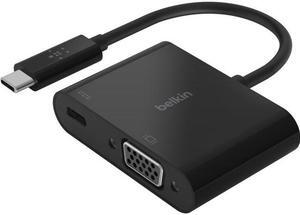
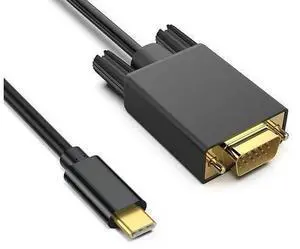
- Type: USB-C to VGA Adapter
- Color: Black
- Specifications: Connector on First End:1 x VGA HD-15 Female Connector on Second End:1 x USB Type C Male
- Model #: Y10C128-B1
- ₩32,608 –
- ₩52,531 Shipping

- Part Number: Y10C166-B1
- Color: N/A
- Weight: 0.2
- Model #: Y10C166-B1
- ₩33,775 –
- ₩52,265 Shipping

- Color: N/A
- Model #: C2G54454
- ₩101,550 –
- More options from ₩101,550 - ₩304,291
- ₩72,401 Shipping

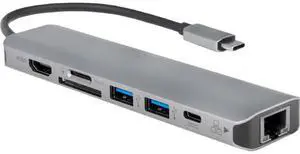
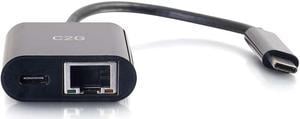
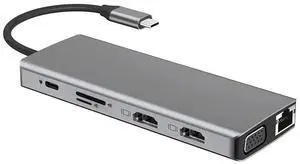
- Type: USB-C Multiport Video Adapter
- Cable Length: 9.45"
- Specifications: Power Mode: Bus-powered or self-powered Display: Display resolution: 4K @ 30 Hz / 1080p @ 60 Hz Ethernet: Transfer Rate: 1000 Mbps (Half Duplex) / 1000 Mbps (Full Duplex) IEEE: IEEE 802.3az, IEEE 802.3, 802.3u, and 802.3ab, IEEE 802.3x Modes: Supports Wake On LAN function, suspend mode and remote wake-up via link-change, Magic Packet or Microsoft wake-up frame Supports IEEE 802.1Q VLAN tagging and 2 VLAN ID filtering Supports Jumbo Frame Supports Checksum Offload (IPv4, IPv6, TCP, UDP) and TCP Large Send Offload
- Output Connector: Host Interface: USB Type-C Male connector Video Interface: HDMI DB 15 pin Female connector Ethernet Port: RJ-45 Female connector (Gigabit Ethernet) USB Port: USB 3.0 Female connector x2
- Model #: JCA374
- ₩109,216 –
- ₩83,846 Shipping

- Type: USB-C to HDMI Adapters
- Changer Type: Display Extenders
- Color: Gray
- Connector Style: Standard
- Model #: JCA153G
- ₩66,279 –
- ₩42,131 Shipping

- Model #: HAB08XY43W9N
- ₩48,974 –
- ₩67,187 Shipping

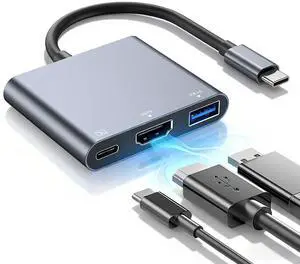
- Type: USB-C to HDMI Adapters
- Changer Type: USB-C to HDMI / USB-A / USB-C
- Color: Black
- Specifications: The USB-C to HDMI Adapter with USB-A and Power Delivery expands USB capabilities by providing HDMI, USB-C and USB-A ports for connecting peripherals to a single USB-C port. This hub connects to a USB-C or Thunderbolt 3 enabled laptop, tablet, or desktop computer and features USB-C power delivery, making it ideal for charging mobile devices or transferring data while in the office or on the road. Convenience Connect to this hub and display 4K HDMI audio/video content, while delivering power to ensure that a USB-C equipped laptop, tablet or smartphone is fully charged. Also transfer data with ease and speed, using the included USB-C or USB-A ports that are backward compatible with USB 2.0. Overall, this hub offers a lightweight, portable, an...
- Model #: 26915
- ₩108,804 –
- ₩66,666 Shipping

- Type: USB to HDMI Adapters
- Color: White
- Specifications: Host Interface: USB 3.0 male Type-A Connector, Video & Audio Interface: HDMI Female Connector, Power Mode: Bus-powered, Power Consumption: = 300mA
- Output Connector: HDMI
- Model #: JUA254
- ₩73,791 –
- ₩42,131 Shipping

- Type: USB to HDMI Adapters
- Color: Silver
- Cable Length: 7.87"
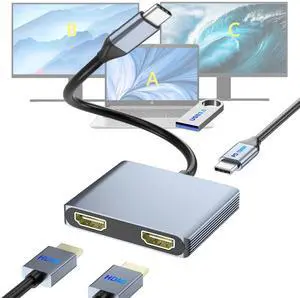
- Specifications: Host Interface: USB 3.0 Male Type-A Connector Video Interface: 2 x HDMI Female Connector (HDMI Audio output simultaneously) Max Resolution: 3840 x 2160 @ 30 Hz; 2048 x 1152 @ 60 Hz Power Mode: Bus-powered Power Consumption: = 400mA Housing Material: Aluminum
- Model #: JUA365
- ₩116,932 –
- ₩84,061 Shipping

- Model #: ULCHDASGR
- ₩66,060 –
- More options from ₩65,248 - ₩66,060
- ₩49,657 Shipping

- Color: Black
- Model #: C2G54459
- ₩49,712 –
- More options from ₩49,712 - ₩81,343
- ₩74,836 Shipping

- Type: USB to HDMI Adapters
- Color: White
- Cable Length: 8 cm
- Output Connector: HDMI
- Model #: ADIB071X7K6BS
- ₩106,588 –
- ₩50,046 Shipping

- Brand: Addon
- Part Number: USBC2DVIDMM6F-AO
- Changer Type: DVI
- Color: Black
- Model #:
- ₩85,047 –
- ₩85,156 Shipping

- Model #: Y10A236A1
- ₩80,160 –
- More options from ₩80,160 - ₩144,087
- ₩52,531 Shipping

- Model #: C2G26933
- ₩75,003 –
- ₩66,666 Shipping

- ₩2,499,987 –
- ₩461,935 Shipping

- Model #: B0BKL1YKTR-YIXIN
- ₩21,081 –
- Free Shipping

- Model #: 975612036788
- ₩102,161 –
- Free Shipping

- Model #: B0BPCBP15P-YIXIN
- ₩22,858 –
- Free Shipping

- Model #: B0BRCN4FKBUSBAdapter
- ₩26,077 –
- Free Shipping

- Type: USB to DisplayPort Adapters
- Model #: B0759HSLP1C3FG
- ₩32,918 –
- Free Shipping

- Model #: t3dr
- ₩54,858 –
- Free Shipping
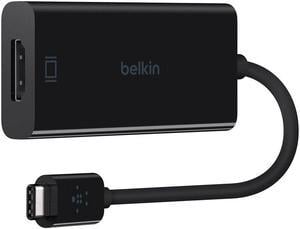
When you need to mirror your display on an additional monitor, and you've used up all of your computer's display ports, a USB display adapter could facilitate that task. USB adapters allow you to connect laptops, Apple® devices and PCs to HD display sources with HDMI inputs, for example. For facilities managers who are trying to maintain a supply budget in their offices or home users wanting to use equipment for as long as possible, display adapters, like USB-to-VGA adapters, help them keep monitors, old drives and video cards in service after display standards evolve.
USB Display Adapters Extend the Life of Dated Equipment
Just because a graphics and audio standard is replaced doesn't mean you have to retire an older piece of equipment, especially if it's still working. If you have a digital projector at home or at the office, you may still be able to connect it to a newer computer with USB outputs with a USB-to-VGA adapter. A perfectly functional computer monitor with a VGA output could still work in some situations if you connect it to a USB-to-VGA adapter. You may also need to confirm whether or not your old equipment is supported by the latest standards for graphics, especially for gaming and video editing.
Applications for USB-to-HDMI Adapters
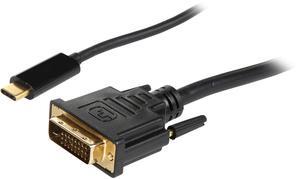
Plugging in a USB-to-HDMI adapter to your tower or laptop provides you with an instant HDMI output, and using the right USB display adapter turns your HDTV into a monitor. If you stream content from a computer or are an MPG enthusiast, you can enjoy all the benefits of the audio and resolution of your full surround sound and home entertainment equipment. Adapters with multiple jacks enable users to connect different outputs, including monitors, to a single source. USB-to-DVI adapters support the same HD video output of HDMI cables, but they don't support sound signals. DVI USB display adapters are still quite useful in office scenarios for hooking up laptops to displays for slide presentations and meeting materials that do not require audio.
USB Display Adapters Support Several Output Standards
DisplayPort was originally developed to replace VGA. Many consider DisplayPort a modern display protocol and therefore, you can sometimes find it on the back of 4K and HD televisions as an input source. USB to DisplayPort provides the flexibility you need at home or at work, in a professional studio or editing room, for example, to work with whatever HD standard best suits your personal preference. When you need the speed and performance of Thunderbolt and USB 3.0, look for cables and adapters that connect USB 3.0 and Thunderbolt outputs to high-definition monitors and televisions. Note that if you're running a USB 3.0-to-VGA adapter, double-check the specs to make sure the graphics card is supported. Adapters are cost-effective and easy to use, but they have some limitations. In many cases, you may be able to swap out your old card with a newer video card.