
Your Browsing History


Valerii V.
Joined on 10/24/19
1
0


product reviews
- 3
The only solution to have 2 extended desktop external monitors on MacBook Pro
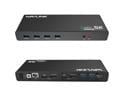
Wavlink Dual 4K Display Laptop Docking Station Single 5K/Dual 4K @60Hz USB 3.0 and USB-C Dual Monitor Docking Station With 2 x HDMI, 2 DP, Gigabit Ethernet, 6 x USB 3.0, Audio, Mic, For Windows/Mac
Pros: - Able to have 2 extended desktop external monitors on MacBook Pro - Drivers exist and works for macOS 10.15.7 Catalina - Dock only a little bit warm on full load (external ssd, and 2 screens playing 4k videos) - Ethernet connected to USB3.0 bus internally - some bad hubs fallback to usb2.0. - A lot of USB3.0 pots - and no any usb2.0 ports is a plus - not waste of space on front/back panel. - Full 5Gbps speed USB ports, external SSD gives 450+ MB/s
Cons: - No laptop charging functionality. Original MacBook charger is better so ok anyway. - No SD/microSD card slot. But it have a lot of USB3.0 ports so i connected external one. - Power supply cable too short as for me.
Overall Review: Using it for my work from home fully. Tried a lot of other possibilities to have 2 external monitors on MacBook and only this dock station with DisplayLink work as i want for this! External monitors doe not work at all without driver. I downloaded driver version 5.2.5 from wavlink.com website for WL-UG69DK1 for macOS. It supports latest MacOS including macOS 10.15.7 Catalina, which i have. All works ok. All other peripherals like Ethernet port, USB3.0, audio in/out works ok without additional drivers.
12/17/2020See more detail
Using it on the second floor
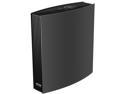
Wavlink AC3200 Dual-Band Gigabit Gaming WiFi Router With MU-MIMO, Supports Guest WiFi & Parental Control, 4 Gigabit Ports, USB3.0 Port, 8x5dBi Internal Antennas, LCD Screen, iF Design Award Winner
Overall Review: I am using it on the second floor of my house as I do not have good WiFi reception here. Router works ok, giving more that 600 Mbps on my MacBook Pro in the local network to my NAS. Has good looking design, which is important for me, as i had to put it in a visible place near the middle of the 2nd floor. Router has several good features. I am using a guest network - where you have separate WiFi for guests, so no need to tell them my main WiFi password. Also it is good that it is possible to have different names for 2.4Mhz and 5MHz WiFi networks - i have a lot of smart devices like bulbs, switches, sensors, which does not support 5G and it is became very hard to pair such smart device, using phone, which connected to 5Mhz WiFi.
1/1/2021See more detail
Good external drive for backups
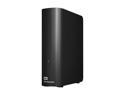
WD Elements 10TB USB 3.0 Desktop External Hard Drive WDBWLG0100HBK-NESN Black
Pros: - Big capacity. - Cheap, if on sale. :) - Works more that 1 year without problems 24/7.
Cons: - Slow and noisy as all HDDs, but ok for backups :) - Has Micro USB 3.0 socket instead standard USB-C.
Overall Review: Good drive. I am using it for backups of my data/photos from laptop. Using it more than a year, almost 24/7 - no issues. Used outdated Micro USB 3.0 socket instead of modern USB-C, so you will have additional cable which can't be used anywhere except with this drive.
12/11/2020See more detail