Quick View
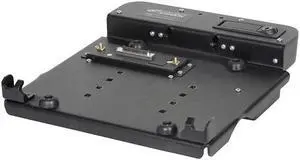
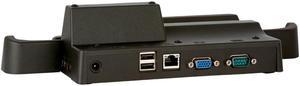
Gamber Johnson 7160-0393-00 Ethernet Docking Station For Panasonic Toughbook CF-53
- Model #: 7160-0393-00 ..
- NZ$1,564.00 –
- Free Shipping

Quick View
Gamber-Johnson 7160-0264-00 Docking Station For Toughbook CF19 MK4
- Model #: 7160-0264-00
- NZ$1,497.30 –
- Free Shipping

Quick View
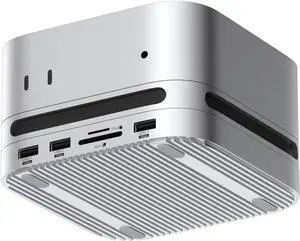
Hagibis Mac mini M4 Hub with 40Gbps M.2 SSD Enclosure & Dustproof Stand, Dual USB-C Docking Station with NVMe SSD Case, SD4.0, Micro SD 4.0, 10Gbps USB3.2 for Mac mini M4 Pro (MC650)
- Model #: GODCAXB0FDWPCKFV
- NZ$583.05 –
- Free Shipping

Quick View
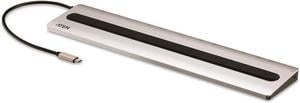
ATEN UH3237 USB-C Multiport Dock with Power Pass-Through
- Model #: SJB085Q2ZN77
- NZ$1,181.05 –
- Free Shipping

Quick View
- NZ$434.70 –
- More options from NZ$317.40 - NZ$434.70
- Free Shipping

Quick View
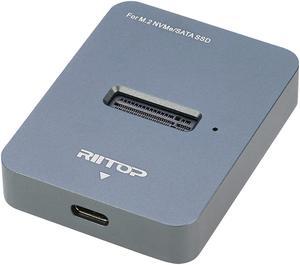
M.2 SATA and NVMe SSD to USB C Docking Station, RIITOP M.2 SSD to USB-C Reader Adapter for Both M.2 (M Key) NVMe SSD and (B+M Key) SATA-Based SSD Enclosure
OUT OF STOCK
- Type: Dock
- Model #: M2BM2DT-2
- NZ$54.05 –

Quick View
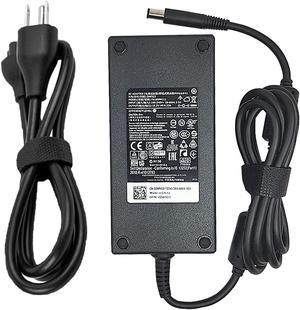
180W Ac Charger Fit For Dell Dock D6000 D6000S Wd19 Business Wd15 Monitor Dock K17A, Thunderbolt Dock Tb16 K16A,Docking Station Wd19Tb K20A, Wd19 Ac Charger Adapter Cord
OUT OF STOCK
- Model #: 22280720-13346909
- NZ$124.20 –

Quick View
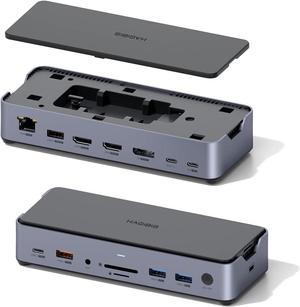
Triple Display USB C Docking Station with Hard Drive Enclosure, USB C Hub 15 in 1 Type C Adapter with M.2 SSD, 8K DP, 8K HDMI, 100W PD3.0, Gigabit RJ45, SD4.0, Micro SD3.0, USB 3.1
OUT OF STOCK
- Model #: BEHagibisDK1403
- NZ$415.15 –

Quick View
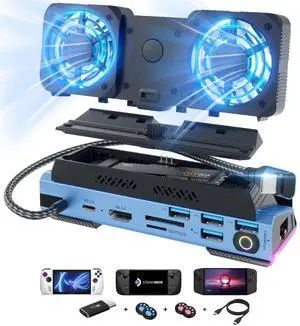
KEHIPI 14 in 1 Steam Deck Docking Station with Dismantling Cool Fans M.2 NVMe Enclosure,4K@60Hz,1000Mbs Ethernet,SD/TF,4 USB A,100W PD Charging 40Gbps Adapter for Steam Deck/Rog Ally/Switch/Legion Go
OUT OF STOCK
- Brand: KEHIPI
- Color: 14 in 1
- Compatibility: Valve Steam Deck, ASUS ROG Ally, Legion Go,Switch OLED, iPad Pro, Android Phone
- Ports Spec: 10
- Model #:
- NZ$294.40 –
Universal docking stations neatly house laptops and connected peripherals. They can turn a mobile device, such as a tablet PC, into a capable desktop alternative while stowing away wires, enabling the connection of two or more 4K monitors and allowing you to charge your laptop from a single, convenient location. Some docking stations include ethernet ports, providing a stable wired internet connection, and you can find USB-C docking stations with six or more ports. It allows you to connect external hard drives, speakers, keyboards and monitors to create a desktop environment when you're at home or in the office.
Expand Functionality with a Universal Laptop Dock
Versatile laptops are convenient and portable, and modern incarnations offer a host of ports and connections. Universal docking stations include two or more USB, HDMI, ethernet and other ports. Add peripherals including a keyboard, mouse and monitor to connect to the office printer and home network. Even with extra laptop add on cards, they can lack power and functionality when you are sitting at your desk.
Enjoy Rapid Data Transfer Speeds with Thunderbolt 3 Support
Thunderbolt™ 3 launched in 2011. Its recent iteration provides data transfer speeds of up to 40 Gigabytes per second (Gbps). With support for two 4K monitors, it is easy to multitask while passing 100W of power via external laptop hard drives. Apple was the first company to support the new standards, but ASUS, Dell™, Alienware and HP® are among the companies that have adopted its use. Manufacturers view it as a natural replacement for USB-C connections and it will eventually replace USB-A. If your laptop or tablet supports Thunderbolt 3, look for a compatible universal laptop dock to extend the technology's benefits to all of your devices. If your laptop only has USB-C, a docking station with Thunderbolt capability will not upgrade your device.Connect Two Monitors with a Dual Display Docking Station
A dual display docking station enables the connection of two monitors. Some docking stations allow third and additional monitors. If you require 4K HD displays, which are becoming increasingly important in design and development work, ensure that the dock offers support for this resolution. A dock might be able to connect to a single 4K monitor or two HD monitors, for example, but will not work with two UHD displays. You should also ensure that you have the appropriate HDMI cables, especially if you will be using the monitors for gaming.
Keep Your Desk Clutter-Free
Using a laptop as a desktop replacement means connecting multiple devices. This, in turn, means multiple wires. Universal docking stations act as a central hub. Some, especially device or manufacturer specific models, offer dedicated physical space for speakers and monitors as well as the laptop itself. The universal laptop dock allows you to stow away wires and cables so that you can keep a tidy and clutter-free desktop.