
Your Browsing History


ALAN C.
Joined on 03/20/02
0
0
product reviews
- 27
Best board I ever owned

Intel BOXDQ35JOE LGA 775 Intel Q35 Micro ATX Intel Motherboard
Pros: This board is the most mis-understood and underated. It has one killer feature that isn’t even mentioned on a majority of review sites: Intel Active Management Technology (AMT). This feature comes turned off by default in the BIOS and Intel does a horrible job of advertising it. I had to do numerous Google searches to find the info I needed and the support forum. Basically, what AMT does for you is allows you to remotely configure your BIOS and boot from a remote CDROM drive or ISO image. When you turn the computer off, it is still accessible remotely through the small amount of standby current just like “Wake ON LAN”. I personally built a killer BartPE boot disk (atechworld.com) which has loads of utilities crammed into it, totaling 630MB in size. In times past I NEVER could get the ISO image of this file to boot via the LAN but this board succeeded.
Cons: Some complained that this board has no PS/2 ports for kbd/mouse. I purchased the excellent BYTEC USB-PS/2 adapter and my PS/2 kbd/mouse work fine even with a KVM switch to my surprise. Others complained that it has only one PCI slot, but this is common for uATX boards. Besides, it has built-in VGA and DVI ports plus two PCI Express X 1 slots which are becoming increasingly useful with supporting cards.
Overall Review: This board succeeded admirably in booting BartPE over the LAN and did so faster than a physical CD with no errors. You can use any bootable ISO image you want, such as DSL Linux, Acronis Restore, or a Windows OS install CD! You can install Windows with this board even if there is no CD drive. How many times have you tried to connect to a computer remotely only to discover that someone turned it off? With this motherboard it doesn’t make any difference, just logon remotely (via http://ipaddress:16992 or using Intel’s System Defense Utility) to turn it back on. I equipped my particular rig with a 2.66 GHz Core 2 E6750 CPU which runs cool. With 6 SATA ports, I couldn’t be happier. Make sure to flash the latest BIOS update since the board came with a BIOS dated July 2007 and the AMT feature rides in the BIOS.
3/18/2008See more detail
Three DOA's
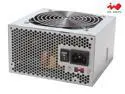
IN WIN IP-P300AJ2-0 300 W ATX 12V 1.3 Version Power Supply
Pros: 120 mm fan is extremely quiet
Cons: I've had about a 50% failure ratio on these units.
Overall Review: I kept biting the bullet because the low price in conjunction with the near-silent fan is compelling but the reliability is awful.
10/30/2007See more detail
My favorite go-to board
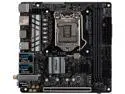
ASRock Z390M-ITX/ac LGA 1151 (300 Series) Intel Z390 HDMI USB 3.1 Mini ITX Intel Motherboard
Pros: Small but powerful Two Ehernet ports Built-in ac wirelless Highly expandable Excellent BIOS No electrolytic capacitors except in the audio amplifier. I believe motherboard reliability increases as they become compacter and computer chip integration becomes more dense which decreases the number of parts and solder junctions. I throttled the 120mm case fan way down which increases fan longevity. The case remains cool with the low power 65W CPU.
Cons: None if your goal is to build a small put powerful computer.
Overall Review: I'm a system builder who formerly used only mATX boards but later realized that this Mini-ITX board provided all the power I needed. I've built about 10 computers using the Asrock Mini-ITX format (Z270, Z370, Z390) and couldn't be happier: iStarUSA S-35 Case Coboc 5.25FP-2U3-A Motherboard USB 20pin to 2 Ports USB 3.0 5.25 inch Optical Drive Bay Front Panel (tight fit) StarTech BRACKETFDBK 3.5in Hard Drive to 5.25in Front Bay Bracket Adapter Kingwin KF-251-BK Dual Bay 2.5 in. Internal Sata, Tray-Less, Hot Swap Rack With Key Lock 120mm Computer Case Cooling Fan LP4 Adapter Blue LED Silent Rosewill Intel Core i7-8700 CPU (65 Watt generates very little heat - good for longevity) ASUS DRW-24B1ST/BLK/B/AS Black SATA 24X DVD Burner - Bulk - OEM G.SKILL TridentZ Series 32GB (2 x 16GB) 288-Pin DDR4 SDRAM DDR4 3200 Model F4-3200C16D-32GTZKW (2) Samsung 860 Pro Solid State Drives WD Red 4TB NAS Hard Disk Drive - 5400 RPM Class SATA 6Gb/s 64MB Cache 3.5 Inch - WD40EFRX Seasonic SSP-300SUG Active PFC, 300W Flex/Mini 1U Power Supply
6/5/2019See more detail
Seasonic quality
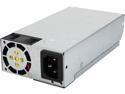
Seasonic SSP-300SUG Active PFC, 300W Flex/Mini 1U, Intel Haswell ready, Japanese capacitor, Operating temperature 0-50°C, 80+ Gold, Modular wire
Pros: Works perfect inside a iStarUSA S-35 case. https://www.newegg.com/Product/Product.aspx?Item=9SIA2W08HW742 The power supply can easily be replaced by unplugging it from one 24-pin connector. Fan is very quiet. I purchased six of these. All are working without problems.
Cons: None.
Overall Review: I've purchased about 100 Seasonic power supplies (with 120 mm fans) over the last 15 years. Only one quit working but it was after a power surge/outage and probably not the power supply's fault.
2/6/2019See more detail
Purchased two and installed for customer
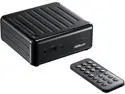
ASRock Beebox J4205 Intel Apollo Lake SoC 32GB eMMC SSD Mini / Booksize Barebone System
Pros: Low power, quiet, flexible, good BIOS, 802.11ac WiFi, bluetooth, runs Linux Mint 18.3 great
Cons: None
Overall Review: After much research, I believe this is the best barebone model of all the Beebox's for price/performance ratio to get. Linux Mint 18.3 consumes about 1/3 of the onboard 32GB eMMC SSD. The fan powers on full speed at start up for about 5 seconds (barely noticeable) then turns off completely. After that, it turns on only if the CPU gets hot which never seemed to occur. I put a 256 Samsung 850 Pro SSD in it which worked perfectly with Windows 10 Pro. So, this system can dual boot Windows/Linux with both OS's completely separated (i.e. no need for a complex dual boot partition). I installed two 4GB RAM modules.
4/6/2018See more detail
Performance is fantastic.
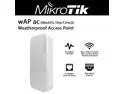
Mikrotik wAP ac RBwAPG-5HacT2HnD Weatherproof Dual-Band 2.4 / 5GHz Access Point with 1x Gigabit Ethernet Port
Pros: Extremely high signal to noise ratio. Has relatively high throughput even with a weak signal (because of high signal to noise ratio). The internal circuit board is a work of art. Best wireless device I ever owned with the best range. Mikrotik products are loved by tech people and have developed a cult-like following.
Cons: Difficult to setup initially but after my fourth device I had no problem. The first time you connect to it to configure it, you need to connect wirelessly. I used my Android phone and the Android's web browser.
Overall Review: Before you do any configuring, make sure you upgrade the firmware first. After that, I prefer using the Winbox utility to manage the device. It's much faster and better layed out than the web interface.
3/13/2018See more detail