
Your Browsing History


PHILIP C.
Joined on 03/20/07
0
0
product reviews
- 13
VANTEC USB 3.0 Hub
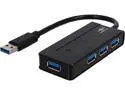
VANTEC UGT-MH400U3 4-Port USB 3.0 Bus-Powered Travel Hub
Pros: Works well, does the job, supplemental power input available (adapter not included)
Cons: not really a con, but note that connecting multiple USB devices, along with an external HD, may require you purchase (or re-purpose) the power adapter, as with any USB hub. But it's nice to have the external power option on this unit.
Overall Review: Recommended
3/1/2015See more detail
RE6500 nice, small, simple, and works great
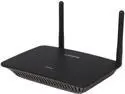
Linksys RE6500 Wireless AC1200 Dual Band MAX Wi-Fi Range Extender
Pros: easy to set up, works great, and you can combine the entire house wi-fi network under one network name, and using both bands 2.4 and 5ghz. Your device simply picks the best one, frequency and router or extender.
Cons: In functionality, none so far, had it a month in full-time use, loving it. Not a con, but you may want to experiment with location of the extender, and the home page provides a signal map to help (too close to router, too far away, or weak signal just due to some blockage).
Overall Review: I would buy it for anyone wanting inexpensive, full-house coverage. Linksys are great products, I've been a customer for 20+ years. If you have a bigger house, buy 2!
7/31/2020See more detail
high performance for a good price

WD Gold 1TB Enterprise Class Hard Disk Drive - 7200 RPM Class SATA 6Gb/s 128MB Cache 3.5 Inch - WD1005FBYZ
Pros: - performance at least 50% better than comparable home-application hard drives - excellent (theoretical) MTBF specs, so reliability should be top-line - built for RAID performance - with a good backup system, a striped setup with two Datacenter Gold drives (RAID 0) achieved performance within 75%-80% of the speed of my Samsung SSD EVO 500GB (the OS drive).
Cons: I have 4 of these drives, and so far, no cons to report. After 4 weeks of daily use (2 drives in a VM server, 2 in a workstation), the minor burn-in testing has passed, both before striping and after. I still however need to run a full multi-hour burn-in to be sure all four are fully functioning, as with all new HD's.
Overall Review: this setup with striped drives stresses performance over data redundancy, so make sure to set up regular backups and critical file duplication (copy working files regularly to another file server). But 400 mbps write speeds are worth some extra work in my opinion. WD Gold Datacenter drives are just the ticket for this requirement.
6/11/2017See more detail
inexpensive but with Rosewill quality
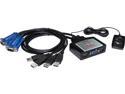
Rosewill RKV-2UC 2-Port USB KVM Switch
Pros: has worked flawlessly, and was very inexpensive. better than anything at this price, which is Rosewill's strength. I buy from Rosewill frequently, and have never been disappointed.
Cons: it doesn't dance. Ok, it could have a DVI video output, but I don't either, so let's not judge it harshly.
4/19/2014See more detail
works as advertised
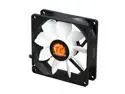
Thermaltake ISGC Fan 8 AF0043 80mm No-compromise Case Fan
Pros: works as advertised, fairly quiet but not super quiet
Cons: no physical speed control (by varistor), but that is a mild criticism
4/19/2014See more detail
works well enough
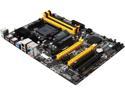
BIOSTAR TA970 Ver. 5.3 AM3+ AMD 970 + SB950 USB 3.0 ATX AMD Motherboard with UEFI BIOS
Pros: this inexpensive (I did not say cheap) MB works well for my purposes, which is a low-cost but reasonable speed 6 core workstation/server build. I matched it with good hardware, and it has worked mostly flawlessly. If it were more expensive, I could ping it on a number of BIOS feature items, but for $50 on a combo price there is little point. I would recommend it for the price, and I would buy a Biostar MB again, but probably something with better BIOS management (and with UEFI)
Cons: my main ping is the ANTIQUE BIOS control software. NO control over case or CPU fan speeds, in any state. For example, in sleep mode, which I use often, the fans just run and run at operating speeds, so I have this constant additional background noise and power consumption when running other workstations. Just know this before purchase.
4/19/2014See more detail