
Your Browsing History
₱5,450.73
VAT-Inclusive Price
Ships from Hong Kong.
Most customers receive within 10-17 days.

Meet Your Seller

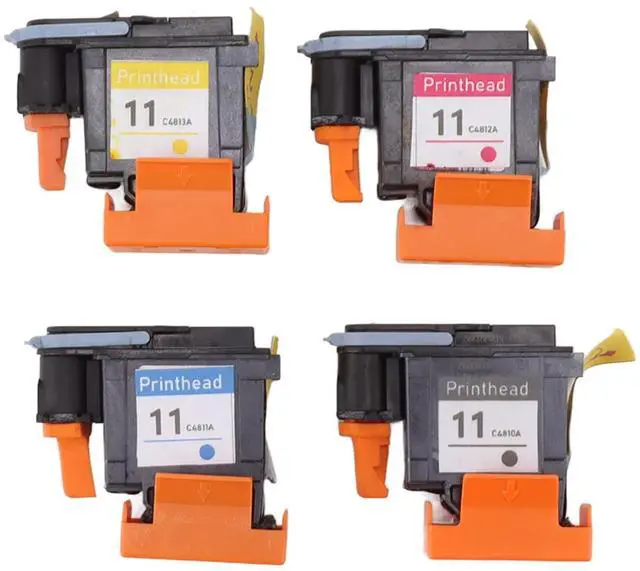
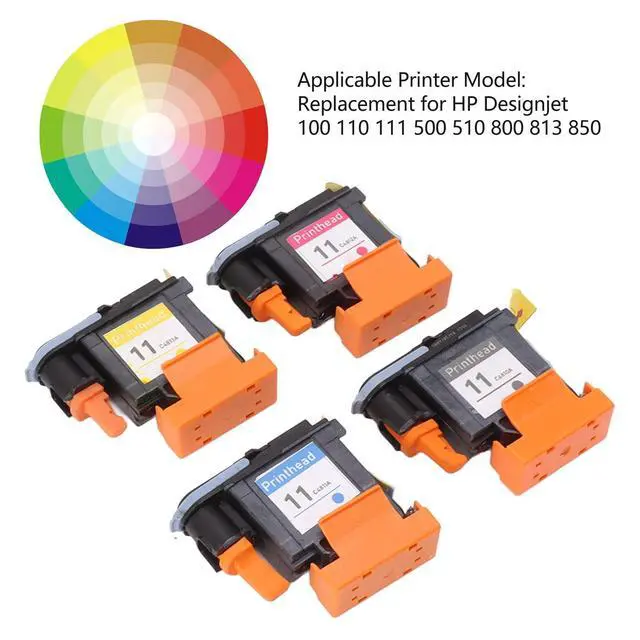
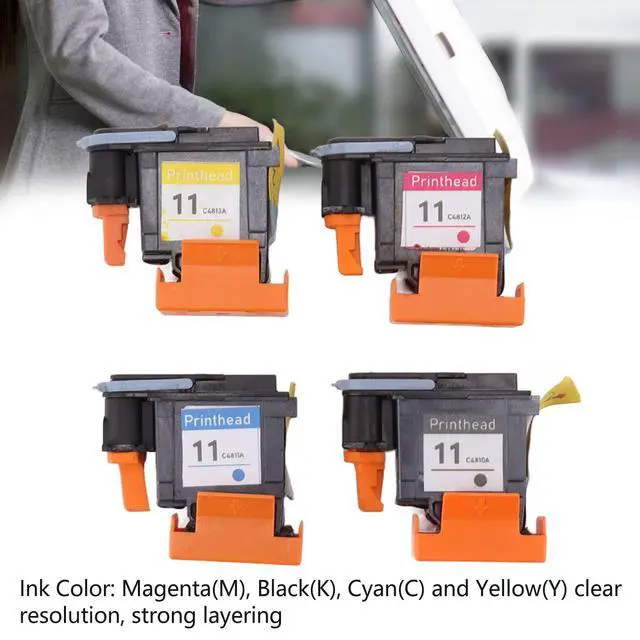
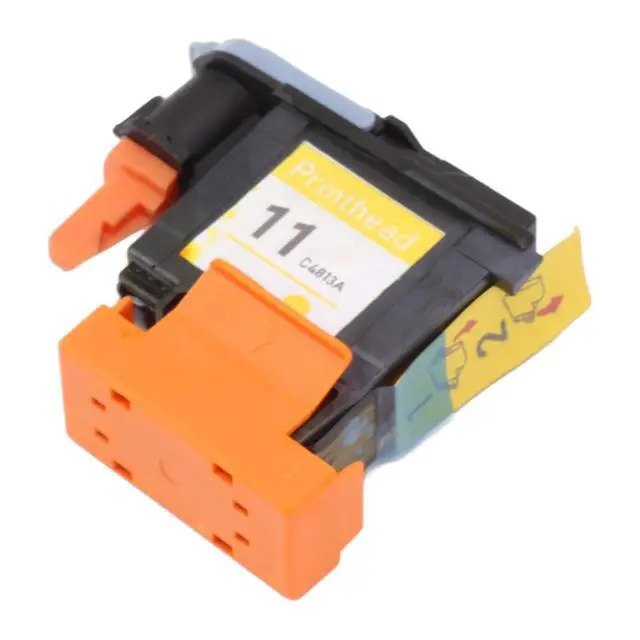
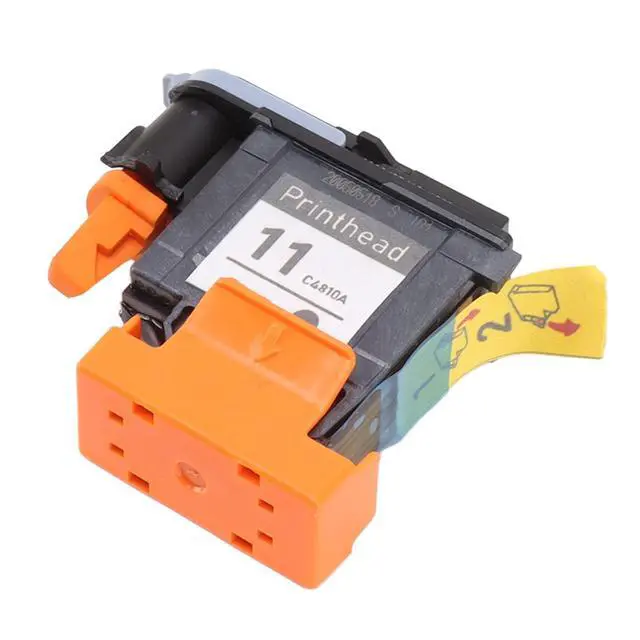


SIXRUN Printer Head, Printer Accessories, 4 Pcs Printhead Printer Magenta Black Cyan Yellow Print Replacement for HP 100 110 111 500 510 800 813 850
- COMPATIBILITY: Specifically designed as a replacement printhead for HP printer models 100, 110, 111, 500, 510, 800, 813, and 850
- CONSTRUCTION: Made from premium ABS material offering lightweight design and high durability to prevent deformation during extended use
- COLOR OPTIONS: Complete set includes four individual printheads in Magenta, Black, Cyan, and Yellow for full-color printing capabilities
- PRINT QUALITY: Delivers clear resolution and strong color layering for professional-quality prints with vibrant colors and sharp details
- PERFORMANCE: Engineered for reliable operation and smooth printing, ensuring consistent output quality for your printing needs
+
+
Overview
Specs
Reviews
1.
Applicable Printer Model: The printhead is a replacement for HP 100 110 111 500 510 800 813 850, please check before ordering. 2.
Advantage: The printhead for HP has clear resolution, strong layering, good compatibility and smooth printing. 3.
Ink Color: The package includes four printheads, with ink color of Magenta (M), Black (K), Cyan (C) and Yellow (Y), with bright and clear color. 4.
Stable and Reliable: Printhead for HP has stable performance and high reliability, suitable for replacing your broken parts. 5.
Material: Premium ABS material, lightweight, compact, non fading, high hardness, not easy to deformation.
Specification: Item
Type:
PrintheadMaterial: ABS
Ink Color: Magenta (M), Black (K), Cyan (C) and Yellow (Y)
Applicable Printer Model: Replacement for HP 100 110 111 500 510 800 813 850Package
List: 4
xPrintheadNotice: If the printer is not compatible, there are generally the following reasons: 1. The ink cartridge is not the original can not identify the print head, need to replace the ink cartridge. 2. If the metal contacts of the ink cartridge or printhead are dirty, wipe the metal contacts of the ink cartridge and pen holder with a clean, soft cloth or an alcohol cotton ball to dry naturally and then insert them back for testing. 3. If it is still not recognized, you can the printer to factory Settings and reset the print head.
Applicable Printer Model: The printhead is a replacement for HP 100 110 111 500 510 800 813 850, please check before ordering. 2.
Advantage: The printhead for HP has clear resolution, strong layering, good compatibility and smooth printing. 3.
Ink Color: The package includes four printheads, with ink color of Magenta (M), Black (K), Cyan (C) and Yellow (Y), with bright and clear color. 4.
Stable and Reliable: Printhead for HP has stable performance and high reliability, suitable for replacing your broken parts. 5.
Material: Premium ABS material, lightweight, compact, non fading, high hardness, not easy to deformation.
Specification: Item
Type:
PrintheadMaterial: ABS
Ink Color: Magenta (M), Black (K), Cyan (C) and Yellow (Y)
Applicable Printer Model: Replacement for HP 100 110 111 500 510 800 813 850Package
List: 4
xPrintheadNotice: If the printer is not compatible, there are generally the following reasons: 1. The ink cartridge is not the original can not identify the print head, need to replace the ink cartridge. 2. If the metal contacts of the ink cartridge or printhead are dirty, wipe the metal contacts of the ink cartridge and pen holder with a clean, soft cloth or an alcohol cotton ball to dry naturally and then insert them back for testing. 3. If it is still not recognized, you can the printer to factory Settings and reset the print head.
Warranty & Returns
Warranty, Returns, And Additional Information
Return Policies*
- Return for refund within: 30 days
- Return for replacement within: non-replaceable
- This item is covered by Qixingitech Return Policy
- *Subject to applicable law
Warranty Notice:
This product does not include manufacturer warranty when purchased or used outside of its designated sales region. By purchasing internationally, you acknowledge that warranty support from the manufacturer will not be available.
Manufacturer Contact Info
- For a directory of all our manufacturers, please click below.
- Manufacturers Directory
LOADING...