

• QAR505.17
  • VAT-Inclusive Price
Ships from China.
Most customers receive within 7-17 days.
Add to wish list(Found on 1 wish list)
Shop it at NeweggBusiness.

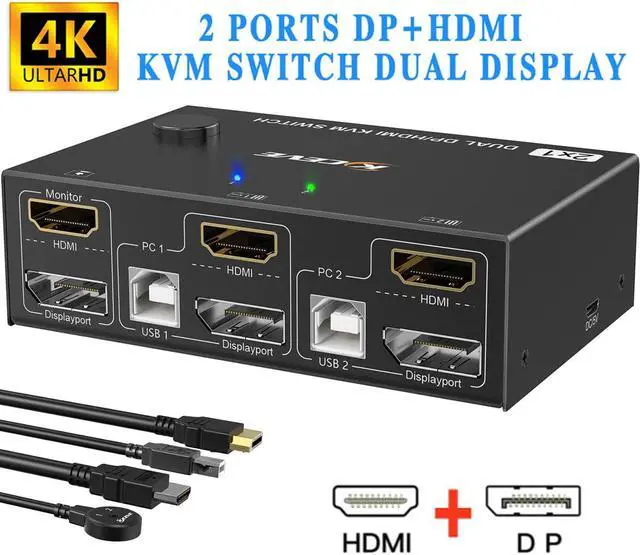
Dual Monitor Displayport+HDMI KVM Switch 4K@60Hz,2K@120Hz, HDMI DP Extended Display Switcher USB KVM Switch for 2 Computers Share 2 Monitors and 4 USB 2.0 Ports,Wired Remote and 4 Cables Included

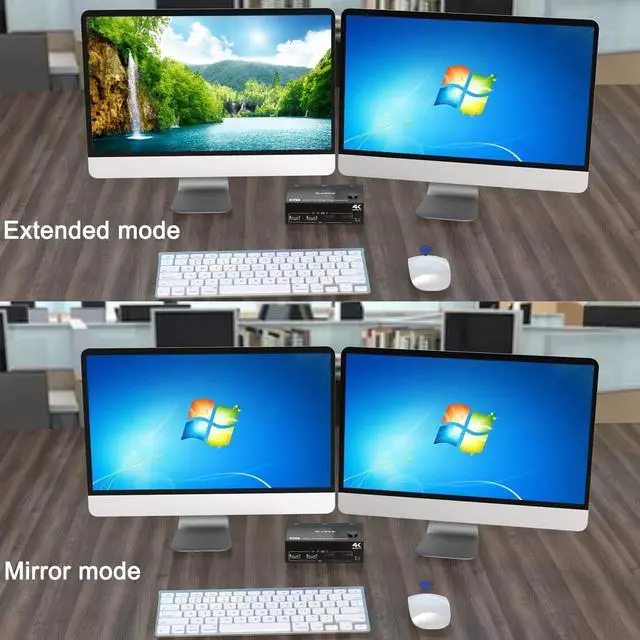
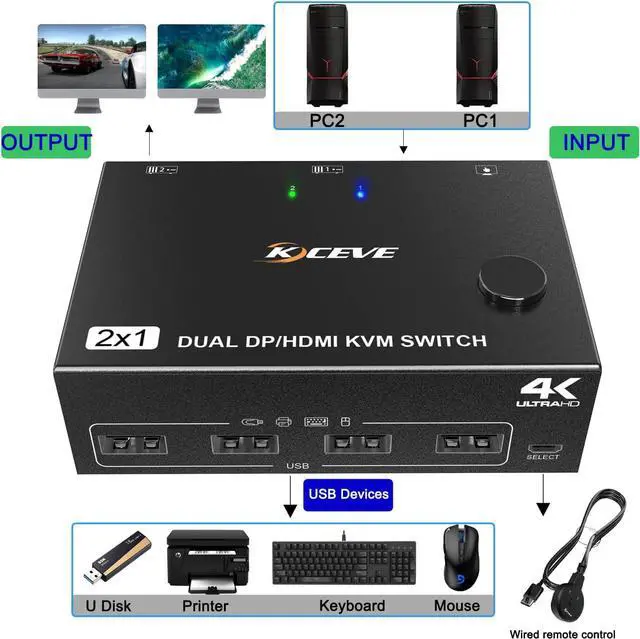
  • [HDMI+DP KVM Switch Dual Monitor] This Dual Monitor KVM switch 2 monitors 2 computers allow you to control 2 PCs or laptops by only one set of wired or wireless keyboard mouse,share 4 USB 2.0 devices and 2 monitors(extended mode or copy display mode).
  • [Ultra HD 4K@60Hz/2K@120Hz] KVM switch HDMI DP support resolution 4K@60Hz,[email protected] switch 2 monitors 2 computers aslo support input terminal to connect 2 computers with different resolutions, e.g. one is 4K@60Hz, the other is 4K@30Hz, 1440P@60HZ,
  • [with 4 USB 2.0 Ports] KVM switch with 4 integrated USB 2.0 ports which can recognize keyboard,mouse,printer,scaner and other USB devices.compatible with USB 2.0/1.1 devices.
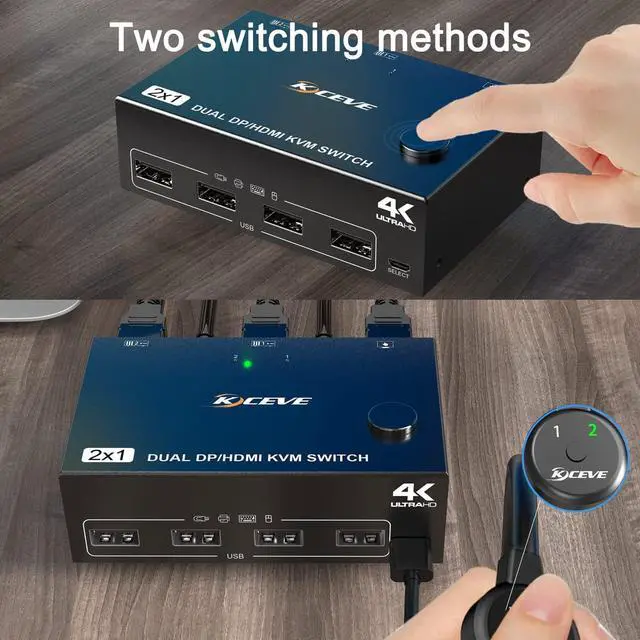
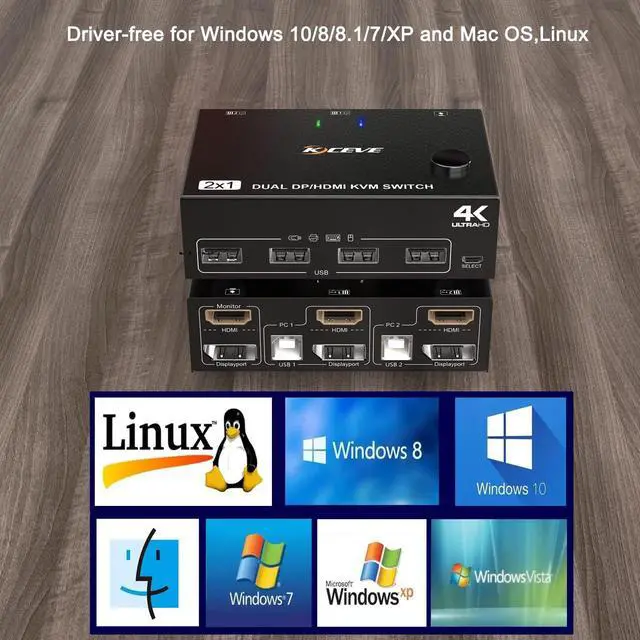
  • [Great Compatibility & 2 Switching Mode] Driver-free for Windows 10/8/8.1/7/XP and Mac OS,Linux. When using a high-power USB device with this KVM switch(such as HDD, Digital Video Cameras, SSD etc),external 5V adapter is required. You can press the button on the panel or use the wired remote controller to switch.
+
+
Overview
Specs
Reviews
image for this item
2 Port Dual Monitor KVM Switch (HDMI + displayport),each pc must make 2 video connections for dual monitors


Features:


  • 2 computers share one set of keyboard, mouse and 2 monitors.
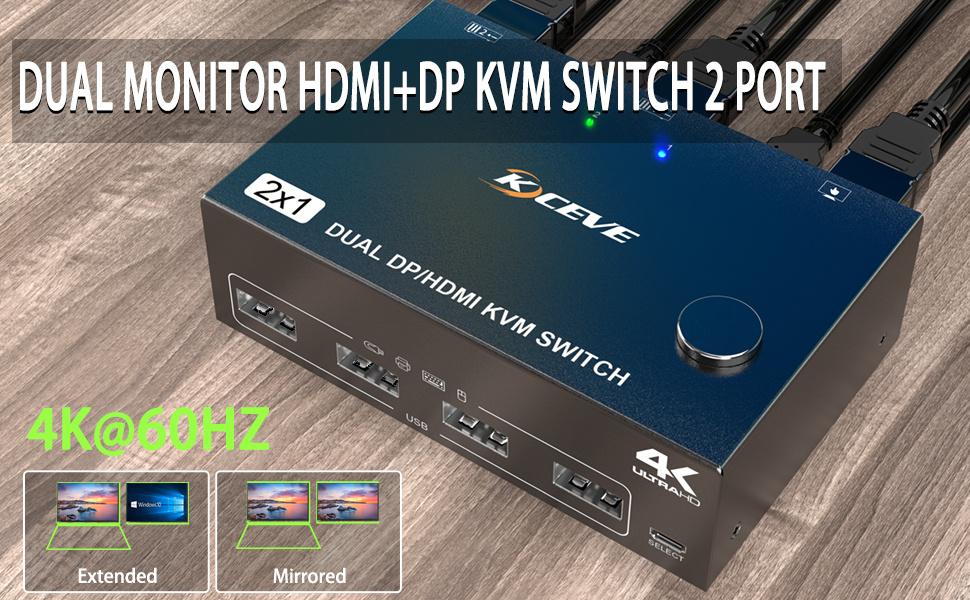
  • HD-MI+DP dual display output, three display modes are optional (extended mode, mirror mode or splicing mode).
  • Switching modes: Button switch and wired remote.
  • Support wired or wireless keyboard and mouse.
  • Cross support most major OS including Windows, Linux, Mac
  • With 4 USB 2.0 ports for USB devices,the DC 5V power supply port, it is convenient for you to use high-power USB devices (such as HDD, digital video camera, SSD, etc.).Usually this Dual monitor KVM switch powered by USB cables, no need to connect to DC 5V power supply.
  • HD-MI supports maximum resolution 4K@60Hz, 2K@120Hz, DP supports maximum resolution 4K@60Hz, 2K@144Hz, backward compatible.
  • Support DP1.2 HD-MI 2.0 standard, compatible with HD-MI 1.4 standard.
  • A USB hub can expand the USB2.0 ports if multiple connections are required.
  • Suitable for docking station, freely switch back and forth between desktop and laptop + docking station,support DVI/DP to HD-MI converter.
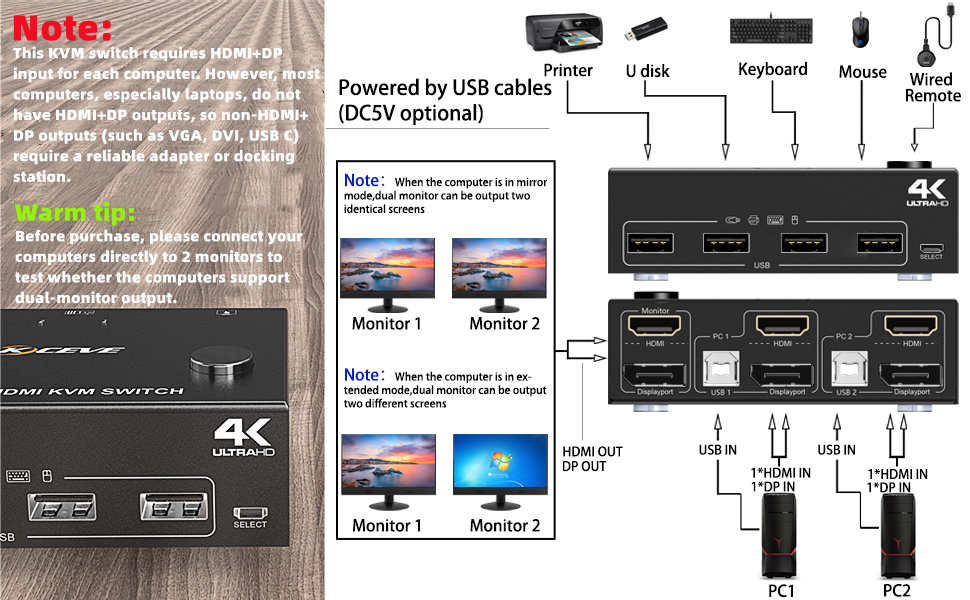
image for this item
Installation Guide Tips (incorrect connection will cause malfunction):
 

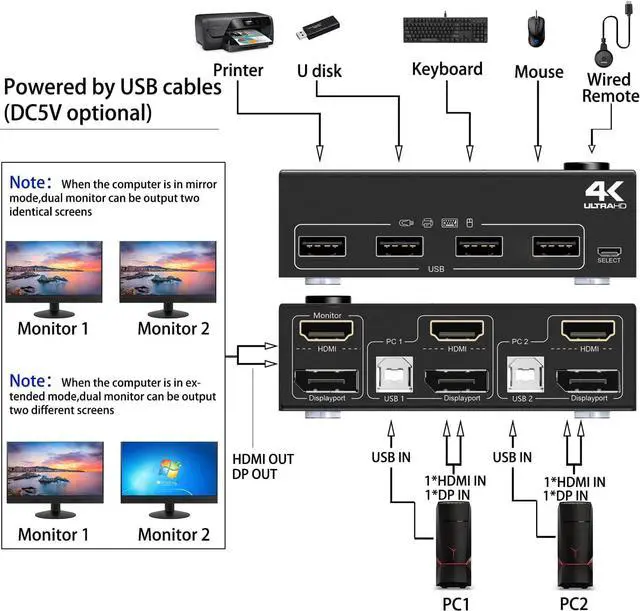
Each computer must connection HDMI+DP cables and 1 USB A / B cable to ensure keyboard, mouse and monitor to work correctly.


Connection steps:

Step 1. Connect 1*HD-MI+1*DP cables+1*USB-B cable between computer 1 and KVM (USB 1, HD-MI, Displayport).

Step 2. Connect 1*HD-MI+1*DP cables+1*USB-B cable between computer 2 and KVM (USB 2, HD-MI, Displayport).

Step 3. Connect HD-MI and DP cables between KVM and monitor. (Mark "Monitor" HD-MI, Displayport)

Step 4. Plug your USB device (keyboard, mouse, printer, USB stick, etc.) into the USB-A port on the KVM.

Step 5. Insert the desktop controller into the "SELECT" port to remotely switch between PC1 and PC2.

Important Notice:

After connecting the computers and the monitors through KVM, you need to set the screen output mode on the computer (press Windows+P) and select the output mode in the pop-up window on the screen. Otherwise, only one of the two connected monitors has an image.
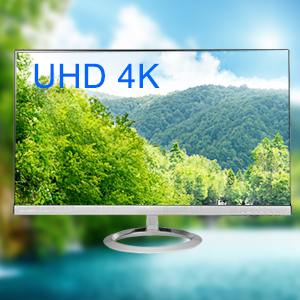
image for this item
4K HD Resolution

Support 4K@60Hz, 2k@120Hz and backward compatible with lower resolutions.
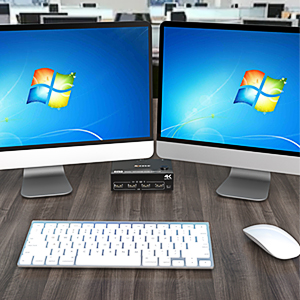
image for this item
Support multiple keyboard & mouse

Support wireless keyboard & mouse and USB keyboard & mouse.
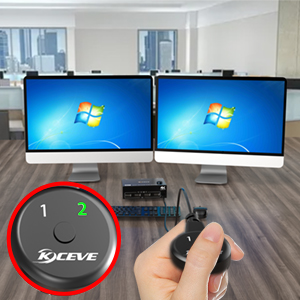
image for this item
Desktop controller (Length: 1.52m)

Supports remote switching of desktop controllers for easy cable management.With indicator light (green light).
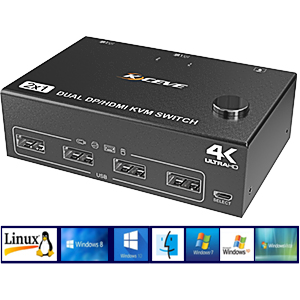
image for this item
Suitable for multiple systems

Driver-free and cross support major operation systems including Windows, Linux, Mac and more.
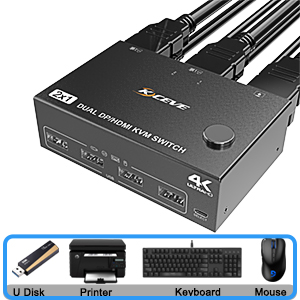
image for this item
4 USB 2.0 ports

With 4 USB 2.0 hubs, transfer rate of up to 480 Mbps. Sharing devices as keyboard mouse scanners, printers, flash drives etc.
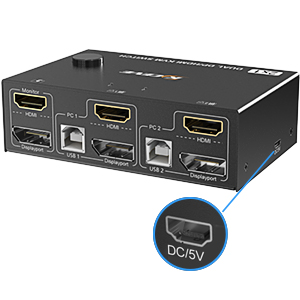
image for this item
Optional DC 5V power supply

It is convenient for you to use high-power USB devices (such as HDD, digital video camera, SSD, etc.).

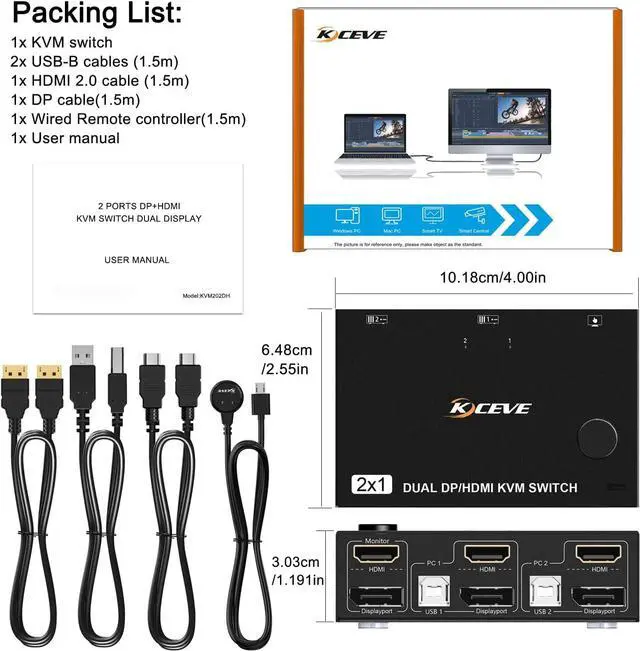
Packing List:
  • 1x HD-MI+DP KVM Switch; 
  • 2x USB-B Cables (1.5m); 
  • 1x HDMI 2.0 Cable (1.5m); 
  • 1x DP Cable (1.5m); 
  • 1x Wired Remote Control (1.5m); 
  • 1x User Manual


Experimental data of resolution

Displayport support:

3840*2160@60Hz;3440*1440@144Hz/100Hz/60Hz/50Hz;2560*1440, 1920*1440@144Hz/100Hz/60Hz/50Hz;1920*1200, 1920*1080@144Hz/100Hz/60Hz (Not a full list)

HDMI port support:

3840*2160@60Hz;3440*1440@100Hz/60Hz/50Hz;2560*1440@144Hz;1920*1080@144Hz/120Hz (Not a full list)

Note: These data are obtained according to the monitor and computer test in our laboratory. The results may be inconsistent due to the differences of computer, monitor and wire.

2 Port Dual Monitor KVM Switch (HDMI + displayport), each pc must make 2 video connections for dual monitors

Features:

2 computers share one set of keyboard, mouse and 2 monitors.
HDMI+DP dual display output, three display modes are optional (extended mode, mirror mode or splicing mode).
Switching modes: Button switch and wired remote.
Support wired or wireless keyboard and mouse.
Cross support most major OS including Windows, Linux, Mac
With 4 USB 2.0 ports for USB devices, the DC 5V power supply port, it is convenient for you to use high-power USB devices (such as HDD, digital video camera, SSD, etc. ). Usually this Dual monitor KVM switch powered by USB cables, no need to connect to DC 5V power supply.
HDMI supports maximum resolution 4K@60Hz, 2K@120Hz, DP supports maximum resolution 4K@60Hz, 2K@144Hz, backward compatible.
Support DP 1.2 HDMI 2.0 standard, compatible with HDMI 1.4 standard.
A USB hub can expand the USB 2.0 ports if multiple connections are required.
Suitable for docking station, freely switch back and forth between desktop and laptop + docking station, support DVI/DP to HD-MI converter.

Connection steps:

Step 1. Connect 1*HDMI+1*DP cables+1*USB-B cable between computer 1 and KVM (USB 1, HDMI, Displayport).

Step 2. Connect 1*HDMI+1*DP cables+1*USB-B cable between computer 2 and KVM (USB 2, HDMI, Displayport).

Step 3. Connect HDMI and DP cables between KVM and monitor. (Mark "Monitor" HDMI, Displayport)

Step 4. Plug your USB device (keyboard, mouse, printer, USB stick, etc. ) into the USB-A port on the KVM.

Step 5. Insert the desktop controller into the "SELECT" port to remotely switch between PC1 and PC2.

Packing List:
1x HDMI+DP KVM Switch;
2x USB-B Cables ( 1.5 m);
1x HD-MI 2.0 Cable ( 1.5 m);
1x DP Cable ( 1.5 m);
1x Wired Remote Control ( 1.5 m);
1x User Manual

Warranty & Returns

Warranty, Returns, And Additional Information

Return Policies*

  • Return for refund within: 30 days
  • Return for replacement within: non-replaceable
  • This item is covered by Shenzhen Qiuyiyue Store Return Policy
  • *Subject to applicable law
  • Warranty Notice:

    This product does not include manufacturer warranty when purchased or used outside of its designated sales region. By purchasing internationally, you acknowledge that warranty support from the manufacturer will not be available.

Manufacturer Contact Info

LOADING...