here!
here!
I’m your shopping assistant for PC builds, upgrades, and everything tech.
Got questions? Ask away!
Start a conversation
here!
I’m your shopping assistant for PC builds, upgrades, and everything tech.
Got questions? Ask away!
Start a conversation



Limited time offer, ends 11/06
Limited time offer, ends 11/30
Limited time offer, ends 11/06
CPU air coolers use heat pipes and tower designs to efficiently dissipate heat from Intel and AMD processors, making them ideal for gaming PCs and high-performance builds. Find the right CPU fan and heatsink combination to maintain stable temperatures, with Black November deals and Black Friday deals helping you upgrade your cooling setup this holiday season.
When selecting a CPU air cooler, heat pipe technology stands out as the cornerstone of effective thermal management. Heat pipes act as thermal highways, rapidly transporting heat generated by the processor to the cooler’s fins where it dissipates via airflow. The number, thickness, and arrangement of heat pipes directly affect cooling efficiency. Coolers equipped with multiple thick heat pipes tend to handle higher thermal design power (TDP) CPUs more effectively, making them ideal for gaming PCs or high-performance workstations that demand stable temperatures under load. Furthermore, the precision of their direct contact with the CPU surface enhances heat transfer, minimizing hotspots. Carefully inspecting this feature helps ensure your cooler can maintain processor performance without throttling during intensive use, especially when hunting through Black November deals and Black Friday deals where better coolers can be an upgrade priority.
For developers and professionals who push their CPUs to the limit, compatibility with cutting-edge processor sockets and thermal requirements is vital. For example, air coolers built for AMD Socket AM5 or Intel LGA 1851 platforms provide enhanced mounting hardware and design features tailored for demanding workloads. Advanced users may also pair their CPU air cooler with premium Fans & PC Cooling solutions to boost airflow beyond stock configurations. Considering these factors ensures the thermal management keeps pace with overclocking or sustained productivity workloads common in development, rendering, or gaming rigs.
Newegg shopping tip: When comparing CPU air coolers, pay close attention to the size and compatibility with your case and motherboard, as well as the number of heat pipes and fan noise levels. Considering these factors helps you balance effective cooling with a quiet setup, especially when browsing Black November deals and Black Friday deals for your upgrade.
Engineered for the latest Ryzen 7000 series, AM5 coolers deliver precise thermal control with enhanced mounting to handle higher power and boost efficiency.
New Intel LGA 1851 coolers support the 14th Gen Raptor Lake processors, optimized for increased TDP and improved heat transfer in high-performance builds.
Built for aging yet reliable AM3+ CPUs, these air coolers balance solid airflow and quiet operation, ideal for budget gaming or legacy workstation setups.
Stepping into the world of CPU air coolers can feel overwhelming at first, but focusing on a few fundamentals helps simplify the process. These coolers combine a heatsink—usually with heat pipes to conduct heat away from the processor—with one or more fans that push air through the fins to dissipate warmth effectively. Whether you’re upgrading an existing build or tackling your first custom PC, finding the right balance of cooling performance and noise level is key. If you're new, consider coolers designed for the socket type your CPU uses—like AMD Socket AM4 or Intel LGA 1700. During the Black November deals, it’s a great moment to equip your build with reliable cooling at excellent value.
Gaming PCs demand robust cooling solutions that can handle intense processing loads without throttling performance. Enthusiasts often lean towards tower-style heatsinks with multiple heat pipes and high-static-pressure fans to keep temperatures low under long gaming sessions. These coolers efficiently move heat away from powerful CPUs like those on the Intel LGA 1851 platform or the latest AMD Ryzen 7000 series. Look for fans with PWM control to adjust speed dynamically during gameplay, balancing airflow and sound levels. Shopping Black November deals on CPU Air Coolers gives gamers a smart opportunity to upgrade their thermal solutions ahead of major releases or tournaments.
For users building a PC primarily for productivity or everyday tasks, noise reduction and efficient heat management are top priorities. CPU air coolers designed with larger, low-RPM fans and dense fin arrays deliver cool, silent operation suited for home offices and shared spaces. Coolers compatible with sockets like AMD Socket AM3+ or Intel LGA 1200 offer great solutions for reliable, low-noise performance. Black Friday deals on CPU cooler fans and heatsinks present an ideal time to invest in cooling that keeps your system calm and efficient through long workdays.
Research more: For a deep dive into selecting the right CPU air cooler, check out the Newegg Insider buying guides. They break down options like heat pipe and tower designs, helping you match a cooler to your Intel or AMD processor before shopping Black November deals.
Last Updated: November 2026 | Newegg CPU Air Coolers Buying Guide
Noctua coolers are generally quieter and offer excellent cooling efficiency, especially for high-end CPUs, while Cooler Master provides good performance at a more budget-friendly price, but they tend to run a bit louder.
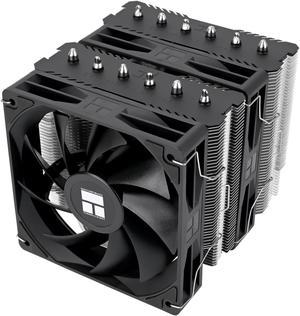
Dual-tower coolers usually deliver better heat dissipation and can handle overclocking more effectively due to their larger surface area, but they’re bulkier and might not fit in smaller cases.
Check the cooler’s dimensions and mounting compatibility with your motherboard socket and case size. Most manufacturers list supported sockets, and measuring your case clearance can prevent fit issues.
Single-fan coolers are generally smaller and quieter, suitable for mid-range builds. Dual-fan models provide better airflow and cooling performance, especially under heavy loads or overclocking.
First, check your case’s maximum cooler height to avoid compatibility issues. Then, choose a cooler that fits within that limit while still offering enough airflow for your CPU’s heat output.
Not necessarily. Budget or mid-range coolers often provide adequate cooling for standard use, so only invest in high-end models if you plan to push your processor or want extra quiet performance.
Check user reviews focusing on long-term performance and noise levels, not just initial cooling. Consistent mentions of durability or fan failures are red flags to watch out for.
Many users face problems like loud fans, poor mounting leading to bad contact, or compatibility issues with their case or RAM height. Reviews often highlight these concerns, so it pays to scan for them.
You want to apply a thin layer of thermal paste evenly on your CPU before mounting the cooler. Tighten the cooler’s screws evenly in a diagonal pattern to ensure solid contact without putting too much pressure on the chip.
Absolutely, positioning your case fans to push cool air in and pull hot air out can really boost your CPU cooler’s efficiency. Just make sure the airflow direction aligns with the cooler’s fan to avoid disrupting the airflow path.
“ Out of many heatsinks I've purchased over the years; this has to be the easiest I've ever put into a tower. ”
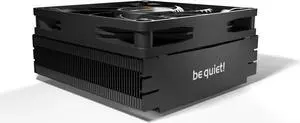
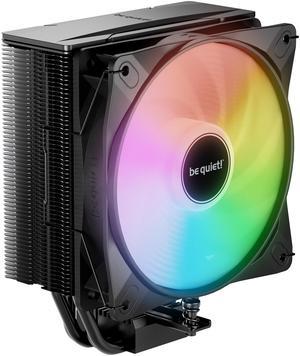
be quiet! Dark Rock Slim CPU Air Cooler | 180W TDP | Compact Air Cooler | LGA 1700 1200 2066 1150 1151 1155 2011(-3) Square ILM | Intel and AMD 4/5 Support | Low Noise Cooler | Black | BK024“ I have used Noctua heatsinks in a lot of builds and they have never let me down. ”
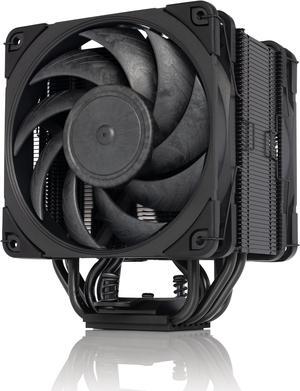
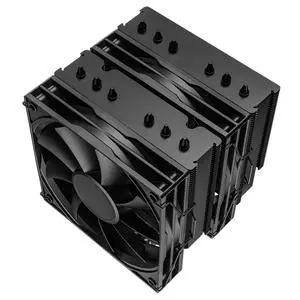
Noctua NH-D15S chromax.Black, Premium Dual-Tower CPU Cooler with NF-A15 PWM 140mm Fan (Black)“ There is no interference with any motherboard components including RAM and heatsinks integrated to the motherboard (they may be close, but there should be room). ”
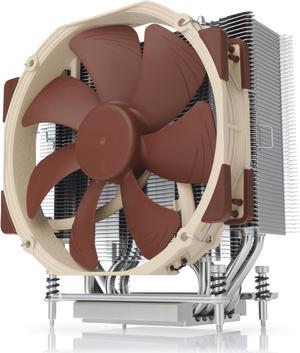
Noctua NH-D9L, Premium CPU Cooler with NF-A9 92mm Fan (Brown)