
Your Browsing History

Quick View
New original radiator for Lenovo Thinkpad L450 integration CPU heatsink cooling fan cooler FUR: 01HW919 EG50050S1-C920-S9A
- Model #: 62398-ytUv6l80--5Res
- ฿1,328.61 –
- Free Shipping
Quick View
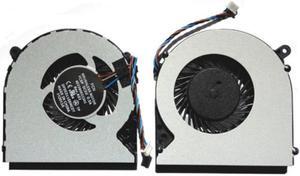
New Laptop CPU Cooling Fan for toshiba Satellite L55DT-A5253 L55DT-A5253NR L55DT-A5254 L55DT-A5293
- Model #: 42313-Z-lY3GxyN
- ฿1,856.56 –
- Free Shipping

Quick View
New original radiator for LENOVO THINKPAD Yoga 11 CPU COOLING FAN HEATSINK COOLER 01AV756 EG50050S1-C910-S9A
- Model #: 78236-Z5uq2GtUh-J1Rn
- ฿1,371.23 –
- Free Shipping
Quick View
Laptop cpu cooling fan for toshiba Satellite L70-ABT2N22 L70-ABT3N22 L70-AST2NX1 L70-AST2NX2 L70-AST2NX3 L70-AST3NX1 L70-AST3NX2
- Model #: 27086-7Njc4dqGM
- ฿1,902.85 –
- Free Shipping

Quick View
New and Original laptop heatsink for Clevo P37EN 6-31-P37EN-400 heatsink cooler thermal module
- Model #: 96182-mRB-Wwaa3--I3h
- ฿1,517.88 –
- Free Shipping
Quick View
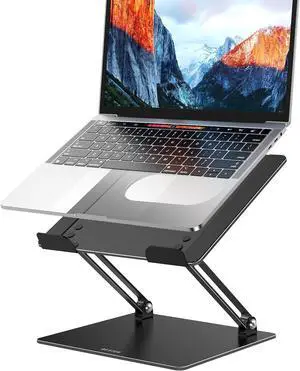
LS10 Aluminum Laptop Stand Ergonomic Adjustable Notebook Tablet Stand Computer Holder Compatible with Air Pro HP More 10-14 Laptops Black
- Accessory Type: Laptop Stands
- Model #: B08BKVGY3SC3FG
- ฿1,750.24 –
- Free Shipping
Quick View
Laptop CPU Cooling Fan for Gateway M-6809M M-6810M M-6811M M-6812M M-6813M M-6814M M-6815 M-6816 M-6817
- Model #: 81845-WDzIsXxgf
- ฿1,731.90 –
- Free Shipping
Quick View
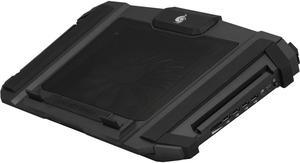
CM Storm SF-17 - Gaming Laptop Cooling Stand with 180 mm Fan and 4 Ergonomic Height Settings
- Type: CPU Cooler Fan
- Bearing Type: Cooler
- Model #: 44556-rpVRshTHv
- ฿5,888.20 –
- Free Shipping
Quick View
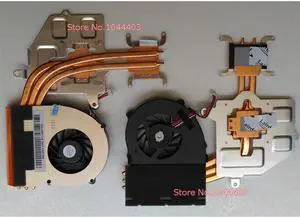
New Laptop CPU Cooling Fan & Heatsink for Sony vaio VPCF1 VPCF VPCF11QFX VPCF120FD VPCF121FD VPCF121FX VPCF121GX VPCF122FX
- Model #: 49165-d96SZzXzx
- ฿1,974.34 –
- Free Shipping
Quick View
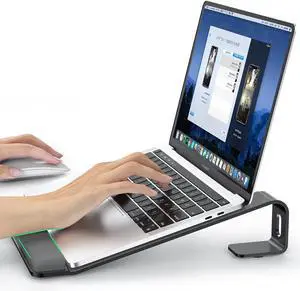
Laptop Stand for Desk Metal Laptop Stand with Wrist Support Ergonomic Detachable Laptop Riser Aluminum Protable Computer Stand for MacBook Air Pro HP XPS HP (10-17) Laptops - Black
- Accessory Type: Laptop Stands
- Model #: B0CYSQ9QB1C3FG
- ฿1,704.40 –
- Free Shipping

Quick View
new original radiator for Toshiba M50-A M40t-AT02S M40t E45T U40T laptop heatsink cooler fan AT10R0030C0 AB07505HX060300 FFCF
- Model #: 48242-OByKJYUoW-C01a
- ฿1,553.63 –
- Free Shipping
Quick View
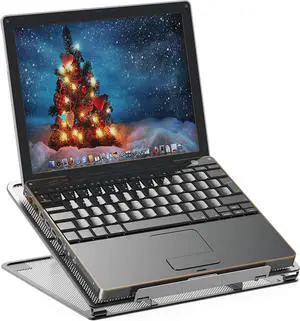
Simple Houseware Mesh Laptop Stand with 11-Levels Adjustable Ventilated Computer Holder Black
- Accessory Type: Laptop Stands
- Model #: B07QH8HYL1C3FG
- ฿1,750.24 –
- Free Shipping

Quick View
New original laptop heatsink cooler for Clevo 6-31-P64KN-101 radiator
- Model #: 77750-1_HXXWIwH-jODA
- ฿1,768.11 –
- Free Shipping

Quick View
New original laptop heatsink cooler for Clevo 6-31-P64KN-101 radiator
- Model #: 30676-tuhheG4Hd-TEf4
- ฿1,768.11 –
- Free Shipping
Quick View
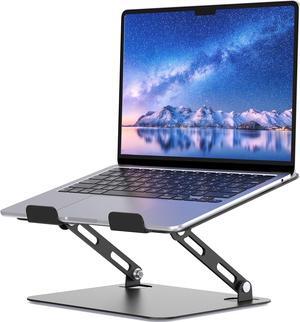
Laptop Stand for Desk Portable Adjustable Laptop Riser Ergonomic Design Computer Holder Metal Laptop Mount Elevator Compatible with 10 to 15.6 Inches PC Computer Black
- Accessory Type: Laptop Stands
- Model #: B0C4XXJMDDC3FG
- ฿1,750.24 –
- Free Shipping
Quick View
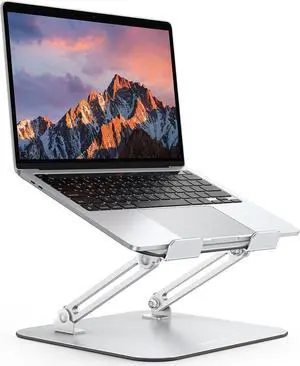
Laptop Stand for Desk Ergonomic Metal Adjustable Laptop Stand Laptop Holder Riser with Cooling Function Computer Stand Compatible with MacBook and All Laptops (10-17.2 inch) Silver
- Accessory Type: Laptop Stands
- Model #: B0DCBR8WY5C3FG
- ฿2,071.05 –
- Free Shipping

Quick View
Ultra Thin Pure Copper Heatsink Cooler Heat Sink SSD Thermal Pad for M.2 2280 PCI-E NVME SSD 70X20X4mm
- Model #: JAENFONG-7*2*4
- ฿1,036.99 –
- Free Shipping

Quick View
New original cpu cooling heatsink cooler radiator for Clevo 6-31-W330N-011
- Model #: 53376-6D-p2MZJR-SnJ0
- ฿1,614.13 –
- Free Shipping

Quick View
New original laptop heatsink cooler for Clevo 6-31-N75HN-101 radiator
- Model #: 75473-BfXls71zr-3mnH
- ฿1,589.84 –
- Free Shipping

Quick View
New and Original laptop heatsink for Clevo Z7 P650N Heatsink 6-31-P650N-100 cooler thermal module
- Model #: 41911-yDfzS6VGv-6ZWU
- ฿1,768.11 –
- Free Shipping

Quick View
New Original CPU coling Fan HeatSink cooler For Hasee Z7 SL7S3 SL7S4 Z7M Z8 G7 G8 S3 P65R2 DFS501105FR0T FHCX
- Model #: 95390-URnBNGWRS-CVul
- ฿1,971.13 –
- Free Shipping
Quick View
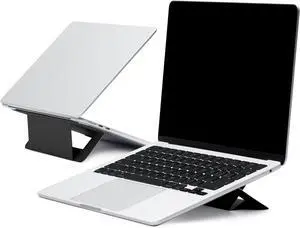
Laptop Stand for Desk Adhesive Airflow Laptop Cooling Riser for Heat Dissipation with 2 Adjustable Viewing Angles Foldable & Portable Computer Stand Compatible with Laptops 11-16 Jet Black
- Accessory Type: Laptop Stands
- Model #: B0B15B32NVC3FG
- ฿2,071.05 –
- Free Shipping
Quick View
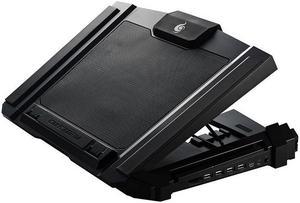
CM Storm SF-17 - Gaming Laptop Cooling Pad with 180 mm Fan and 4 Ergonomic Height Settings
- Air Flow: >80 CFM
- Model #: 42828-zGHIzoj9G
- ฿5,888.20 –
- Free Shipping

Quick View
New original laptop heatsink cooler for Clevo 6-31-P77FN-201 radiator
- Model #: 55477-hYQCDC-GF--x7W
- ฿1,946.84 –
- Free Shipping

Quick View
new origial laptop heatsink cooler radiator for Clevo 6-31-N85L2-101
- Model #: 36643-FfJA9e85m-kgLg
- ฿1,965.18 –
- Free Shipping

Quick View
new origial laptop heatsink cooler radiator for Clevo 6-31-N85L2-101
- Model #: 3891-vMAy4dM_F-vVtz1
- ฿1,965.18 –
- Free Shipping

Quick View
NEW ORIGINAL HEATSINK WITH FAN FOR SUNON EG70050S1-C040-S9A EG70050S1-C030-S9A LAPTOP FAN COOLER RADIATOR THERMAL MODULE
- Model #: 75417-1GX0vlFOC-nsie
- ฿3,690.67 –
- Free Shipping
Quick View
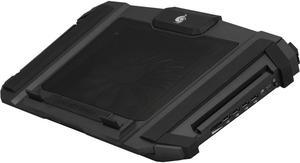
CM Storm SF-17 - Gaming Laptop Cooling Stand with 180 mm Fan and 4 Ergonomic Height Settings
- Bearing Type: Cooler
- Model #: 48448-WpfvtIECo-eyzy
- ฿5,413.41 –
- Free Shipping
Quick View
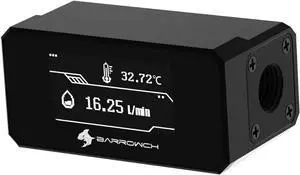
Barrowch G1/4" Water Temperature Sensor & Flow Meter with OLED Display FBFT07 for PC Water Cooling System (Black)
- Accessory Type: Cooler
- Model #: FB0BF9TBNJG
- ฿4,087.55 –
- Free Shipping
Quick View
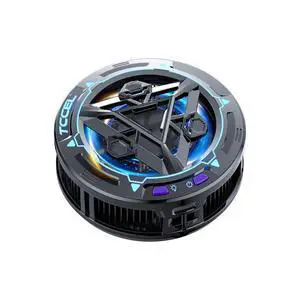
Ice Storm Pro Universal Mobile Phone Cooler Magnetic Cooling Fan Portable Phone Cooler Heat Sink Radiator
- Model #: C1JG-L-319100
- ฿2,670.29 –
- Free Shipping

Quick View
New and original heatsink for Hasee Z7 7-I7 8172S1 G7 laptop CPU cooling fan cooler radiator thermal module 6-31-P65S2-103
- Model #: 4151-fdgErXi5g-DXnck
- ฿2,753.45 –
- Free Shipping

Quick View
New original laptop heatsink cooler for Clevo 6-31-P872N-203 radiator
- Model #: 41383-zV0k_UzGu-Jew8
- ฿2,482.59 –
- Free Shipping
Quick View
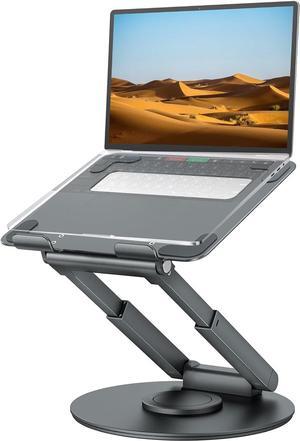
Telescopic Laptop Stand for Desk with 360° Swivel Base Sit to Stand Height Adjustable Portable Riser Holder for Good Posture Compatible with MacBook Pro All Laptops 10-17-Gray
- Model #: B09Y8B81F7YIXIN
- ฿5,186.55 –
- Free Shipping

Quick View
New original CPU Cooling Fan cooler For Razer Blade Stealth RZ09-0239 DC 5V 0.5A
- Model #: 50818-eK9B9AtuM-Tsuu
- ฿3,170.96 –
- Free Shipping

Quick View
New Original CPU\/GPU Cooling heatsink&Fan Radiator cooler For Clevo PB50 PB50ED PB50EF Hasee Z8 Z8-CR7P1 GTX2060\/2070\/2080
- Model #: 27540-8OAQmqy-r-MIUX
- ฿3,538.51 –
- Free Shipping
Quick View
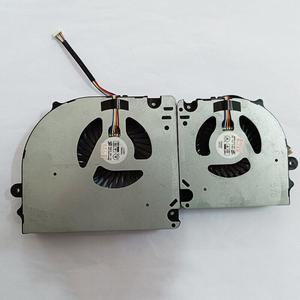
Gpu and Cpu cooling fan for CLEVO X17SN X170 X170SM-G X7200 BS6812MS-U4N
- Accessory Type: Cooler
- Color: Black
- Maximum support size: N/A
- Fan Numbers: N/A
- Model #: Fan-RU85
- ฿3,725.04 –
- Free Shipping
Laptop cooling pads are a simple and inexpensive solution to reduce overheating. They come in countless shapes and sizes to fit the different needs of travelers, professionals and gamers. Some models have an ergonomic design to reduce strain on your back, neck and eyes. There are also vacuum coolers that rest on the side of your PC and suck the hot air away from fragile internal components.
Using a Laptop Cooler Improves Longevity
Modern laptops are increasingly compact and portable. However, the smaller size of the case means that laptop internal hard drives have less room for proper airflow. That's why many laptops tend to overheat, which can damage crucial internal components like the CPU or GPU. Computers already have built-in fans but, over the years they can clog up because of dust. In many cases, the solution is as simple as resting your laptop on a cooling pad. You can even utilize the pad with a docking station.
Passive Laptop Cooling Pads Keep Your Device Cool Without Additional Fans
A passive laptop cooling pad consists of a flat, raised surface to place your computer on. This accessory is usually made from metal mesh to promote optimal airflow. It raises your laptop to improve air circulation so the internal fans can push the hot air away from internal components. Computer stands can also improve the comfort of your workstation since they raise your screen to eye level, reducing strain on your neck and shoulders. Adjustable models let you choose the position to minimize screen glare, reducing eye strain. For users who travel and require laptop bags, most passive cooling pads are compact and portable enough to fit.
Active Cooling Pads Use USB-powered Fans to Draw Heat Away From the Laptop
Active laptop cooling mats look similar to the passive ones, but they have one or more built-in fans. Some models work by directing hot air away from the device, while others blow cool air toward the computer case. Most cooling pads draw power from one of the laptop's USB ports. However, some models come with a power adapter or a built-in USB hub to avoid using up one of the ports. The most advanced cooling pads regulate the fan speed automatically, targeting the hottest areas of your laptop. However, there are also models that let you adjust the fan speed manually. The notebook cooling pads targeted for gamers feature beautiful LED lights.
Vacuum Coolers Suck the Heat Away From Your Laptop
Vacuum coolers work by sucking excessive heat away from the internal parts of your laptop computer. Their peculiar design lets you attach them to the side of your laptop, next to the air outlet. Thanks to the power of the fans, most models can dissipate heat faster than your laptop's internal cooling system. Some models have temperature sensors, so they can adjust the fan speed automatically. Many vacuum coolers are USB-powered, have a compact, portable design, and some also feature attractive LED lights.