- Free 30-day Returns
- ฿2,636.86 Shipping
Shipped by Newegg
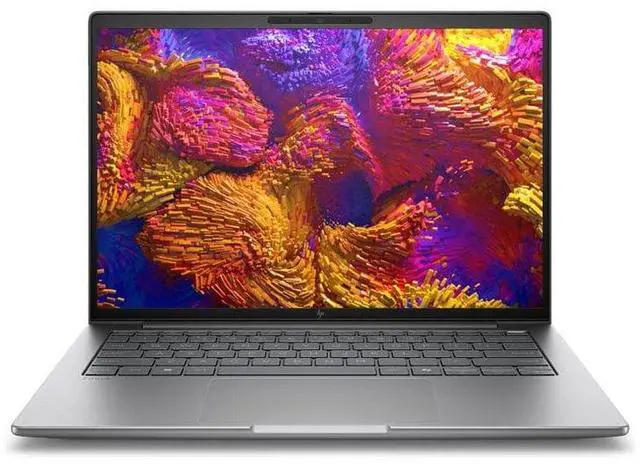
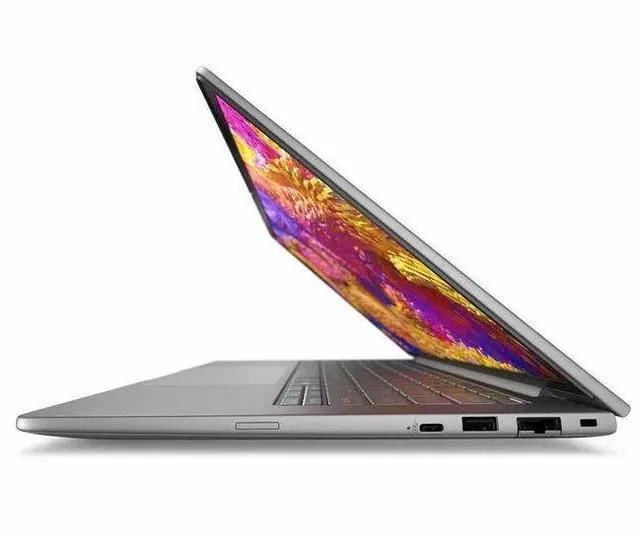
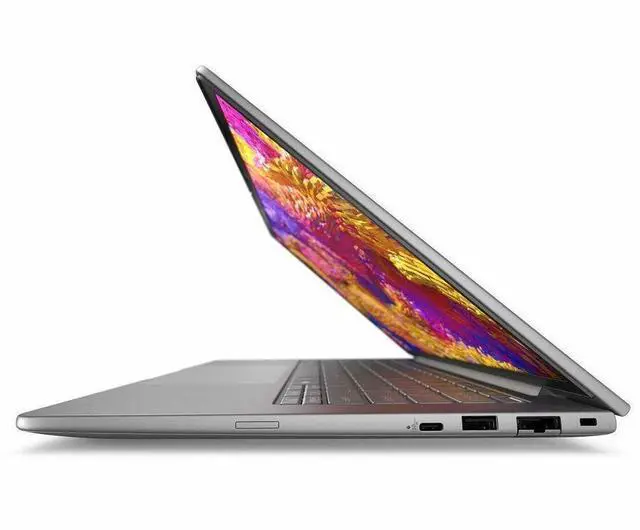
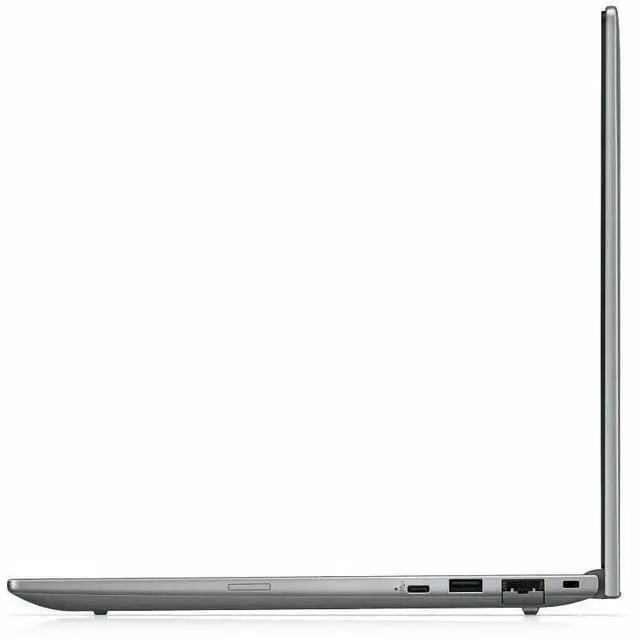
HP ZBook 8 G1ah 14" Mobile Workstation - AMD Ryzen 5 PRO 230 - 16 GB - 512 GB SSD - Windows 11 Pro - AMD Radeon 760M Graphics - Webcam - Wi-Fi 7 (BX7L8UT#ABA)
- AMD Ryzen 5 PRO 230
- 16GB Memory / 512 GB SSD
- AMD Radeon 760M
- Non-Touch Screen
- 1920 x 1200
- Windows 11 Pro
- Meteor Silver
Warranty & Returns
Warranty, Returns, And Additional Information
Return Policies*
- Return for refund within: 30 days
- Returns are subject to restocking fees and return shipping fees. Please click here to learn more about restocking fees and return shipping fees.
- This item is covered by Newegg.com's International Order Return Policy.
- Read full return policy for details.
- *Subject to applicable law
Warranty Notice:
This product does not include manufacturer warranty when purchased or used outside of its designated sales region. By purchasing internationally, you acknowledge that warranty support from the manufacturer will not be available.
Manufacturer Contact Info
- Manufacturer Website
- Support Phone: 1-800-474-6836
- Support Website
- View other products from HP
Learn about this product
The HP ZBook 8 G1ah is a 14-inch mobile workstation for professionals who need a compact Windows 11 Pro laptop with Ryzen 5 PRO performance, 16GB DDR5 memory, a 512GB SSD, and Wi‑Fi 7 for office, technical, and everyday creator workloads.
Recommended For
- Mobile professionals who spend most of the day in Office apps, browser tabs, video calls, and line-of-business software, but want a sturdier business/workstation platform than a consumer 14-inch laptop.
- Users who need a travel-friendly 14-inch work machine for 2D design, review work, architectural layouts, photography, and large multitasking workloads without stepping up to a heavier discrete-GPU workstation.
- IT-managed business buyers who value Windows 11 Pro, enterprise security features, and standardized deployment more than gaming features or creator-focused extras.
- Buyers who occasionally do light GPU-assisted work or older/lower-demand games, and mainly care about productivity, battery-conscious mobility, and integrated-graphics simplicity.
Real-World Use Scenarios
- For mobile office work with frequent video meetings, users can keep dozens of browser tabs, Office apps, and Teams or Zoom running at the same time while getting a lighter 14-inch workstation that is easier to carry than a larger creator laptop; the likely experience is smooth everyday multitasking with better-than-basic webcam and collaboration features, but not the headroom of a high-end discrete-GPU workstation.
- For students, consultants, or engineers working between home, office, and client sites, this system fits a real carry-everywhere workflow: users can draft reports, edit spreadsheets, join calls, and connect to fast Wi‑Fi in crowded environments; the likely outcome is a practical business laptop experience with workstation branding, not a desktop replacement for heavy rendering jobs.
- For light CAD review, 2D drafting, and basic 3D model inspection, users can open and review project files, make markups, and handle smaller professional workloads on the go; the likely experience is fine for review and moderate design tasks, but complex assemblies, simulation, or long render sessions will feel limited by the Ryzen 5 class CPU and integrated graphics.
- For photo editing, marketing content work, and document-heavy creative tasks, users can handle RAW photo selects, social graphics, presentation design, and light AI-assisted app features without needing a separate GPU; the likely outcome is responsive editing for moderate projects, while color-critical finishing and heavier video timelines are better suited to higher-spec configurations.
- For occasional off-hours gaming or graphics demos, users should expect older esports titles and lighter games to be more realistic than demanding new AAA releases; the likely experience is playable results at reduced settings and resolution, which matches broader Radeon 760M laptop testing and community expectations for this class of integrated graphics.
Spec Summary
| Attribute | Value |
|---|---|
| Best For | Professionals and mobile power users who want a compact 14" mobile workstation balancing CPU performance and integrated GPU for productivity and content work, with Ryzen 5 PRO 230, Radeon 760M, 16 GB DDR5 and a 512 GB SSD |
| Processor And Core Count | AMD Ryzen 5 PRO 230 processor (5th‑gen Ryzen 5 family), single-socket mobile CPU with up to 4.90 GHz turbo and 16 MB L3 cache; includes Ryzen AI capability |
| GPU And VRAM | Integrated AMD Radeon 760M graphics (Radeon 760M) using DDR5 system memory as listed for graphics |
| Display Spec | 14.0" WUXGA IPS display (1920 x 1200) non-touch, native 1920 x 1200 resolution and up to 300 nit brightness with a 45% NTSC color gamut value |
| Memory Configuration | 16 GB DDR5 SDRAM installed (SODIMM), DDR5 memory speed, system maximum listed as 16 GB with 2 memory slots |
| Storage And Expansion | 512 GB SSD internal storage (solid state drive) |
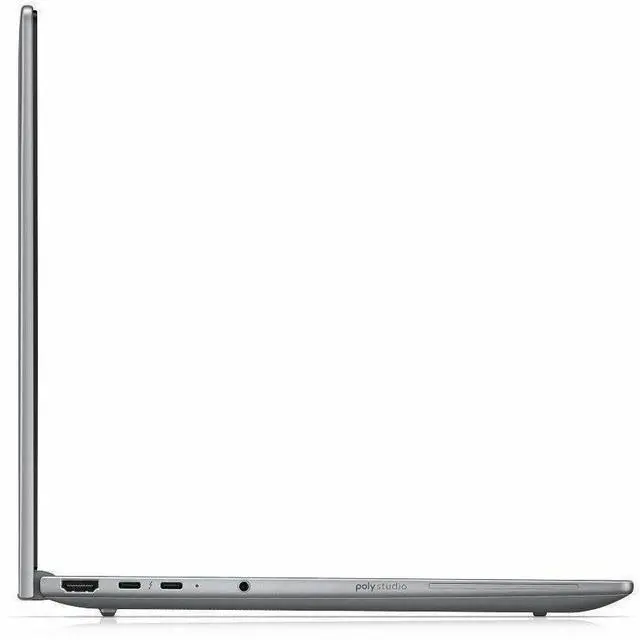
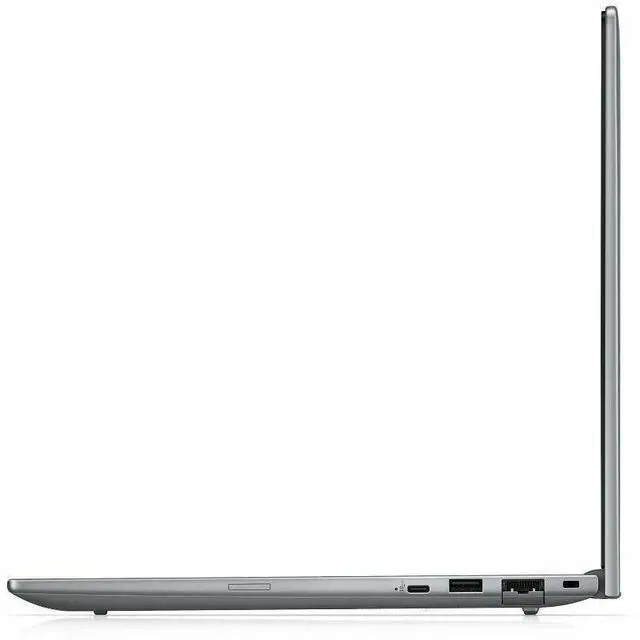
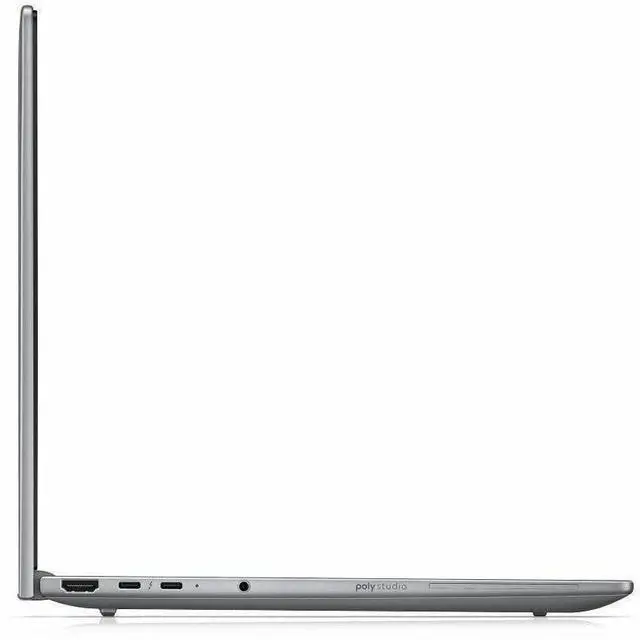
| High Speed I O | Multiple I/O including 2 total Thunderbolt ports (compatible with Thunderbolt 4 per compatibility notes), 1 HDMI port, and USB connectivity; total port count listed as 5 |
| Wired And Wireless Networking | Wi‑Fi 7 (IEEE 802.11be) wireless LAN and Bluetooth support, with wired Ethernet connectivity noted in connectivity list |
| Webcam And Privacy | Built‑in 5 megapixel webcam |
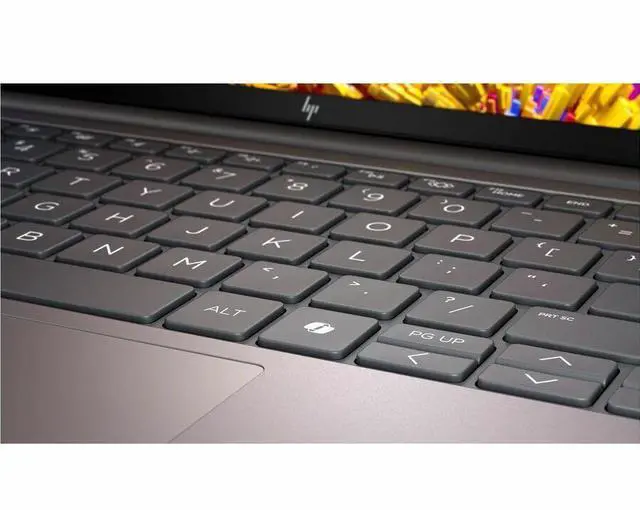
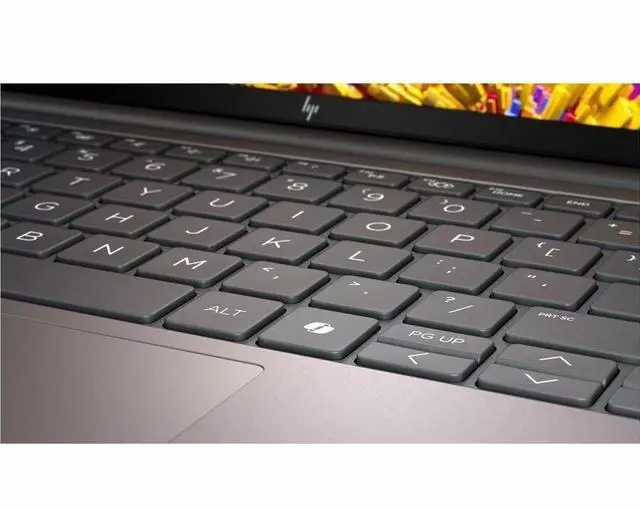
| Keyboard And Control | Backlit keyboard with integrated touch pad |
| Battery And Power | 3‑cell lithium polymer battery with power adapter included in the package |
| Portability | 14" mobile workstation footprint with dimensions approx Height 0.74" × Width 12.4" × Depth 8.7" and weight 3.17 lb |
| External Display And Docking Fit | Supports external displays and accessories via HDMI and Thunderbolt ports; compatible with external monitors, mice, keyboards, storage devices, printers and other accessories over HDMI, USB, Thunderbolt 4, Bluetooth and IEEE 802.11be |
| Package Contents | Includes the ZBook 8 G1ah 14 inch mobile workstation (Wolf Pro Security Edition), lithium polymer battery and power adapter |
| Model Identifiers | HP ZBook 8 G1ah (Model/Edition BX7L8UT#ABA), Hewlett Packard manufacturer, Meteor Silver color, mobile workstation form factor |
Reference Q&A
Q: Should I buy the HP ZBook 8 G1ah or the HP EliteBook 8 G1a 14 for office and analyst work?
A: Choose the HP EliteBook 8 G1a 14 if your workload is mostly office apps, browser-based tools, meetings, and general business productivity. HP positions the EliteBook 8 line as an enterprise productivity laptop for power users and data analysts, while the ZBook line is positioned for professional software environments that benefit from workstation features and ISV-focused validation. Choose the HP ZBook 8 G1ah when you want the same general 14-inch business form factor but with workstation positioning, Windows 11 Pro, and a better fit for professional applications, engineering workflows, or buyers who specifically want a mobile workstation instead of a standard business laptop.
Q: Is the HP ZBook 8 G1ah enough, or should I move up to a higher-end ZBook like the ZBook Ultra G1a?
A: The ZBook 8 G1ah is the better choice when you want a lighter, more mainstream 14-inch workstation for everyday professional use, document-heavy work, remote collaboration, and moderate local graphics needs. Move up to the ZBook Ultra G1a if your work includes heavier GPU-assisted tasks, larger AI models, more demanding creation workflows, or if you need much higher memory ceilings. HP positions the ZBook Ultra G1a as the 14-inch model for on-device AI and larger local workloads, while the ZBook 8 G1ah sits closer to the practical entry point for mobile workstation buyers.
Q: How does the HP ZBook 8 G1ah compare with a 14-inch mobile workstation like the Lenovo ThinkPad P14s Gen 5 AMD?
A: Pick the HP ZBook 8 G1ah if you prefer HP's workstation ecosystem and want a compact workstation centered on Ryzen PRO efficiency, integrated Radeon 760M graphics, and current business features like Wi-Fi 7. Pick the ThinkPad P14s Gen 5 AMD if you want a close alternative in the same class and prioritize Lenovo's ThinkPad workstation line. In real buying terms, this is usually a brand, keyboard, service, and configuration decision more than a large class difference, because both target portable professional users rather than high-wattage workstation performance.
Q: Should I choose this ZBook 8 G1ah over an older ZBook Firefly generation?
A: Choose the ZBook 8 G1ah if you want the newer platform direction: Ryzen PRO 200-series positioning, integrated Radeon 760M graphics, Ryzen AI support, and Wi-Fi 7 in a current 14-inch chassis. An older ZBook Firefly can still make sense if you specifically want a prior-generation configuration with optional discrete NVIDIA graphics or if you are buying based on price. The trade-off is simple: the ZBook 8 G1ah is the more current platform choice, while a Firefly can be the more specialized choice when a legacy configuration or discrete GPU matters more than platform freshness.
Q: Is the HP ZBook 8 G1ah better for portability or for performance-first workstation use?
A: The HP ZBook 8 G1ah is the better fit for portability-first workstation use. Its 14-inch size, 3.17 lb weight, integrated Radeon 760M graphics, and Ryzen 5 PRO 230 point to a balanced mobile system rather than a high-power workstation built for sustained rendering or heavy GPU compute. If your priority is carrying a professional laptop every day, joining calls, working in spreadsheets, coding, and handling moderate creative or technical tasks, this configuration fits well. If your priority is maximum graphics performance, larger thermal headroom, or heavier CAD and rendering workloads, a larger ZBook tier is the more appropriate step up.
Q: Is this a good travel work laptop for commuting and hybrid office use?
A: Yes, it fits travel-focused office use well. The main reasons are its 14-inch size, 3.17 lb weight, Windows 11 Pro, 16 GB RAM, and 512 GB SSD, which are a practical mix for commuting, web apps, documents, video meetings, and multi-window work. The trade-off is that it is a mobile workstation, not an ultra-light consumer laptop, so buyers who want the lightest possible system may prefer a thinner non-workstation model.
Q: Is it good for note-taking, meetings, and everyday office work?
A: Yes. For office productivity, this configuration is well suited to email, spreadsheets, note-taking, browser-based work, and video calls. Its 16 GB memory is enough for typical business multitasking, the 512 GB SSD is adequate for normal local storage, and the 5 MP webcam is a strong fit for meetings. The main limitation is the non-touch display, so it is less ideal if your note-taking style depends on pen input or tablet-style use.
Q: Who is this laptop best suited for?
A: It is best suited for business users who want a portable 14-inch Windows workstation for office work plus some heavier professional tasks than a basic laptop usually handles. Good fits include analysts, project managers, IT users, and professionals who want Windows 11 Pro features, solid everyday multitasking, and integrated Radeon 760M graphics without moving to a larger 15- or 16-inch workstation. It is less suitable for buyers who need a touchscreen, dedicated graphics, or a very low-cost casual laptop.
Q: What are the main trade-offs versus a consumer 14-inch laptop?
A: The advantage of this HP model is that it is configured more like a business workstation: Windows 11 Pro, workstation branding, Ryzen PRO platform, 16 GB DDR5, 512 GB SSD, and Wi-Fi 7. That makes it a safer fit for work deployments than an entry-level consumer laptop. The trade-offs are that it is non-touch, uses integrated rather than dedicated graphics, and may not feel as value-oriented for buyers who only need basic home use.
Q: Is it a better choice than a larger 15.6-inch mobile workstation?
A: It is the better choice if portability matters more than maximum expansion or screen size. Compared with a typical 15.6-inch mobile workstation, this 14-inch HP should be easier to carry and better for frequent travel or moving between meetings. A larger workstation is usually the better option if you want more screen space, more ports, or more room for upgrades and higher-end graphics.
Q: Who is the HP ZBook 8 G1ah best suited for?
A: This model is best suited for office work, web apps, light coding, remote meetings, and general business multitasking. Its 14-inch, 3.17 lb design and Windows 11 Pro setup fit mobile work well. The main limitation is graphics: the Radeon 760M is integrated, so it is better for everyday productivity and lighter GPU workloads than for demanding 3D, CAD, or heavy rendering.
Q: Is the HP ZBook 8 G1ah a good choice for travel and hybrid work?
A: Yes, if you want a portable work laptop with business features. At 3.17 lb with a 14-inch 1920x1200 IPS display, webcam, Wi-Fi 7, and Windows 11 Pro, it is a practical travel and hybrid-work machine. The trade-off is that it is still a workstation-style laptop, so portability is strong, but it is not the lightest option in the 14-inch category.
Q: Can the HP ZBook 8 G1ah handle some gaming or graphics work?
A: It can handle light gaming and lighter graphics tasks, but it is not a gaming-first or heavy-GPU workstation. The Radeon 760M integrated graphics are suitable for older, less demanding, or lower-settings games, and for basic visual workloads. If gaming performance or GPU-accelerated professional apps are a priority, a laptop with a dedicated GPU is a safer choice.
Q: What are the main trade-offs of buying the HP ZBook 8 G1ah?
A: The main trade-offs are moderate graphics capability, a standard 16 GB RAM and 512 GB SSD configuration, and possible workstation-style fan activity under heavier load. It is a sensible configuration for business users who prioritize portability and everyday productivity, but buyers needing quiet operation under load, higher memory headroom, or stronger GPU performance may want a higher-spec configuration or a different class of laptop.